
1. Introduction
Thank you for choosing the Monster Open Ear AC520 Headphones. This manual provides essential information for setting up, operating, and maintaining your new headphones. Please read it carefully before use to ensure optimal performance and longevity of your device.
2. Package Contents
Verify that all items listed below are present in your package:
- Monster Open Ear AC520 Headphones (x2)
- Portable Lanyard (x1)
- Charging Case (x1)
- Type-C Charging Cable (x1)
- User Manual (x1)

Figure 2.1: Package Contents
3. Setup
3.1 Wearing the Headphones
For optimal comfort and sound quality, follow these steps to properly wear your Monster Open Ear AC520 Headphones:
- Take out the earbuds from the charging case.
- Place the ear hooks behind your ears for a secure fit.
- Lightly twist the earbuds until they feel comfortable and secure in your ear.

Figure 3.1: How to Wear the Headphones
3.2 Charging the Headphones and Case
Before first use, fully charge the headphones and the charging case. Connect the provided Type-C charging cable to the charging case and a power source. The headphones will charge automatically when placed inside the case.
- Charging Time: Approximately 1 hour for a full charge of the earbuds.
- Single Charge Playtime: Up to 8 hours.
- Total Playtime with Charging Case: Up to 24 hours.

Figure 3.2: Charging and Playtime Overview
3.3 Bluetooth Pairing
To connect your headphones to a device:
- Ensure the headphones are charged and removed from the charging case. They will automatically enter pairing mode.
- On your device (smartphone, tablet, computer), enable Bluetooth.
- Search for available Bluetooth devices and select "Monster AC520" from the list.
- Once connected, you will hear an audio prompt, and the indicator light on the earbuds will change.
The headphones feature Bluetooth 6.0 for a fast and stable connection with a range of up to 10 meters.
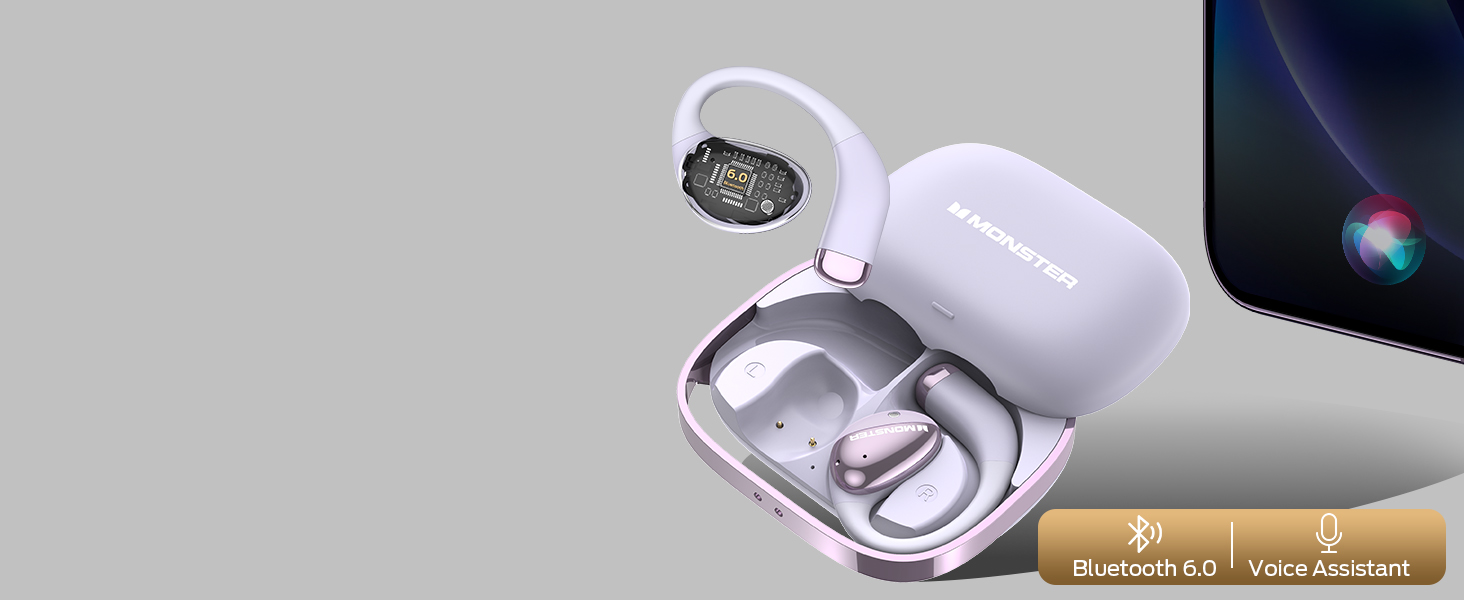
Figure 3.3: Bluetooth 6.0 Features
4. Operating Instructions
4.1 Touch Controls
The Monster Open Ear AC520 Headphones utilize touch controls for various functions. The controls are located on the surface of each earbud.
| Action | Function | Earbud (L/R) |
|---|---|---|
| Click x2 | Play/Pause | L or R |
| Hold 2s | Voice Assistant | L or R |
| Click x3 | Previous Song | L |
| Click x3 | Next Song | R |
| Click x2 | Answer Call | L or R |
| Hold 2s | Hang Up Call | L or R |
| Click x1 | Volume Down | L |
| Click x1 | Volume Up | R |

Figure 4.1: Headphone Control Functions
4.2 Making and Receiving Calls
The headphones support hands-free calling with ENC (Environmental Noise Cancellation) for clear communication.
- Answer Call: Double-click either earbud.
- Hang Up Call: Press and hold either earbud for 2 seconds.

Figure 4.2: ENC Noise Reduction for Calls
5. Maintenance
5.1 Cleaning
Regular cleaning helps maintain the performance and hygiene of your headphones.
- Wipe the earbuds and charging case with a soft, dry, lint-free cloth.
- Do not use abrasive cleaners, solvents, or aerosol sprays.
- Avoid getting moisture in any openings.
5.2 Water Resistance
The Monster Open Ear AC520 Headphones have an IPX6 water resistance rating. This means they are resistant to sweat and light rain, making them suitable for workouts and outdoor activities. However, they are not designed for submersion in water.
- Do not intentionally submerge the headphones in water.
- Ensure the charging port is dry before charging.

Figure 5.1: IPX6 Water Resistance
5.3 Storage
When not in use, store the headphones in their charging case to protect them from dust and damage.
6. Troubleshooting
If you encounter issues with your headphones, refer to the following common solutions:
- No Sound/Low Volume:
- Ensure the headphones are properly paired and connected to your device.
- Check the volume levels on both your headphones and your connected device.
- Ensure the earbuds are clean and free of debris.
- Cannot Pair:
- Make sure Bluetooth is enabled on your device and the headphones are in pairing mode.
- Turn off and on your device's Bluetooth.
- Try resetting the headphones (refer to manufacturer's website for specific reset instructions if needed).
- Ensure no other devices are actively connected to the headphones.
- Intermittent Disconnections:
- Ensure you are within the 10-meter Bluetooth range of your device.
- Avoid strong electromagnetic interference.
- Ensure the headphones are adequately charged.
- Update your device's operating system and Bluetooth drivers if applicable.
- Charging Issues:
- Verify the charging cable is securely connected to both the case and the power source.
- Ensure the charging contacts on the earbuds and inside the case are clean.
- Try a different charging cable or power adapter.
7. Specifications
| Feature | Detail |
|---|---|
| Model Name | Monster Open Ear AC520 Headphones |
| Connectivity Technology | Wireless (Bluetooth) |
| Bluetooth Version | 6.0 |
| Bluetooth Range | 10 Meters |
| Audio Driver Type | Dynamic Driver |
| Battery Life (Earbuds) | Up to 8 Hours (single charge) |
| Total Battery Life (with Case) | Up to 24 Hours |
| Charging Time | 2 Hours (for case, earbuds charge faster) |
| Water Resistance Level | IPX6 Water Resistant |
| Control Type | Touch Control |
| Ear Placement | Open Ear |
| Item Weight | 4.2 ounces (0.12 Kilograms) |
| Included Components | Adapter (Charging Cable) |
| Manufacturer | Monster |
8. Warranty Information
Monster products are designed and manufactured to the highest quality standards. For detailed warranty information, including coverage period and terms, please refer to the warranty card included in your product packaging or visit the official Monster website. Keep your purchase receipt as proof of purchase for any warranty claims.
9. Customer Support
If you have any questions, require technical assistance, or need further support regarding your Monster Open Ear AC520 Headphones, please contact Monster customer service through their official website or the contact information provided in your product documentation.
Online Support: Visit the official Monster website for FAQs, support articles, and contact options.


