
1. Introduction
This manual provides detailed instructions for the installation, operation, and maintenance of your MAXTO M2S Bluetooth Motorcycle Headset. Please read this manual thoroughly before using the device to ensure proper function and safety. The MAXTO M2S is designed to enhance your riding experience with reliable communication and entertainment features.
2. Product Overview
2.1 Package Contents
- 1x M2S Host Unit
- 1x Hard Microphone
- 1x Soft Microphone
- 1x Adhesive Mounting Clip
- 1x Screw Mounting Clip
- 1x Set of Velcro Pads
- 1x Type-C Charging Cable
- 1x User Manual
2.2 Key Features
- 6-Way Group Intercom: Supports up to 6 riders for simultaneous communication with a range of up to 2000 meters.
- FM Radio: Integrated FM radio with a frequency range of 76-108MHz.
- Music Sharing: Allows two riders to share music simultaneously.
- Universal Pairing: Compatible with third-party Bluetooth devices, including phones, GPS, and MP3 players.
- IP67 Waterproofing: Dustproof and waterproof design for use in various weather conditions.
- Intelligent Noise Reduction: Advanced noise cancellation technology for clear audio.
- AI Voice Assistant: Hands-free control for calls and music via voice commands.
- Long Battery Life: Up to 20 hours of talk/music/intercom time and 200 hours standby.
2.3 Device Components
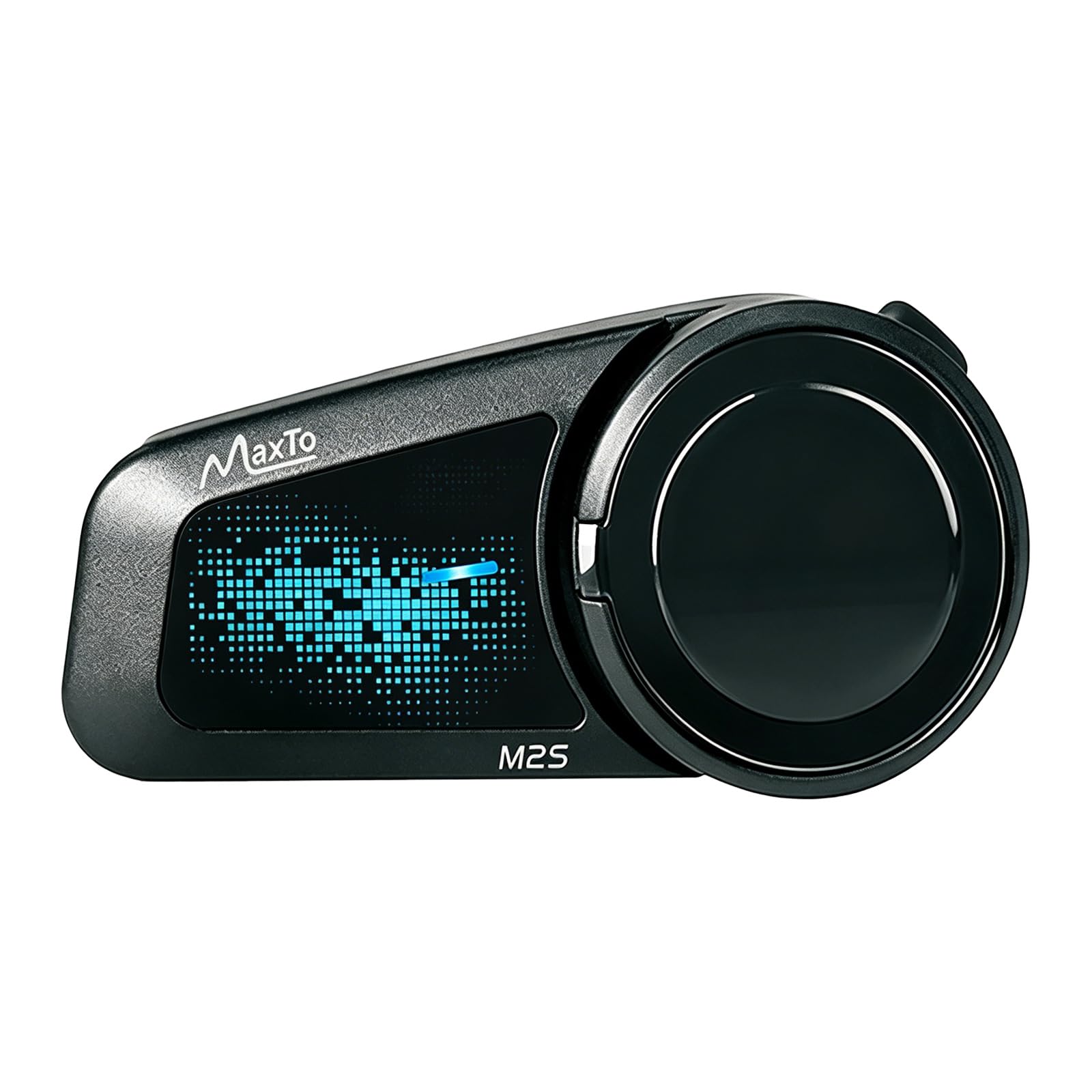
Image: MAXTO M2S Bluetooth Headset main unit. This image displays the compact design of the M2S communication device.

Image: Close-up view of the MAXTO M2S device, highlighting its buttons and indicators.
3. Setup and Installation
3.1 Mounting the M2S Unit
The M2S unit can be mounted to your helmet using either the adhesive mounting clip or the screw mounting clip. Choose the method that best suits your helmet type and preference.
- Adhesive Mount: Clean the desired area on the side of your helmet. Peel off the protective film from the adhesive pad on the clip and firmly press it onto the helmet surface. Hold for 30 seconds to ensure a strong bond.
- Screw Mount: Attach the screw clip to the edge of your helmet shell. Use the provided screws to secure it in place. Ensure it is tight but do not overtighten.
- Slide the M2S host unit onto the mounted clip until it clicks securely into place.
3.2 Installing Speakers and Microphone
The M2S comes with both a hard microphone (for open-face helmets) and a soft microphone (for full-face helmets). Choose the appropriate microphone for your helmet.
- Attach the speakers inside your helmet using the provided Velcro pads. Position them directly over your ears for optimal sound quality.
- Connect the speaker and microphone cable to the corresponding port on the M2S host unit.
- For the hard microphone, position the boom microphone in front of your mouth. For the soft microphone, tuck it inside the helmet padding near your mouth.
4. Operating Instructions
4.1 Power On/Off
- Power On: Press and hold the Power button for approximately 3 seconds until the indicator light turns on.
- Power Off: Press and hold the Power button for approximately 3 seconds until the indicator light turns off.
4.2 Bluetooth Pairing (Phone/GPS)
- With the M2S powered off, press and hold the Power button for about 5-7 seconds until the indicator light flashes red and blue alternately, indicating pairing mode.
- On your phone or GPS device, enable Bluetooth and search for new devices.
- Select "MAXTO M2S" from the list of available devices.
- Once paired, the indicator light will flash blue slowly.
4.3 Group Intercom
The M2S supports 2 to 6 riders for group intercom communication.

Image: Multiple motorcyclists riding together, illustrating the 6-way group intercom feature of the MAXTO M2S, allowing communication up to 2000 meters.
- Ensure all M2S units are powered on and within range.
- On one M2S unit, initiate group pairing (refer to specific button press in your quick start guide, typically a long press of a dedicated intercom button).
- Other M2S units should join the group (refer to specific button press).
- Once connected, all riders in the group can communicate. The group intercom distance can reach up to 2000 meters.
4.4 Music Playback and Sharing
After pairing with your phone, you can play music through the M2S headset.

Image: Two motorcyclists riding side-by-side, with musical notes indicating the one-touch stereo music sharing feature of the MAXTO M2S.
- Play/Pause: Short press the Multi-function button.
- Next Track: Short press the Volume Up button.
- Previous Track: Short press the Volume Down button.
- Music Sharing: The unique music sharing function allows 2 riders to share playlists simultaneously. (Note: A factory reset may be required if the M2S has multi-function pairing records before music sharing.)
4.5 FM Radio
The M2S includes an integrated FM radio.

Image: A motorcyclist wearing a helmet with the MAXTO M2S attached, illustrating the FM radio feature with frequency display (76-108MHz).
- Turn On/Off FM: Press and hold the FM button.
- Scan Channels: Short press the FM button to automatically scan and save channels.
- Change Channel: Use the Volume Up/Down buttons to switch between saved channels.
4.6 Voice Control (AI Voice Assistant)
Activate your phone's voice assistant for hands-free control.

Image: A snowmobiler using voice commands with a smartphone interface, demonstrating the one-click wake-up of mobile voice assistant for hands-free control with the MAXTO M2S.
- Activate Voice Assistant: Short press the Voice Assistant button (refer to device layout for button identification).
- Once activated, you can issue commands like "Call [Contact Name]", "Open Google Maps", or "What's the weather like today?".
4.7 Volume Control
- Increase Volume: Short press the Volume Up button.
- Decrease Volume: Short press the Volume Down button.
5. Maintenance
5.1 Charging
The M2S has a 500 mAh battery capacity, providing approximately 20 hours of operating time and 200 hours of standby time. A full charge takes about 2 hours.

Image: A motorcyclist wearing a helmet with the MAXTO M2S, illustrating the long-lasting battery life with icons for talk time (20h), music playback (20h), Bluetooth intercom (20h), standby time (200h), and charging time (2h).
- Connect the provided Type-C charging cable to the M2S unit and a USB power source.
- The indicator light will show charging status (e.g., red for charging, blue for fully charged).
- If not used for an extended period, charge the device every 3 months to preserve battery life.
5.2 Waterproofing and Care
The M2S unit is IP67 rated, meaning it is protected against dust ingress and immersion in water up to 1 meter for 30 minutes.

Image: The MAXTO M2S device being splashed with water, illustrating its IP67 waterproof, cold-resistant, and dustproof capabilities.
- While waterproof, avoid prolonged submersion or high-pressure water jets.
- Clean the unit with a soft, damp cloth. Do not use harsh chemicals or abrasive cleaners.
- Ensure the charging port cover is securely closed when not charging to maintain water resistance.
6. Troubleshooting
6.1 Device Will Not Power On
- Ensure the battery is charged. Connect the charging cable and allow it to charge for at least 15 minutes before attempting to power on again.
- If the M2S cannot be turned on, plug in the power cord and charge it to reset the device.
6.2 Cannot Pair with Phone/Intercom
- Ensure the M2S is in pairing mode (flashing red and blue).
- Make sure Bluetooth is enabled on your phone/device.
- Clear previous pairing records on both the M2S and your phone/device and try pairing again.
- Ensure other Bluetooth devices are not interfering.
6.3 Poor Sound Quality / Noise

Image: A graphic illustrating the effect of intelligent noise reduction, showing sound waves before and after processing by the MAXTO M2S for high-quality and clear sound.
- Check microphone and speaker placement inside the helmet. Speakers should be directly over ears, and the microphone close to the mouth.
- Ensure the microphone type (hard/soft) is appropriate for your helmet.
- The M2S features intelligent noise reduction to minimize wind and background noise. If issues persist, check for obstructions or damage.
6.4 Music Sharing Not Working
- If the M2S has existing multi-function pairing records, a factory reset may be required before music sharing can function correctly.
7. Specifications
| Feature | Specification |
|---|---|
| Model Number | M2S |
| Dimensions | 85 x 35 mm |
| Weight | 40 g (bare machine) |
| Intercom Distance (Group) | Up to 2000 m |
| Maximum Riders | 6 |
| Battery Capacity | 500 mAh |
| Standby Time | Approx. 200 hours |
| Operating Time | Approx. 20 hours (talk/music/intercom) |
| Charging Time | Approx. 2 hours |
| Water Resistance | IP67 |
| Bluetooth Version | 4.0 |
| FM Radio Frequency | 76-108MHz |
| Compatible Devices | Motorcycles, phones, GPS devices, MP3 players |
8. Warranty and Support
MAXTO products are designed for reliability and performance. In case you encounter any issues or require assistance with your M2S headset, please refer to the following support information:
- For any defective or faulty accessories, please contact the seller, UKHuiDA, directly.
- If you have a problem with your M2S motorcycle headset, you can reach out to UKHuiDA by clicking on their seller name and then selecting 'Ask a question' for a response within 12 hours.
- Please retain your proof of purchase for warranty claims.


