
1. Introduction
This manual provides essential information for the safe and efficient operation, installation, and maintenance of your DOEL 20000 BTU Swimming Pool Heat Pump, Model FO-005. Please read this manual thoroughly before installation and use, and retain it for future reference. This heat pump is designed to heat water for above-ground and smaller in-ground pools, extending your swimming season.
2. Safety Information
WARNING: Failure to follow these safety instructions may result in electric shock, fire, serious injury, or death.
- Always disconnect power before performing any service or maintenance.
- Installation must be performed by a qualified technician in accordance with all local and national electrical and plumbing codes.
- Do not operate the heat pump if any part is damaged or malfunctioning.
- Keep children and pets away from the unit during operation.
- Ensure proper ventilation around the unit. Do not block the fan discharge vent.
- This appliance is not intended for use by persons (including children) with reduced physical, sensory, or mental capabilities, or lack of experience and knowledge, unless they have been given supervision or instruction concerning use of the appliance by a person responsible for their safety.
3. Product Overview
The DOEL FO-005 heat pump efficiently transfers heat from the ambient air to your pool water. Key components include the compressor, titanium heat exchanger, fan, and intelligent control panel.
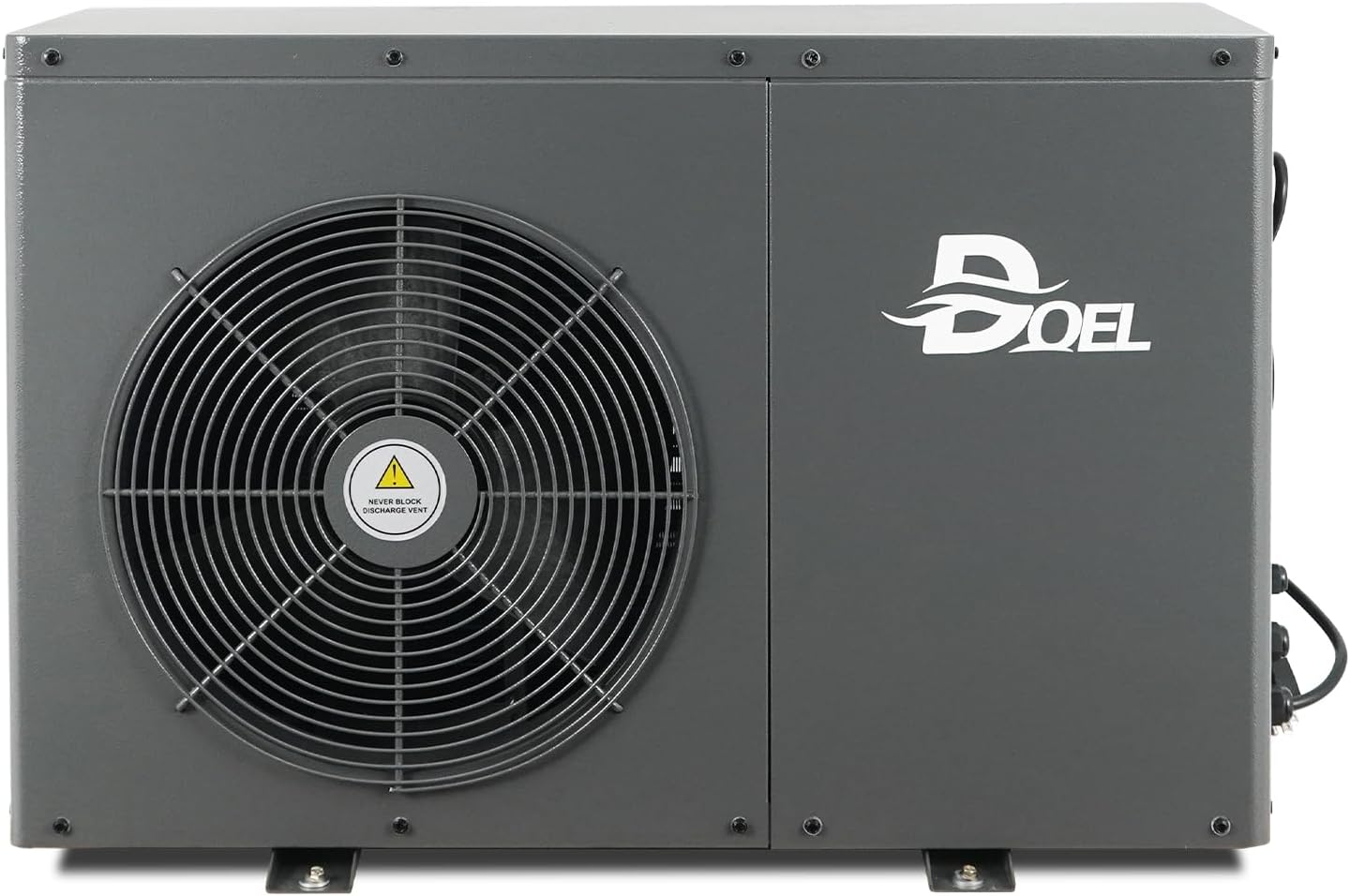
Image 3.1: Front view of the DOEL 20000 BTU Swimming Pool Heat Pump, showing the main fan and DOEL logo.
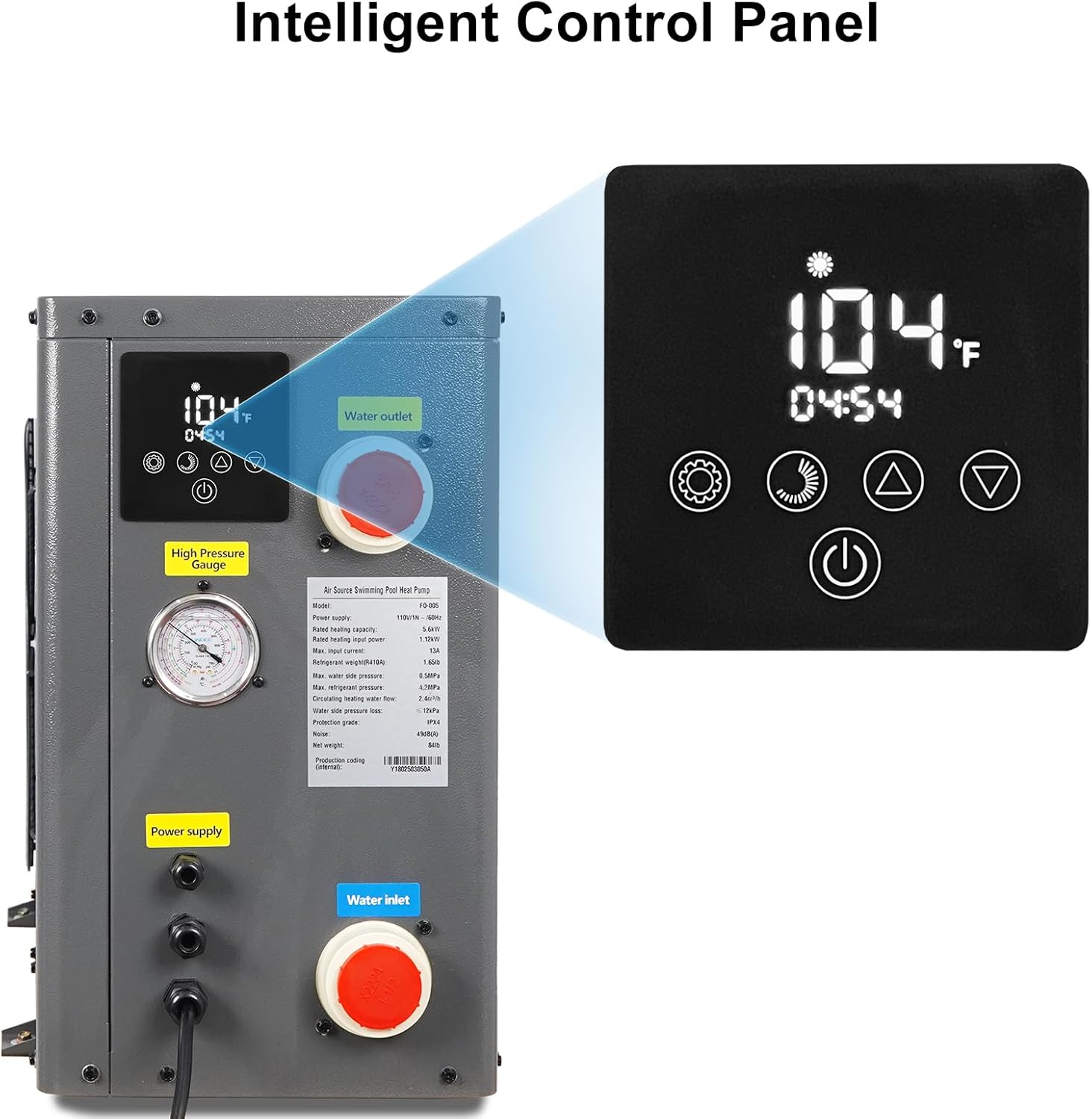
Image 3.2: Side view of the heat pump, highlighting the intelligent control panel, high pressure gauge, water inlet, and water outlet connections.

Image 3.3: Close-up view of the high pressure gauge, used for monitoring system pressure.
4. Package Contents
Verify that all items listed below are included in your package:
- DOEL Swimming Pool Heat Pump Unit
- User Manual
- Circuit Diagram
- Union Connectors (x2)
- PTFE Tape

Image 4.1: Contents of the package, including the heat pump unit and accessories.
5. Installation
Proper installation is crucial for the performance and longevity of your heat pump. Consult a qualified professional if you are unsure about any steps.
5.1 Placement
- Place the unit on a solid, level surface capable of supporting its weight (approximately 107.8 lbs).
- Ensure adequate airflow around the unit. Maintain at least 20 inches of clear space around the fan discharge and air intake sides.
- Position the unit as close as possible to the pool to minimize heat loss in water lines.
5.2 Water Connections
The heat pump features 1.5-inch water inlet and outlet connections. Use the provided union connectors and PTFE tape to ensure watertight seals.
- Connect the pool's filtration system outlet to the heat pump's water inlet.
- Connect the heat pump's water outlet to the pool's return line.
- Ensure all connections are tight and leak-free.
5.3 Electrical Connection
The unit operates on a standard 110V, 60Hz power supply.
- Plug the heat pump's power cord into a dedicated 110V grounded outlet.
- Do not use extension cords or adapters.
- Ensure the electrical circuit can handle the heat pump's power requirements (5.56 kW).

Image 5.1: The heat pump is equipped with a standard 110V/60Hz power plug for easy connection.
6. Operating Instructions
The intelligent control panel allows for easy management of your heat pump.

Image 6.1: The intelligent control panel for setting and monitoring the heat pump.
6.1 Control Panel Functions

Image 6.2: Overview of control panel buttons and their functions.
- Power Key: Turns the unit On or Off.
- Setup: Accesses modes and settings.
- Up/Down Arrows: Adjusts temperature settings.
- Timer: Sets the clock and automatic On/Off times.
6.2 Setting Desired Temperature
- Press the 'Setup' button to enter temperature adjustment mode.
- Use the 'Up' or 'Down' arrows to select your desired pool water temperature. The temperature setting range is 59°F to 140°F.
- The unit will automatically maintain the set temperature.

Image 6.3: The heat pump can maintain water temperatures within a range of 59°F to 140°F.
6.3 Timer Settings
The heat pump supports automatic On/Off scheduling.

Image 6.4: The auto On/Off setting allows for scheduled operation.
- Press the 'Timer' button to access timer settings.
- Follow the on-screen prompts to set desired start and stop times for operation.
- Confirm settings to activate the timer.
7. Maintenance
Regular maintenance ensures optimal performance and extends the lifespan of your heat pump.
7.1 Cleaning
- Periodically clean the exterior of the unit with a soft, damp cloth.
- Ensure the fan blades and evaporator coils are free from debris (leaves, dirt, etc.) to maintain efficient airflow. Use a soft brush or vacuum cleaner if necessary.
- Do not use harsh chemicals or abrasive cleaners.
7.2 Water System Check
- Regularly inspect water connections for leaks. Tighten unions if needed.
- Ensure proper water flow through the unit. Reduced flow can impact heating efficiency.
7.3 Winterization
If the unit will not be used during freezing temperatures, it must be properly winterized:
- Disconnect power to the unit.
- Drain all water from the heat pump and plumbing lines to prevent freezing damage.
- Cover the unit with a protective, breathable cover.
8. Troubleshooting
This section addresses common issues you might encounter. For problems not listed here, contact customer support.
| Problem | Possible Cause | Solution |
|---|---|---|
| Unit does not turn on | No power supply; Circuit breaker tripped; Unit is off | Check power connection; Reset circuit breaker; Press the 'Power' button on the control panel |
| Insufficient heating | Low ambient air temperature; Insufficient water flow; Dirty coils; Incorrect temperature setting | Heat pump efficiency decreases in cold weather; Check pump and filter; Clean coils; Adjust temperature setting |
| Water leaks | Loose connections; Damaged plumbing | Tighten union connectors; Inspect hoses and fittings for damage and replace if necessary |
| Unusual noise | Debris in fan; Loose components | Inspect and remove any debris from the fan; Check for loose screws or panels |
9. Specifications
Technical data for the DOEL 20000 BTU Swimming Pool Heat Pump, Model FO-005.

Image 9.1: Summary of key operational specifications.
| Feature | Specification |
|---|---|
| Model Number | FO-005 |
| Heating Capacity | 20000 BTU |
| Power Supply | 110V, 60Hz |
| Rated Power Input | 5.56 kW |
| Refrigerant | R410A |
| Recommended Pool Volume | Up to 3500-4000 gallons (for optimal heating) |
| Water Flow Volume | 527 Gal/h |
| Noise Level | Approximately 49 dB |
| Product Dimensions (L x W x H) | 33 x 14 x 26 inches |
| Item Weight | 107.8 pounds |
| Water Inlet/Outlet Diameter | 1.5 inches |
| Temperature Setting Range | 59°F ~ 140°F |
| Thermostat Temperature Differential | 4°F |
10. Warranty and Support
Your DOEL Swimming Pool Heat Pump is covered by a manufacturer's warranty. Please refer to the warranty card included with your product for specific terms and conditions. For technical support, troubleshooting assistance, or warranty claims, please contact DOEL customer service through the retailer where the product was purchased.