
1. Introduction
Thank you for choosing Micool Ear Clip Headphones. These open-ear earbuds feature Bluetooth 5.4 connectivity, a touchscreen display, and AI noise-cancelling technology, designed for comfort and high-fidelity sound. This manual provides essential information for setting up, operating, and maintaining your headphones.

Image: Micool Ear Clip Headphones (Black) with their charging case, featuring a touchscreen display.
2. Package Contents
Please check the package for the following items:
- Micool Ear Clip Headphones (Left and Right)
- Wireless Charging Case
- USB Type-C Charging Cable (not explicitly listed but implied by "Type-C Fast Charging")
- User Manual (this document)
3. Product Features
- Open Ear Design: Allows awareness of surroundings while enjoying audio, ideal for outdoor activities.
- Touchscreen Display: Provides intuitive control over calls, volume, and music playback directly from the charging case.
- AI Noise Cancelling & CVC Call Clarity: Ensures clear conversations in noisy environments.
- Dual Independent Use: Each ear clip can function separately for flexible usage.
- Bluetooth 5.4: Offers fast pairing, stable connectivity, and ultra-low power consumption.
- Comfort Fit: Ergonomic design ensures secure and comfortable wear.
- Long Battery Life & Type-C Fast Charging: Extended usage time with quick recharging capabilities.

Image: A woman wearing the Micool Ear Clip Headphones, demonstrating their comfortable, open-ear fit. An inset diagram shows how the ear clip sits on the ear.
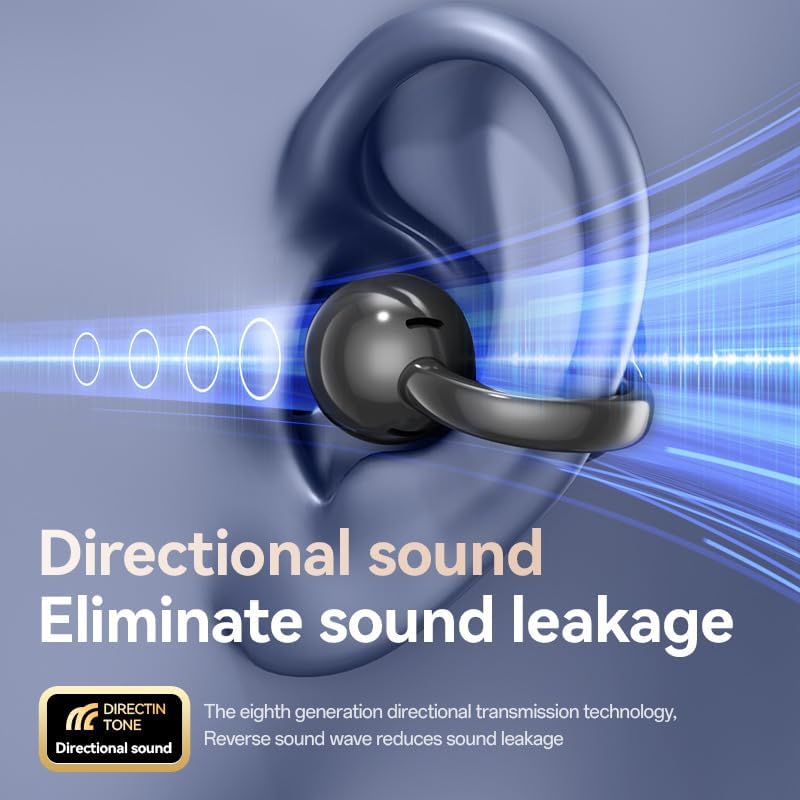
Image: A diagram illustrating the directional sound technology of the headphones, showing sound waves directed into the ear canal and minimizing leakage.
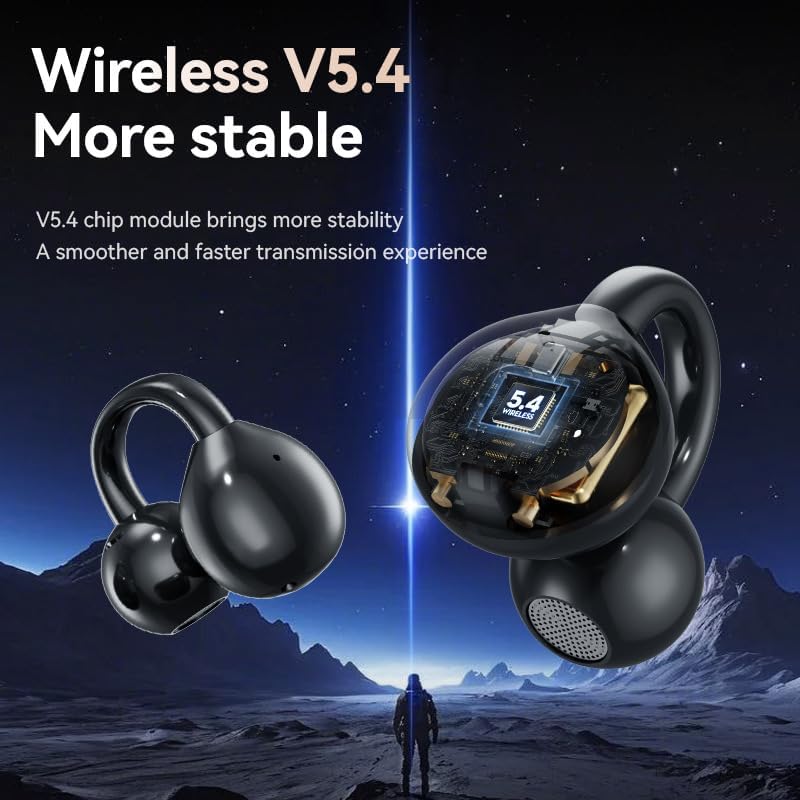
Image: A stylized image of the Micool Ear Clip Headphones, with an internal view highlighting the Bluetooth 5.4 chip for stable and fast wireless connection.
4. Setup
4.1 Charging the Headphones and Case
- Place both ear clips into the charging case, ensuring they are properly seated.
- Connect the USB Type-C charging cable to the charging port on the case and plug the other end into a compatible USB power source (e.g., wall adapter, computer USB port).
- The touchscreen display on the case will indicate the charging status. A full charge typically takes approximately 1.5-2 hours for the case and headphones.
4.2 Bluetooth Pairing
- Ensure the headphones are charged.
- Open the charging case. The headphones will automatically enter pairing mode, indicated by a flashing light on the earbuds or a prompt on the case's display.
- On your device (smartphone, tablet, computer), go to the Bluetooth settings.
- Search for new devices and select "Micool M100" from the list.
- Once connected, the headphones will confirm the successful pairing, and the indicator light will stop flashing.
- For subsequent use, the headphones will automatically connect to the last paired device when removed from the case.
5. Operating Instructions
5.1 Wearing the Headphones
Gently clip each earbud onto your ear, ensuring the speaker portion is positioned comfortably near your ear canal and the clip rests securely behind your ear. Adjust for optimal sound and comfort. The open-ear design allows you to hear ambient sounds.
5.2 Touchscreen Display Controls (on Charging Case)
The charging case features a touchscreen display for convenient control. Specific functions may vary, but generally include:
- Battery Level: Displays remaining battery for both earbuds and the case.
- Volume Control: Swipe or tap to adjust playback volume.
- Music Playback: Play/Pause, Next/Previous track controls.
- Call Management: Answer/End calls.
- Mode Selection: Switch between different sound modes or noise-cancelling settings if available.
5.3 Earbud Touch Controls
Each earbud may have touch-sensitive areas for quick control. Common functions include:
- Single Tap: Play/Pause music, Answer/End call.
- Double Tap (Left/Right): Previous/Next track.
- Triple Tap: Activate voice assistant.
- Long Press: Reject call, toggle noise cancelling/transparency mode.
Refer to the specific on-screen prompts or included quick start guide for detailed touch control gestures.
6. Maintenance
6.1 Cleaning
- Wipe the headphones and charging case with a soft, dry, lint-free cloth.
- Do not use abrasive cleaners, alcohol, or chemical solvents.
- Keep the charging contacts on both the earbuds and the case clean and dry.
6.2 Storage
When not in use, store the headphones in their charging case to protect them from dust and damage. Store in a cool, dry place away from extreme temperatures.
7. Troubleshooting
| Problem | Possible Solution |
|---|---|
| Headphones not pairing |
|
| No sound or low volume |
|
| Charging case display unresponsive |
|
| Headphones not charging in case |
|
8. Specifications
| Feature | Specification |
|---|---|
| Model Name | M100 |
| Connectivity Technology | Wireless (Bluetooth 5.4) |
| Ear Placement | Open Ear |
| Form Factor | On Ear / Clip On |
| Included Components | Wireless Charging Case |
| Material | Plastic |
| Color | Black |
| Product Dimensions | 4 x 4 x 1.8 inches |
| Item Weight | 3.04 ounces |
| Batteries | 1 Lithium Ion battery (included) |
| UPC | 770029329702 |
| Manufacturer | MICOOL |
| Date First Available | March 13, 2025 |
9. Safety Information
- Do not expose the headphones or charging case to extreme temperatures, humidity, or liquids.
- Avoid dropping or subjecting the device to strong impacts.
- Do not attempt to disassemble or repair the device yourself. Contact qualified service personnel.
- Listen at moderate volume levels to prevent hearing damage.
- Be aware of your surroundings when using open-ear headphones, especially in traffic or hazardous environments.
10. Warranty and Support
Micool products are designed and manufactured to the highest quality standards. For information regarding warranty coverage, technical support, or service inquiries, please refer to the warranty card included with your product or visit the official Micool website. You may also contact the seller directly for assistance.