
Introduction
This manual provides comprehensive instructions for the assembly, operation, and maintenance of your ODK 61-inch L-Shaped Desk. Designed for home office, study, or gaming environments, this desk features a reversible configuration, integrated power outlets, USB ports, four storage drawers, and a dedicated PC case shelf. Please read these instructions carefully before assembly and use to ensure proper function and longevity of your product.
Safety Information
Important Safety Precautions:
- Always ensure the desk is properly assembled and anchored to the floor.
- Do not overload the desk with items exceeding its weight capacity. The total weight of the desk is 42.4 pounds; avoid placing items that could compromise its stability.
- Keep the desk away from direct heat sources, open flames, and excessive moisture.
- Avoid placing heavy objects on the edges of the desk to prevent tipping.
- Ensure all electrical connections to the integrated power outlets and USB ports are secure and meet local electrical safety standards. Do not exceed the rated capacity of the power strip.
Product Specifications
| Feature | Detail |
|---|---|
| Brand | ODK |
| Model Number | B02021501007 |
| Product Dimensions (D x W x H) | 43.3"D x 61"W x 30"H |
| Color | Gray Oak |
| Style | Modern |
| Top Material Type | Engineered Wood |
| Base Material | Alloy Steel |
| Special Features | Reversible, Rust Resistant, Scratch Resistant, Built-in Outlet, Built-in USB Port, Headphone Hook, Power Strip |
| Number of Drawers | 4 |
| Number of Shelves | 1 (PC Case Shelf) |
| Item Weight | 42.4 Pounds |
| Assembly Required | Yes |
| Recommended People for Assembly | 2 |
Setup and Assembly
The ODK L-Shaped Desk is designed for straightforward assembly with pre-labeled components and an intuitive instruction manual included in the packaging. It is recommended that two people assemble the desk for ease and safety.
Assembly Steps Overview:
- Unpack Components: Carefully unbox all parts and verify against the included parts list.
- Install Metal Frame: Assemble the steel frame structure according to the diagrams.
- Attach Desktop Panels: Secure the engineered wood desktop panels to the assembled frame.
- Add Drawers and Power Strip: Integrate the fabric drawers into their designated compartment and install the recessed power strip.
- Final Adjustments: Adjust the leveling feet to ensure stability on uneven floors.

Key Features for Setup:
- Reversible Design: The L-shaped configuration can be assembled with the storage unit on either the left or right side to suit your room layout.
- Adjustable Leveling Feet: The desk includes adjustable feet to compensate for uneven flooring, ensuring a stable and wobble-free workstation.
- PC Case Shelf: A dedicated elevated shelf is provided to keep your PC tower off the floor, protecting it from dust and moisture.


Operating Instructions
Integrated Power Outlets and USB Ports:
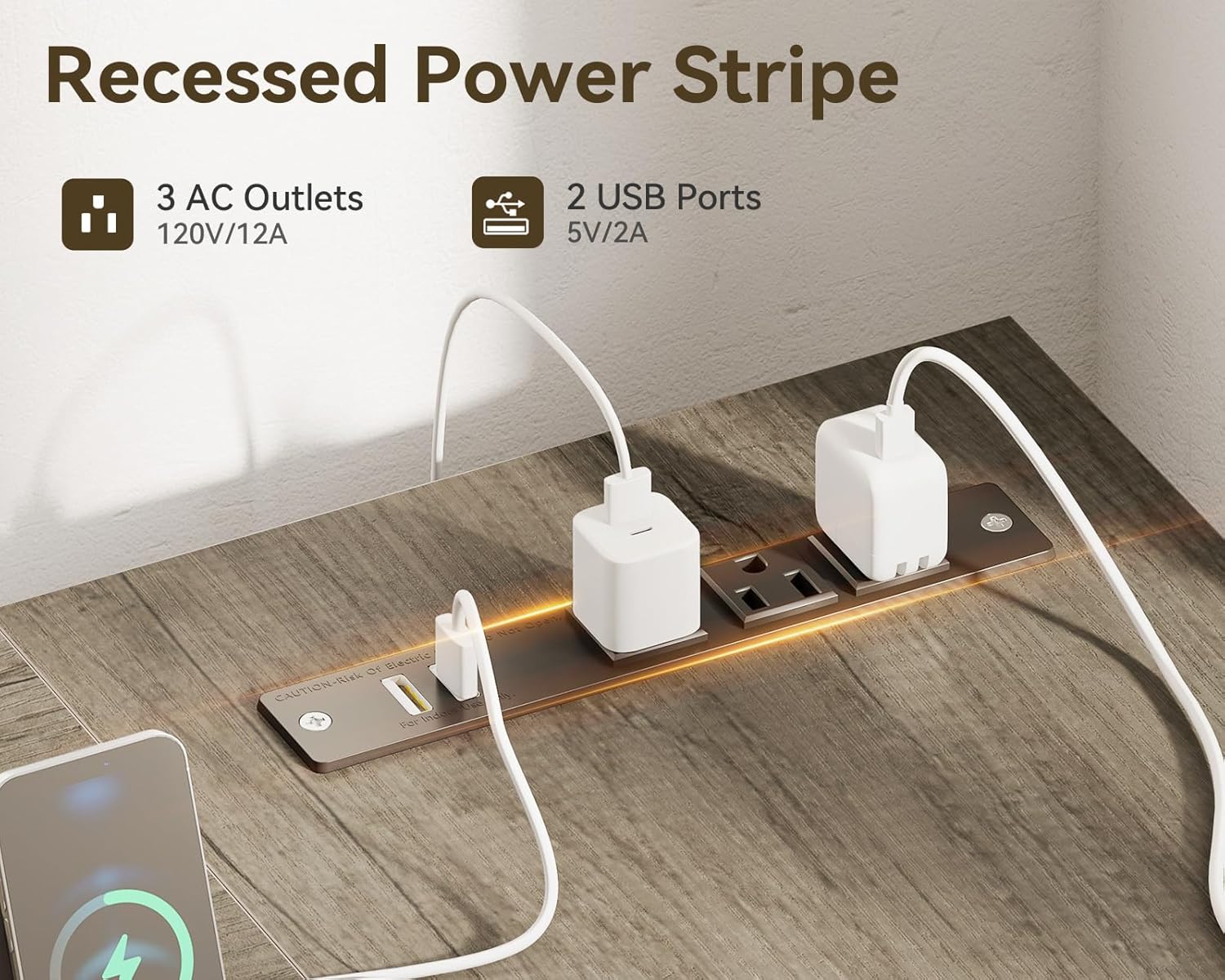
The desk features a built-in charging station with three AC outlets (120V/12A) and two USB ports (5V/2A). This allows for convenient power access for laptops, monitors, gaming consoles, and other devices directly from your workstation. Ensure devices are properly plugged in and do not exceed the maximum power rating of the strip.
Storage and Organization:
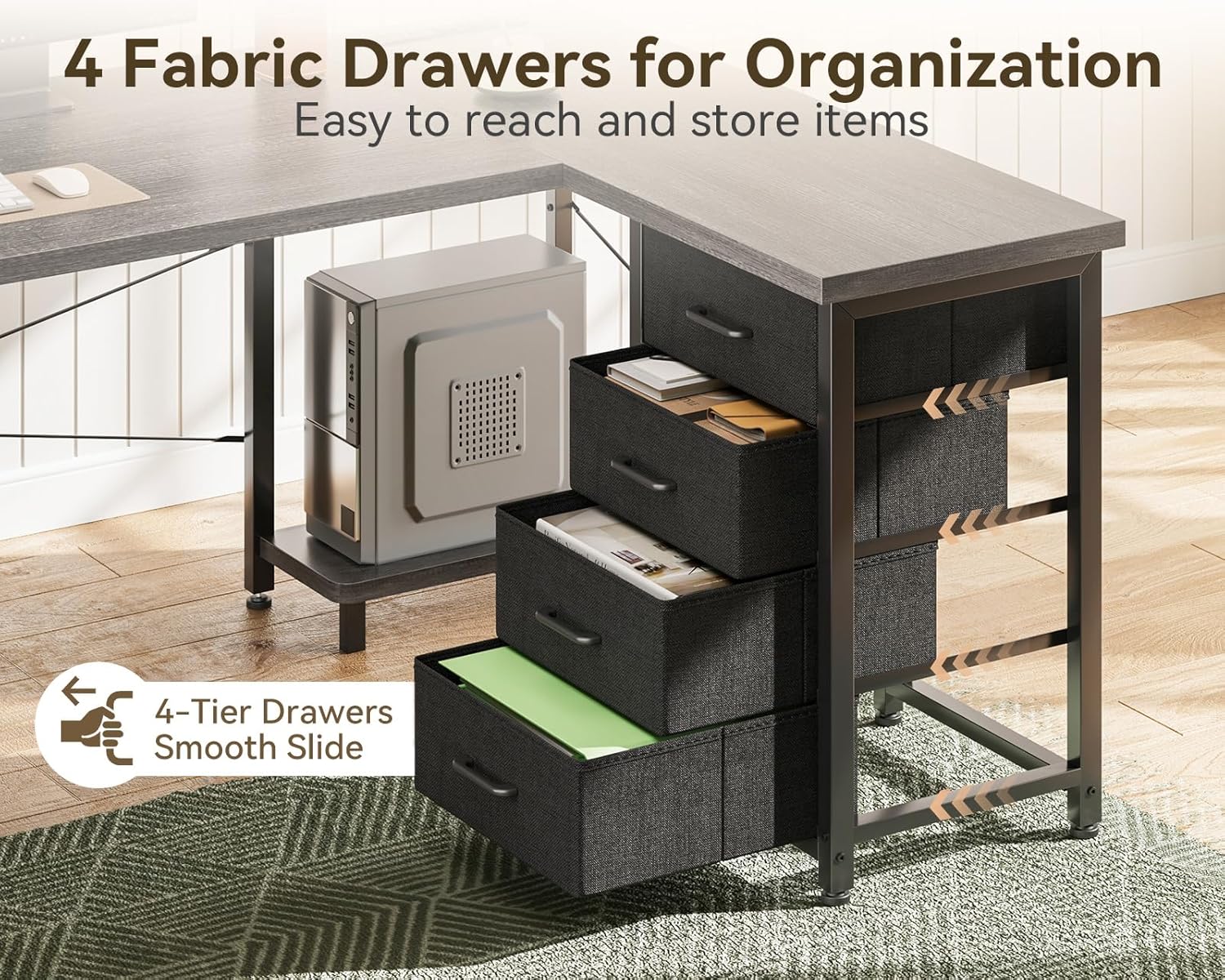
The desk includes four roomy fabric drawers and two reinforced metal hooks for enhanced storage and organization. These drawers are suitable for storing documents, office supplies, personal accessories, and other items, helping to maintain a clutter-free workspace.
Reversible Configuration:
The L-shaped design allows for a reversible setup, meaning the side with the drawers and PC shelf can be positioned on either the left or right side of the main desk section. This flexibility enables you to adapt the desk to different room layouts or personal preferences.

Maintenance
To ensure the longevity and appearance of your ODK L-Shaped Desk, follow these simple maintenance guidelines:
- Cleaning: Wipe the desk surfaces with a dry, soft cloth. Avoid abrasive cleaners or harsh chemicals that could damage the finish.
- Spills: Although the desk is designed to resist daily wear, promptly wipe up any spills to prevent staining or damage to the engineered wood surface.
- Inspection: Periodically check all screws and fasteners to ensure they are tight. Retighten if necessary to maintain structural integrity.
- Drawer Care: The fabric drawers can be spot cleaned with a damp cloth and mild detergent if needed. Allow to air dry completely.
Troubleshooting
Desk Wobbles:
If the desk feels unstable or wobbles, check the following:
- Leveling Feet: Ensure all adjustable leveling feet are in firm contact with the floor and adjusted to compensate for any unevenness. Rotate the feet clockwise or counter-clockwise to raise or lower each corner until stable.
- Tighten Fasteners: Verify that all assembly screws and bolts are securely tightened. Loose connections can cause instability.
Power Outlets/USB Ports Not Working:
If the integrated power strip is not functioning:
- Power Connection: Ensure the desk's power cord is fully plugged into a functional wall outlet.
- Overload Protection: Check if the power strip has a reset button (often on the side or back). If tripped due to overload, unplug some devices and press the reset button.
- Device Compatibility: Confirm that the devices you are trying to charge or power are compatible with the voltage and amperage provided by the outlets/USB ports.
Missing or Damaged Parts:
If you encounter any missing components or damaged parts upon delivery or during assembly, please refer to the "Warranty and Customer Support" section for assistance.
Warranty and Customer Support
Your ODK L-Shaped Desk comes with a Limited Warranty. For specific details regarding warranty coverage, please refer to the documentation included with your product or contact ODK customer support.
If you have any questions, require assistance with assembly, or experience issues such as damage or missing pieces, please do not hesitate to contact our professional after-sales service team. We are committed to resolving your concerns within 24 hours.
For further information or to contact support, please visit the official ODK Store: ODK Store on Amazon.


