
1. Introduction and Overview
The SOLPERK MPPT Solar Charge Controller 10A 12V is designed for efficient and intelligent charging of various 12V battery types using solar panels. This waterproof controller features advanced MPPT technology for optimal power conversion and includes multiple protection functions to ensure battery longevity and system safety. It is compatible with AGM, Lead Acid, Gel, Deep Cycle, Sealed, Flooded, and LiFePO4 lithium batteries.
Key Features:
- 100% Efficient MPPT Charging: Automatically monitors 12V DC system voltage, offering up to 30% more efficiency than PWM controllers for faster battery charging.
- Designed for 12V Batteries: Compatible with a wide range of 12V battery chemistries including AGM, Lead Acid, Gel, Deep Cycle, Sealed, Flooded, and LiFePO4 lithium batteries.
- 100% Waterproof (IP67): Engineered for durability in all weather conditions, featuring a waterproof seal that protects against rain, snow, and dust, ideal for outdoor applications.
- Intelligent Protection: Extends battery life with multiple safeguards: battery under-voltage, over-voltage, output overload, short circuit, and anti-back connect protection.
- Indicator Monitoring: Three LED indicators provide real-time status: blue for solar panel connection, red for charging, and green for full charge.
- Simple Installation and Operation: Features SAE ports for easy plug-and-play connectivity and comes with clear connection instructions.
2. Setup Instructions
Follow these steps for proper installation and connection of your SOLPERK MPPT Solar Charge Controller.
2.1 Connection Order:
- Connect to Battery First: Always connect the charge controller to the 12V battery before connecting the solar panel. Ensure correct polarity (red to positive, black to negative). The controller will power on and display battery voltage.
- Connect Solar Panel: After the battery is connected, connect your solar panel to the controller. The blue LED will illuminate, indicating a successful solar panel connection.
- Verify Operation: Observe the LED indicators for charging status.
2.2 Polarity and Adapters:
The controller uses SAE connectors. Ensure correct polarity. If your solar panel has reversed polarity, use the included SAE polarity reverser adapter. The red wire should connect to the positive terminal and the black wire to the negative terminal.
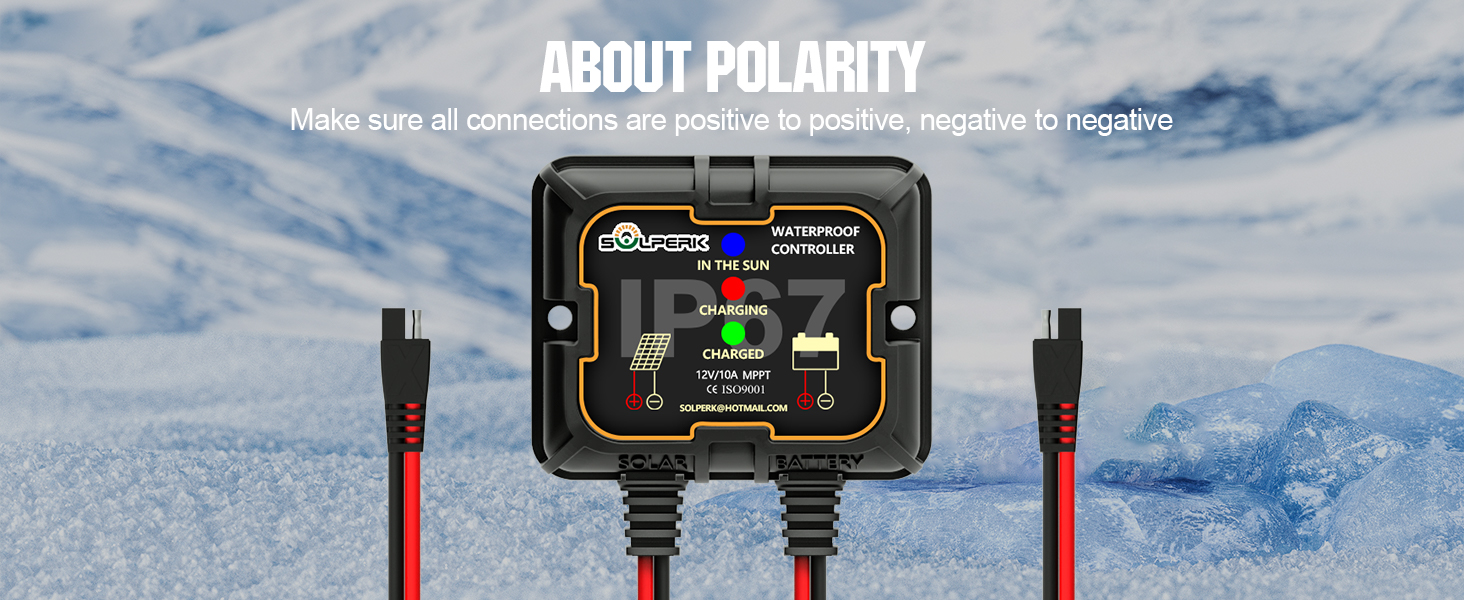
Image: Diagram illustrating the importance of correct positive and negative polarity connections for the solar charge controller.
2.3 Visual Guide:
Video: Official SOLPERK guide demonstrating the connection method for the MPPT 10A controller, showing step-by-step battery and solar panel hookup.
Video: Official SOLPERK video illustrating how to install the solar battery maintainer, providing a visual walkthrough of the setup process.
3. Operating Instructions
The SOLPERK MPPT Solar Charge Controller is designed for straightforward operation with minimal user input.
3.1 LED Indicators:
The controller features three LED lights to indicate its operational status:
- Blue Light: Indicates that the solar panels are properly connected and receiving sunlight.
- Red Light: Indicates that the battery is currently being charged.
- Green Light: Indicates that the battery charging is completed.

Image: A detailed view of the controller's LED indicators: blue for solar input, red for charging, and green for fully charged battery.
3.2 Battery Type Selection:
The controller automatically detects 12V systems. To select the battery type (AGM, Gel, Flooded, LiFePO4), press and hold the mode button on the controller until the battery type indicator flashes. Cycle through the options by pressing the button again, then release to confirm your selection. The controller will then optimize charging parameters for the selected battery type.
Video: The SOLPERK MPPT 10A Controller Connect Method video also demonstrates how to select the battery type by pressing the mode button.
4. Features
The SOLPERK MPPT Solar Charge Controller is engineered with several features to enhance its performance and user experience:
- MPPT Technology: Maximizes power extraction from solar panels, improving charging efficiency by up to 30% compared to traditional PWM controllers.
- Wide Battery Compatibility: Supports a broad range of 12V battery types, ensuring versatility for various applications.
- IP67 Waterproof Rating: Provides robust protection against water and dust ingress, making it suitable for harsh outdoor environments.
- Comprehensive Protection: Built-in safeguards against common electrical issues such as over-voltage, under-voltage, short circuits, reverse polarity, and overload.
- Compact and Portable: Its small size and lightweight design make it easy to transport and integrate into any solar setup.
- SAE Plug-and-Play: Simplifies installation with standard SAE connectors, allowing for quick and easy setup.
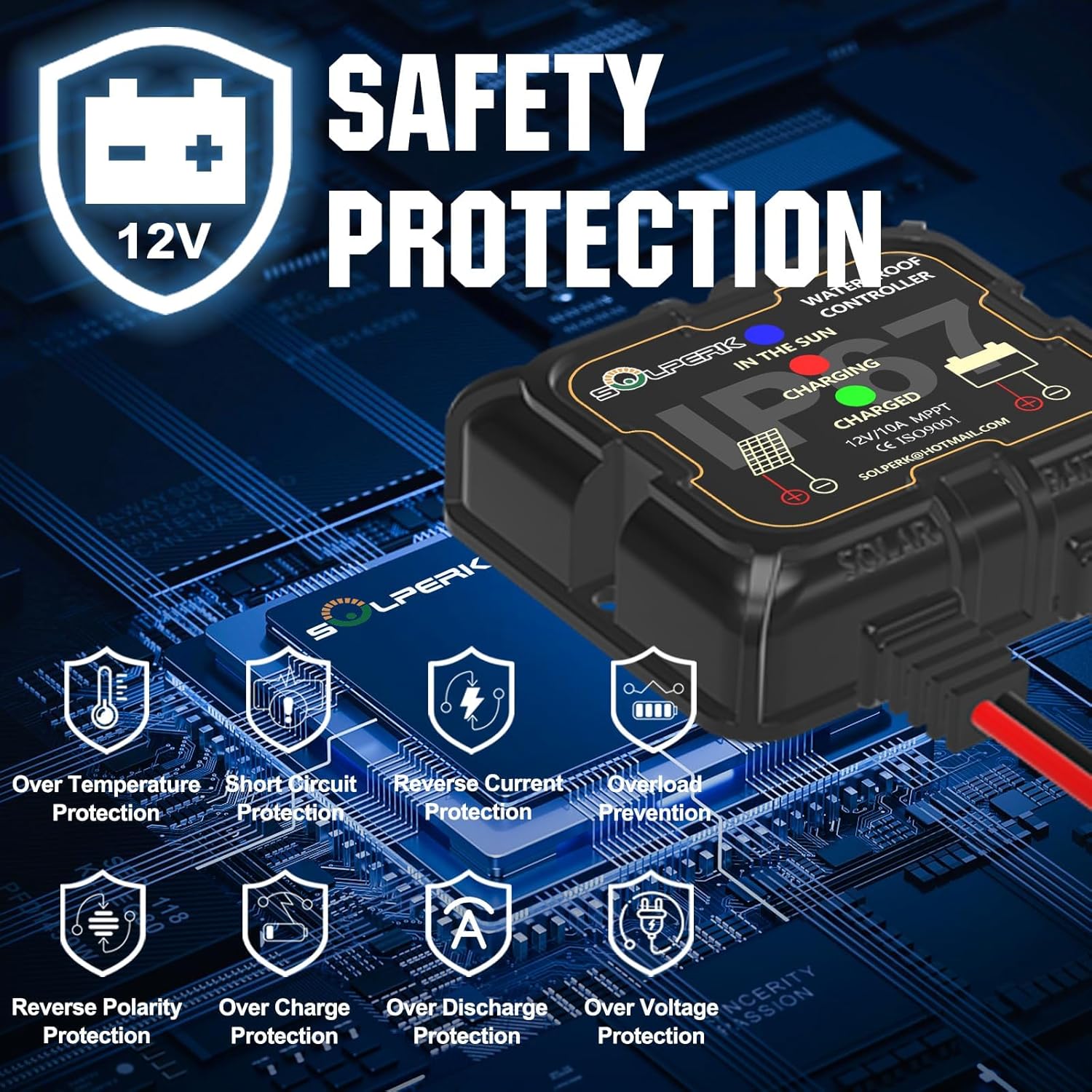
Image: Visual representation of the controller's intelligent protection features, including over-temperature, short circuit, reverse current, overload, reverse polarity, overcharge, over-discharge, and over-voltage protection.

Image: Graph illustrating the 100% intelligent and efficient charging capability of the SOLPERK MPPT 10A Solar Charge Controller compared to other MPPT and PWM controllers.

Image: Display showing the controller's compatibility with popular 12V battery types, including GEL, AGM, Lithium Ion, and LiFePO4.

Image: The controller being subjected to water, emphasizing its IP67 waterproof rating and suitability for outdoor use.
5. Maintenance
The SOLPERK MPPT Solar Charge Controller is designed for low maintenance due to its durable and waterproof construction. However, regular checks can ensure optimal performance:
- Inspect Connections: Periodically check all cable connections (solar panel to controller, controller to battery) to ensure they are secure and free from corrosion.
- Clean the Controller: While waterproof, it's good practice to gently wipe down the controller's exterior to remove any accumulated dust or debris, especially around the LED indicators.
- Monitor Performance: Regularly observe the LED indicators to confirm proper charging cycles. If using the companion app, monitor charging data for any anomalies.
- Battery Health: Ensure your battery is in good condition and compatible with the controller's settings.
6. Troubleshooting
If you encounter issues with your SOLPERK MPPT Solar Charge Controller, consider the following:
- No Lights/No Power:
- Ensure the battery is properly connected to the controller first. The controller draws power from the battery to operate.
- Check battery voltage; if too low, the controller may not power on.
- Blue Light Not On (No Solar Input):
- Verify solar panel connections are secure and correct polarity.
- Ensure sufficient sunlight is reaching the solar panel.
- Check the solar panel's voltage; it must be higher than the battery voltage for charging to initiate.
- Red Light Not On (Not Charging):
- Confirm solar panel is connected and blue light is on.
- Check battery type selection on the controller; ensure it matches your battery chemistry.
- Battery may already be full (green light on).
- Incorrect Battery Readings/Charging Issues:
- Ensure direct connection to the battery terminals. Some users reported issues with indirect cable connections.
- Verify the solar panel wattage meets the minimum requirements for the controller to activate (e.g., some panels might need a minimum of 20W).
- If using a LiFePO4 battery and experiencing undercharging, ensure the correct battery type is selected.
- Error Codes: The display may show error codes if a problem is detected. Refer to the quick start guide or user manual for specific code meanings. Typically, once the problem is resolved, the screen will clear.
7. Specifications
| Specification | Value |
|---|---|
| Brand | SOLPERK |
| Model Number | New-10A-Controller-8 |
| Voltage | 12 Volts (DC) |
| Current Rating | 10A |
| Waterproof Rating | IP67 |
| Display Type | LED |
| Material | Plastic |
| Item Weight | 5 ounces (0.14 Kilograms) |
| Package Dimensions | 5.94 x 4.02 x 1.54 inches |
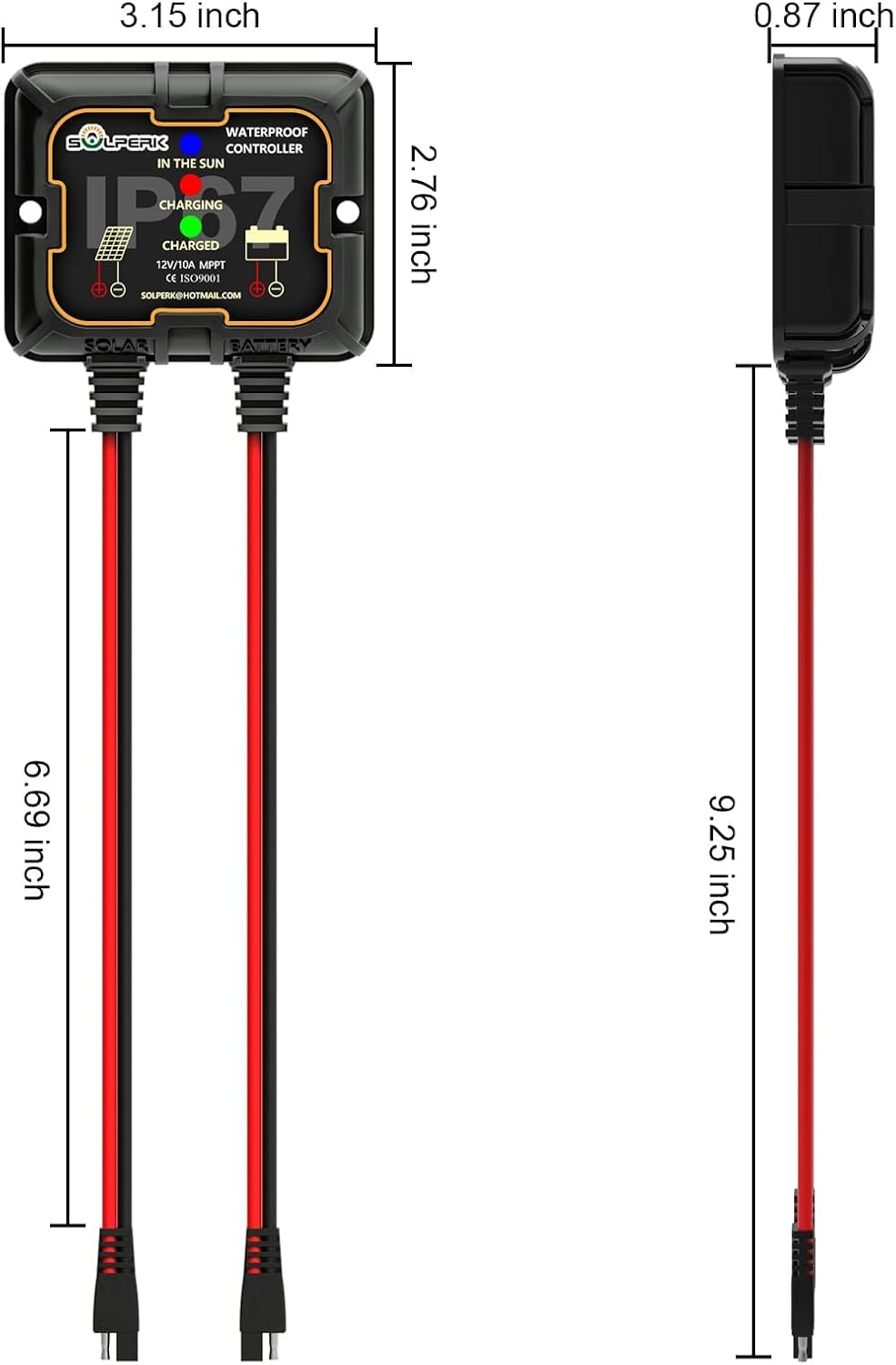
Image: Detailed dimensions of the SOLPERK MPPT Solar Charge Controller, showing its compact size.
8. Warranty and Support
For warranty information, technical support, or customer service inquiries, please refer to the contact details provided with your product packaging or visit the official SOLPERK website. SOLPERK is committed to providing reliable products and responsive customer assistance.
If you have any questions or require further assistance, please do not hesitate to contact SOLPERK customer service.