
Introduction
Thank you for choosing the JUMMICO LED Dressing Table with Mirror. This manual provides essential information for the safe assembly, operation, and maintenance of your new dressing table. Please read these instructions carefully before use and retain them for future reference.
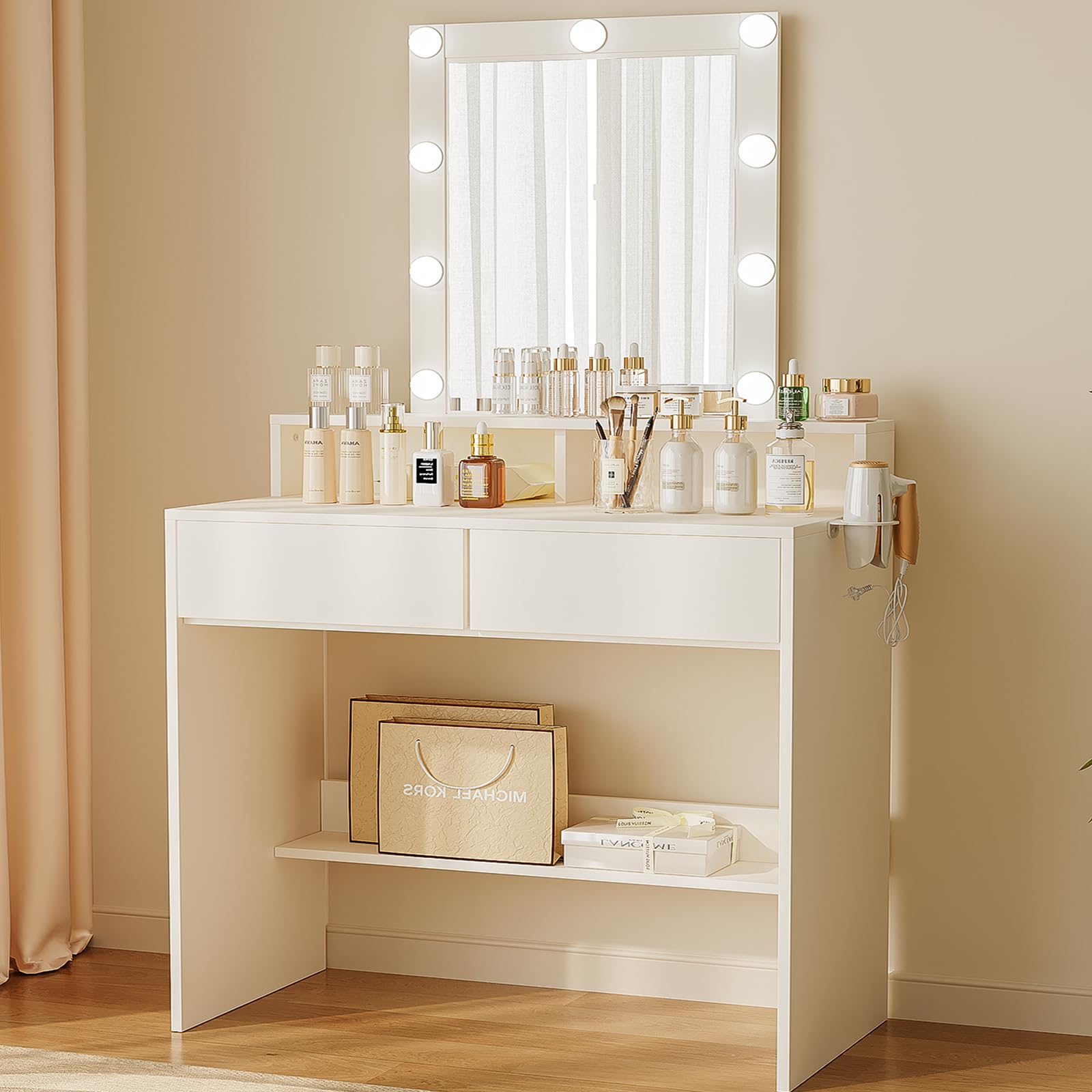
Figure 1: JUMMICO LED Dressing Table with Mirror, Model 0739. This image shows the complete dressing table with its illuminated mirror, two drawers, and open storage compartments, set in a modern bedroom environment.
Safety Information
Please observe the following safety precautions to prevent injury or damage to the product:
- Always unplug the LED lighting before assembly or cleaning.
- Pay attention to sharp edges and pinch points during assembly.
- Do not place heavy objects on the table that could cause it to tip over.
- Keep the table away from heat sources to avoid damaging electrical components.
- Ensure all connections are secure before using the product.
Package Contents
Before assembly, verify that all components are present and undamaged. Refer to the detailed assembly instructions provided in the box for a complete list of parts and accessories.
- Dressing Table Components (Tabletop, Side Panels, Drawer Parts, Shelves)
- Mirror with 9 LED Bulbs
- Hair Dryer Holder
- Assembly Hardware (screws, dowels, etc.)
- Detailed Assembly Instructions
Setup and Assembly
The JUMMICO LED Dressing Table requires assembly. Detailed instructions are included with clearly labeled parts and accessories to facilitate the process. For optimal safety and ease, it is recommended that two people assemble the dressing table.
- Unpack Components: Carefully remove all parts from the packaging. Lay them out on a clean, soft surface to prevent scratches.
- Identify Parts: Match each part to the corresponding label in the instruction manual.
- Assemble Frame: Follow the step-by-step diagrams to assemble the main frame of the dressing table. Secure all screws firmly.
- Install Drawers: Assemble the two drawers and slide them into their designated slots.
- Attach Mirror: Secure the mirror to the tabletop according to the instructions. Ensure the LED bulb cables are properly concealed as designed.
- Install Hair Dryer Holder: Attach the hair dryer holder to the side of the table.
- Final Check: Verify that all connections are tight and the table is stable.
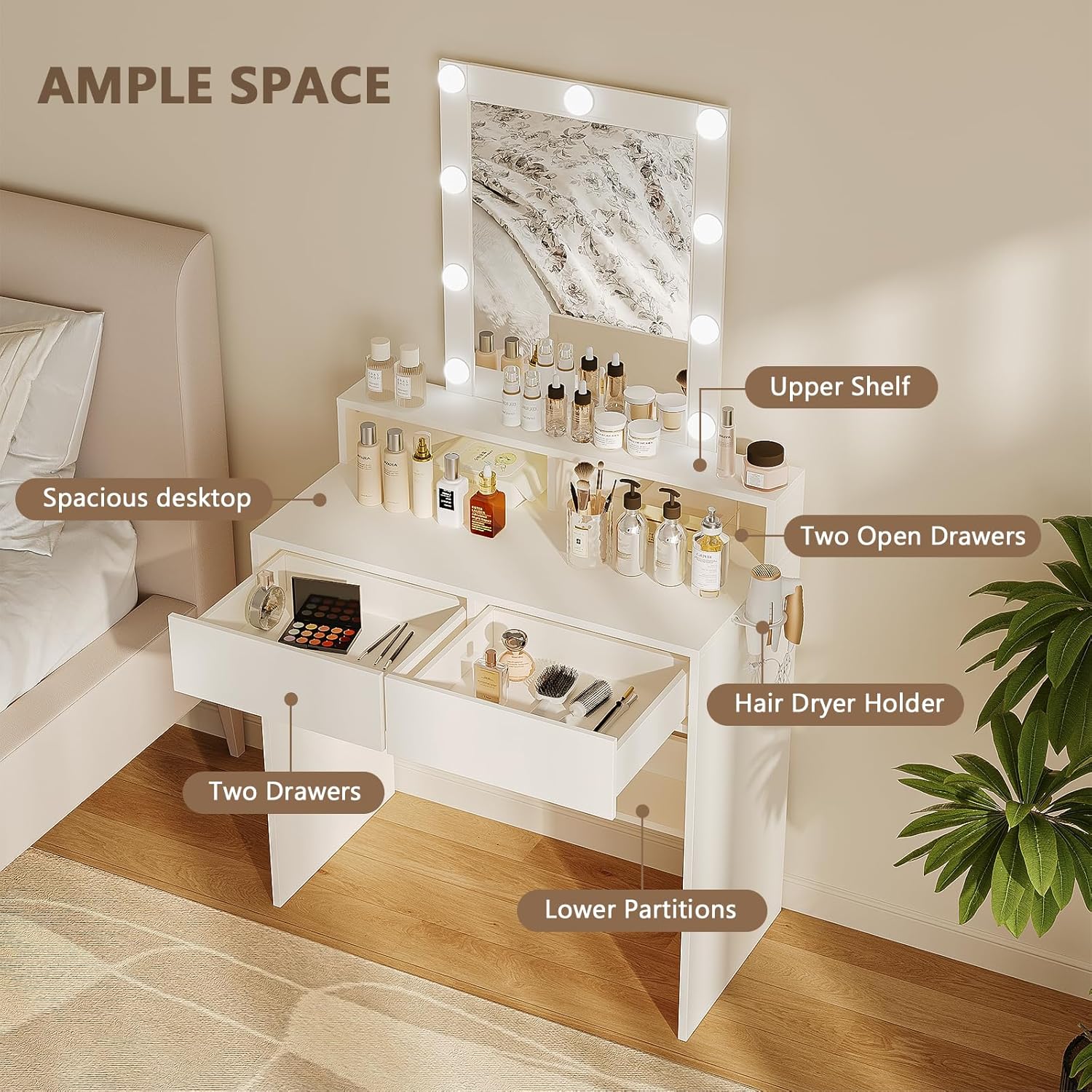
Figure 2: Overview of the dressing table's storage features, including the spacious desktop, two drawers, upper shelf, two open compartments, and a hair dryer holder.
Operating Instructions
LED Mirror Operation
The integrated mirror features 9 LED bulbs with adjustable brightness and color temperature settings.
- Power On/Off: Locate the touch sensor on the mirror surface. Tap once to turn the LED lights on or off.
- Adjust Brightness: When the lights are on, press and hold the touch sensor to cycle through brightness levels. Release when the desired brightness is reached.
- Change Color Temperature: Tap the touch sensor repeatedly to switch between three color temperature modes: cold light (6000K), natural light, and warm light (3000K).

Figure 3: Illustration of the three adjustable color temperature settings (Cold Light, Natural Light, Warm Light) and brightness adjustment for the LED mirror.
Storage Features
The dressing table offers various storage options:
- Spacious Desktop: Provides ample surface area for daily use and displaying frequently used items.
- Two Drawers: Ideal for organizing cosmetics, skincare products, and accessories.
- Upper Shelf: Convenient for smaller items, perfumes, or decorative pieces.
- Two Open Compartments: Designed for easy access to nail polish, lipsticks, or other small essentials.
- Hair Dryer Holder: Keeps your hair dryer neatly stored and within reach.
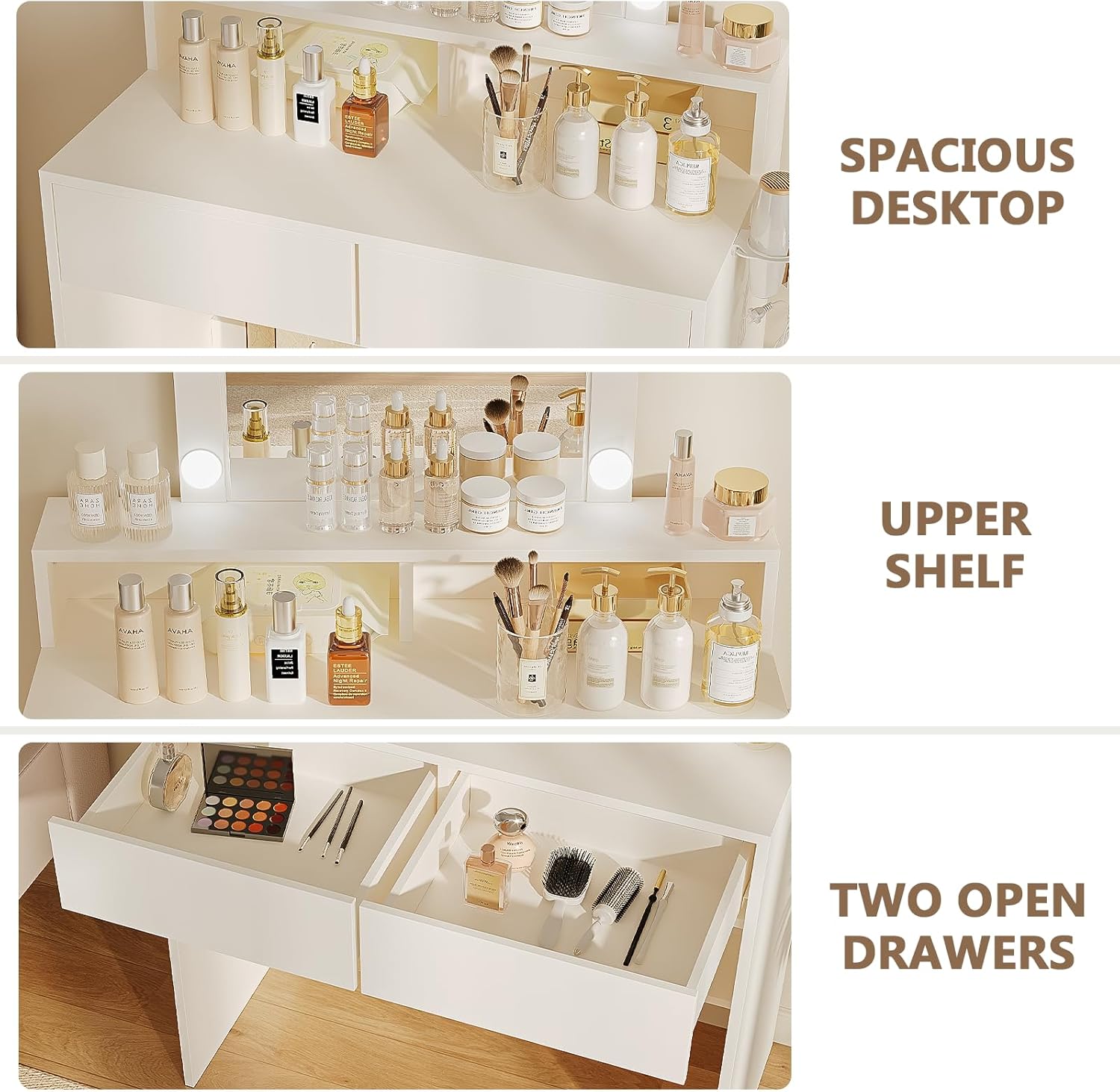
Figure 4: Close-up view of the spacious desktop, upper shelf, and two open drawers, showcasing their capacity for various cosmetic items.
Maintenance
Regular maintenance will help prolong the life and appearance of your dressing table.
- Cleaning the Surface: Wipe the table surfaces with a soft, damp cloth. Avoid abrasive cleaners or harsh chemicals that could damage the finish.
- Cleaning the Mirror: Use a glass cleaner and a lint-free cloth for the mirror. Do not spray cleaner directly onto the LED bulbs or electrical components.
- Dusting: Regularly dust all surfaces, including the LED bulbs, to maintain optimal light output.
- Check Connections: Periodically check all screws and fittings to ensure they remain tight. Retighten if necessary.
Troubleshooting
If you encounter any issues with your dressing table, refer to the following common problems and solutions:
- LED Lights Not Working:
- Ensure the power cord is securely plugged into a working outlet.
- Check if the power switch (if any) is in the 'On' position.
- Verify that the touch sensor is clean and unobstructed.
- Lights Flickering or Dim:
- Check for loose connections in the power cable.
- Ensure the brightness setting is not at its lowest level.
- Table is Unstable:
- Recheck all assembly screws and tighten any that are loose.
- Ensure the table is placed on a flat, even surface.
- Drawers Not Sliding Smoothly:
- Ensure the drawer slides are properly aligned and free of obstructions.
- Check that the drawers are not overloaded.
If the problem persists after attempting these solutions, please contact customer support.
Specifications
| Feature | Specification |
|---|---|
| Brand | JUMMICO |
| Model Number | 0739 |
| Color | White |
| Material (Frame) | Wood |
| Overall Dimensions (D x W x H) | 40 cm x 80 cm x 145 cm |
| Tabletop Dimensions | 80 cm x 40 cm |
| Mirror Dimensions | 52 cm x 40 cm |
| LED Lighting | 9 LED bulbs, 3 color temperatures, adjustable brightness |
| Number of Drawers | 2 |
| Item Weight | 23 kg |
| Assembly Required | Yes |
| UPC | 788418999825 |
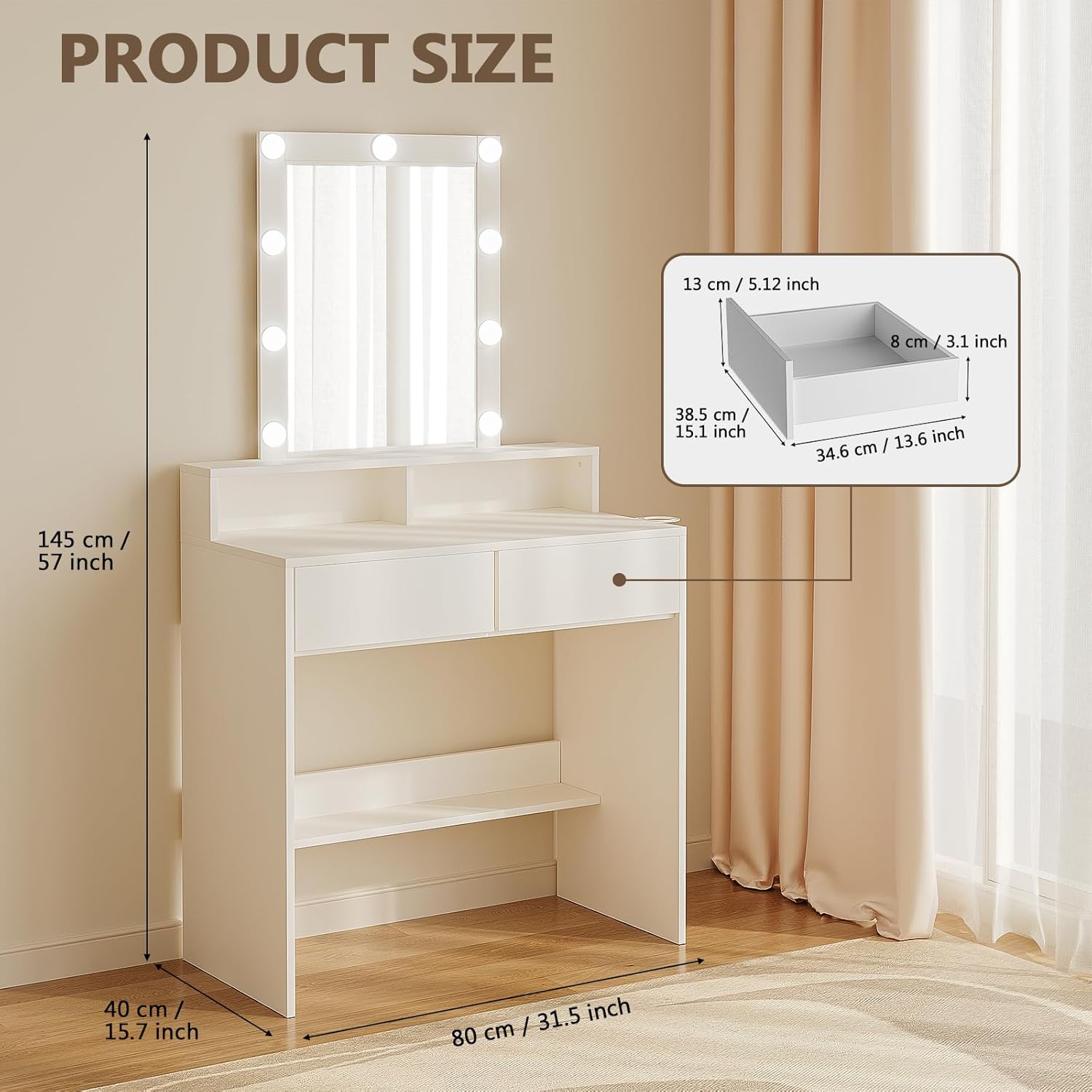
Figure 5: Detailed product dimensions, showing the overall height, width, and depth of the dressing table and mirror.
Warranty and Support
JUMMICO products are designed for quality and customer satisfaction. While specific warranty details are not provided in this manual, for any questions, concerns, or assistance with your product, please contact the seller or Amazon customer service directly. Please have your model number (0739) and purchase information ready when contacting support.