
Introduction
Thank you for purchasing the Airpher Cordless Stick Vacuum Cleaner. This manual provides essential information for the safe and efficient operation, maintenance, and troubleshooting of your new vacuum cleaner. Please read this manual thoroughly before first use and keep it for future reference.
Safety Information
- Always ensure the vacuum cleaner is turned off and unplugged before performing any maintenance or cleaning.
- Do not use the vacuum cleaner to pick up water, flammable liquids, or hot ashes.
- Keep hair, loose clothing, fingers, and all parts of the body away from openings and moving parts.
- Do not operate the vacuum cleaner with a damaged cord or plug.
- Store the vacuum cleaner indoors in a dry place.
- This appliance is for household use only.
Package Contents
The image above shows the Airpher Cordless Stick Vacuum Cleaner along with its various accessories, including different brush heads, filters, and the charging stand.
- Main Unit
- Detachable Battery
- Brush Head
- Roller Brush
- Crevice Nozzle
- Multi-purpose Nozzle
- Intake Filter
- Exhaust Filter
- Extendable Pipe
- Foldable Tube
- Adapter
- Dust Cup
- 2-in-1 Bracket (Charging Stand)
- Cleaning Tool
Setup
Assembly
- Attach the extendable pipe to the main unit until it clicks into place.
- Connect the desired brush head (e.g., floor brush) to the other end of the extendable pipe.
- Ensure the detachable battery is securely inserted into the main unit.
Charging the Battery
The Airpher vacuum cleaner offers multiple charging methods:
- Direct Charging: Connect the adapter directly to the main unit.
- Charging Stand: Place the vacuum cleaner onto the wireless charging bracket. The unit will automatically begin charging.
- Detached Battery Charging: Remove the battery from the main unit and charge it separately using the adapter.

This image illustrates the three charging methods: direct charging, charging via the self-standing bracket, and charging the detached battery.
A full charge takes approximately 4.5 hours and provides up to 60 minutes of continuous operation, depending on the mode used.
Operating Instructions
Power On/Off and Mode Selection
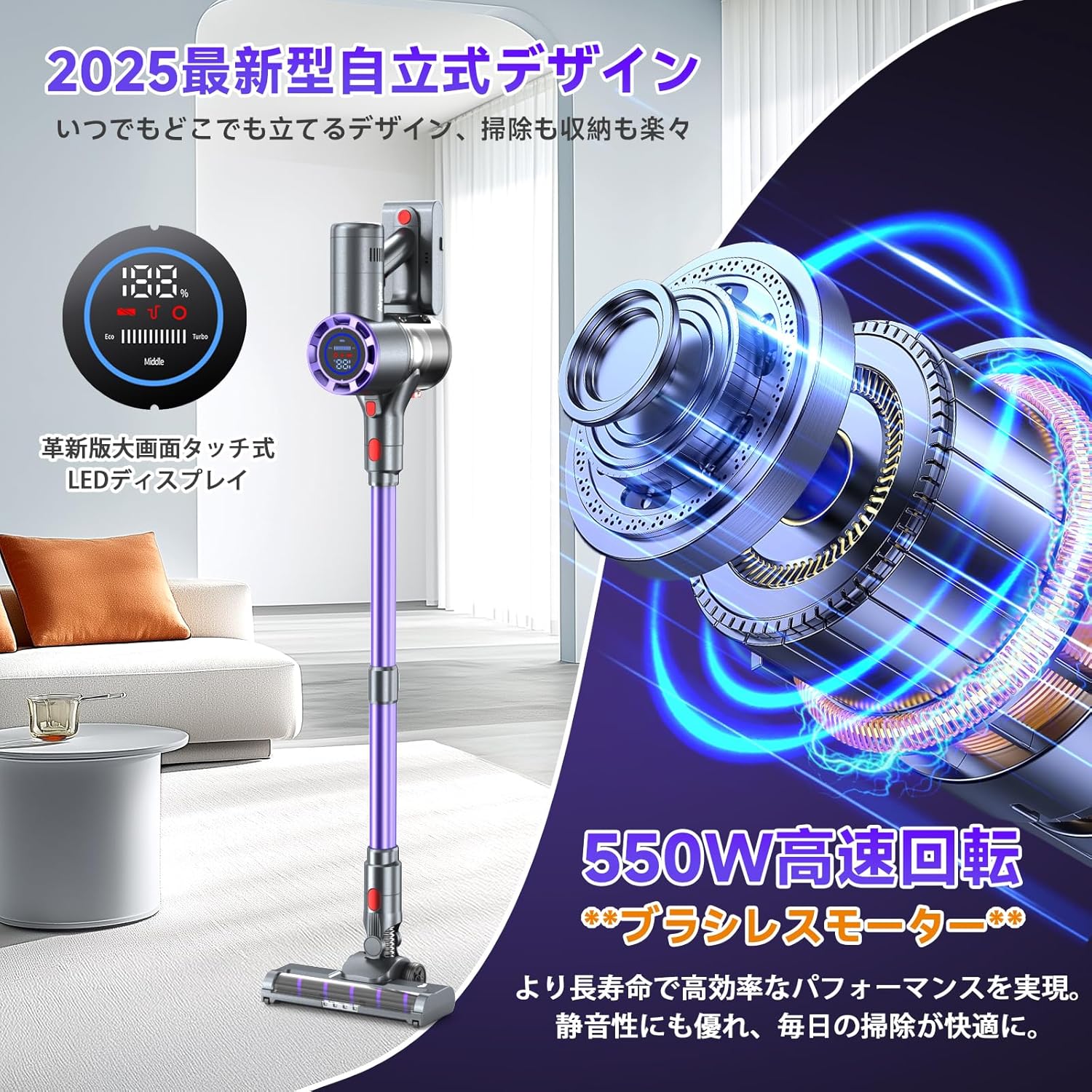
Press the power button to turn the vacuum cleaner on or off. The LED display will show the current battery level and suction mode. You can switch between Eco, Middle, and Turbo modes with a single touch on the display to adjust suction power according to your cleaning needs.

The LED display provides real-time information on battery status and selected suction mode (Eco, Middle, Turbo).
Flexible Cleaning with Foldable Tube and LED Lights
The vacuum cleaner features a unique foldable tube design, allowing you to easily clean under furniture without bending down. The brush head is equipped with four green LED lights that illuminate dark areas, making hidden dust and debris visible for thorough cleaning.
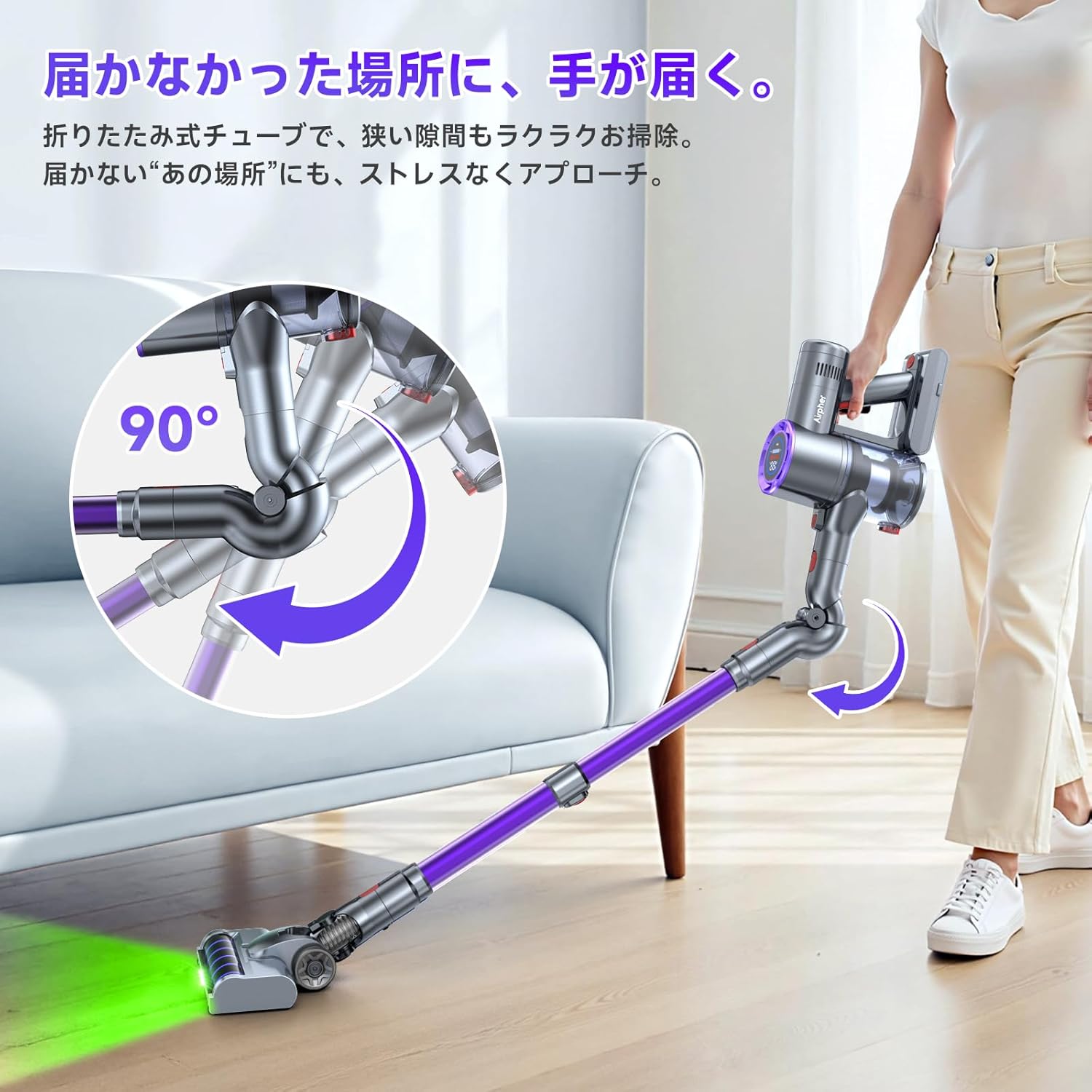

The left image demonstrates the foldable tube's ability to reach under low furniture. The right image highlights the green LED lights on the brush head, which make dust visible in dark spaces.
Maintenance
Emptying the Dust Cup
To maintain optimal suction performance, empty the dust cup regularly, especially when it reaches the MAX fill line. The one-touch dust disposal feature allows for easy and hygienic emptying.
- Hold the vacuum cleaner over a trash bin.
- Press the dust cup release button to open the bottom flap and empty the contents.
Cleaning Filters
The HEPA filter and other filters should be cleaned periodically to ensure efficient operation. It is recommended to clean them once a month or as needed.
- Twist and remove the dust cup from the main unit.
- Remove the HEPA filter and other filter components from the dust cup.
- Tap off loose dust. For thorough cleaning, rinse the filters under running water.
- Allow all filter components to air dry completely for at least 24 hours before reassembling. Do not use a dryer or direct heat.

This image illustrates the four-step process for maintaining the vacuum cleaner: emptying the dust cup, disassembling filters, washing filters with water, and allowing them to dry completely.
Cleaning the Roller Brush
The tangle-free head design minimizes hair entanglement, but occasional cleaning of the roller brush may be necessary.
- Turn off the vacuum cleaner and detach the brush head.
- Locate the roller brush release mechanism and remove the roller brush.
- Use the provided cleaning tool or scissors to cut and remove any tangled hair or debris.
- Reinsert the roller brush and secure it in place.
Troubleshooting
| Problem | Possible Cause | Solution |
|---|---|---|
| Vacuum cleaner does not turn on. | Battery is not charged or not properly inserted. | Charge the battery fully. Ensure the battery is securely inserted. |
| Low suction power. | Dust cup is full, filters are clogged, or brush head is blocked. | Empty the dust cup. Clean or replace the filters. Remove any blockages from the brush head or pipe. |
| Brush head not rotating. | Hair or debris tangled in the roller brush, or brush head is not properly attached. | Clean the roller brush. Ensure the brush head is securely attached. |
| Short operating time. | Battery not fully charged, or operating in Turbo mode continuously. | Ensure battery is fully charged. Use Eco or Middle mode for longer runtime. |
Specifications
| Feature | Specification |
|---|---|
| Brand | Airpher |
| Model Number | VC1 |
| Suction Power | Max 55KPa |
| Motor Power | 550W Brushless Motor |
| Continuous Operation Time | Up to 60 minutes |
| Charging Time | Approx. 4.5 hours |
| Battery Type | Lithium-ion |
| Filter Type | HEPA Filter |
| Noise Level | 68 dB |
| Dust Cup Capacity | 1 Liter |
| Dimensions (Packaged) | 43.6 x 31.9 x 19.4 cm |
| Weight (Packaged) | 3.5 kg |
Warranty and Support
This Airpher product comes with a 12-month warranty from the date of purchase. If you encounter any issues or have questions regarding product use or exchange, please contact our customer support team.
Contact Information:
- Email: support@airpher.jp
- Alternatively, you can reach us through your Amazon account: Go to "Account Services" → "Order History" → Locate your order → Click on "Sold by [Seller Name]" → "Ask a question".
Please have your purchase details ready when contacting support to ensure a quicker resolution.
