1. Introduction
This manual provides detailed instructions for the safe and effective use of your OLIGHT RN 400 LED Bike Headlight and SEEMEE 30 C Bicycle Taillight Set. Please read this manual thoroughly before operation and retain it for future reference.

Image 1.1: Comparison of RN 400 Headlight and SEEMEE 30 C Taillight, showing their respective maximum output, runtime, and throw distances.
2. Safety Information
- Do not look directly into the light beam to avoid temporary vision impairment.
- Ensure lights are securely mounted before riding.
- Keep out of reach of children.
- Do not disassemble or modify the lights, as this may void the warranty and create safety hazards.
- Dispose of batteries according to local regulations.
3. Package Contents
Verify that all items are present in your package:
- RN 400 Headlight x 1
- Seemee 30 C Taillight x 1
- Handlebar mount x 1
- Silicon strap x 4
- USB-C cable x 1
- User Manual

Image 3.1: The complete package contents for the OLIGHT RN 400 Headlight and SEEMEE 30 C Taillight, including mounts, straps, and charging cable.
4. Setup
4.1 Unlocking the Lights (First Use)
Before initial use, both the RN 400 and SEEMEE 30 C are in a locked state to prevent accidental activation during shipping. To unlock:
- Press and hold the power button for approximately 3 seconds.
- The indicator light will flash red and then turn green, indicating the light is unlocked and ready for use. If the button flashes red and the light does not turn on, it is still locked.

Image 4.1: Visual guide for unlocking the bike light by holding the power button for 3 seconds until the indicator turns green.
4.2 RN 400 Headlight Installation
The RN 400 can be installed on a handlebar, helmet, or under a camera using the provided mount.
- Attach the handlebar mount to your bicycle handlebar using the appropriate silicon strap. Ensure it is tight and secure.
- Slide the RN 400 headlight onto the mount until it clicks into place.
- Adjust the angle of the headlight to ensure optimal illumination without blinding oncoming traffic. The anti-glare lens design directs light downwards.
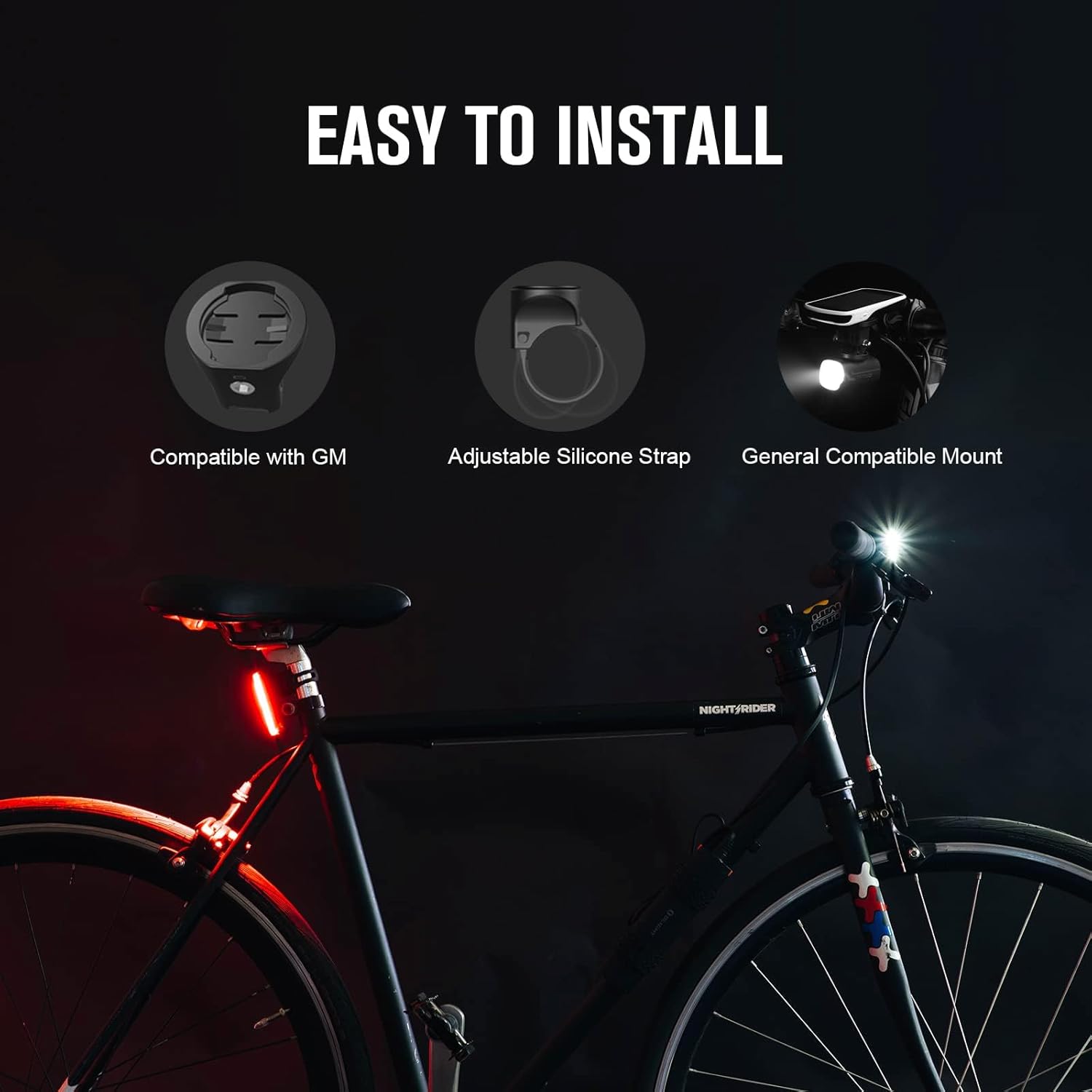
Image 4.2: Diagram showing the easy installation process for the RN 400 headlight on a handlebar, compatible with various mounts.
4.3 SEEMEE 30 C Taillight Installation
The SEEMEE 30 C taillight attaches to your seat post using a silicon strap.
- Select a suitable silicon strap for your seat post diameter.
- Hook one end of the strap to the taillight.
- Wrap the strap around the seat post and secure the other end to the taillight. Ensure the taillight is facing directly backward.

Image 4.3: Step-by-step guide illustrating how to install the SEEMEE 30 C taillight using the silicon strap on a bicycle seat post.
5. Operating Instructions
5.1 Power On/Off
- To Turn On: Press and hold the power button for 1 second.
- To Turn Off: Press and hold the power button for 1 second.
5.2 Mode Selection
- RN 400 Headlight: Short press the power button to cycle through different brightness modes (e.g., Low, Mid, High, Flash 1, Flash 2).
- SEEMEE 30 C Taillight: Short press the power button to cycle through various lighting modes (e.g., Constant, Flash, Smart modes).
5.3 Battery Indicator (RN 400)
When the RN 400 is in standby mode, a short press of the power button will display the battery status for three seconds:
- Green: 21%-100% battery remaining.
- Red: 11%-20% battery remaining.
- Red (Flashing): 1%-10% battery remaining.

Image 5.1: Visual representation of the RN 400's battery indicator colors (Green, Red, Flashing Red) corresponding to different charge levels.
5.4 Ambient Light Sensor (SEEMEE 30 C)
The SEEMEE 30 C features an ambient light sensor that automatically adjusts the light mode and output based on surrounding conditions, optimizing visibility and battery life. It also has a low battery mode to extend runtime.
6. Charging
Both the RN 400 and SEEMEE 30 C are equipped with USB-C charging ports for convenient and fast recharging.
- Connect the provided USB-C cable to the charging port on the light.
- Connect the other end of the cable to a USB power source (e.g., computer, wall adapter).
- RN 400: The indicator light will show a red 'breathing' light during charging and turn green when fully charged.
- SEEMEE 30 C: The indicator lamp will be on during charging and turn off when fully charged.

Image 6.1: Illustration of the USB-C fast charging ports on both the RN 400 and SEEMEE 30 C, showing charging indicators.
7. Maintenance
- Cleaning: Wipe the lights with a soft, damp cloth. Do not use abrasive cleaners or solvents.
- Storage: Store the lights in a cool, dry place when not in use. For long-term storage, charge the batteries every 3-6 months to maintain battery health.
- Water Resistance: The RN 400 has an IPX7 rating, and the SEEMEE 30 C has an IPX6 rating, making them suitable for use in rainy conditions. Ensure charging port covers are securely closed to maintain water resistance.

Image 7.1: Visual representation of the superior waterproof ratings for the RN 400 (IPX7) and SEEMEE 30 C (IPX6), demonstrating their reliability in wet conditions.
8. Troubleshooting
| Problem | Possible Cause | Solution |
|---|---|---|
| Light does not turn on. | Light is locked. | Hold the power button for 3 seconds to unlock (refer to Section 4.1). |
| Light does not turn on. | Battery is depleted. | Charge the light using the USB-C cable (refer to Section 6). |
| Light output is dim. | Low battery. | Charge the light. |
| Light flickers or turns off unexpectedly. | Loose connection or low battery. | Ensure the light is securely mounted. Charge the light. |
9. Specifications
RN 400 Headlight
- Max Output: 400 Lumens
- Max Runtime: 7 Hours
- Max Throw: 89 Meters
- Water Resistance: IPX7
- Mounting Type: Handlebar Mount (Garmin compatible)
- Material: Aluminum, Polycarbonate
SEEMEE 30 C Taillight
- Max Output: 30 Lumens
- Max Runtime: 90 Hours
- Visibility Angle: 260°
- Max Throw: 6 Meters (visible from 800 meters)
- Water Resistance: IPX6
- Weight: 22 g
- Dimensions: 65.5 x 25 x 22.5 mm
General
- Power Source: Battery Powered (Rechargeable via USB-C)
- Color: Black
10. Warranty
OLIGHT provides a lifetime warranty for products purchased after January 1st, 2023. Please refer to the official OLIGHT website or contact customer support for detailed warranty terms and conditions.
11. Support
For further assistance, technical support, or warranty claims, please visit the official OLIGHT website or contact their customer service department. You can find contact information on the OLIGHT website or within your product packaging.


