
hockvill HK-MICXY03
Hockvill Mini Karaoke Machine User Manual
Model: HK-MICXY03
Brand: Hockvill
Introduction
This manual provides essential information for the safe and effective use of your Hockvill Mini Karaoke Machine. Please read these instructions thoroughly before operating the device and retain them for future reference.
The Hockvill Mini Karaoke Machine is a portable entertainment device designed for children aged 3-10. It features Bluetooth connectivity, dual microphones, LED lights, and a rechargeable battery, offering a fun and interactive singing experience.
What's in the Box
- Mini Karaoke Machine (Speaker Unit)
- 2 x Microphones
- 2 x USB Charging Cables
Key Features
- Dual Microphones: Includes two kid-friendly microphones for duet singing.
- Wireless Connectivity: Supports Bluetooth for easy connection to phones or tablets.
- USB Playback: Play music directly from a USB drive.
- Colorful LED Lights: Built-in multi-color LED lights flash in rhythm with the music.
- Rechargeable & Portable: Lightweight and compact with a rechargeable battery for extended playtime.
- Built-in Phone Holder: Features a slot to securely hold a smartphone for hands-free lyric viewing.
- Voice Changer Effects: Microphones include voice changer functions for added fun.
Setup Guide
1. Charging the Device
Before first use, fully charge the karaoke machine and both microphones. Use the provided USB charging cables.
- Connect the USB cable to the charging port on the karaoke machine (Mini USB) and to a compatible USB power adapter (not included).
- Connect the other USB cables to the charging ports on each microphone and to a compatible USB power adapter.
- Charging indicators will typically show red during charging and turn off or change color when fully charged.
- A full charge usually takes 2-3 hours and provides approximately 4-6 hours of playtime.
2. Powering On/Off
- Karaoke Machine: Press and hold the power button (usually marked with a power symbol) on the top panel until you hear a power-on prompt or see the LED lights activate.
- Microphones: Press and hold the power button on each microphone until the indicator light illuminates.
3. Bluetooth Pairing
To connect your karaoke machine to a smartphone or tablet:
- Ensure the karaoke machine is powered on and in Bluetooth pairing mode (indicated by a flashing light or audio prompt).
- On your mobile device, go to Bluetooth settings and search for available devices.
- Select "Hockvill Karaoke" or a similar name (e.g., "K12", "TD10") from the list.
- Once connected, you will hear a confirmation sound.
- The microphones will automatically pair with the karaoke machine once both are powered on.
4. USB Playback
To play music from a USB drive:
- Insert a USB drive containing MP3 audio files into the USB port on the back of the karaoke machine.
- The machine should automatically switch to USB mode and begin playing music. Use the control buttons on the machine to navigate tracks.
5. MicroSD Card Playback
To play music from a MicroSD card:
- Insert a MicroSD card containing MP3 audio files into the TF card slot on the back of the karaoke machine.
- The machine should automatically switch to MicroSD mode and begin playing music. Use the control buttons on the machine to navigate tracks.
Operating Instructions
1. Adjusting Volume
- Speaker Volume: Use the '+' and '-' buttons on the top panel of the karaoke machine to adjust the overall speaker volume.
- Microphone Volume: Each microphone has its own '+' and '-' buttons to adjust its individual volume level.
2. LED Light Modes
- Press the light bulb button on the top panel of the karaoke machine to cycle through various LED light modes.
- The lights will flash in rhythm with the music, creating a dynamic visual effect.
3. Voice Changer Effects
- Each microphone features a dedicated button (often marked with a microphone icon or similar) to activate and cycle through different voice changer effects.
- Available effects may include baby voice, male voice, female voice, monster voice, and original voice.
4. Using the Phone Holder
- Place your smartphone securely in the designated slot on the karaoke machine. This allows for hands-free viewing of lyrics or music videos while singing.
Maintenance
- Keep the device dry and away from moisture.
- Clean the surface with a soft, dry cloth. Do not use abrasive cleaners or solvents.
- Store the device in a cool, dry place when not in use.
- Avoid dropping the device or exposing it to strong impacts.
Troubleshooting
- No Sound: Ensure the device is powered on, volume is up, and it is correctly connected via Bluetooth or other input. Check microphone power and volume.
- Cannot Connect Bluetooth: Make sure the device is in pairing mode and within range of your mobile device. Disconnect from other devices if necessary.
- Microphones Not Working: Ensure microphones are charged and powered on. They should automatically connect to the main unit.
- LED Lights Not Working: Press the light button to cycle through modes. Ensure the device is powered on.
Specifications
| Specification | Detail |
|---|---|
| Item Weight | 1.21 pounds |
| Product Dimensions | 3.62 x 3.66 x 3.66 inches |
| Model Number | HK-MICXY03 |
| Batteries | 1 C batteries required (included) |
| Battery Type | Lithium Ion |
| Power Source | Corded Electric (for charging) |
| Compatible Devices | Smartphone |
| Connector Type | Mini USB |
| Speaker Count | 2 |
| Special Features | Light Up Speaker, Portable, Voice Changer |
Warranty and Support
For warranty information or technical support, please refer to the product packaging or contact Hockvill customer service directly. Keep your purchase receipt as proof of purchase.
Product Visuals

Image: The Hockvill Mini Karaoke Machine, showcasing the main pink speaker unit with a vibrant rainbow LED ring and two matching pink microphones.

Image: A mother and child enjoying the karaoke machine, highlighting its compact size and ease of use for small hands. An inset graphic displays the product dimensions.

Image: The karaoke machine featuring its built-in phone holder, demonstrating how a smartphone can be used to display lyrics or music videos hands-free.

Image: An illustration demonstrating the wireless Bluetooth connectivity of the Hockvill Mini Karaoke Machine with multiple smart devices, including phones, laptops, and tablets.
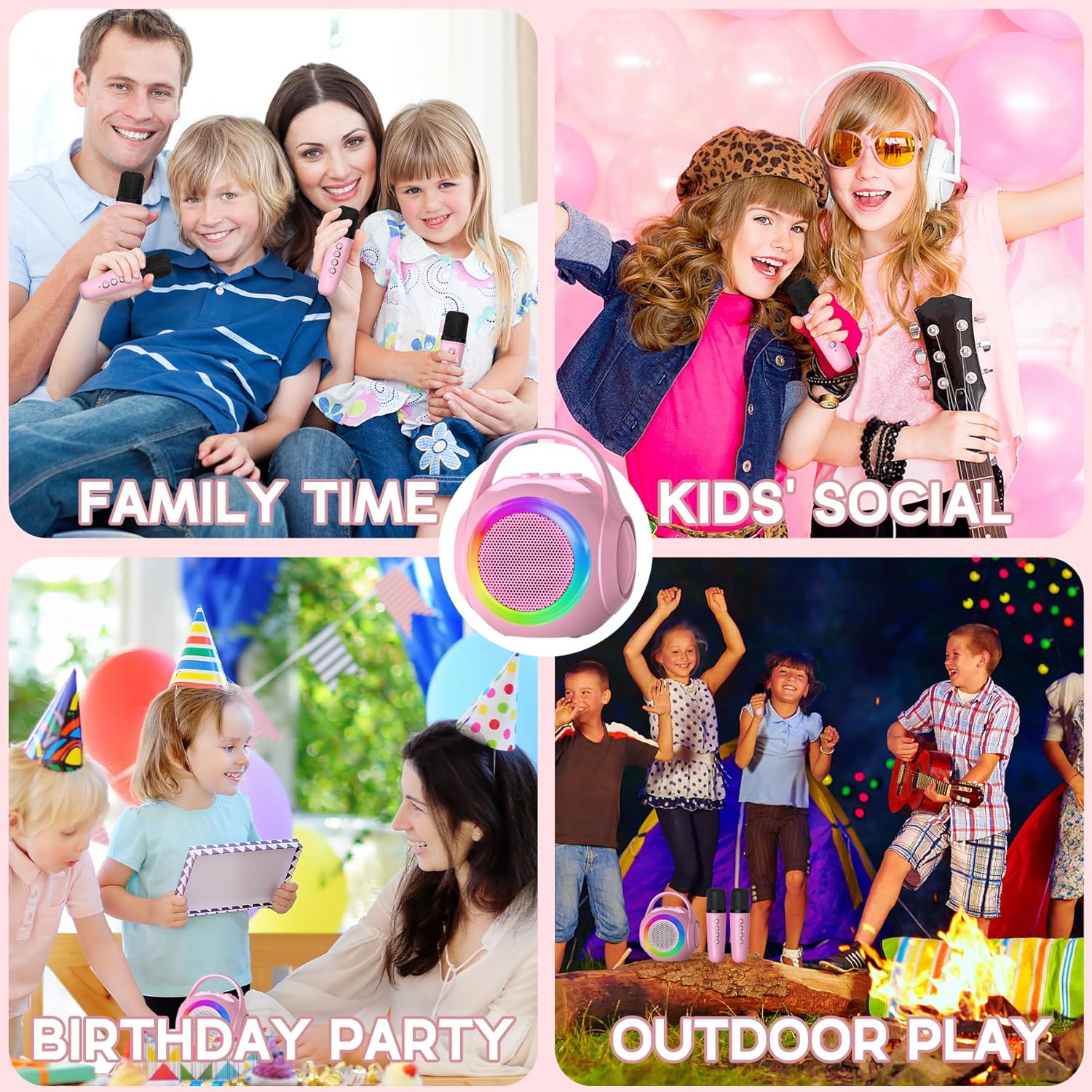
Image: A collage showing the versatility of the karaoke machine in different social settings, including family gatherings, kids' parties, and outdoor activities.
Official Product Videos
Video: An overview of the Mini Karaoke Machine for Kids, demonstrating its features and ease of use. This video is provided by the seller, Dasinong.
Video: A demonstration of the Hockvill Mini Karaoke Machine, highlighting its compact design and dual microphone functionality. This video is provided by the seller, Babyfuny.
Ask a question about this manual
Ask about setup, troubleshooting, compatibility, parts, safety, or missing instructions. Manuals+ will review the question and use this page’s manual context to help answer it.