
1. Introduction
This manual provides detailed instructions for the setup, operation, maintenance, and troubleshooting of your CNBRO Smart Ring US-XT-TK7. Please read this manual thoroughly before using the device to ensure proper function and to maximize its benefits.
2. Product Overview
2.1 Key Features
- Health Monitoring: Advanced sensors provide insights into blood pressure, heart rate, blood oxygen (SpO2), and sleep patterns.
- Sleep Tracking: Monitors REM, Core, and Deep sleep stages, helping to establish healthy sleep routines.
- Fitness Tracking: Tracks steps, calories burned, and distance for various activities like running, strength training, yoga, and cycling.
- Gesture Control: Allows remote control of phone camera shutter, navigation in short video apps, and motion games.
- Durable Design: Crack-resistant, dust-resistant, and water-resistant (5ATM+IP68).
- Long Battery Life: Approximately 0.5 hours charging time for 3-5 days of use and 7 days of standby.
- Compatibility: Supports Android 6.0 and above, iOS 12.0 and above, with Bluetooth 5.2.
2.2 What's in the Box
- 1x CNBRO Smart Ring
- 1x User Manual (this document)
- 1x Magnetic Charger
- 1x Wireless Charging Case
3. Setup Guide
3.1 Charging the Smart Ring
Before initial use, fully charge your Smart Ring. Place the ring into the wireless charging case, and connect the magnetic charger to a USB power source. The charging indicator will show the charging status. A full charge takes approximately 0.5 hours.
3.2 App Download and Installation
To utilize all features of your Smart Ring, download the dedicated companion app. The app is compatible with Android 6.0 and above, and iOS 12.0 and above. Ensure your device supports Bluetooth 5.2.
- Scan the QR code provided in the packaging or search for "TK RING" (or the specified app name) in your device's app store (Google Play Store for Android, Apple App Store for iOS).
- Download and install the app.
- Open the app and follow the on-screen instructions to create an account or log in.
3.3 Pairing with Your Smartphone
- Ensure Bluetooth is enabled on your smartphone.
- Open the companion app.
- Follow the app's instructions to search for and connect to your CNBRO Smart Ring. The ring should appear in the list of available devices.
- Confirm the pairing request on both your phone and, if prompted, on the ring (though typically rings pair automatically once selected in the app).
4. Operating Instructions
4.1 Wearing the Smart Ring
Wear the Smart Ring on any finger that provides a comfortable and secure fit. For optimal health monitoring accuracy, ensure the sensors on the inside of the ring are in good contact with your skin. Avoid wearing it too loosely or too tightly.
4.2 Basic Interaction
The Smart Ring operates primarily through its companion app. All data collected by the ring is synced to the app for detailed analysis and display. Ensure your ring is within Bluetooth range of your paired smartphone for continuous data synchronization.
5. Health Monitoring Features
5.1 Heart Rate Monitoring
The Smart Ring continuously monitors your heart rate throughout the day and night. This data is recorded and can be viewed in the companion app, providing insights into your resting heart rate, heart rate during activity, and overall heart health trends.

Figure 5.1: Heart Rate Monitoring Interface. The app displays real-time and historical heart rate data, helping users track their cardiovascular health.
5.2 Blood Pressure Monitoring
The device records systolic and diastolic blood pressure data in real-time. Access detailed monitoring reports within the app to understand your blood pressure trends over time.
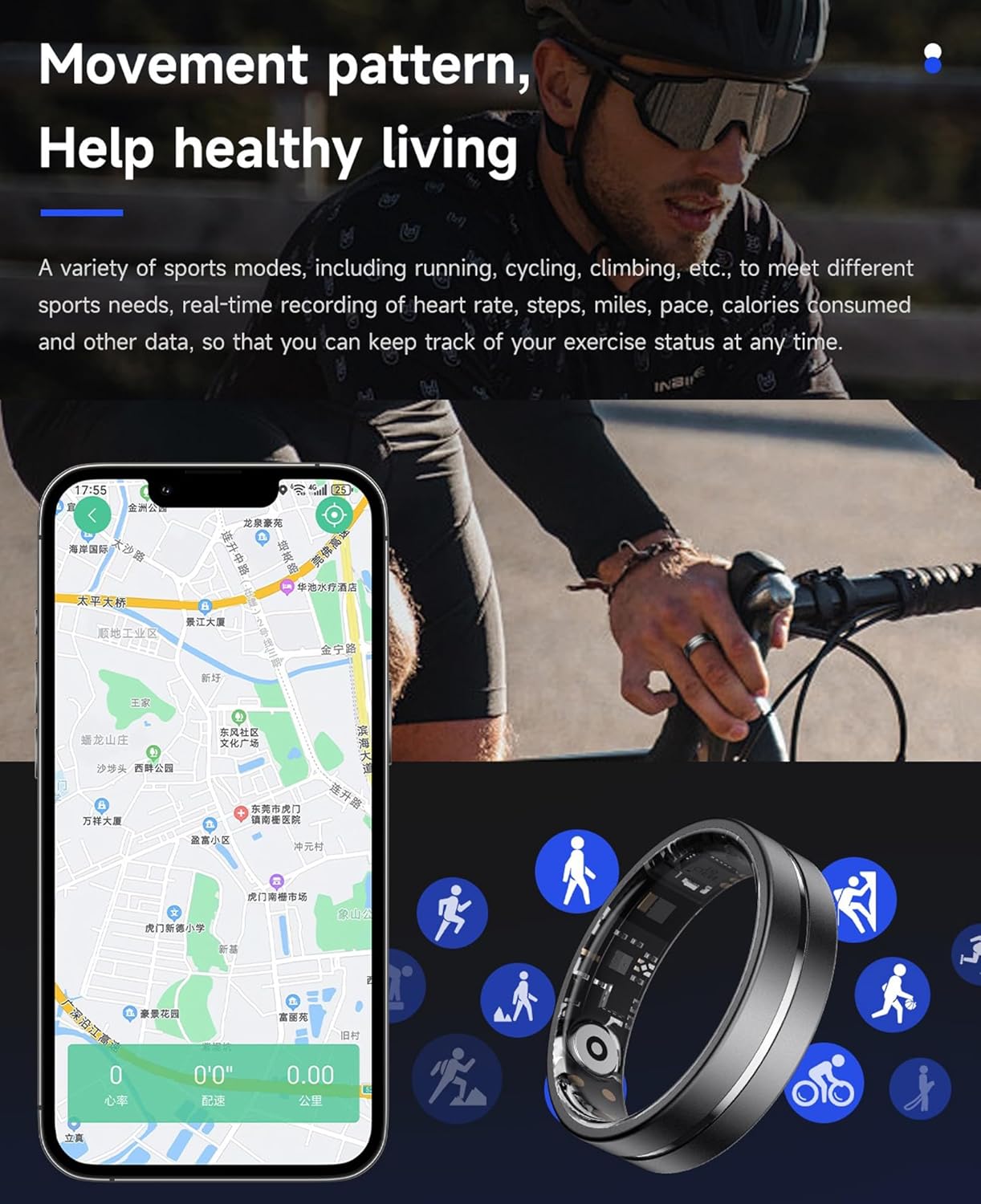
Figure 5.2: Blood Pressure Monitoring. The app provides current and historical blood pressure measurements for health tracking.
5.3 Sleep Tracking
The Smart Ring comprehensively monitors your sleep, including deep sleep, light sleep, and REM (Rapid Eye Movement) sleep stages. The companion app allows you to set sleep goals, view sleep trends, and analyze your sleep quality to improve your rest.
Figure 5.3: Comprehensive Sleep Monitoring. The app provides a detailed breakdown of sleep stages and duration.
5.4 Blood Oxygen (SpO2) Monitoring
The ring provides 24/7 blood oxygen monitoring, recording blood oxygen saturation levels. This data is presented in detailed reports within the app, offering insights into your respiratory health.
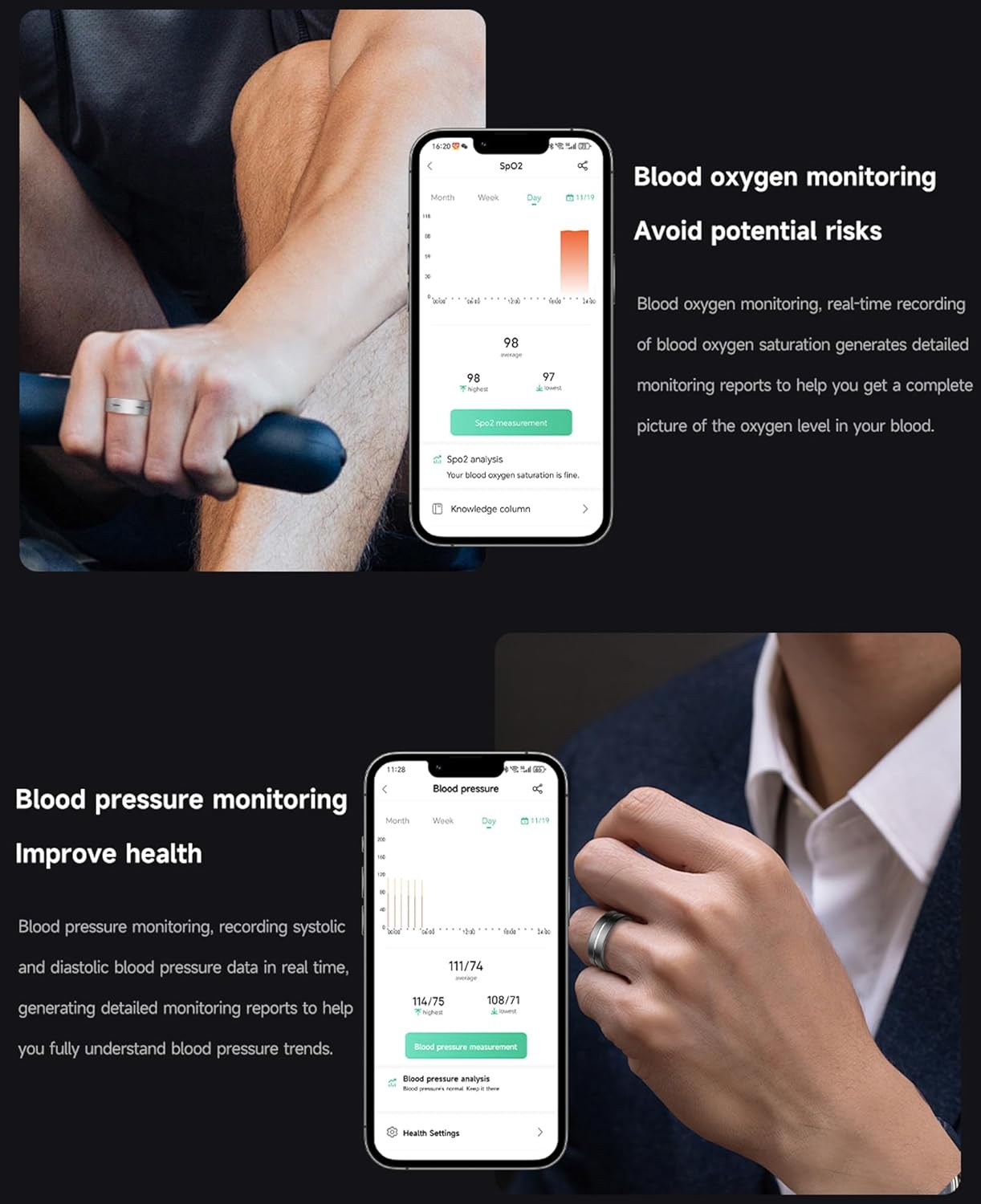
Figure 5.4: Blood Oxygen Monitoring. The app displays SpO2 levels to help monitor blood oxygen saturation.
6. Fitness Tracking Features
The Smart Ring acts as a fitness partner, tracking various activities and providing key metrics to help you achieve your fitness goals.
- Activity Tracking: Monitors steps taken, distance covered, and calories burned.
- Multiple Sports Modes: Supports various activities including running, climbing, cycling, and more. The app provides real-time recording of heart rate, steps, miles, pace, and calories consumed.
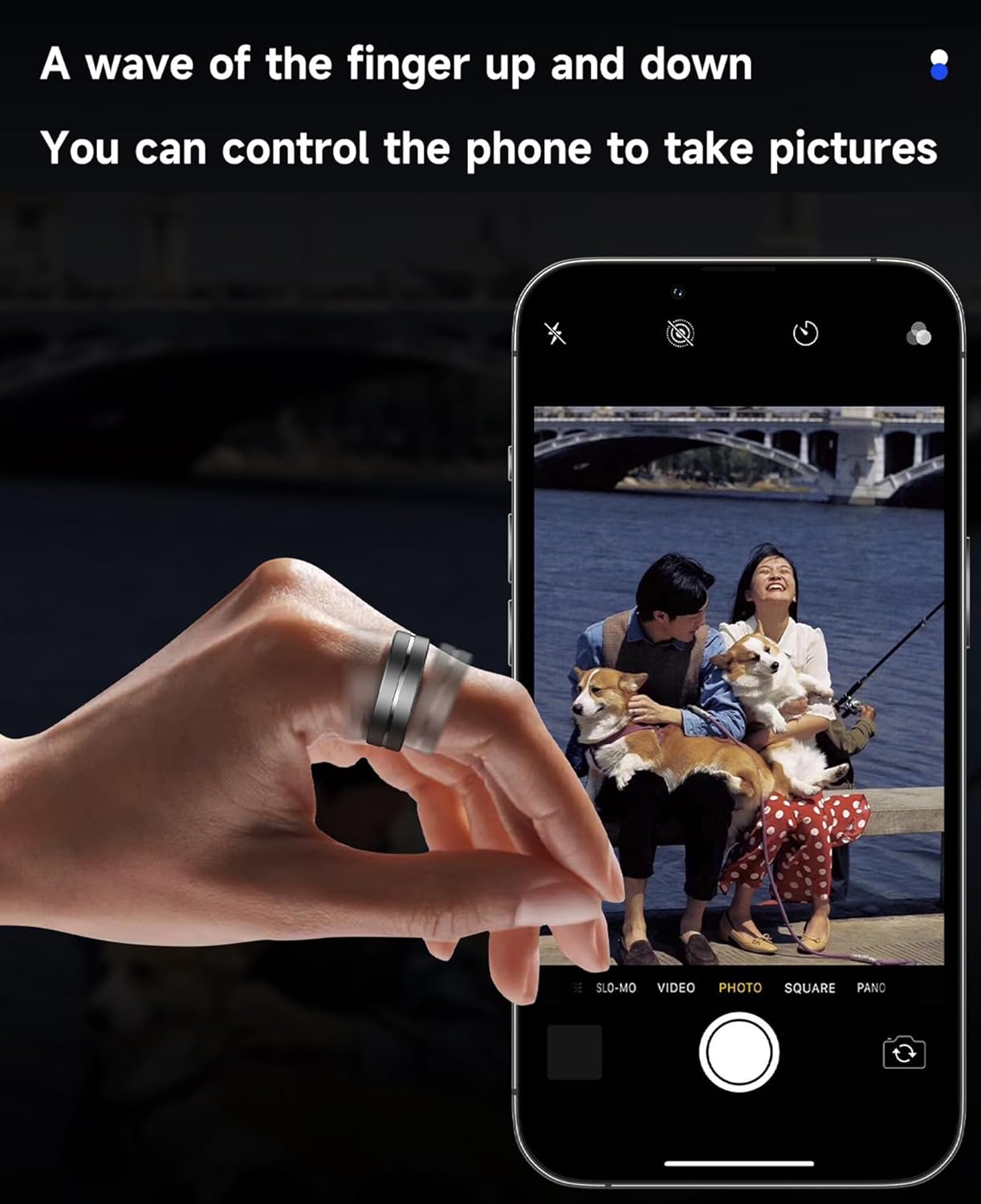
Figure 6.1: Movement Pattern Tracking. The ring tracks various sports modes and displays data on the app.
7. Gesture Control
The Smart Ring features gesture control, allowing for hands-free interaction with your smartphone.
- Remote Photography: Control your phone's camera shutter remotely with a simple gesture.
- App Navigation: Seamlessly swipe through short video apps and e-books using gestures.
- Motion Games: Compatible with gesture-controlled motion games.

Figure 7.1: Remote Photography via Gesture Control. A simple finger wave can trigger your phone's camera.
8. Sizing Guide
To ensure accurate readings and comfortable wear, selecting the correct ring size is crucial. The CNBRO Smart Ring is available in multiple sizes.
8.1 How to Measure Your Finger
- Wrap a thin thread or strip of paper around the thickest part of the finger where you intend to wear the ring.
- Mark the point where the thread/paper overlaps.
- Remove the thread/paper and measure its length with a ruler. This measurement is your inner circumference.
- Compare your measurement to the size chart below. If you have a soft cloth ruler, you can also circle your finger directly to see the length.
Recommendation:
- Measure your finger 3 times to reduce potential errors.
- Note that the thickness of your left and right fingers may differ.
- If you have any questions regarding sizing, please contact customer service.
8.2 Size Chart
| Ring Size | Inner Circumference (mm) | Inner Circumference (inches) |
|---|---|---|
| No. 7 | 54.01 | 2.13 |
| No. 8 | 56.52 | 2.23 |
| No. 9 | 59.03 | 2.32 |
| No. 10 | 61.86 | 2.43 |
| No. 11 | 64.37 | 2.53 |
| No. 12 | 66.88 | 2.63 |
| No. 13 | 69.39 | 2.73 |
Note: The provided product description mentions sizes #10, #11, #12. This table includes additional common ring sizes for completeness.
9. Maintenance and Care
9.1 Water Resistance
The CNBRO Smart Ring features 5ATM + IP68 waterproof technology, making it resistant to splashes, rain, and shallow water activities like swimming. However, to ensure its longevity and functionality, avoid exposure to hot water, deep water, or any water-related work that involves high pressure or prolonged submersion beyond its rated depth.
9.2 Cleaning
Clean your Smart Ring regularly with a soft, dry cloth. If necessary, you can use a slightly damp cloth with mild soap, then dry thoroughly. Avoid using harsh chemicals or abrasive materials, as these can damage the ring's finish and sensors.
10. Troubleshooting
If you encounter issues with your CNBRO Smart Ring, please refer to the following common solutions:
- Ring not connecting to app:
- Ensure Bluetooth is enabled on your smartphone.
- Make sure the ring is charged.
- Restart both the ring (if possible, by placing it in the charger) and your smartphone.
- Try unpairing and re-pairing the device in the app's settings.
- Inaccurate readings:
- Ensure the ring is worn correctly and snugly on your finger, with sensors in good contact with the skin.
- Clean the sensors on the inside of the ring.
- Ensure the app is updated to the latest version.
- Short battery life:
- Ensure the ring is fully charged using the provided magnetic charger and charging case.
- Background app activity or frequent data syncing can affect battery life.
If these steps do not resolve your issue, please contact customer support.
11. Specifications
| Feature | Detail |
|---|---|
| Model Number | US-XT-TK7 |
| Brand | CNBRO |
| Operating System | TK RING |
| Connectivity Technology | Bluetooth 5.2 |
| Compatibility | Android 6.0+, iOS 12.0+ |
| Water Resistance | 5ATM + IP68 |
| Battery Capacity | 15mAh |
| Charging Time | Approx. 0.5 hours |
| Usage Time | 3-5 days |
| Standby Time | 7 days |
| Item Weight | 0.14 Kilograms (approx. 4.9 ounces) |
| Package Dimensions | 3.94 x 3.15 x 1.18 inches |
| Special Features | Activity Tracker, Custom Activity Tracking, Gesture Control, Notifications |
| GPS | Via Smartphone |
12. Warranty and Customer Support
For any questions regarding your order or product, please contact customer support through your Amazon order page. We aim to respond within 24 hours to resolve any issues.
How to Contact Us:
- Go to your Amazon order page.
- Click on "[Orders]" in the upper right corner of the page.
- Locate your order for the CNBRO Smart Ring.
- Click on "[Sold by Fusong US]" (or the current seller name) below the product name.
- Click the yellow button "[Ask a question]".
- Select "[I need assistance with an order I placed]", then click the yellow button "[Write message]" to send your inquiry.
The seller, Fusong, offers a 30-day refund/replacement return policy.
13. Product Video Demonstrations
13.1 Smart Ring Features Overview
Video 13.1: This video provides a visual overview of the CNBRO Smart Ring's design, health monitoring capabilities (heart rate, blood oxygen), fitness tracking (step monitoring, multiple movement modes), sleep tracking, water resistance, and gesture control features.