
Introduction
Thank you for choosing the HOUSBAY Sunrise Alarm Clock. This device is designed to enhance your morning routine with a natural wake-up experience, combining light and sound. It also features an FM radio, Bluetooth speaker, and a dimmable night light. Please read this manual thoroughly to understand all functions and ensure proper use.
Key Features
- Sunrise Simulation: Gradually brightens to simulate a natural sunrise, easing you awake.
- Natural Sound Alarms: Wake up to gentle sounds instead of jarring alarms.
- FM Radio: Tune into your favorite radio stations.
- Bluetooth Speaker: Connect your device wirelessly to play audio.
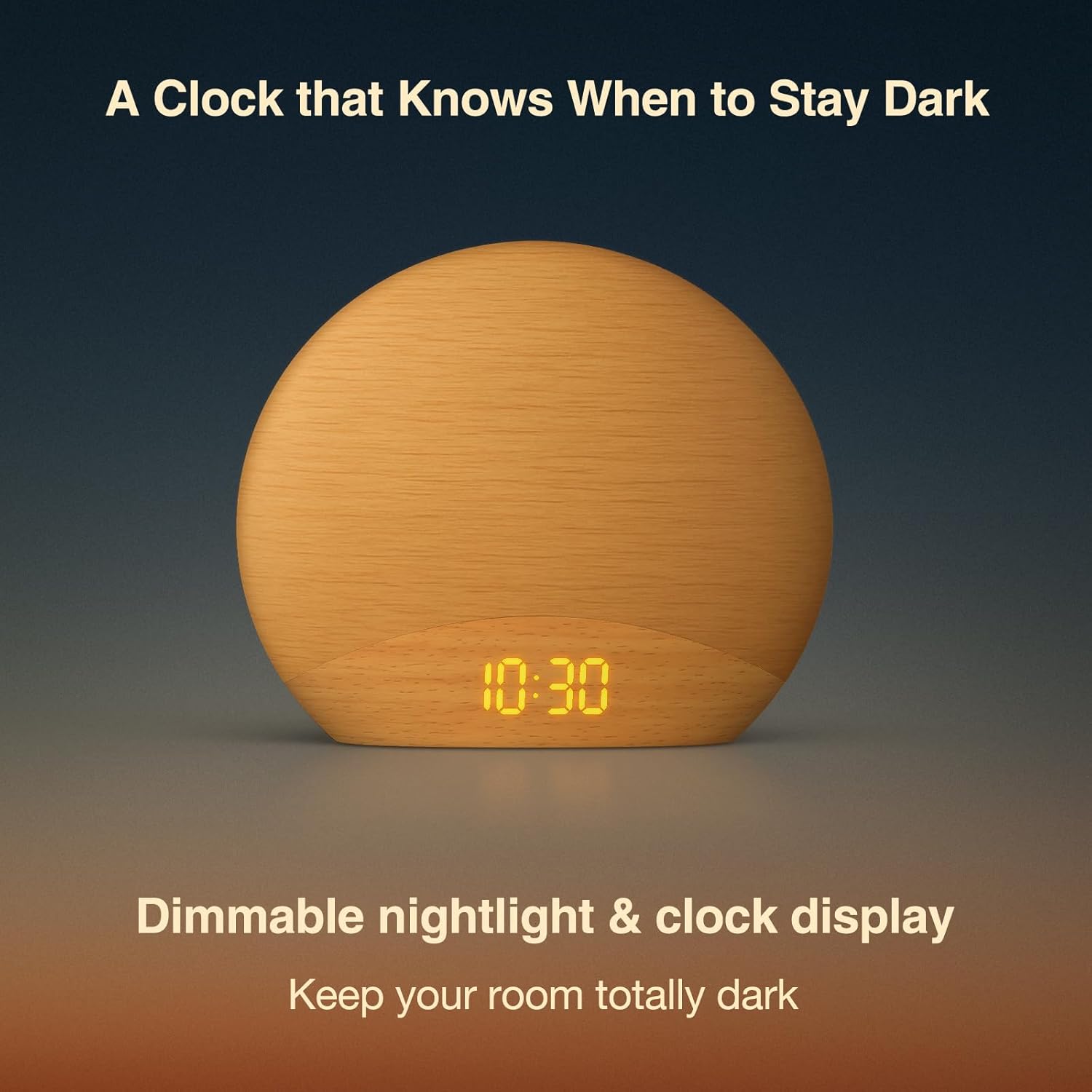
- Dimmable Night Light: Adjustable light intensity for reading or ambient lighting.
- Wood-Inspired Design: Aesthetically pleasing design that complements bedroom decor.
Package Contents
- HOUSBAY Sunrise Alarm Clock (Model RS7B2)
- Power Adapter
- User Manual
Setup Guide
- Power Connection: Connect the provided power adapter to the DC port on the back of the alarm clock and plug it into a wall outlet. The display will light up.
- Initial Time Setting: Upon first power-up, the clock display will show a default time. Refer to the "Setting Time" section under Operating Instructions to set the correct time.
- Placement: Place the alarm clock on a stable surface, such as a bedside table, ensuring it is within reach and the light can illuminate your sleeping area effectively.
Operating Instructions
1. Setting Time
To set the current time:
- Press and hold the Time Set button (usually indicated by a clock icon) for 3 seconds. The hour display will start flashing.
- Use the +/- buttons to adjust the hour. Press the Time Set button again to confirm and move to minutes.
- Use the +/- buttons to adjust the minutes. Press the Time Set button once more to confirm and exit time setting mode.
- You can switch between 12-hour and 24-hour format by pressing the Time Set button briefly during the hour setting.
2. Setting Alarm
The alarm clock supports multiple alarms. To set an alarm:
- Press the Alarm Set button (usually indicated by an alarm clock icon). The alarm time will flash.
- Use the +/- buttons to adjust the alarm hour. Press Alarm Set to confirm and move to minutes.
- Use the +/- buttons to adjust the alarm minutes. Press Alarm Set to confirm.
- Next, select the alarm sound (e.g., birdsong, FM radio, or a melody) using the +/- buttons. Press Alarm Set to confirm.
- Adjust the alarm volume using the +/- buttons. Press Alarm Set to confirm.
- Finally, set the sunrise simulation duration (e.g., 10-60 minutes) using the +/- buttons. Press Alarm Set to save and activate the alarm.
To turn off a sounding alarm, press any button except the snooze button. To disable an alarm completely, press the Alarm Set button repeatedly until the alarm icon disappears from the display.
3. Sunrise Simulation
The sunrise simulation feature gradually increases light intensity before your set alarm time. This helps to gently prepare your body for waking. The duration of this simulation can be customized during alarm setup.

4. FM Radio
To use the FM radio function:
- Press the FM Radio button (often indicated by a radio icon) to turn on the radio.
- Press and hold the FM Radio button again to automatically scan and save available stations.
- Use the +/- buttons to switch between saved stations.
- To adjust volume, use the dedicated volume buttons or the +/- buttons when not in station selection mode.

5. Bluetooth Speaker
To connect your device via Bluetooth:
- Press the Bluetooth button (indicated by a Bluetooth icon). The display will show "BT" and start flashing, indicating pairing mode.
- On your smartphone or other Bluetooth-enabled device, search for "HOUSBAY RS7B2" (or similar name) in the Bluetooth settings and select it to pair.
- Once paired, the "BT" icon will stop flashing, and you can play audio through the alarm clock's speaker.
- Adjust volume from your connected device or using the alarm clock's volume controls.
6. Night Light & Dimmable Display
The alarm clock features a dimmable night light and display:
- Night Light: Tap the top surface of the clock to cycle through different light colors and brightness levels. Hold to turn off the light.
- Display Brightness: Use the dedicated "Display Dimmer" dial or buttons (located on the back or side) to adjust the brightness of the time display.
- Light Dimmer: Use the "Light Dimmer" dial or buttons to adjust the brightness of the main light.
Maintenance
- Cleaning: Use a soft, dry cloth to clean the surface of the alarm clock. Do not use liquid cleaners or abrasive materials.
- Storage: If storing the device for an extended period, disconnect it from power and keep it in a cool, dry place.
- Avoid Water: Keep the device away from water and high humidity to prevent damage.
Troubleshooting
| Problem | Possible Solution |
|---|---|
| Clock display is off/blank. | Ensure the power adapter is securely connected to both the clock and a working power outlet. Check if the display brightness is set to the lowest level. |
| Alarm does not sound. | Verify that the alarm is activated (alarm icon visible on display) and the alarm volume is not set to zero. Check if the alarm time is correctly set. |
| FM radio static or poor reception. | Extend the FM antenna fully. Try repositioning the clock to improve signal reception. Perform an auto-scan for stations again. |
| Cannot connect via Bluetooth. | Ensure the alarm clock is in Bluetooth pairing mode (flashing "BT"). Make sure your device's Bluetooth is on and it's within range. Disconnect from other Bluetooth devices if necessary. |
| Light not working or dim. | Check the light dimmer setting. Ensure the clock is receiving adequate power. |
Specifications
| Feature | Detail |
|---|---|
| Brand | HOUSBAY |
| Model Number | RS7B2 |
| Color | Wooden |
| Display Type | Digital |
| Product Dimensions | 6.7"W x 5.9"H |
| Power Source | Corded Electric |
| Material | Wood |
| Item Weight | 0.56 Kilograms (1.23 pounds) |
| Operation Mode | Manual |
Warranty and Support
HOUSBAY products are designed for reliability and performance. For warranty information, technical support, or customer service inquiries, please refer to the contact information provided on the product packaging or visit the official HOUSBAY website.
Please retain your proof of purchase for warranty claims.
Product Videos
HOUSBAY Sunrise Alarm Clock with FM Radio Overview
This video provides an overview of the HOUSBAY Sunrise Alarm Clock, demonstrating its key features including the sunrise simulation, FM radio, and overall design. It highlights how the clock functions as a natural awakening assistant.

