
BUGANI OWSB15S
BUGANI AI Language Translation Earbuds Real Time User Manual
Model: OWSB15S | Brand: BUGANI
Introduction
This manual provides detailed instructions for the proper use and maintenance of your BUGANI AI Language Translation Earbuds Real Time. Please read this manual thoroughly before using the product to ensure optimal performance and longevity. Keep this manual for future reference.
What's in the Box
Carefully unpack your BUGANI Earbuds and ensure all items are present. If any items are missing or damaged, please contact customer support.
- BUGANI AI Language Translation Earbuds (2 units)
- Wireless Charging Case
- USB Charging Cable
- Ear Cushions (various sizes)
- User Manual (this document)

Image: Contents of the BUGANI Earbuds package, including earbuds, charging case, USB cable, ear cushions, and user manual.
Product Overview
Familiarize yourself with the components of your BUGANI Earbuds.

Image: The BUGANI AI Language Translation Earbuds and their charging case.
Key Features:
- Open Ear Design: Innovative non-in-ear structure for comfortable, long-term wear, suitable for various activities.
- Bluetooth 5.4: Ensures fast pairing and a stable, reliable wireless connection.
- Long-Lasting Battery Life: Up to 15 hours of playtime on a single charge, with the charging case providing up to 75 hours total.
- Secure Fit: Flexible silicone ear hooks designed to fit various ear shapes, maintaining stability during movement.
- Premium Sound Quality: Features a 15x11 composite diaphragm speaker for clear audio, deep bass, and powerful volume.
- IPX5 Waterproof Rating: Sweat and splash-proof for durability during workouts.
- Clear Voice Technology: Dual MEMS mics and ENC with adaptive beamforming for crisp, clear calls.
Setup
1. Charging the Earbuds and Case
Before first use, fully charge the earbuds and the charging case.
- Place the earbuds into the charging case, ensuring they are correctly seated.
- Connect the USB charging cable to the charging port on the case and to a compatible USB power source.
- The indicator lights on the case will show the charging status. Once fully charged, the lights will indicate completion.
Note: The charging case is not waterproof, despite the earbuds having an IPX5 rating.
2. Bluetooth Pairing
Pair your earbuds with your device (smartphone, tablet, etc.) for wireless audio.
- Open the charging case. The earbuds will automatically enter pairing mode.
- On your device, go to Bluetooth settings and ensure Bluetooth is enabled.
- Search for available devices and select "BUGANI OWSB15S" (or similar name) from the list.
- Once connected, your device will confirm successful pairing. The earbuds will automatically connect to the last paired device when removed from the case.
Operating Instructions
Wearing the Earbuds
The open-ear design ensures comfort and awareness of your surroundings.

Image: A person wearing the BUGANI earbud, highlighting the open-ear design and anti-leakage sound system.
Basic Controls
Refer to the specific touch controls outlined in the quick start guide included with your product for functions such as:
- Play/Pause music
- Next/Previous track
- Answer/End calls
- Activate voice assistant
Audio Experience
The earbuds are engineered to deliver high-quality sound.

Image: Exploded view of the earbud, detailing the 14.2mm Dynamic Sound Driver.

Image: Demonstrating the immersive 360° sound capability of the earbuds.
AI Language Translation
These earbuds are designed to facilitate real-time language translation when used in conjunction with a compatible third-party translation application on your smartphone or device. The earbuds act as an audio interface, providing clear input for your voice and delivering translated audio directly to your ears.
Note: The translation functionality relies on the capabilities of the paired translation application and your device's internet connection. Ensure you have a suitable app installed and configured for language translation.
Clear Voice Calls
The integrated dual MEMS microphones and Environmental Noise Cancellation (ENC) technology work together to provide clear voice transmission during calls, minimizing background noise.
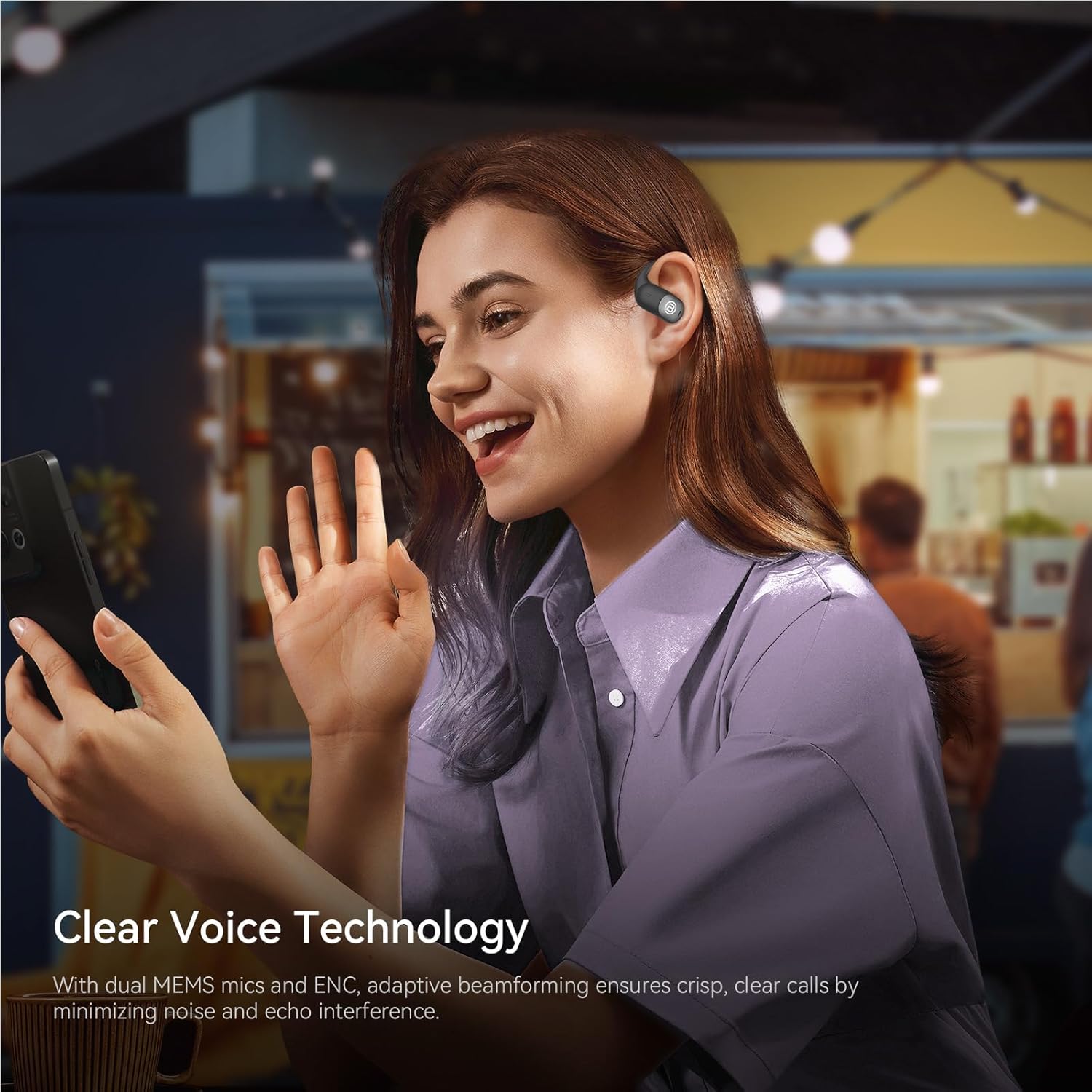
Image: Clear Voice Technology in use for phone calls.
Maintenance
Cleaning
- Gently wipe the earbuds and charging case with a soft, dry, lint-free cloth.
- Do not use abrasive cleaners, alcohol, or chemical solvents.
- Ensure charging contacts are clean and dry before placing earbuds in the case.
Storage
When not in use, store the earbuds in their charging case to protect them and keep them charged.
Water Resistance (IPX5)
The earbuds have an IPX5 waterproof rating, meaning they are resistant to sweat and splashes. They are not designed for submersion in water.

Image: IPX5 Waterproof Rating, suitable for workouts.
Troubleshooting
| Problem | Possible Cause | Solution |
|---|---|---|
| Earbuds not turning on | Low battery | Charge the earbuds and charging case. |
| Cannot pair with device | Bluetooth off, out of range, or previously paired | Ensure Bluetooth is on. Move closer to the device. Forget previous pairing and re-pair. |
| No sound or low volume | Volume too low, earbuds not connected, or audio source issue | Adjust device volume. Reconnect earbuds. Check audio source. |
| Intermittent connection | Interference, distance, or low battery | Move away from interference sources. Reduce distance to device. Charge earbuds. |
| Translation feature not working | No compatible app, app not configured, or no internet connection | Install a compatible translation app. Ensure app is correctly set up. Verify internet connection. |
Specifications

Image: Technical specifications overview of the BUGANI Earbuds.
- Model Name: IOWS
- Item Model Number: OWSB15S
- Connectivity Technology: Wireless (Bluetooth 5.4)
- Ear Placement: Open Ear
- Speaker Driver Size: 15x11mm composite diaphragm
- Audio Decoding: AAC, SBC
- Play Time: Approximately 15 hours (earbuds), up to 75 hours with charging case
- Charging Port: Type-C
- Waterproof Level: IPX5 (earbuds only)
- Item Weight: 6.7 ounces
- Batteries: 1 C battery required (included)
- Manufacturer: Shenzhen Bugani Acoustics Co., Ltd
Warranty and Support
BUGANI products are designed for reliability and performance. For warranty information, please refer to the warranty card included in your product packaging or visit the official BUGANI website. For technical support or customer service inquiries, please contact BUGANI customer support through their official channels.
You can find more information and support on the BUGANI Store on Amazon.
Ask a question about this manual
Ask about setup, troubleshooting, compatibility, parts, safety, or missing instructions. Manuals+ will review the question and use this page’s manual context to help answer it.