
ModernMate F1
ModernMate Standing Desk F1 User Manual
Model: F1 (US004-USAN1056)
Introduction
Thank you for choosing the ModernMate Standing Desk F1. This electric height-adjustable desk is designed to enhance your workspace with its versatile functionality and integrated storage. This manual provides detailed instructions for assembly, operation, maintenance, and troubleshooting to ensure optimal performance and longevity of your desk.

Image: The ModernMate Standing Desk F1, showcasing its design and functionality in a typical office environment.
Important Safety Information
Please read all safety instructions carefully before assembly and use. Failure to follow these instructions may result in injury or damage to the product.
- Maximum Weight Capacity: Do not overload the desk. The maximum weight capacity is 154 pounds (70 kg). Exceeding this limit can cause instability and damage.
- Keep children and pets away from the desk during operation to prevent accidents.
- Ensure all screws and bolts are securely tightened before use. Periodically check and re-tighten as necessary.
- Do not place liquids directly on the control panel or motor components.
- Disconnect power before cleaning or performing any maintenance.
- Use only the provided power adapter.
Package Contents
Your ModernMate Standing Desk F1 is delivered in two packages for safe transport and easier handling. Please verify that all components are present before beginning assembly.

Image: Package Protection - The desk components are shipped in two separate packages for secure delivery.
Included Components:
- Standing Desk Frame (Alloy Steel Base)
- Desktop (Whole Piece, Engineered Wood, Light Walnut finish)
- Monitor Shelf
- 4 Drawers (2 upper, 2 lower)
- Open Storage Cube
- Hand Control Panel
- Power Adapter
- Installation Instructions
- Screws and Assembly Tools (some basic tools may be required, not all included)
Assembly Instructions
Detailed and clear instructions are included with your standing desk. Please follow them carefully. Assembly typically takes 2-3 hours. It is recommended to have a second person assist with certain steps, especially when handling the desktop.
- Unpack Components: Carefully unpack all parts and lay them out on a clean, soft surface to prevent scratches. Verify all components against the package contents list.
- Assemble the Desk Frame: Follow the specific instructions provided in the included manual to assemble the alloy steel base and lifting columns. Ensure all connections are secure.
- Attach Desktop: Carefully place the desktop onto the assembled frame. Secure it using the provided screws.
- Install Drawers and Storage: Assemble and install the four drawers and the open storage cube according to the instructions.
- Mount Monitor Shelf: Attach the monitor shelf to the desktop.
- Connect Control Panel and Power: Connect the hand control panel and power adapter to the motor system as indicated in the manual.
- Cable Management: Use any provided cable ties or clips to manage power cords and control cables for a tidy setup.

Image: Smooth Wooden Drawers - Detail of the integrated drawers, highlighting their construction and functionality.
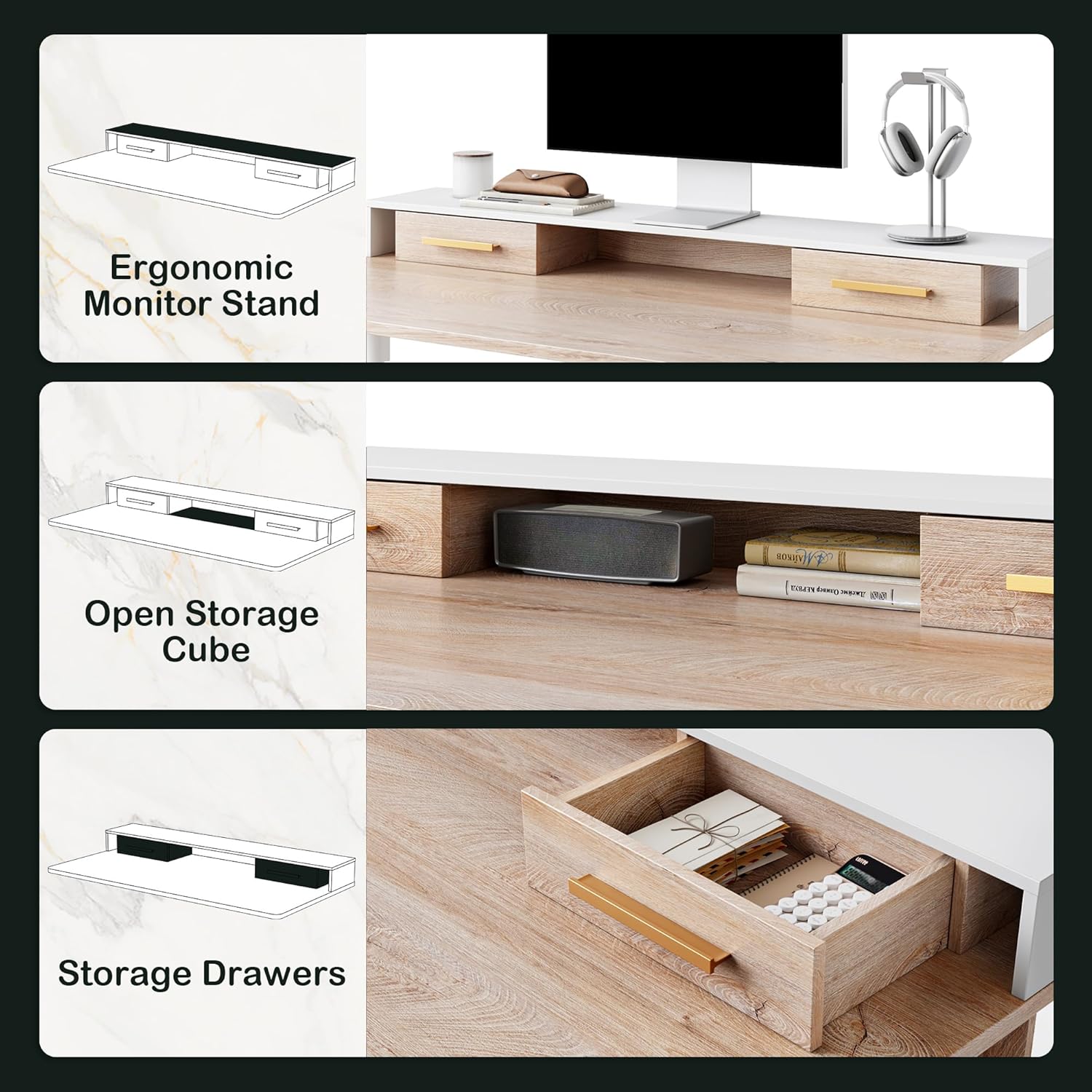
Image: Integrated Storage Solutions - Visual representation of the monitor shelf, open cube, and drawers.
Operating Instructions
Height Adjustment:
The desk features an electric lifting system with a quiet motor (below 50 dB noise level) for smooth height transitions.
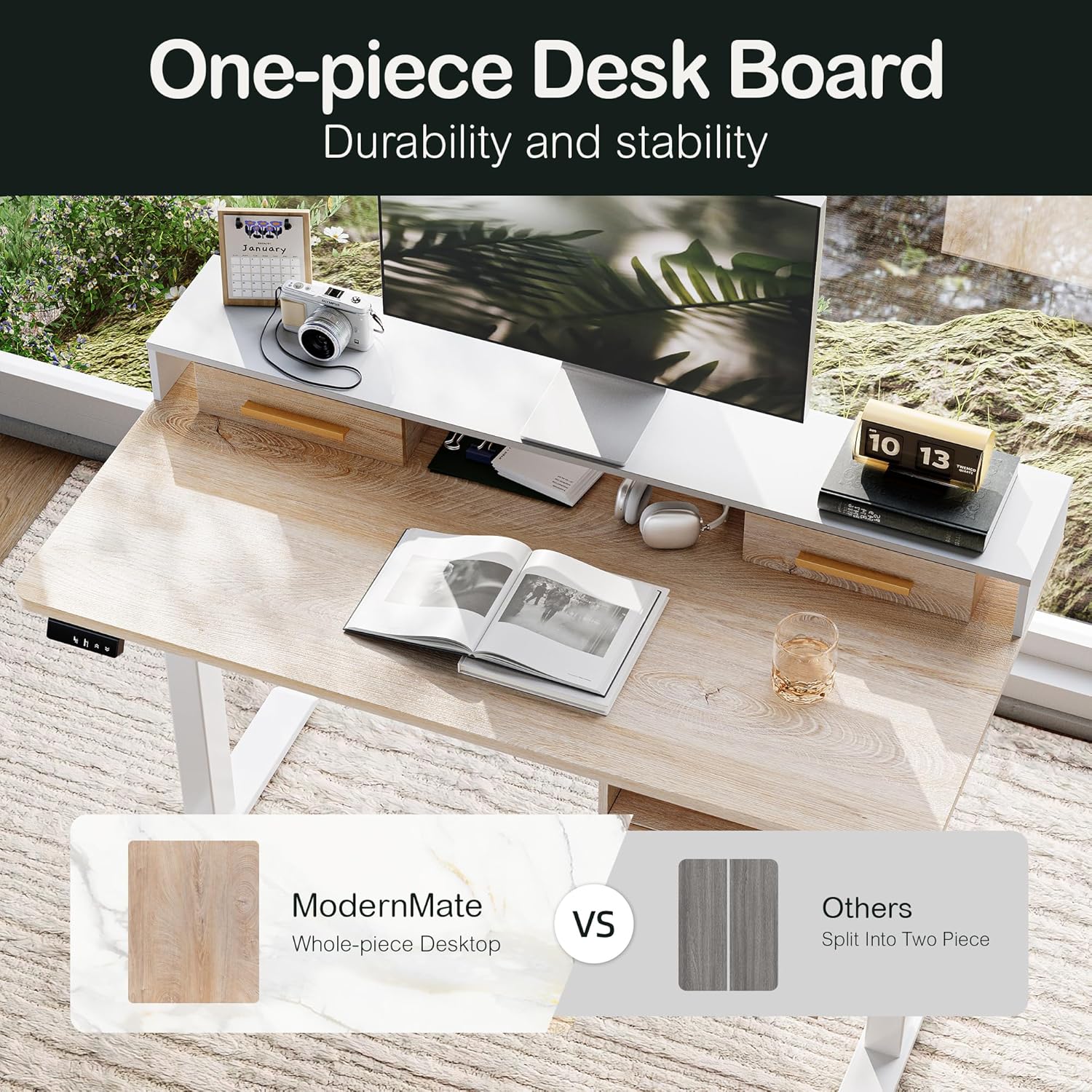
Image: Key Features - Illustrates the height range, steel frame, control panel, and weight capacity.
- Adjusting Height: Use the up (▲) and down (▼) buttons on the hand control panel to raise or lower the desk to your desired height. The desk can be adjusted from 27.9 inches to 47.5 inches (excluding desktop height).
- Memory Presets: The control panel includes two memory buttons (M1, M2).
- To save a height: Adjust the desk to your preferred height, then press and hold one of the memory buttons (M1 or M2) until you hear a beep or see the display flash. The height is now saved.
- To recall a saved height: Simply press the corresponding memory button (M1 or M2) once. The desk will automatically move to the saved position.
- Real-time Height Display: The control panel features a digital display showing the current desk height.
Using the Drawers and Storage:
- The desk includes two upper drawers, two lower drawers, and an open storage cube.
- Use the drawers for storing office supplies, documents, and personal items.
- The open storage cube is suitable for lightweight items such as books, small electronics, or decorative objects.

Image: Under-table Storage Solution - Details of the open storage cube, including dimensions and recommended placement for lightweight items.
Maintenance
- Cleaning: Wipe the desk surfaces with a soft, damp cloth. Avoid harsh chemicals or abrasive cleaners that may damage the finish.
- Motor Care: The motor is designed for long-lasting performance (tested for 50,000 lift cycles). No special lubrication is required. Keep the motor area free from dust and debris.
- Screw Tightness: Periodically check all screws and bolts to ensure they remain tight. Re-tighten if necessary to maintain stability.
- Cable Management: Ensure cables are not pinched or tangled, which could affect desk operation or cause damage.
Troubleshooting
If you encounter any issues with your ModernMate Standing Desk, please refer to the following common problems and solutions:
| Problem | Possible Cause | Solution |
|---|---|---|
| Desk does not move or respond to controls. |
|
|
| Desk moves unevenly or makes unusual noises. |
|
|
| Memory presets are not working. |
|
|
If the problem persists after trying these solutions, please contact ModernMate customer service for further assistance.
Specifications
| Feature | Detail |
|---|---|
| Brand | ModernMate |
| Model Number | F1 |
| Model Name | US004-USAN1056 |
| Product Dimensions (D x W x H) | 23.6"D x 47.2"W x 31.6"H |
| Adjustable Height Range | 27.9" to 47.5" (excluding desktop height) |
| Color | Light Walnut |
| Top Material Type | Engineered Wood (Whole Piece Desktop) |
| Base Material | Alloy Steel |
| Number of Drawers | 4 |
| Storage Options | 4 drawers, 1 open storage cube |
| Special Features | Adjustable Height, Monitor Shelf, Whole Piece Desktop, Quiet Operation (<50 dB) |
| Maximum Weight Recommendation | 154 Pounds (70 kg) |
| Item Weight | 76 Pounds (34.5 kg) |
| Required Assembly | Yes |
| Certifications | FCC, EPA, CARB, ETL |

Image: Authoritative Quality Assurance - Displays the certifications for the desk frame, table board, and power supply accessories.
Warranty and Customer Support
Warranty Information:
The ModernMate Standing Desk F1 comes with a Limited Warranty. Please refer to the warranty card included in your package for specific terms and conditions regarding coverage and duration.
Customer Service:
If you have any questions, require assistance with assembly, or encounter any issues not covered in this manual, please do not hesitate to contact ModernMate customer service. Our team is available to provide support and guidance.
For contact information, please refer to the documentation included with your product or visit the official ModernMate website.
Related documentsF1


Ask a question about this manual
Ask about setup, troubleshooting, compatibility, parts, safety, or missing instructions. Manuals+ will review the question and use this page’s manual context to help answer it.