
Kircuit UZ350 Series, UZ351H, UZ355H, UZ351HV5, UZ351H26, UZ355HV5, UZ355H26
Kircuit 24.8V AC/DC Adapter Instruction Manual
For UZ350 Series UZ351H, UZ355H, UZ351HV5, UZ351H26, UZ355HV5, UZ355H26 Cordless Pet Pro Stick Vacuum Cleaners
Product Overview
The Kircuit AC/DC Adapter is specifically designed to meet the power requirements of your compatible device, such as the Shark UZ350 series cordless vacuum cleaners. This adapter efficiently converts standard AC electrical power from wall outlets into the DC power necessary to operate your device or charge its internal battery. It serves as a reliable and portable power source for use at home, in the office, or while traveling. Each adapter undergoes rigorous testing and validation to ensure optimal performance and compatibility with the specified models.
Setup Instructions
Follow these steps to properly set up your Kircuit AC/DC Adapter:
- Unpack the Adapter: Carefully remove the adapter from its packaging. Inspect the adapter and cable for any signs of damage. Do not use if damaged.
- Verify Compatibility: Ensure that your device (e.g., Shark UZ350 series vacuum cleaner) requires a 24.8V DC input. This adapter is specifically designed for 24.8V systems and is NOT compatible with 28.8V versions.
- Connect to Device: Insert the barrel connector of the adapter cable firmly into the power input port of your vacuum cleaner or its charging base.
- Connect to Power Outlet: Plug the AC prongs of the adapter into a standard 100-240VAC, 50/60Hz electrical wall outlet. Ensure the outlet is easily accessible.
- Power Indicator (if applicable): Some adapters may have an LED indicator to show that power is being supplied. Refer to the adapter's label for details.

Image: The Kircuit 24.8V AC/DC adapter, showing the main unit with its input specifications and the attached output cable with a barrel connector. The cable is neatly coiled.
Operating Instructions
Once the adapter is properly connected, it will begin supplying power to your device or charging its battery. The adapter is designed with multiple protection features to ensure safe operation:
- OVP (Over Voltage Output Protection): Automatically shuts down if the output voltage exceeds a safe level, protecting your device from damage.
- OCP (Over Current Output Protection): Prevents damage by limiting the output current if it exceeds the maximum safe level.
- SCP (Short Circuit Output Protection): Protects both the adapter and the connected device in case of a short circuit.
Allow sufficient time for your device's battery to fully charge as indicated by your device's charging status lights or manual. The adapter is designed for continuous use within its specified parameters.
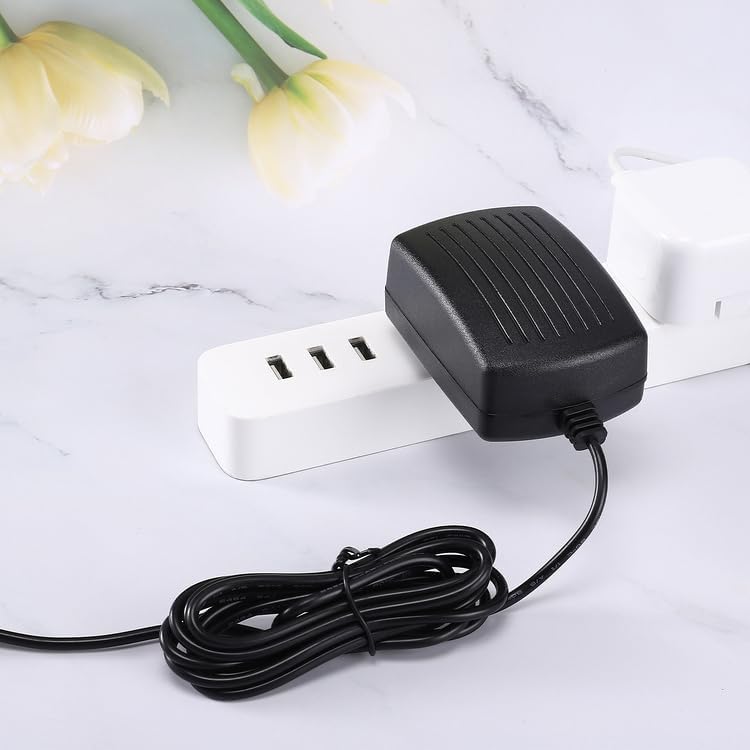
Image: The Kircuit AC/DC adapter plugged into a white power strip, demonstrating its compact design and how it fits into a multi-outlet setup.
Maintenance
Proper maintenance will extend the life of your Kircuit AC/DC Adapter:
- Cleaning: Disconnect the adapter from the power outlet and your device before cleaning. Use a soft, dry cloth to wipe the surface. Do not use liquid cleaners or sprays.
- Storage: When not in use, store the adapter in a cool, dry place away from direct sunlight and extreme temperatures. Avoid tightly wrapping the cable to prevent damage.
- Handling: Do not drop, disassemble, or attempt to repair the adapter yourself. This can void the warranty and pose safety risks.
- Environmental Conditions: Keep the adapter away from water, moisture, and high humidity. Ensure adequate ventilation around the adapter during operation to prevent overheating.

Image: Two Kircuit AC/DC adapters displayed, one showing the label side with specifications and the other showing the ribbed back, highlighting the product's design from multiple angles.
Troubleshooting
If you encounter issues with your Kircuit AC/DC Adapter, consider the following:
- No Power Output:
- Ensure the adapter is securely plugged into a working electrical outlet. Test the outlet with another device.
- Verify that the barrel connector is fully inserted into your device's power port.
- Check the adapter cable for any visible damage or kinks.
- Device Not Charging/Operating:
- Confirm that your device is compatible with a 24.8V DC power supply. This adapter is not for 28.8V versions.
- Ensure your device's battery is not completely depleted or faulty.
- If the adapter feels unusually hot, disconnect it immediately and allow it to cool. Overheating can trigger protection mechanisms.
- Intermittent Power:
- Check all connections for looseness.
- Avoid placing the adapter in areas where the cable might be strained or bent sharply.
If the issue persists after performing these checks, discontinue use and contact the seller or manufacturer for assistance.
Specifications
| Feature | Detail |
|---|---|
| Brand | Kircuit |
| Input Voltage | 100-240VAC, 50/60Hz |
| Output Voltage | 24.8V DC |
| Output Current | 0.8A (800mA) |
| Output Power | 19.84W |
| Connector Type | Barrel Connector |
| Cable Length | Approximately 6.5 ft (2 meters) |
| Protection Features | OVP (Over Voltage Protection), OCP (Over Current Protection), SCP (Short Circuit Protection) |
| Compatible Devices | Shark UZ350 Series, UZ351H, UZ355H, UZ351HV5, UZ351H26, UZ355HV5, UZ355H26 Cordless Pet Pro Stick Vacuum Cleaners (21.6V 1900mAh Li-ion Battery models) |
| Manufacturer | Shenzhen Waweis Technology Co., Ltd |
| Country of Origin | China |

Image: The Kircuit AC/DC adapter with its power cord extended, clearly indicating a cord length of 6.5 feet.
Warranty and Support
For information regarding product warranty, returns, or technical support, please refer to the documentation provided at the time of purchase or contact the seller directly. The manufacturer, Kircuit (Shenzhen Waweis Technology Co., Ltd), typically provides support for their products. Please have your purchase details and product model information ready when contacting support.
This manual provides general guidelines for the safe and effective use of your Kircuit AC/DC Adapter. Always prioritize safety and follow all instructions provided by your device's manufacturer.
Ask a question about this manual
Ask about setup, troubleshooting, compatibility, parts, safety, or missing instructions. Manuals+ will review the question and use this page’s manual context to help answer it.