
1. Introduction
This manual provides essential instructions for using your Vivo T4x 5G smartphone. It covers device setup, operational guidance, maintenance tips, troubleshooting common issues, and detailed product specifications. Please read this manual thoroughly to ensure proper and safe use of your device.
2. What's in the Box
Upon unboxing your Vivo T4x 5G, verify that all the following items are included:
- Vivo T4x 5G Smartphone
- Phone Case
- Power Adapter
- SIM Tray Ejector
- Screen Protector
- USB Cable
3. Setup Guide
- Insert SIM Card: Locate the SIM tray on the side of the device. Use the provided SIM tray ejector tool to open the tray. Insert your Nano SIM card(s) and ensure they are correctly seated. Close the tray securely.
- Apply Screen Protector: Carefully apply the provided screen protector to the device's display, ensuring no dust or air bubbles are trapped.
- Attach Phone Case: Place your Vivo T4x 5G into the provided phone case for protection.
- Initial Charge: Connect the USB cable to the phone's USB Type-C port and the power adapter. Plug the adapter into a power outlet. Allow the device to charge fully before first use.
- Power On: Press and hold the Power button (located on the right side of the device) until the Vivo logo appears. Follow the on-screen instructions to complete the initial setup, including language selection, Wi-Fi connection, and Google account setup.
4. Operating Your Device
Basic Operations
- Power Button: Press and hold to power on/off or restart. Short press to lock/unlock the screen.
- Volume Buttons: Located above the Power button, use to adjust media volume, call volume, and notification volume.
Display
The Vivo T4x 5G features a 6.77-inch Quad Curved AMOLED display with a 120 Hz refresh rate and 1050 nits peak brightness, offering clear visuals and smooth scrolling.

An image showing the Vivo T4x 5G display highlighting its high brightness (1050 nits) and 120Hz refresh rate, along with details about RAM and Funtouch OS.
Performance
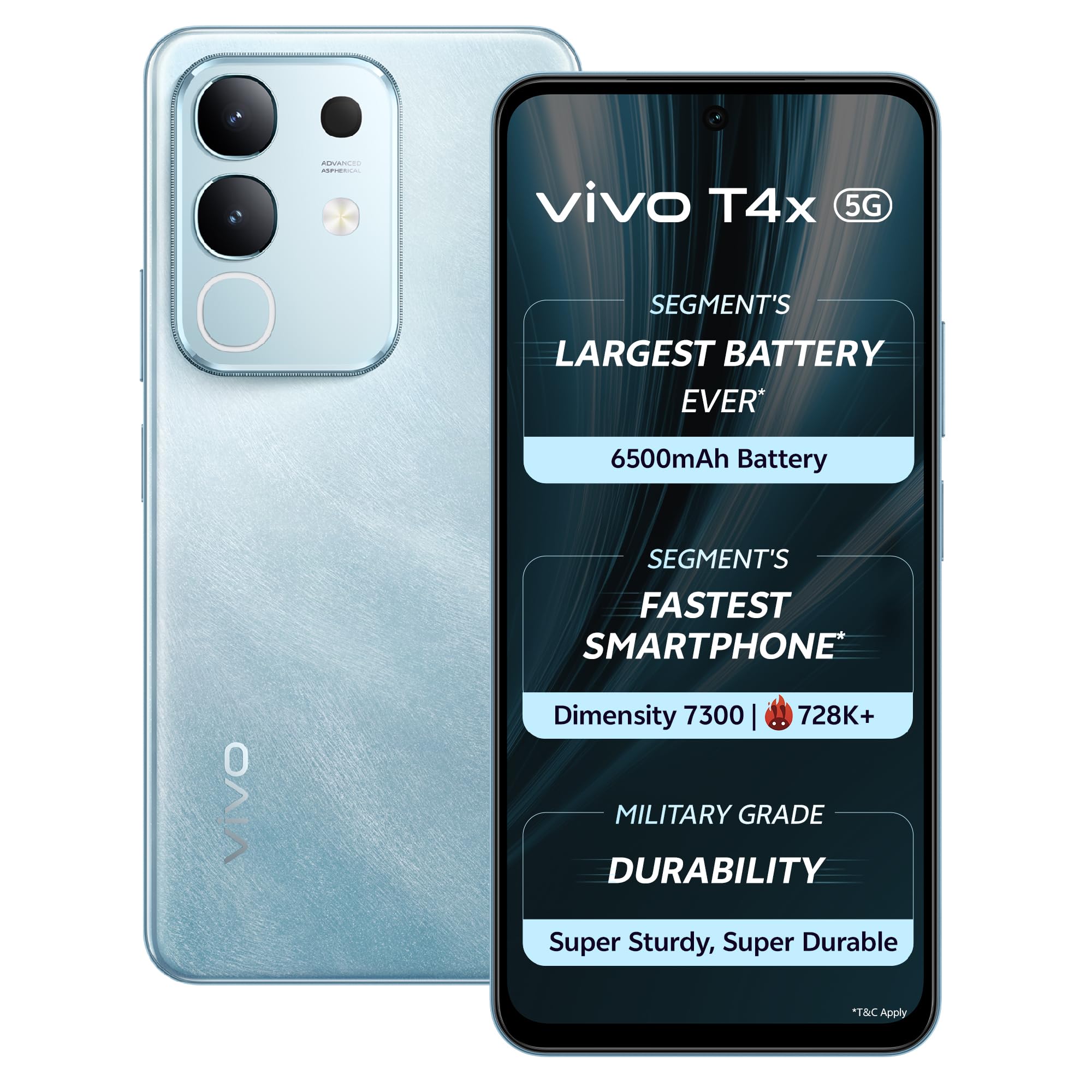
Powered by the Mediatek Dimensity 7300 5G Processor with a 2.6 GHz CPU speed, the Vivo T4x 5G delivers efficient performance for daily tasks and demanding applications. It includes 8 GB of RAM, expandable with an additional 8 GB Extended RAM feature.

An image illustrating the internal components of the Vivo T4x 5G, specifically highlighting the MediaTek Dimensity 7300 5G processor and its 4nm process technology.
Camera System
The Vivo T4x 5G is equipped with a versatile camera system for capturing photos and videos.
- Rear Camera: Dual Camera Setup: 50MP Main Camera (Sony, f/1.79 Aperture, OIS, Auto Focus Supported) + 2MP Bokeh Camera (f/2.4 Aperture).
- Front Camera: 32MP Camera (f/2.45 Aperture).
- Shooting Modes: Night, Portrait, Photo, Video, Micro Movie, 50MP, Pano, Ultra HD Document, Slo-Mo, Timelapse, Supermoon, Pro Mode, Food, Dual View, Live Photo, Underwater Photography.
- Video Recording: Supports 4K video recording.
- AI Features: Includes AI Erase for removing unwanted objects from photos and AI Photo Enhance for improving image quality.

An image showcasing the rear camera module of the Vivo T4x 5G, emphasizing its 50MP AI camera capabilities and features like Super Night Mode and 4K Video Recording.

A side-by-side comparison demonstrating the AI Erase feature on the Vivo T4x 5G, showing a 'Before' image with an object and an 'After' image with the object removed.

A side-by-side comparison demonstrating the AI Photo Enhance feature on the Vivo T4x 5G, showing a 'Before' image that is blurry and an 'After' image that is clear and enhanced.
Battery and Charging
The device features a 6500 mAh Lithium-Ion battery, providing an average life of 40 hours of talk time. It supports 44W FlashCharge for rapid recharging.
An image highlighting the Vivo T4x 5G's 6500 mAh battery capacity and 44W FlashCharge technology, along with features like Overnight Charging Protection and Super Battery Saver Mode.
Storage
The Vivo T4x 5G comes with 128 GB of internal memory storage capacity, utilizing UFS 3.1 technology for faster data access. (Note: Some promotional images may show a 256GB variant; this model has 128GB).

An image depicting the internal storage architecture of a smartphone, indicating a large storage capacity (256GB shown in image, but product has 128GB) and UFS 3.1 technology.
Operating System
The Vivo T4x 5G runs on Funtouch OS 15, based on Android. It is designed to receive 2 years of Android updates and 3 years of security updates.
Gaming Experience
Enhance your mobile gaming with features like the New Ultra Game Mode, 400% volume Dual Stereo Speakers, and 4D Game Vibration (supported in select games).

An image illustrating the gaming features of the Vivo T4x 5G, including the New Ultra Game Mode, 400% Volume Dual Stereo Speakers, and 4D Game Vibration.
Durability
The Vivo T4x 5G is built with military-grade certified durability, offering shock, dust, and water resistance. It is designed to withstand usage in low-temperature and high-temperature environments.

An image highlighting the military-grade certified durability of the Vivo T4x 5G, showcasing its resistance to shock, dust, water, and extreme temperatures.
5. Maintenance
- Cleaning: Use a soft, lint-free cloth to clean the screen and body. Avoid harsh chemicals or abrasive materials.
- Software Updates: Regularly check for and install system updates to ensure optimal performance and security. Navigate to Settings > System > System update.
- Battery Care: Avoid extreme temperatures. Do not let the battery drain completely frequently. Use the original charger for optimal charging.
- Storage Management: Periodically clear unnecessary files, cache, and uninstall unused applications to free up storage space and maintain device speed.
6. Troubleshooting
This section addresses common issues you might encounter with your Vivo T4x 5G.
- Device Not Powering On: Ensure the battery is charged. Connect the charger and wait a few minutes before attempting to power on again. If the issue persists, contact support.
- Charging Problems: Verify the USB cable and power adapter are securely connected and undamaged. Try a different power outlet.
- Network Connectivity Issues: Check if your SIM card is properly inserted. Ensure mobile data is enabled in settings. Restart the device. If problems persist, contact your network provider.
- Apps Crashing/Freezing: Close and reopen the app. Clear the app's cache (Settings > Apps > [App Name] > Storage > Clear cache). Restart the phone.
- Slow Performance: Close background applications. Clear cache. Ensure sufficient storage space is available.
7. Specifications
Detailed technical specifications for the Vivo T4x 5G smartphone.
| Feature | Detail |
|---|---|
| Brand | vivo |
| Model Series | T4x |
| Operating System | Funtouch OS 15 |
| RAM Memory Installed Size | 8 GB |
| Memory Storage Capacity | 128 GB |
| CPU Model | Mediatek Dimensity 7300 |
| CPU Speed | 2.6 GHz |
| Battery Capacity | 6500 mAh |
| Battery Charge Time | 60 Microseconds (44W FlashCharge) |
| Screen Size | 6.77 Inches |
| Resolution | 2392 × 1080 Pixels |
| Refresh Rate | 120 Hz |
| Rear Camera Resolution | 50 MP |
| Front Camera Resolution | 32 MP |
| SIM Card Slot Count | Dual SIM |
| Connector Type | USB Type C |
| Water Resistance Level | Water Repellent |
8. Warranty and Support
Your Vivo T4x 5G comes with a 1-year manufacturer warranty for the device and a 6-month warranty for in-box accessories from the date of purchase. For technical support or warranty claims, please contact Vivo customer service.
Manufacturer Contact Information: vivo Mobile India Pvt Ltd Plot No 08, Sector 24, Yamuna Expressway Area, Gautam Buddha Nagar, Uttar Pradesh, 201310.


