
Aptkdoe HD65
Aptkdoe HD65 Wireless Earbuds User Manual
Model: HD65
1. Introduction
Thank you for choosing the Aptkdoe HD65 Wireless Earbuds. These earbuds are designed to provide a superior audio experience with advanced features such as Bluetooth 5.4 connectivity, Hi-Fi stereo sound, ENC noise cancellation, and IPX7 waterproofing. This manual will guide you through the setup, operation, and maintenance of your new earbuds to ensure optimal performance and longevity.

Image: The Aptkdoe HD65 Wireless Earbuds in their dark green charging case, showcasing the digital battery display.
2. Safety Information
Please read all safety warnings carefully before using the product. Failure to follow these instructions may result in damage to the product or personal injury.
- Do not disassemble, hit, or burn the device.
- Keep away from water and high humidity environments when not in use, despite IPX7 rating, prolonged submersion is not recommended.
- Avoid extreme temperatures.
- Use only the provided charging cable and a compatible power adapter. The power delivered by the charger must be between min 0.24 Watts and max 2.64 Watts to achieve maximum charging speed.
- Keep out of reach of children.

Image: Side view of the product packaging displaying safety warnings in multiple languages and regulatory compliance logos (FCC, CE, RoHS).
3. Package Contents
Ensure all items are present in the package:
- 2 x Wireless Earbuds (Left and Right)
- 1 x Fast Charging Case
- 1 x USB-C Charging Cable
- 3 x Pairs of Earplugs (S, M, L)
- 1 x Instruction Manual

Image: An illustration showing all components included in the product box: the charging case, HD65 wireless earbuds, USB-C charging cable, user manual, and three sizes of ear tips.
4. Setup
4.1 Charging the Earbuds and Case
Before first use, fully charge both the earbuds and the charging case. Connect the USB-C charging cable to the charging port on the case and a power source. The dual LED display on the case will show the charging progress and remaining battery percentage.
- Earbuds provide up to 15 hours of continuous use on a single charge.
- The portable charging case can recharge the earbuds 5-6 times, offering a total playtime of up to 75 hours.
- Fast charging takes approximately 1.5 hours for the earbuds and 2 hours for the charging case.
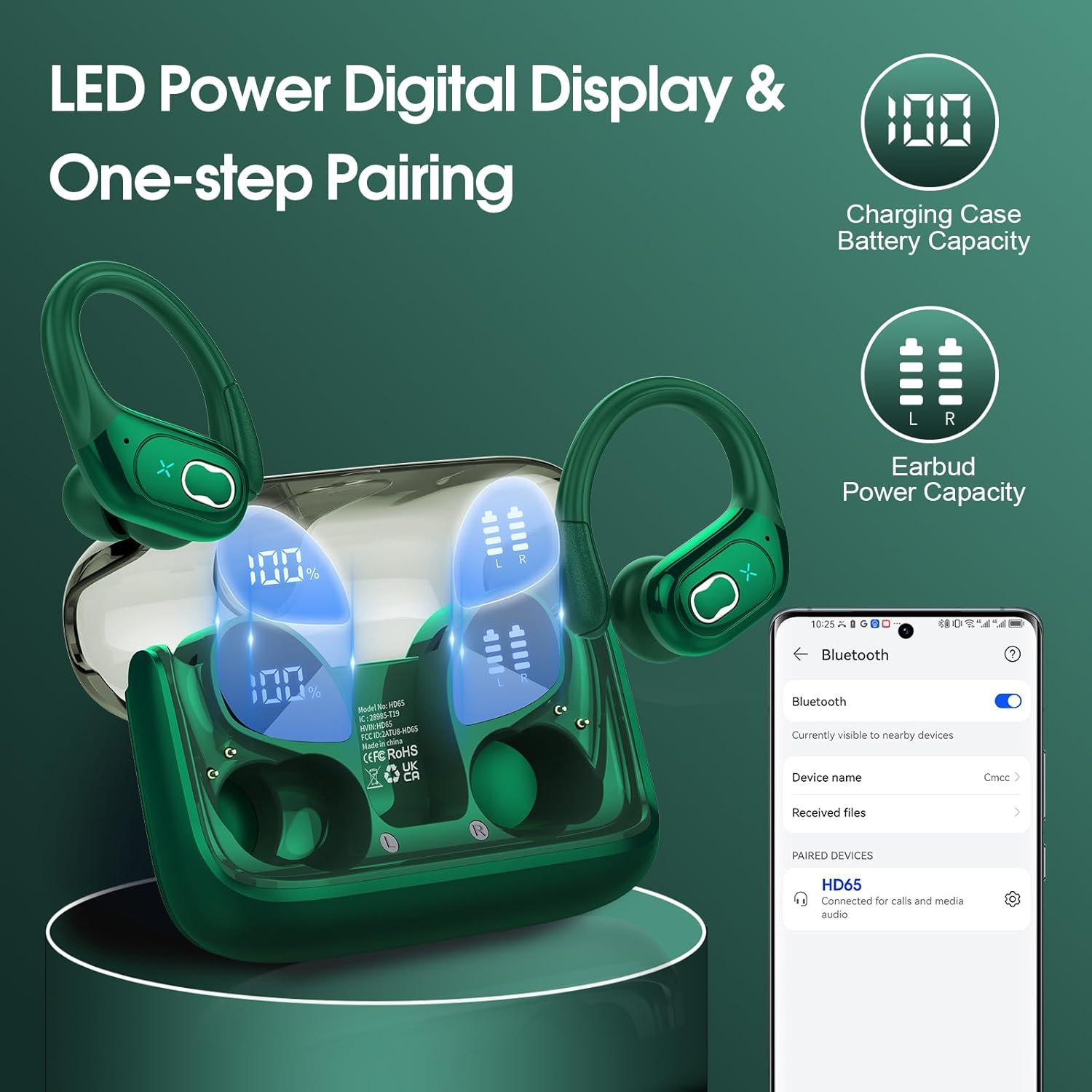
Image: The charging case with earbuds inside, showing the LED digital display indicating 100% charge for the case and individual battery levels for the left and right earbuds. A phone screen shows the earbuds connected via Bluetooth.

Image: A close-up view of the charging case highlighting the Type-C charging port, indicating where to connect the charging cable.
4.2 Pairing with Your Device
The earbuds feature advanced Bluetooth 5.4 technology for instant pairing and stable transmission.
- Open the charging case. The earbuds will automatically power on and enter pairing mode.
- On your device (smartphone, tablet, laptop), enable Bluetooth.
- Search for "HD65" in the list of available Bluetooth devices and select it to connect.
- Once connected, the earbuds will automatically pair with your device in the future when the case is opened.
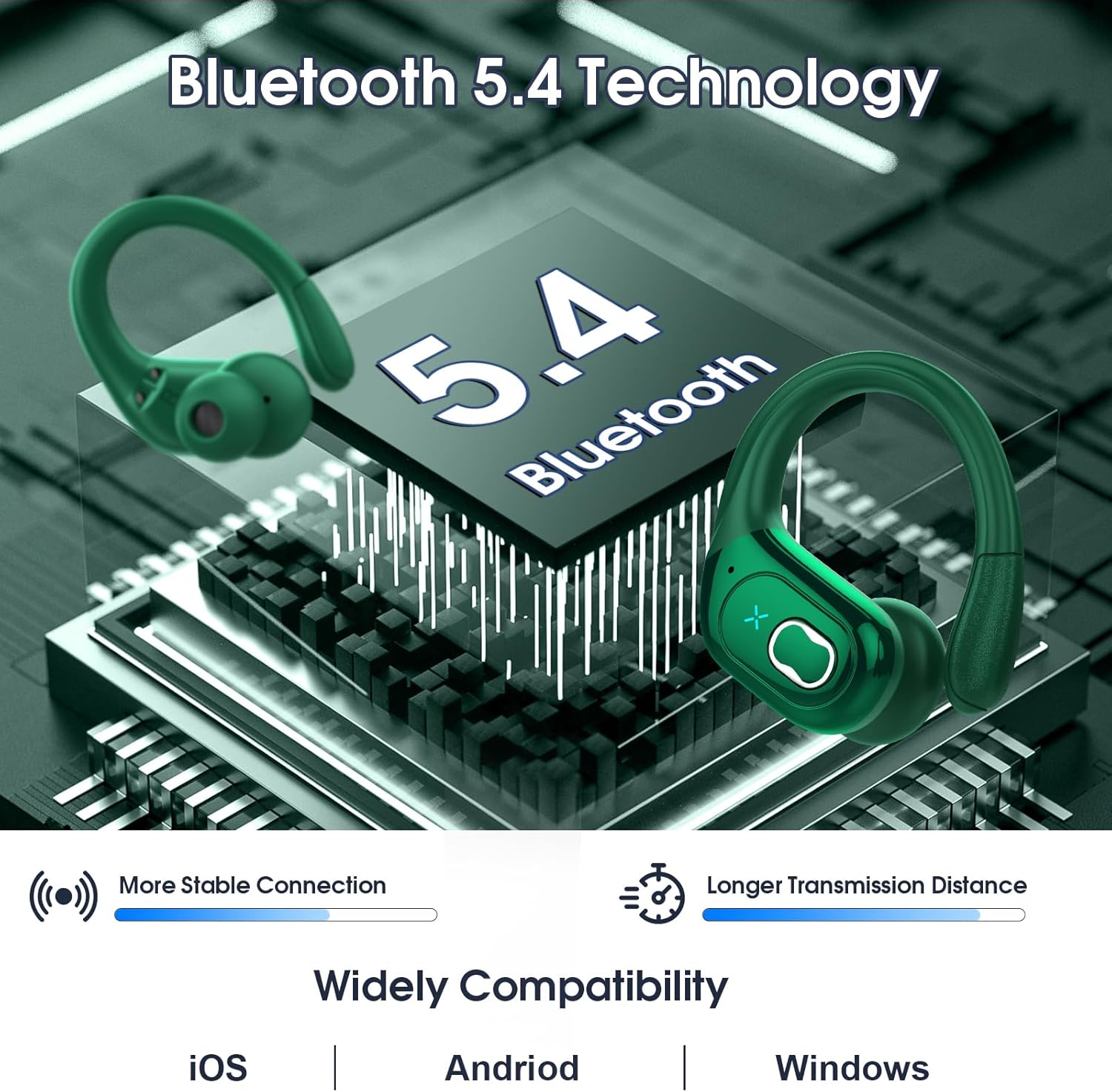
Image: A graphic illustrating Bluetooth 5.4 technology with the earbuds, emphasizing more stable connection and longer transmission distance. It also shows wide compatibility with iOS, Android, and Windows devices.
4.3 Wearing the Earbuds
The HD65 earbuds are designed with ergonomic ear hooks for a secure and comfortable fit, especially during sports activities.
- Choose the suitable earplugs (S, M, L) that best fit your ear canal for optimal sound and comfort.
- Insert the earbud into your ear canal.
- Rotate the earbud backward until the earhook sits securely over your ear.
- Adjust the earbud to a comfortable and secure angle.

Image: A collage showing the ergonomic design of the earbuds, the flexible earhook, and the three sizes of ear tips (L, M, S). A person is shown running while wearing the earbuds, demonstrating their secure fit.
5. Operating Instructions
The earbuds feature sensitive physical buttons for easy control of music and calls.

Image: A visual guide detailing the physical button controls on the earbuds for various functions like volume adjustment, track navigation, call management, and voice assistant activation.
| Function | Action (Left Earbud) | Action (Right Earbud) |
|---|---|---|
| Volume Up | N/A | Long press 2s |
| Volume Down | Long press 2s | N/A |
| Previous Track | Double tap | N/A |
| Next Track | N/A | Double tap |
| Answer Call | One tap (L/R) | One tap (L/R) |
| Hang Up Call | One tap (L/R) | One tap (L/R) |
| Play/Pause | One tap (L/R) | One tap (L/R) |
| Voice Assistant | Quick triple tap (L/R) | Quick triple tap (L/R) |
6. Maintenance
6.1 Cleaning
Regular cleaning helps maintain sound quality and hygiene. Use a soft, dry, lint-free cloth to wipe the earbuds and charging case. Do not use abrasive cleaners or solvents.
6.2 Water Resistance (IPX7)
The HD65 earbuds are IPX7 waterproof, meaning they can withstand sweat and rain. This makes them ideal for sports and outdoor activities. However, they are not designed for swimming or prolonged submersion in water. Ensure the earbuds are dry before placing them back in the charging case to prevent damage.

Image: A visual representation of the earbuds being splashed with water, illustrating their IPX7 waterproof and sweat-resistant capabilities.
6.3 Storage
When not in use, store the earbuds in their charging case to protect them and keep them charged. Store the case in a cool, dry place away from direct sunlight.
7. Troubleshooting
If you encounter any issues, please refer to the following common solutions:
| Problem | Possible Solution |
|---|---|
| Earbuds not pairing | Ensure earbuds are charged. Turn off and on Bluetooth on your device. Forget "HD65" from your device's Bluetooth list and re-pair. |
| Only one earbud working | Place both earbuds back in the charging case, close the lid, wait a few seconds, then open and try again. Ensure both earbuds are charged. |
| Low volume or poor sound quality | Adjust volume on both earbuds and your device. Ensure ear tips are properly sealed in your ear canal. Clean any debris from the earbud speakers. |
| Earbuds falling out | Try different sizes of ear tips (S, M, L) to find the best fit. Ensure the ear hooks are properly positioned over your ears. |
| Charging case not charging | Check the USB-C cable and power adapter. Ensure the charging port is clean and free of debris. |
8. Specifications
Detailed technical specifications for the Aptkdoe HD65 Wireless Earbuds:
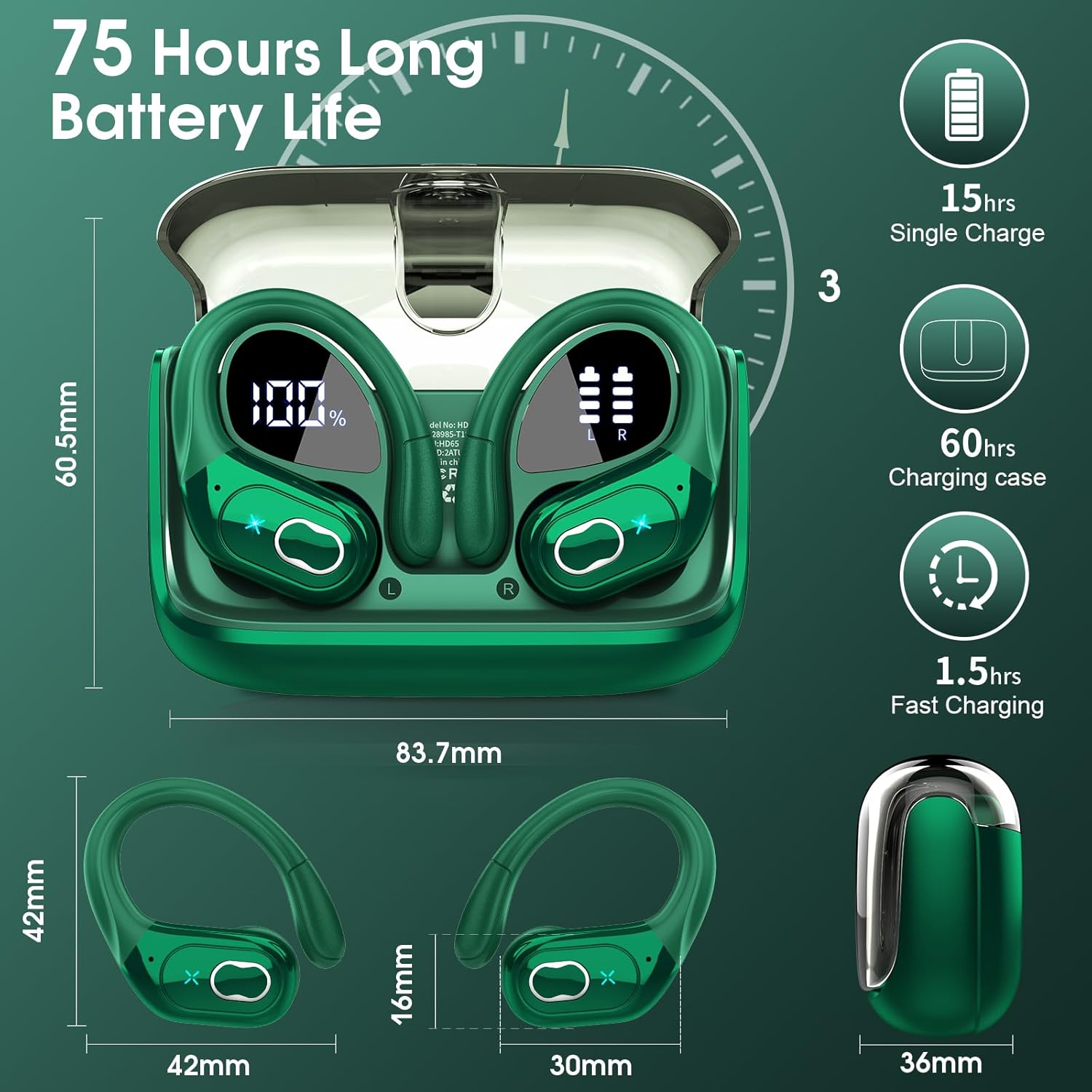
Image: A detailed diagram showing the dimensions of the earbuds and charging case, along with key battery life specifications like 15 hours single charge and 75 hours total playtime.
| Feature | Detail |
|---|---|
| Model Name | HD65 |
| Brand | Aptkdoe |
| Connectivity Technology | Wireless (Bluetooth 5.4) |
| Bluetooth Range | Up to 33ft (15 meters) |
| Earbud Battery Life | 15 Hours (single charge) |
| Total Playtime (with case) | Up to 75 Hours |
| Audio Driver Size | 14.2mm Dynamic Driver |
| Noise Control | ENC Noise Cancelling Mic |
| Water Resistance Level | IPX7 Waterproof |
| Control Type | Physical Button Control |
| Earpiece Shape | Hook (Over Ear) |
| Frequency Range | 20Hz - 20,000Hz |
| Impedance | 32 Ohm |
| Material | Plastic |
| Item Weight | 5.6 ounces (0.16 Kilograms) |
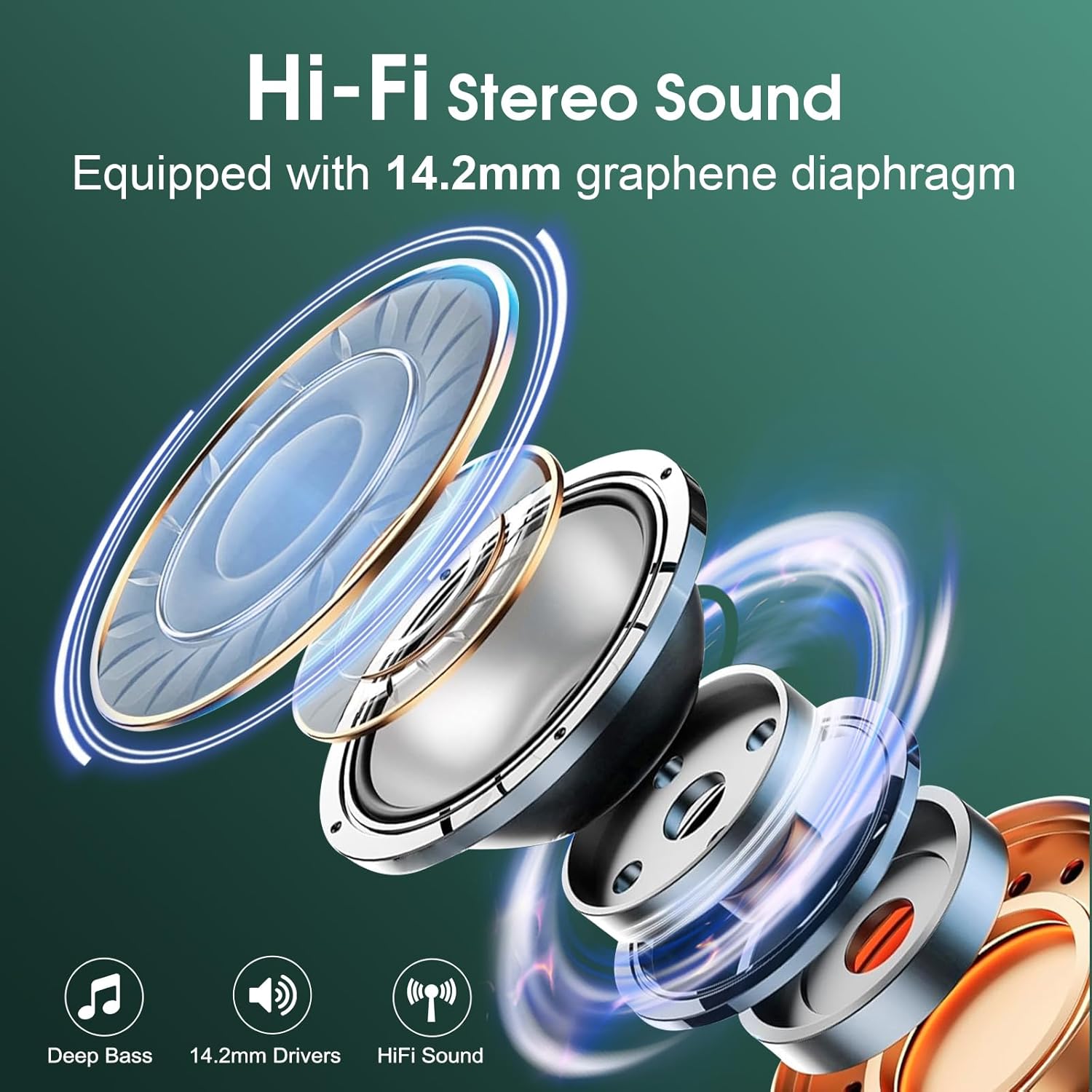
Image: An exploded view diagram illustrating the components of the 14.2mm speaker driver, highlighting its capability for deep bass and Hi-Fi sound.
9. Warranty and Support
Aptkdoe products are manufactured to the highest quality standards. For any product-related inquiries, technical support, or warranty claims, please contact Aptkdoe customer service through the retailer's platform or visit the official Aptkdoe store online. Please retain your proof of purchase for warranty purposes.
For more information, visit the Aptkdoe Store.
Related documentsHD65


Ask a question about this manual
Ask about setup, troubleshooting, compatibility, parts, safety, or missing instructions. Manuals+ will review the question and use this page’s manual context to help answer it.