Introduction
This manual provides detailed instructions for the safe and effective use of your LOCKINK APP Remote Control Electric Shock Chastity Device. Please read this manual thoroughly before operating the device to ensure proper functionality and to understand all features, including smart APP control, electric shock functions, and timed locking capabilities. This device is designed for adult use only.
Package Contents
Verify that all items listed below are included in your package:
- 1 x LOCKINK APP Remote Control Electric Shock Chastity Device
- 1 x Silicone Urethral Plug
- 1 x USB Charging Cable
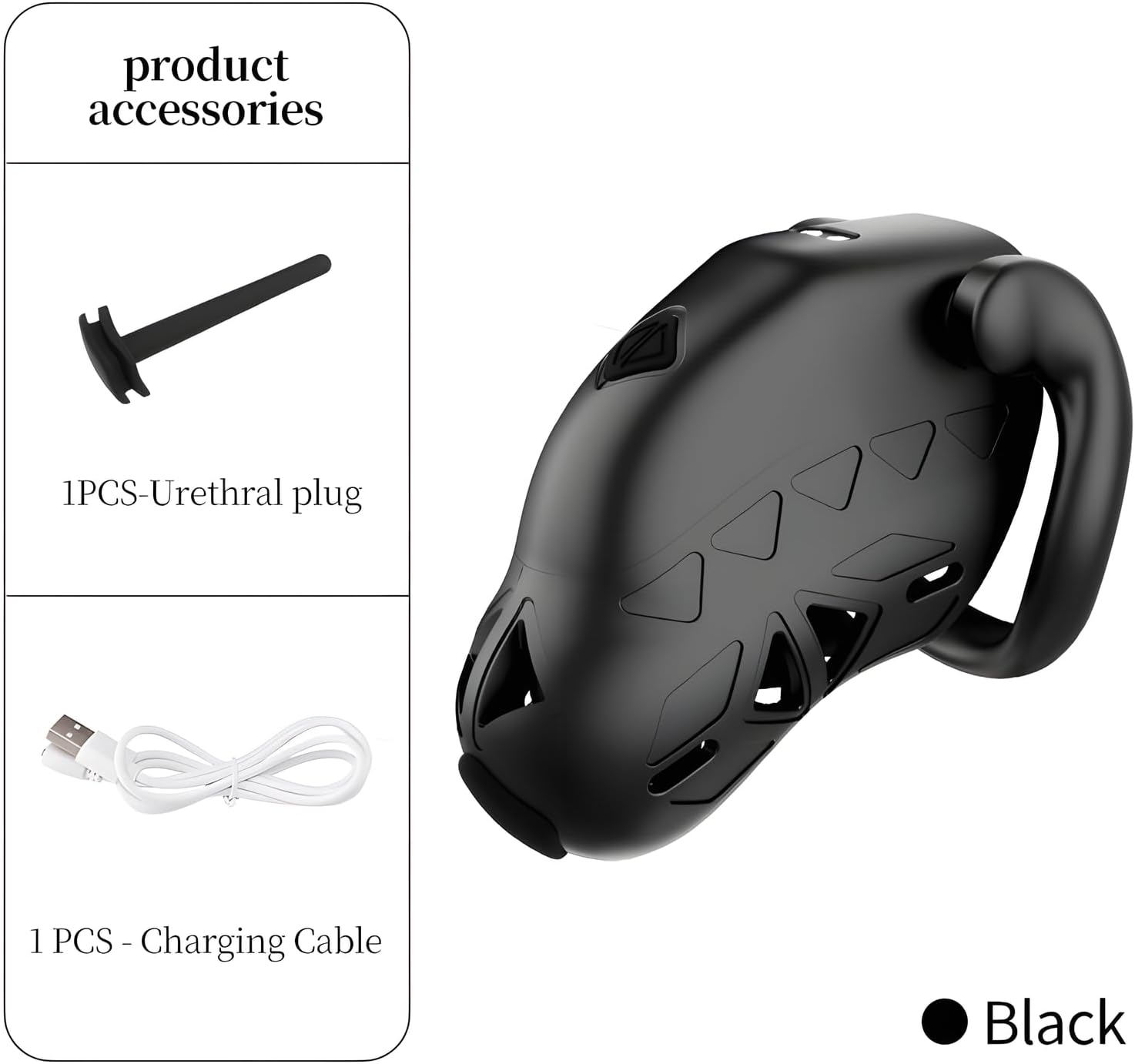
Figure 1: Included accessories for the LOCKINK chastity device. The image displays the main chastity cage unit, a black silicone urethral plug, and a white USB charging cable.
Setup Guide
1. Initial Charging
Before first use, fully charge the device. Connect the provided USB charging cable to the charging port on the device and to a standard USB power source (e.g., computer USB port, wall adapter). The charging indicator will show the charging status.
2. App Installation and Connection
The LOCKINK device is controlled via a dedicated mobile application. Search for 'LOCKINK' in your device's app store (iOS or Android) and install the application. Follow the in-app instructions to pair your device via Bluetooth. Ensure your mobile device's Bluetooth is enabled.
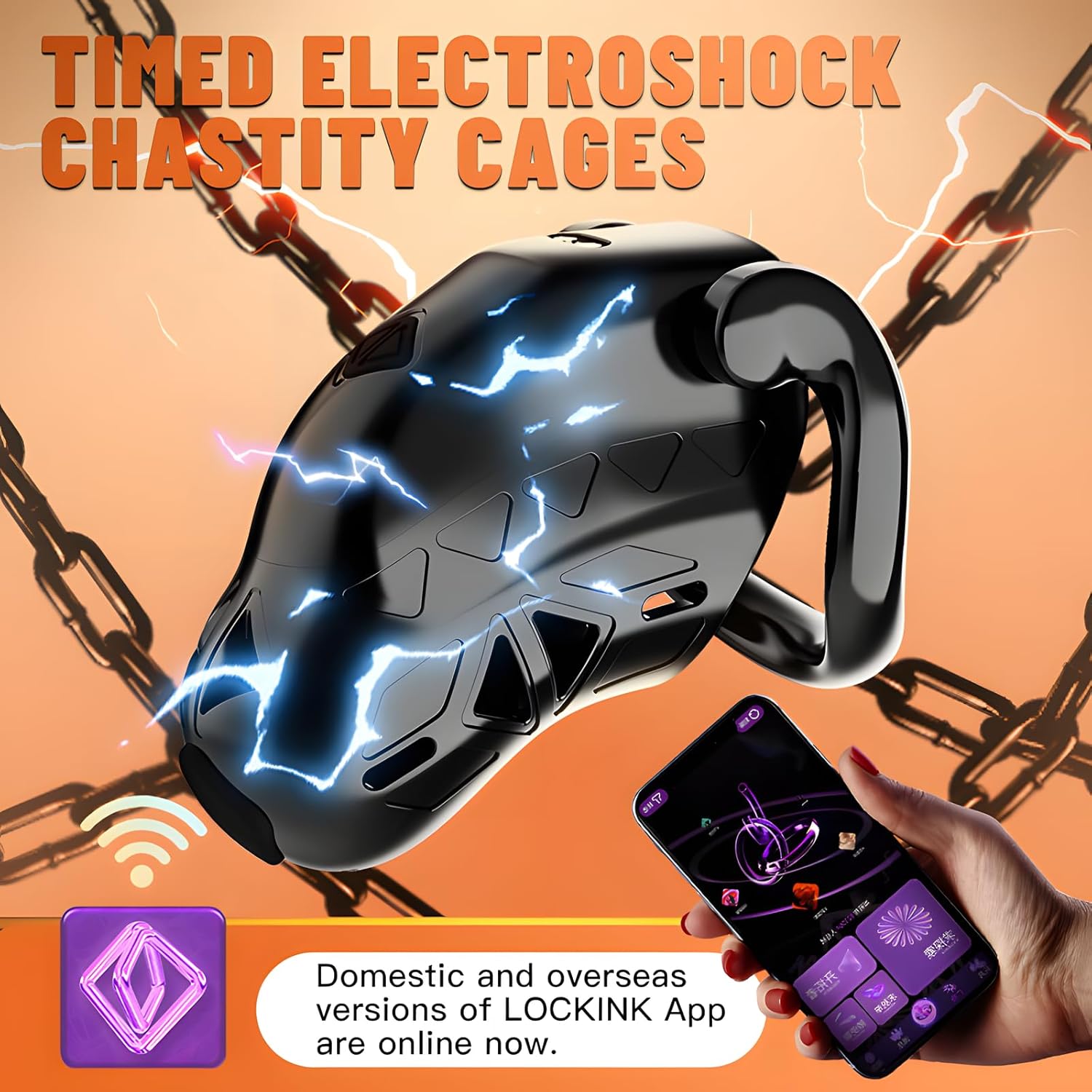
Figure 2: The LOCKINK device can be controlled via its dedicated mobile application, available for both domestic and overseas users.
Operating Instructions
Smart APP Control
Once connected, the LOCKINK app allows for remote control of various device functions:
- Remote Switch: Control the integrated ring switch remotely. The ring has a diameter of 65mm.
- Timed Lock Settings: The app supports various timed lock settings:
- Random Setting: Set a random time for the timed lock.
- Manual Setting: Manually set a specific duration for the timed lock.
- Community Vote: Participate in or initiate voting on timed lock durations within the app's community feature.
- Location Setting: The app includes a locating setting to define and manage the device's daily activity range.

Figure 3: The LOCKINK app provides options for setting timed locks, including random, manual, and community-voted durations.
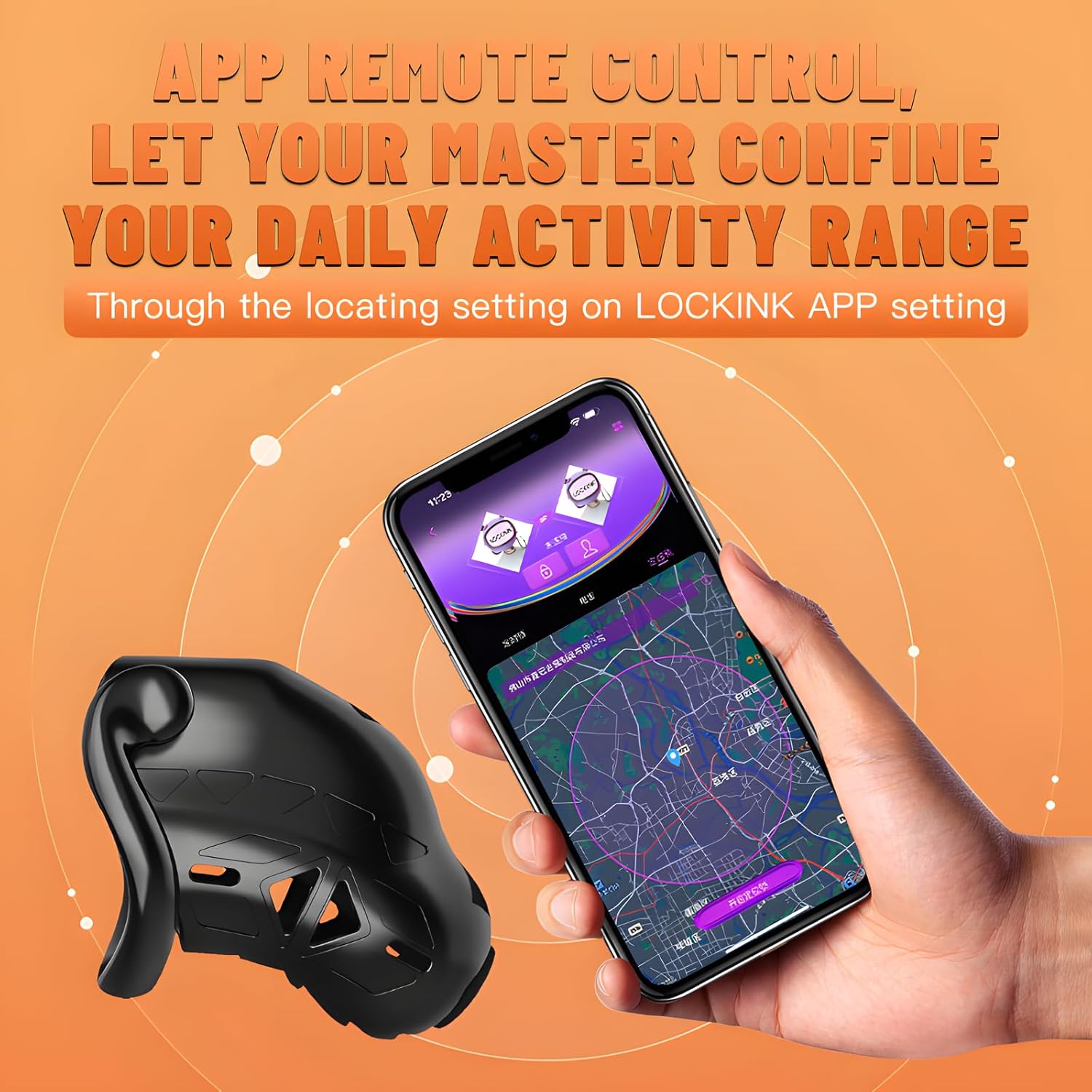
Figure 4: The LOCKINK app allows for remote control and includes a location setting feature to manage the device's activity range.
Electric Shock Function
The device features an electric shock function with adjustable intensity and multiple modes:
- 3 Electric Shock Modes: Choose from different patterns of electric stimulation.
- 3 Electric Shock Contacts: The device is equipped with three internal contacts for the electric shock function.
- Adjustable Intensity: The electric shock intensity can be freely adjusted via the APP.
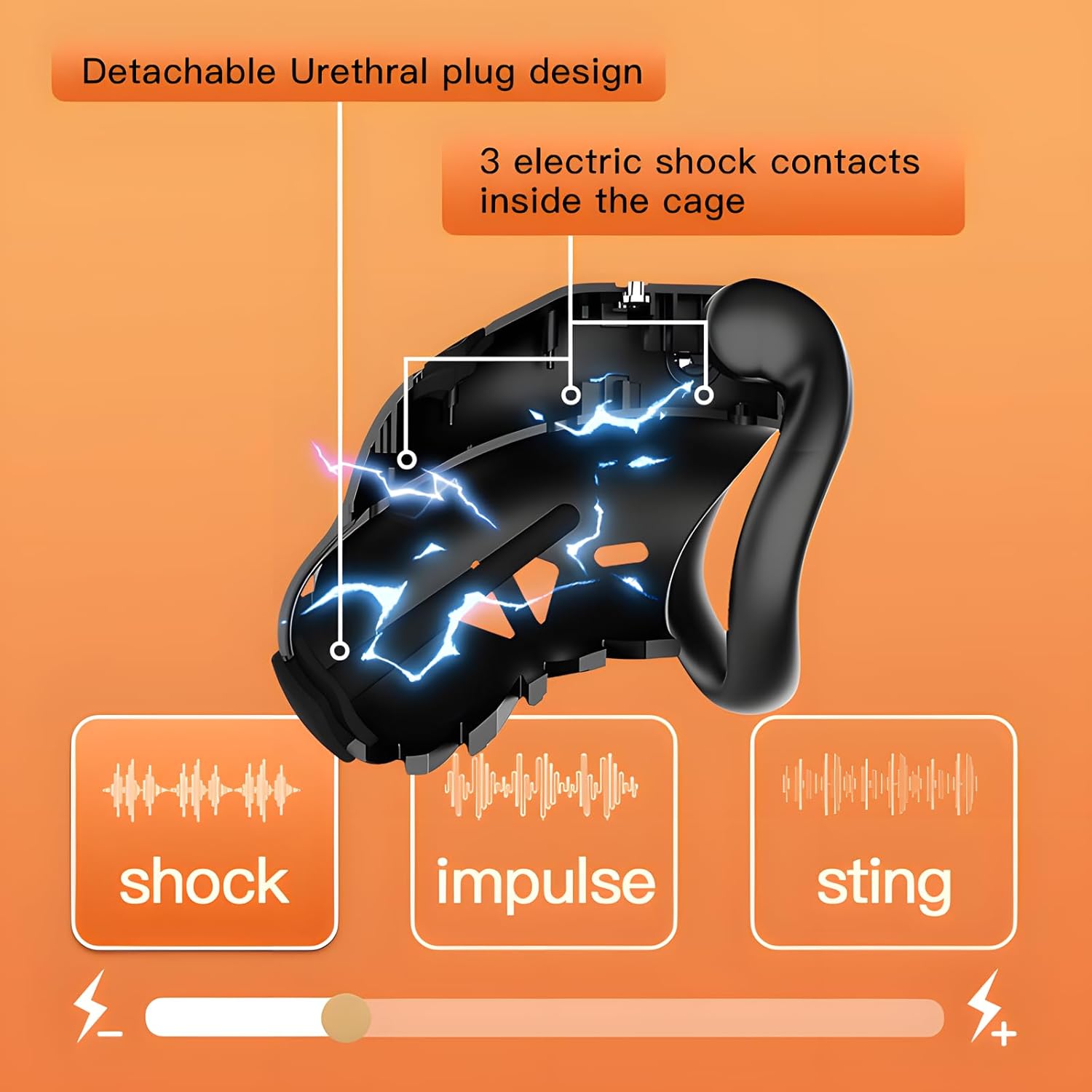
Figure 5: The device features three internal electric shock contacts and offers three distinct electric shock modes: Shock, Impulse, and Sting, with adjustable intensity.

Figure 6: The LOCKINK chastity device is equipped with an electric shock function, visually represented by lightning bolts on its surface.
Urethral Plug Usage
The included silicone urethral plug is detachable and serves a dual purpose:
- It can be used as an electric shock contact when inserted with the chastity device.
- It can also be removed and used separately.
The plug is made of body-friendly silicone, designed to be soft and not cause skin irritation.

Figure 7: The body-friendly silicone urethral plug is soft and can be used either independently or in conjunction with the chastity cage as an electric shock contact.
Maintenance and Care
To ensure the longevity and hygiene of your LOCKINK device, follow these maintenance guidelines:
- Cleaning: Clean the device thoroughly after each use with mild soap and warm water. Rinse well and allow to air dry completely before storage.
- Waterproof Design: The device features a waterproof design, making it suitable for long-term wear and easy cleaning. However, avoid prolonged submersion.
- Storage: Store the device in a clean, dry place away from direct sunlight and extreme temperatures.
- Charging: Recharge the device as needed. Avoid overcharging or completely depleting the battery for extended periods.
Troubleshooting
If you encounter issues with your LOCKINK device, please refer to the following common problems and solutions:
| Problem | Possible Cause | Solution |
|---|---|---|
| Device does not turn on. | Battery is depleted. | Charge the device fully using the provided USB cable. |
| App cannot connect to the device. | Bluetooth is off; device is out of range; app not updated. | Ensure Bluetooth is enabled on your phone. Bring the device closer to your phone. Restart the app and device. Check for app updates. |
| Electric shock function is not working. | Low battery; incorrect settings in app; poor contact. | Ensure device is fully charged. Verify electric shock settings in the app. Ensure proper contact with the skin. |
| Timed lock not functioning correctly. | Incorrect settings in app; app not synchronized. | Review and adjust timed lock settings in the LOCKINK app. Ensure the app is synchronized with the device. |
If the problem persists after attempting these solutions, please contact customer support for further assistance.
Specifications
| Feature | Detail |
|---|---|
| Model Number | SJ-101-ZH |
| Brand | LOCKINK |
| Control Method | Smart APP Control (Bluetooth) |
| Electric Shock Modes | 3 modes, adjustable intensity |
| Electric Shock Contacts | 3 internal contacts |
| Integrated Ring Diameter | 65mm / 2.56 inches |
| Device Length | 75mm / 2.95 inches |
| Material | Ergonomic design, waterproof |
| Urethral Plug | Detachable silicone, body-friendly |
| Package Dimensions | 4.76 x 3.43 x 3.39 inches |
| Item Weight | 7.37 ounces |
| Country of Origin | China |

Figure 8: Key dimensions of the LOCKINK chastity device, illustrating its compact and ergonomic design.
Warranty and Support
For information regarding warranty coverage, returns, or technical support, please refer to the purchase platform or contact LOCKINK customer service directly. Keep your proof of purchase for warranty claims.
Manufacturer: LOCKINK
Date First Available: March 12, 2025


