
Dell DC15250
Dell 15 Laptop DC15250 User Manual
Model: DC15250
Introduction
This manual provides essential information for setting up, operating, and maintaining your Dell 15 Laptop DC15250. Please read this guide thoroughly to ensure optimal performance and longevity of your device.
What's in the Box
Your Dell 15 Laptop DC15250 package includes the following items:
- Dell 15 Laptop DC15250
- 65 Watt AC Adapter
- Power Cord
- Documentation
Setup
1. Initial Power-On and Charging
Before first use, connect the laptop to a power outlet using the provided 65 Watt AC Adapter and Power Cord. Allow the battery to charge sufficiently before proceeding with setup.

Image: Dell 15 Laptop DC15250 in Platinum Silver. The laptop is shown open, displaying the screen and keyboard.
2. Operating System Setup (Windows 11 Home)
Follow the on-screen instructions to complete the Windows 11 Home setup. This typically involves selecting your region, connecting to a Wi-Fi network, and creating a user account.

Image: Windows 11 logo, indicating the operating system.
3. Port Overview
Familiarize yourself with the available ports for connecting peripherals:
- Left Side: USB 3.2 Gen 1 Type-C, USB 3.2 Gen 1 Type-A, HDMI 1.4, Power Jack.
- Right Side: Universal Audio Jack, USB 2.0, SD Card Reader.
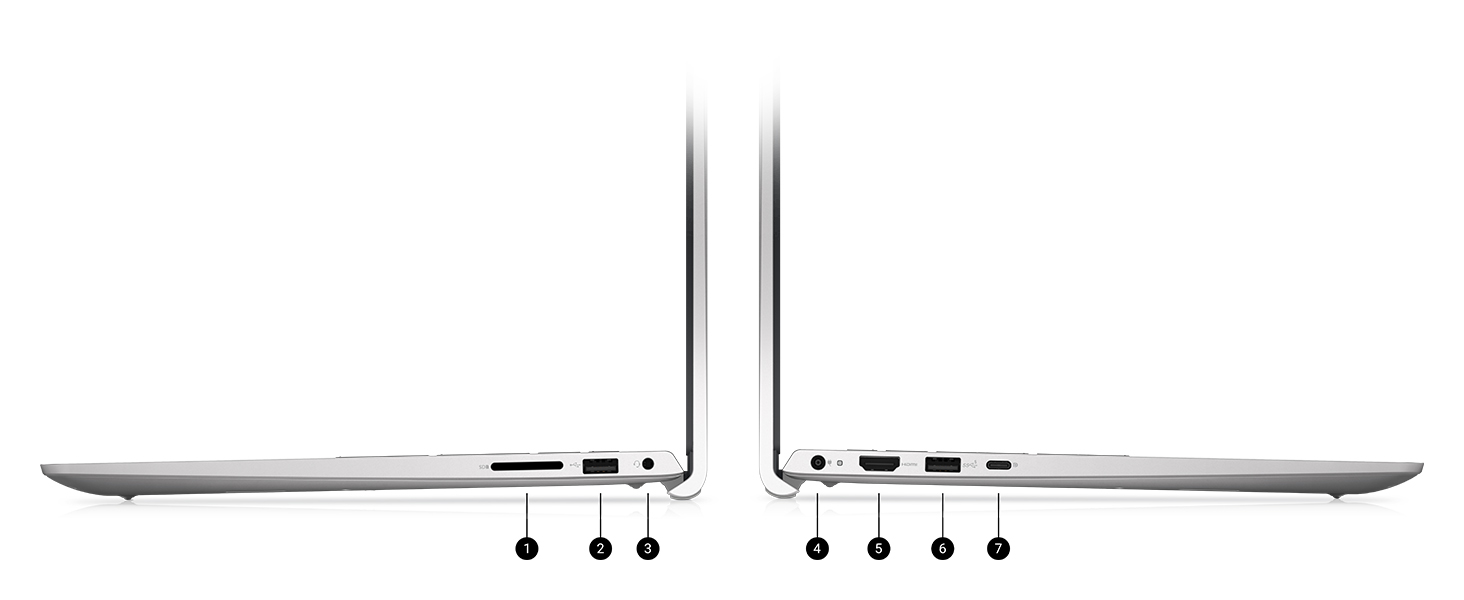
Image: Diagram illustrating the various ports and slots on the Dell 15 Laptop, including USB, HDMI, power, audio, and SD card reader.
Operating Your Dell 15 Laptop
Keyboard and Touchpad
The laptop features an enlarged ergonomic keyboard with a separate numeric keypad for efficient data entry. The touchpad supports multi-touch gestures for navigation.

Image: Top-down view of the Dell 15 Laptop's keyboard and touchpad, highlighting the full-size layout and numeric keypad.
Display Features
The 15.6-inch Full HD (1920x1080) 120Hz display provides clear visuals. Dell ComfortView software helps reduce blue light emissions for extended viewing comfort.

Image: The Dell 15 Laptop display showing a video call, demonstrating the clarity of the screen.
Adaptive Thermals
The laptop incorporates adaptive thermal technology to maintain efficient operation whether used on a desk or on your lap.

Image: A top-down view of the Dell 15 Laptop, open with a digital background on the screen, illustrating its design.
Windows 11 Features
Leverage Windows 11 Home for a modern interface and multitasking tools designed to enhance productivity.
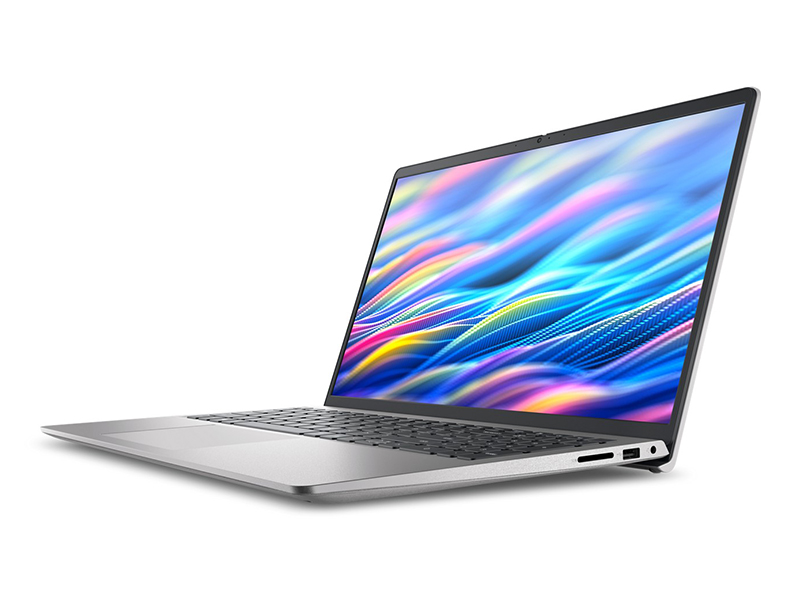
Image: The Dell 15 Laptop screen displaying the Windows 11 interface, including the Copilot feature.
Maintenance
Cleaning Your Laptop
Use a soft, lint-free cloth slightly dampened with water or a screen cleaner to clean the display. For the keyboard and chassis, use a soft cloth. Avoid harsh chemicals.
Battery Care
To prolong battery life, avoid extreme temperatures and fully discharging the battery frequently. Express Charge support allows for quick recharging.
Software Updates
Regularly check for and install Windows updates and Dell driver updates to ensure optimal performance and security.
Troubleshooting
Common Issues and Solutions
- Laptop not powering on: Ensure the AC adapter is securely connected and the power outlet is functional. Check battery charge level.
- Slow performance: Close unnecessary applications, check for background processes, and ensure sufficient free storage space.
- Display issues: Adjust brightness settings. If external monitor is connected, check cable connections.
- Keyboard/Touchpad unresponsive: Restart the laptop. Ensure no foreign objects are obstructing the keys or touchpad.
For more detailed troubleshooting, refer to the Dell support website or contact Dell customer service.
Specifications
| Feature | Detail |
|---|---|
| Model Name | Dell 15 DC15250 Laptop (LDC15250-5353SLV-PUS) |
| Processor | Intel Core i5-1334U Processor |
| RAM | 16 GB DDR4 (3200 MHz) |
| Storage | 512 GB SSD (Solid State Drive) |
| Display | 15.6-inch FHD (1920x1080) 120Hz, Anti-Glare |
| Graphics | Intel UHD Graphics (Integrated) |
| Operating System | Windows 11 Home |
| Color | Platinum Silver |
| Weight | 3.64 pounds |
| Dimensions (LxWxH) | 9.25 x 14.11 x 0.75 inches |
| Wireless Connectivity | 802.11ax, Bluetooth |
| Ports | 1x USB 2.0, 2x USB 3.0, 1x USB 3.2 Gen 1 Type-C, 1x HDMI 1.4, 1x Universal Audio Jack, 1x SD Card Reader, 1x Power Jack |
Warranty and Support
Your Dell 15 Laptop DC15250 comes with a 1 Year Onsite Service. This service provides support when and where you need it. Dell will dispatch a technician to your home, office, or location of choice if an issue covered by the Limited Hardware Warranty cannot be resolved remotely. This typically occurs within 1 or 2 business days following remote diagnosis completion. The customer must return the original hardware according to Dell's terms. Onsite service is provided by Dell Marketing L.P. Availability varies. For complete details, refer to Dell's service contracts.
For further assistance, visit the official Dell support website or contact their customer service.
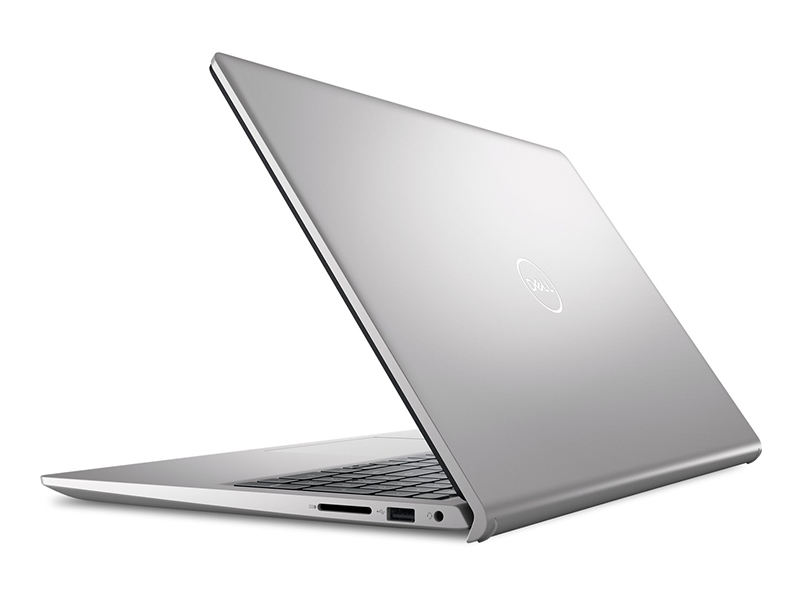
Image: Dell Technologies graphic highlighting onsite support benefits: access to hardware support, easy PC repairs, and SupportAssist.
Product Videos
Dell 15 Laptop Overview
Video: An official overview of the Dell 15 Laptop, showcasing its design and features. This video is provided by Dell Marketing USA, LP.
Related documentsDC15250


Ask a question about this manual
Ask about setup, troubleshooting, compatibility, parts, safety, or missing instructions. Manuals+ will review the question and use this page’s manual context to help answer it.