
1. Introduction
Thank you for choosing the RHYTHM FUN S8 Treadmill. This manual provides essential information for the safe and effective use of your new fitness equipment. The S8 Treadmill is designed for home use, offering versatile speed options up to 8.0 MPH, an 8% manual incline feature, and a robust design supporting up to 300 lbs. Its foldable structure ensures easy storage, making it ideal for various living spaces. Please read this manual thoroughly before operation and retain it for future reference.
2. Safety Information
Your safety is paramount. Adhere to all warnings and instructions to prevent injury or damage to the treadmill.
- Read the Manual: Always read and understand the entire user manual before operating the treadmill.
- Placement: Place the treadmill on a solid, level surface with at least 6 feet of clear space behind it and 2 feet on each side.
- Children and Pets: Keep children and pets away from the treadmill, especially during operation. The safety key must be removed when not in use.
- Weight Limit: Do not exceed the maximum user weight of 300 lbs (136 kg).
- Proper Attire: Wear appropriate athletic footwear and clothing. Avoid loose clothing that could get caught in moving parts.
- Emergency Stop: Familiarize yourself with the safety key and emergency stop procedures. Always attach the safety key clip to your clothing during use.
- Power Source: Connect the treadmill to a properly grounded outlet. Do not use extension cords. Unplug the treadmill when not in use or before cleaning/maintenance.
- Health Considerations: Consult a physician before starting any new exercise program. Stop exercising immediately if you feel faint, dizzy, or experience pain.
- No Liquids: Do not place drinks or liquids directly on the console.

Figure 2.1: Multifunctional Console with Safety Warnings. Note the warnings: 'Do not drink', 'Remove safety key when the unit is not in use', and 'Keep children away from the treadmill during operation'.
3. Package Contents
Carefully unpack your RHYTHM FUN S8 Treadmill and verify that all components listed below are present and undamaged. If any parts are missing or damaged, please contact customer support immediately.

Figure 3.1: Overview of Package Contents.
- Column Fixing Knob (x2)
- User Manual (x1)
- Foam Anti-slip Pad (x4)
- Safety Lock (x1)
- Allen Wrench (x1)
- Lubricating Oil (x2 bottles)
- Power Cord (x1)
- Control Panel Fixing Knob (x2)
- Incline Bolt (x2)
4. Setup & Assembly
The RHYTHM FUN S8 Treadmill comes 95% pre-assembled, significantly simplifying the setup process. You will only need to perform a few simple steps to get your treadmill ready for use.
Assembly Steps:
- Carefully remove the treadmill from its packaging.
- Lift the console and handrail assembly into the upright position.
- Secure the console and handrail assembly by tightening the 4 simple knobs (2 Column Fixing Knobs and 2 Control Panel Fixing Knobs) provided in the package. Ensure they are securely fastened to prevent wobbling during use.
- Place the four Foam Anti-slip Pads under the treadmill's base for stability and floor protection.
- Insert the Incline Bolts into the designated slots at the rear of the treadmill to set your desired manual incline level (refer to Operating Instructions for incline adjustment).

Figure 4.1: Treadmill in folded and upright positions, illustrating its space-saving design and ease of setup.
Folding and Storage:
To fold the treadmill for storage, loosen the 4 fixing knobs, gently lower the console and handrail assembly until it rests flat. The compact design allows for easy storage under a bed or in a closet. The treadmill is equipped with wheels for convenient movement.
5. Operating Instructions
5.1 Powering On/Off
- Connect the power cord to the treadmill's power input and then to a grounded electrical outlet.
- Flip the main power switch, usually located near the power cord input, to the 'ON' position. The console display will illuminate.
- To turn off, flip the main power switch to 'OFF' and unplug the power cord.

Figure 5.1: Connecting the separable treadmill power plug.
5.2 Safety Key
The safety key is a crucial safety feature. The treadmill will not operate without it properly placed on the console. Attach the clip end of the safety key to your clothing before starting your workout. In case of an emergency or if you fall, the safety key will detach, immediately stopping the treadmill.
5.3 Console Functions
The 15.2-inch multifunctional console provides real-time workout data and control options.
- Display: Shows Time, Speed, Distance, and Calories burned.
- Start/Stop: Press 'Start' to begin your workout. Press 'Stop' to pause or end your workout.
- Speed Adjustment: Use the speed control buttons to adjust the belt speed from 0.5 MPH to 8.0 MPH. Quick speed buttons (e.g., 3 MPH, 6 MPH, 8 MPH) are available for rapid changes.
- Pre-installed Programs: The treadmill features 12 pre-installed programs. Select a program to automatically vary speed and intensity during your workout.
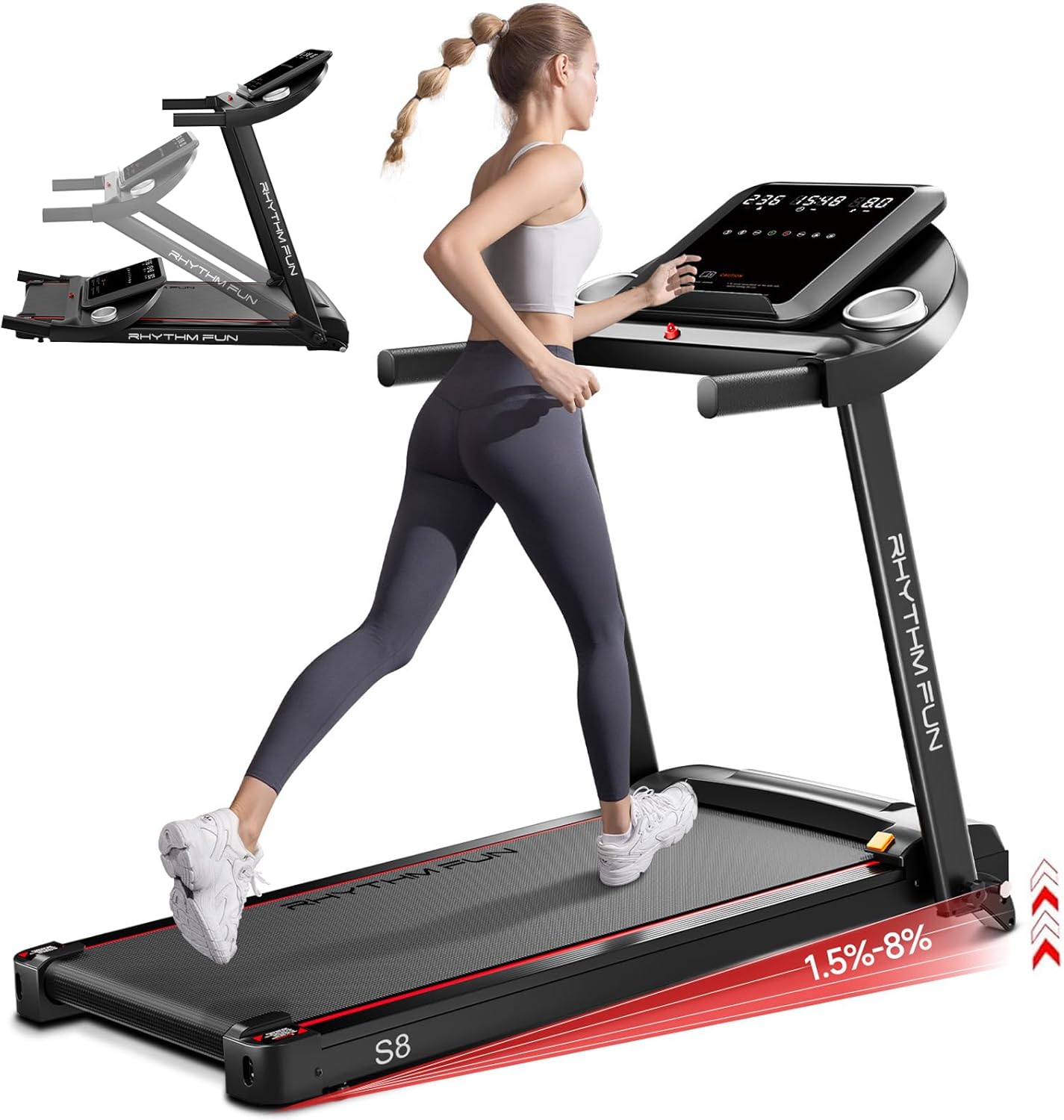
Figure 5.2: RHYTHM FUN S8 Treadmill in operation, demonstrating its design and incline capability.
5.4 Manual Incline
The S8 Treadmill offers an 8% manual incline. To adjust the incline, you will need to physically move the incline bolts at the rear of the treadmill to the desired position. Ensure the treadmill is off and unplugged before adjusting the incline.

Figure 5.3: Manual Incline Levels and Calorie Burn Illustration.
5.5 Bluetooth Music Speaker
The treadmill is equipped with a built-in music speaker. Connect your Bluetooth-enabled device to the treadmill to play music during your workout.

Figure 5.4: Bluetooth Music Speaker Functionality.
5.6 YPOOFIT APP Connectivity
Enhance your fitness journey by connecting your treadmill to the YPOOFIT APP. The app allows you to view various training activities and real-time events, track your progress, and access additional workout features.
- Download the YPOOFIT APP from the App Store (iOS) or Google Play Store (Android).
- Follow the in-app instructions to pair your treadmill with your device.

Figure 5.5: YPOOFIT APP Integration.
6. Maintenance
Regular maintenance ensures the longevity and optimal performance of your treadmill.
6.1 Lubrication
The running belt requires periodic lubrication to reduce friction and wear. Use the provided lubricating oil.

Figure 6.1: Lubrication Hole and Frequency Guide.
| Usage Frequency | Maintenance Frequency |
|---|---|
| <3 Hours/Week | Every 30 Days |
| 4-7 Hours/Week | Every 15 Days |
| >8 Hours/Week | Every 15 Days |
Procedure:
- Turn off and unplug the treadmill.
- Locate the lubrication hole, typically near the front of the running deck.
- Apply a small amount of lubricating oil into the hole, ensuring it spreads evenly under the belt.
- Run the treadmill at a low speed (e.g., 1 MPH) for a few minutes to distribute the lubricant.
6.2 Cleaning
Wipe down the treadmill's surfaces with a damp cloth after each use to remove sweat and dust. Avoid using abrasive cleaners or solvents. Periodically vacuum under the treadmill to prevent dust buildup.
6.3 Belt Adjustment
If the running belt feels loose, slips, or shifts to one side, it may need adjustment. Refer to the detailed instructions in the full user manual for belt tensioning and centering procedures using the provided Allen wrench. Incorrect adjustment can damage the belt or motor.
7. Troubleshooting
This section addresses common issues you might encounter with your treadmill. For problems not listed here, please contact customer support.
| Problem | Possible Cause | Solution |
|---|---|---|
| Treadmill does not start | Safety key not in place; Power cord unplugged; Main power switch off; Circuit breaker tripped. | Ensure safety key is correctly placed; Check power cord connection; Turn main power switch ON; Reset circuit breaker if tripped. |
| Squeaking noise during operation | Lack of lubrication; Loose components. | Lubricate the running belt as per Section 6.1; Check and tighten all assembly bolts and screws. |
| Running belt slips or hesitates | Belt tension too low; Belt worn out. | Adjust belt tension (refer to full manual); Contact customer support for belt replacement if worn. |
| Running belt shifts to one side | Belt not centered; Uneven surface. | Adjust belt centering (refer to full manual); Ensure treadmill is on a level surface. |
| Console display is blank or erratic | Loose cable connection; Power issue. | Check all cable connections to the console; Verify power supply. |
8. Specifications
Detailed technical specifications for the RHYTHM FUN S8 Treadmill.
| Feature | Specification |
|---|---|
| Brand | RHYTHM FUN |
| Model Name | RF-S8 |
| Model Number | M4438 |
| Product Dimensions (D x W x H) | 48.4" x 22.4" x 44.8" (122.9 cm x 56.9 cm x 113.8 cm) |
| Item Weight | 59 Pounds (26.7 kg) |
| Material | Alloy Steel |
| Maximum Speed | 8 Miles per Hour (12.9 km/h) |
| Minimum Speed | 0.5 Miles per Hour (0.8 km/h) |
| Maximum Incline Percentage | 8.0% (Manual Incline) |
| Maximum Weight Recommendation | 300 Pounds (136 kg) |
| Maximum Horsepower | 2.5 Horsepower |
| Display Type | LED (15.2 Inches Screen Size) |
| Number of Programs | 12 Pre-installed Programs |
| Included Components | Safety Key |
| Assembly Required | Yes (95% pre-assembled) |
| Product Benefits | Weight Loss Support |
| Recommended Uses | Walking, Running, Jogging |

Figure 8.1: Treadmill illustrating its 300 lbs weight capacity.

Figure 8.2: Powerful 2.5 HP Motor with low noise operation.
9. Warranty & Support
RHYTHM FUN is committed to providing excellent products and customer service.
9.1 Product Warranty
The RHYTHM FUN S8 Treadmill comes with a 1-year warranty from the date of purchase. This warranty covers manufacturing defects and workmanship under normal use. Please retain your proof of purchase for warranty claims. The warranty does not cover damage caused by misuse, accident, unauthorized modification, or failure to follow maintenance instructions.
9.2 Customer Support
For any questions, assistance with setup, troubleshooting, or warranty claims, please contact RHYTHM FUN customer support. Our team is dedicated to ensuring your satisfaction and supporting your fitness journey.
Please visit the official RHYTHM FUN store on Amazon for contact information or further resources: RHYTHM FUN Store


