
Introduction
This manual provides comprehensive instructions for the assembly, operation, and maintenance of your JARHETUN TV Stand. This entertainment center features a rustic brown finish, 3-tier open shelves, and is designed to accommodate televisions up to 55 inches. Please read these instructions carefully before assembly and use to ensure proper setup and longevity of your product.
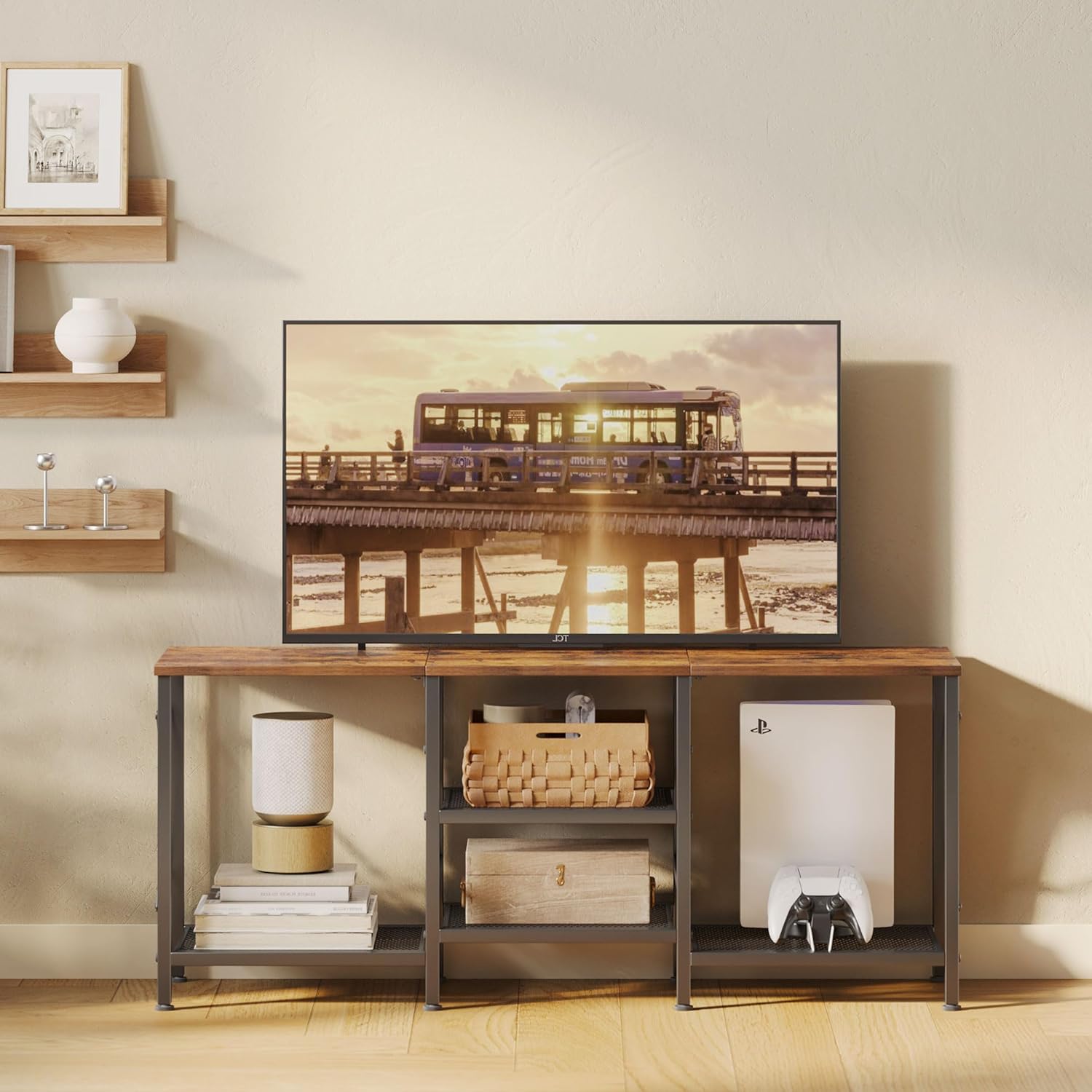
Image: The JARHETUN TV Stand in a living room setting, showcasing its design and storage capabilities.
Safety Information
To prevent potential hazards and ensure safe use of your TV stand, adhere to the following guidelines:
- Tip-Over Prevention: Always secure the TV stand to the wall using the provided wall anchor hardware. This is crucial to prevent tip-overs, especially in households with young children or pets.
- Weight Capacity: Do not exceed the recommended weight capacity for the top surface or shelves. Overloading can compromise stability and lead to damage or injury.
- Placement: Place the TV stand on a flat, stable, and level surface. Uneven surfaces can affect stability.
- Assembly: Ensure all components are correctly assembled and all fasteners are tightened before placing any items on the stand.
- Children: Do not allow children to climb on or play with the TV stand.
Package Contents
Before beginning assembly, verify that all parts listed below are present and undamaged. If any parts are missing or damaged, please contact customer support.
- Engineered Wood Top Panel
- Metal Frame Components (including X-shaped support rods)
- 3-Tier Mesh Shelves
- Adjustable Feet
- Assembly Hardware (screws, bolts, etc.)
- Wall Anchor Hardware (anti-tip device)
- Assembly Tools (e.g., Allen wrench)
- Operating Instructions Manual
Specifications
| Brand | JARHETUN |
| Model Number | B0F13TD6JS |
| Color | Rustic Brown |
| Material | Engineered Wood, Metal Frame |
| Product Dimensions (D x W x H) | 11.8" x 47.2" x 19.9" |
| Recommended TV Size | Up to 55 inches |
| Number of Shelves | 3 |
| Item Weight | 15.4 pounds |
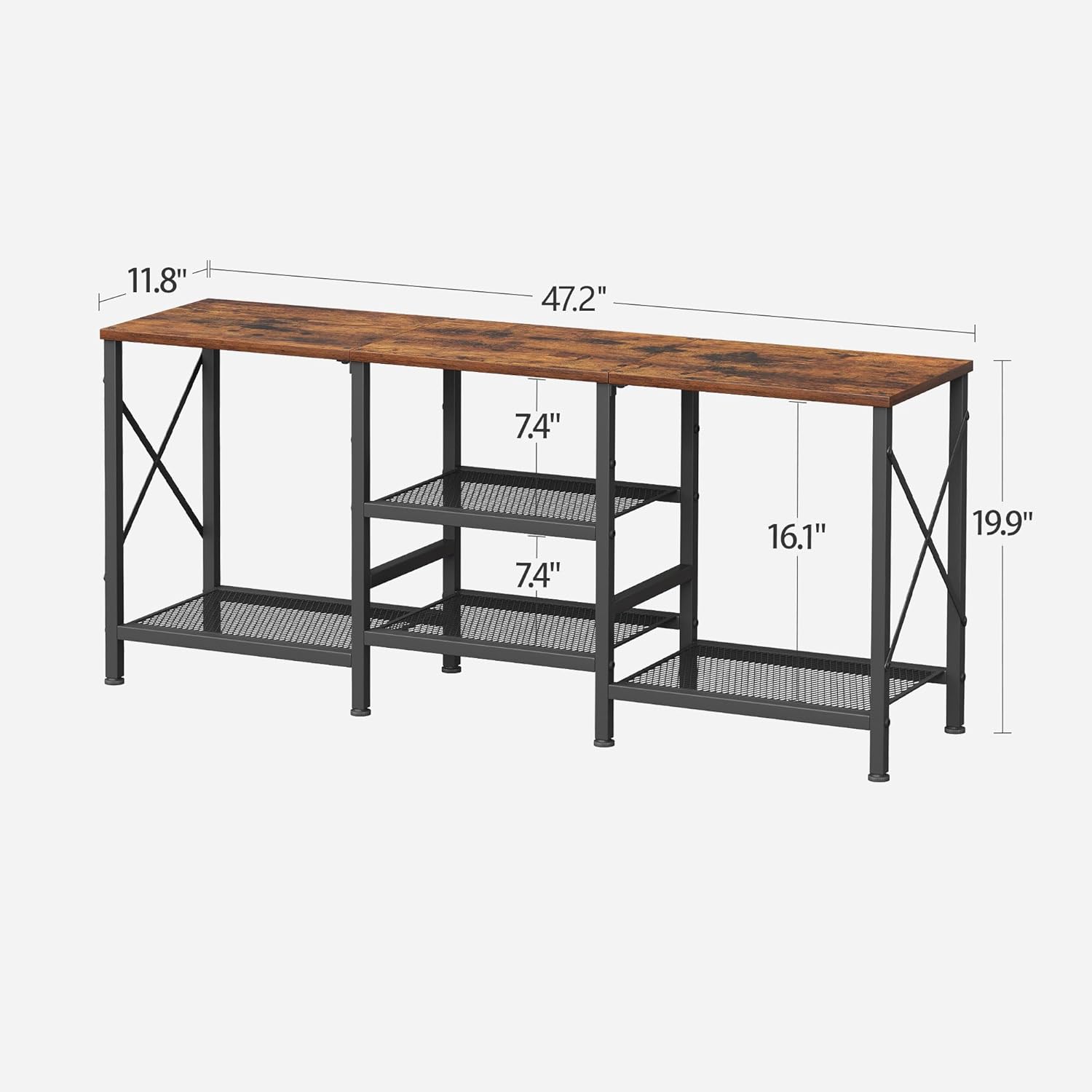
Image: Detailed dimensions of the TV stand for reference.

Image: Visual guide for TV size compatibility, showing suitability for up to 55-inch TVs.
Setup and Assembly
The JARHETUN TV Stand is designed for straightforward assembly. All necessary tools and detailed operating instructions are included in the package. Please follow these steps carefully:
- Unpack and Verify: Carefully unpack all components and compare them against the provided parts list to ensure everything is present and undamaged.
- Attach Adjustable Feet: Securely attach the adjustable feet to the base of the metal frame components. These feet help stabilize the stand on uneven floors.
- Assemble Metal Frame: Connect the metal frame components using the provided hardware. Pay attention to the orientation of the X-shaped support rods on the sides, as they contribute to the stand's stability.
- Install Shelves: Insert the 3-tier mesh shelves into their designated positions within the metal frame.
- Secure Top Panel: Place the engineered wood top panel onto the assembled frame and secure it with the appropriate hardware.
- Install Anti-Tip Device: For safety, attach the wall anchor hardware (anti-tip device) to the back of the TV stand and securely fasten it to a wall stud. This step is critical to prevent accidental tipping.
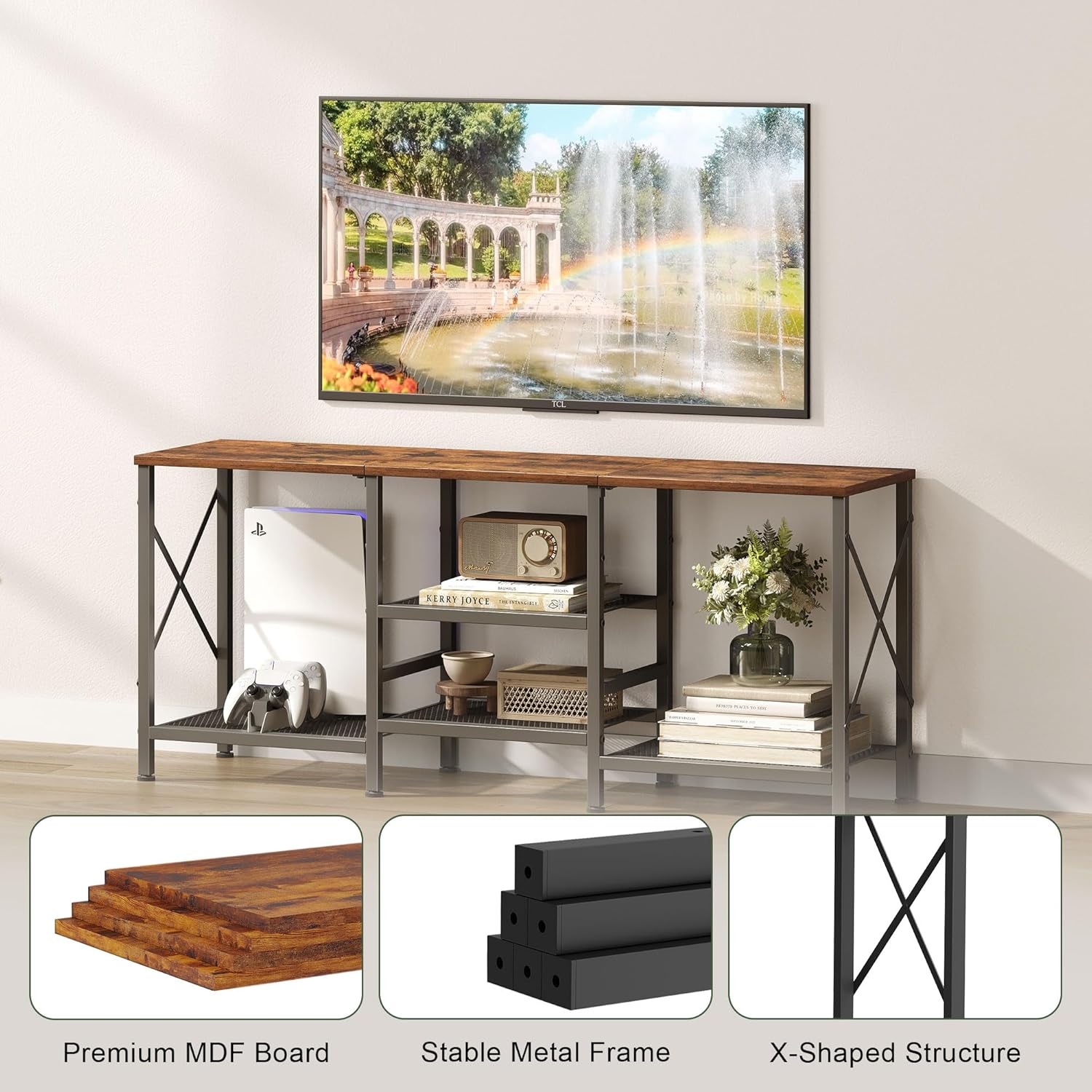
Image: Components and structural details of the TV stand, highlighting the MDF board, metal frame, and X-shaped design.
Assembly Video Overview
Video: A brief overview of the JARHETUN TV Stand, demonstrating its features and assembled appearance. This video is provided by the seller.
Operating Instructions
Once assembled, your JARHETUN TV Stand is ready for use. Follow these guidelines for optimal functionality:
- Placement: Position your television centrally on the top surface of the stand. Ensure the TV's base fits securely within the dimensions of the top panel.
- Storage: Utilize the three open shelves to organize and display media equipment such as DVD players, gaming consoles (e.g., PS5, Xbox), soundbars, and other decorative items.
- Cable Management: While no specific cable management features are built-in, you can use cable ties or clips (not included) to keep wires tidy behind the stand.
- Stability Check: Periodically check the stability of the stand, especially after moving it or rearranging items. Adjust the feet if necessary to maintain balance.
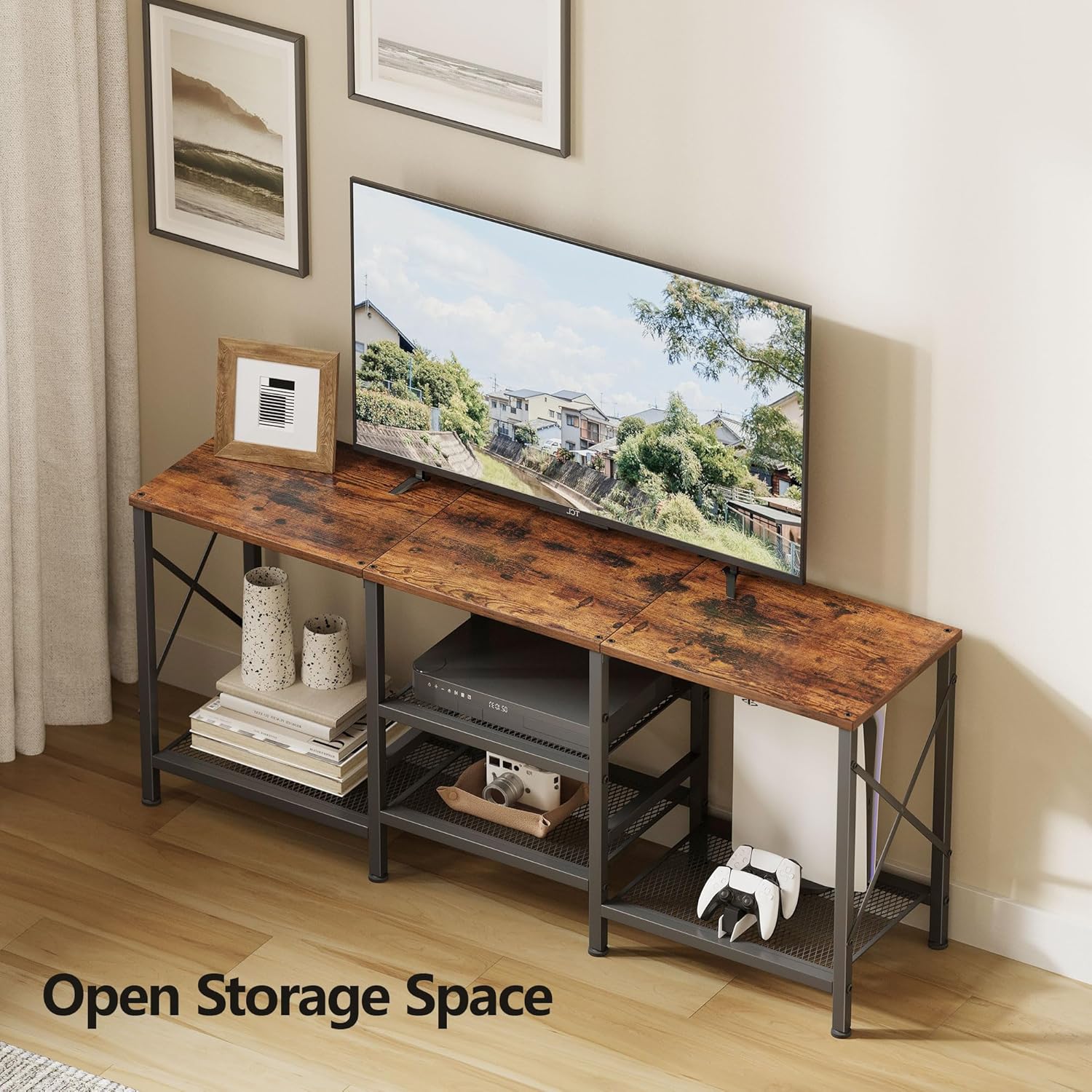
Image: The TV stand showcasing its open storage space with a television, gaming console, and other items.
Maintenance
Proper maintenance will help preserve the appearance and structural integrity of your TV stand:
- Cleaning: Wipe the engineered wood surfaces with a soft, slightly damp cloth. For stubborn marks, use a mild, non-abrasive cleaner specifically designed for wood finishes. Avoid harsh chemicals or abrasive materials that could damage the surface.
- Dusting: Regularly dust all surfaces with a dry, soft cloth to prevent buildup.
- Hardware Check: Periodically inspect all screws, bolts, and connections to ensure they remain tight. Retighten any loose fasteners to maintain stability.
- Environmental Conditions: Avoid placing the stand in direct sunlight for extended periods or in areas with high humidity, as this can cause warping or fading of the wood finish.
- Spills: Clean up spills immediately to prevent staining or damage to the wood.
Troubleshooting
If you encounter any issues with your JARHETUN TV Stand, consider the following common solutions:
- Stand is Wobbly:
- Ensure all assembly screws are fully tightened.
- Adjust the leveling feet at the bottom of the stand to compensate for uneven floor surfaces.
- Verify that the anti-tip device is securely installed to the wall.
- Parts Missing or Damaged: If you discover any missing or damaged parts during unpacking or assembly, do not proceed with assembly. Contact JARHETUN customer support immediately for assistance.
- Difficulty Assembling: Review the assembly instructions carefully, paying close attention to diagrams and part orientations. Ensure you are using the correct hardware for each step.
Warranty and Support
For specific warranty information regarding your JARHETUN TV Stand, please refer to the documentation included with your purchase or visit the official JARHETUN website. Typically, warranty coverage addresses manufacturing defects.
If you require customer support, have questions about assembly, or need to report missing/damaged parts, please contact the retailer where you purchased the product or reach out to JARHETUN customer service through their official channels. Please have your purchase receipt and model number (B0F13TD6JS) available when contacting support.