
EZON C022Pro
EZON C022Pro Heart Rate Monitor Armband User Manual
Model: C022Pro
1. Introduction
The EZON C022Pro Heart Rate Monitor Armband is an advanced fitness device designed to provide accurate heart rate tracking for various activities. Featuring a new 4-channel optical heart rate sensor, it minimizes motion artifacts and captures real-time heart rate changes with high sensitivity. Its dual ANT+ and Bluetooth connectivity ensures seamless integration with a wide range of fitness equipment and applications.
This armband is built for comfort and durability, with a lightweight, washable elastic strap and a 30-meter waterproof rating, making it suitable for all-weather conditions and even swimming. The smart LED indicator displays real-time heart rate zones, helping users optimize their workout intensity for different fitness goals.

Image: The EZON C022Pro Heart Rate Monitor Armband, showcasing its sleek black design with a prominent circular LED indicator.
2. What's in the Box
Upon unboxing your EZON C022Pro Heart Rate Monitor Armband, please ensure all the following components are present:
- Heart Rate Monitor Armband (Main Unit)
- User Manual
- Charging Cable
3. Setup
3.1 Charging the Device
Before first use, fully charge your EZON C022Pro armband. Connect the provided charging cable to the magnetic charging port on the device and plug the other end into a USB power source (e.g., computer USB port, wall adapter). The LED indicator will show charging status.

Image: Close-up view of the EZON C022Pro's magnetic charging port and its integrated body design, highlighting its 30M waterproof capability.
A full charge provides approximately 12 hours of continuous use, or up to 2 weeks with daily 1-hour workouts.
3.2 Wearing the Armband
For optimal heart rate accuracy, wear the armband on your forearm or upper arm. Ensure the sensor is in direct contact with your skin and the strap is snug but comfortable. The lightweight design (12.2g) ensures minimal interference during your activities.
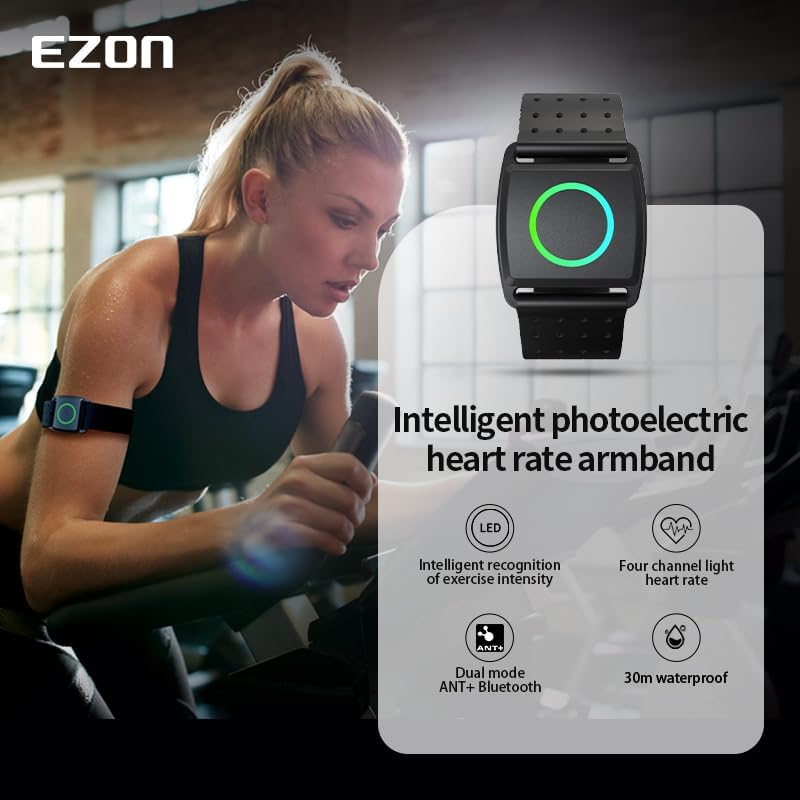
Image: A woman wearing the EZON C022Pro heart rate armband on her upper arm during a workout, demonstrating its comfortable fit.

Image: An illustration emphasizing the ultra-lightweight nature of the EZON C022Pro, weighing only 12.2 grams, comparable to two one-dollar coins.
4. Operating Instructions
4.1 Powering On/Off
To power on the device, press and hold the power button until the LED indicator lights up. To power off, press and hold the power button again until the LED turns off.
4.2 Dual Connectivity (ANT+ & Bluetooth)
The EZON C022Pro supports both ANT+ and Bluetooth connectivity, allowing it to pair with a wide range of devices simultaneously. This includes smartphones, fitness equipment (treadmills, ellipticals, rowing machines), smartwatches, and bike computers.

Image: Visual representation of the EZON C022Pro's BLE and ANT+ connectivity, showing its compatibility with smart sports watches, GPS bike computers, and various fitness equipment.

Image: A diagram illustrating the EZON C022Pro's connectivity options, showing how it supports multiple devices via ANT+ and Bluetooth for real-time heart rate display on mobile apps, sports watches, bike computers, and fitness equipment.
4.3 Smart Heart Rate Zones
The armband features an LED indicator that changes color to display your real-time heart rate zone, helping you optimize your workout intensity. The zones are:
- Warm-up (Green): Heart Rate ≤ 120 BPM - Benefits: Warm-up and recovery.
- Fat Burning (Blue): Heart Rate 121-135 BPM - Benefits: Effective fat burning.
- Aerobic/Cardio (Yellow): Heart Rate 136-150 BPM - Benefits: Enhanced cardiopulmonary function.
- Anaerobic/Strengthening (Purple): Heart Rate 151-165 BPM - Benefits: Improved cardiopulmonary endurance.
- Max Effort/X-games (Red): Heart Rate > 165 BPM - Benefits: Sports safety alerts.

Image: A visual guide to the 5-color LED indicator lights on the EZON C022Pro, illustrating how each color corresponds to a specific heart rate zone and its associated performance benefits.
4.4 Compatibility with Fitness Apps
The EZON C022Pro is compatible with popular fitness applications such as Wahoo, Strava, Zwift, Polar, and Peloton, allowing you to track and analyze your performance data seamlessly.

Image: The EZON C022Pro shown alongside logos of popular fitness apps like Wahoo, Strava, Zwift, Polar, and Peloton, indicating its broad compatibility.
4.5 Waterproof Feature
With a 30-meter waterproof rating, the EZON C022Pro is suitable for swimming and other water-based activities. It features an integrated fuselage design and a goggle clip design for secure attachment during swimming.
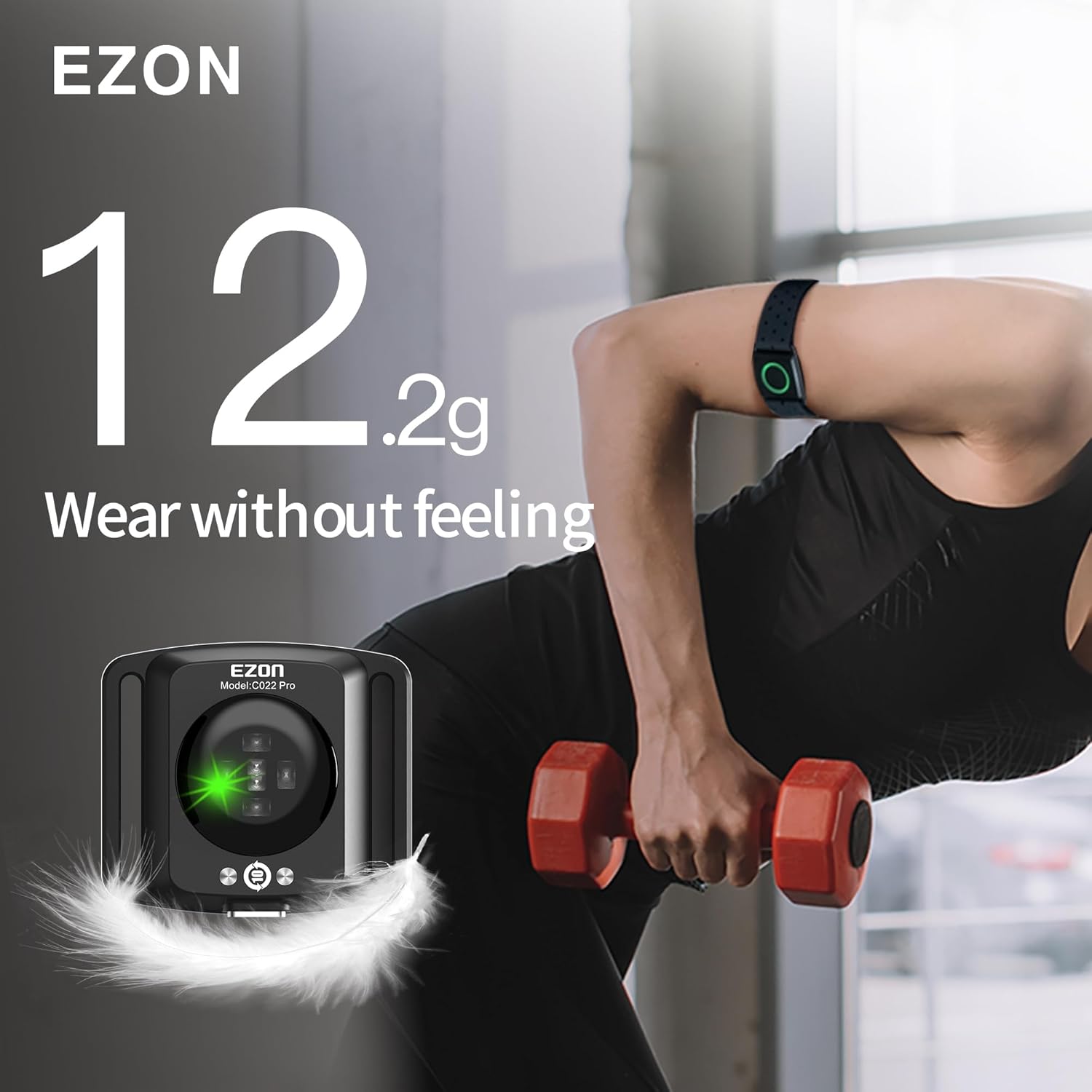
Image: A swimmer in a pool, illustrating the EZON C022Pro's 30M waterproof capability and its suitability for water sports.
Image: Close-up views of the EZON C022Pro showing its goggle clip design, allowing it to be attached to swim goggles for heart rate data collection during swimming.
4.6 Versatile Sports Use
The EZON C022Pro is designed for a wide range of indoor and outdoor sports, including running, cycling, gym workouts, and more.

Image: An infographic displaying various sports icons, indicating the EZON C022Pro's suitability for multiple indoor and outdoor activities like running, cycling, and gym exercises.
4.7 Official Product Video
Watch the official product video for a comprehensive overview of the EZON C022Pro's features and benefits:
Video: EZON C022Pro Precision Heart Rate Tracking for Every Workout. This video demonstrates the armband's features, including its optical heart rate sensor, lightweight design, and ease of use for various sports activities.
5. Maintenance
To ensure the longevity and hygiene of your EZON C022Pro Heart Rate Monitor Armband, follow these maintenance guidelines:
- Cleaning the Strap: The elastic strap is machine-washable. Detach the main unit from the strap for easier cleaning. Wash with mild soap and water, then air dry completely before reattaching the main unit.
- Cleaning the Main Unit: Wipe the main unit, especially the sensor area, with a soft, damp cloth. Do not use harsh chemicals or abrasive cleaners.
- Storage: Store the device in a cool, dry place away from direct sunlight and extreme temperatures.

Image: An illustration showing the detachable and machine-washable elastic band of the EZON C022Pro, emphasizing its comfort, skin-friendly material, and convenience for cleaning.
6. Troubleshooting
If you encounter issues with your EZON C022Pro, please refer to the following common problems and solutions:
| Problem | Possible Cause | Solution |
|---|---|---|
| Device not powering on | Low battery | Charge the device fully. |
| Cannot pair with device | Bluetooth/ANT+ not enabled on host device; device out of range; interference | Ensure Bluetooth/ANT+ is on. Move closer to the host device. Restart both devices. |
| Inaccurate heart rate readings | Armband not worn correctly; sensor dirty; excessive movement | Adjust armband for snug fit. Clean the sensor. Minimize arm movement during measurement. |
| LED indicator not working | Device malfunction | Contact customer support. |
If the problem persists, please contact EZON customer support for further assistance.
7. Specifications
| Feature | Detail |
|---|---|
| Model Name | C022Pro |
| Brand | EZON |
| Material | Resin |
| Color | Black |
| Compatible Devices | Smartphones, Fitness Equipment, Smartwatches, Bike Computers |
| Sensor Type | Optical (4-Channel PPG) |
| Connectivity | ANT+, Bluetooth |
| Waterproof Rating | 30 Meters |
| Item Weight | 12.2 grams (0.43 ounces) - fuselage only |
| Item Package Dimensions | 4.9 x 3.9 x 1.9 inches |
| UPC | 742378647530 |
| First Available Date | January 5, 2025 |
8. Warranty & Support
EZON is committed to providing high-quality products and excellent customer service. Your EZON C022Pro Heart Rate Monitor Armband comes with the following:
- 1-Year Free Replacement: For manufacturing defects or malfunctions within one year of purchase.
- 30-Day Return Policy: Refer to your retailer's policy for details.
- Lifetime Support: EZON offers ongoing support for its products.
- 24-Hour Response: Expect a prompt response from our support team for inquiries.

Image: An infographic detailing EZON's customer support commitments, including lifetime support, 24-hour response, 30-day return policy, and 1-year free replacement.
For support, please visit the official EZON website or contact their customer service team directly.
Related documentsC022Pro


Ask a question about this manual
Ask about setup, troubleshooting, compatibility, parts, safety, or missing instructions. Manuals+ will review the question and use this page’s manual context to help answer it.