Introduction
This manual provides detailed instructions for the proper use and maintenance of your XINFUTE RCS-8HVPULS4U remote control, designed for SANYO air conditioner models 30KS82, 36KS82, KS3082, and KS3682. Please read this manual thoroughly before operating the remote control to ensure optimal performance and longevity.
Setup: Battery Installation
The remote control requires two AAA batteries (not included). Follow these steps to install or replace batteries:
- Locate the battery compartment on the back of the remote control.
- Slide the battery cover downwards to open it.
- Insert two fresh leak-proof AAA alkaline batteries, ensuring the positive (+) and negative (-) terminals match the diagrams inside the compartment.
- Slide the battery cover back into place until it clicks securely.
- After replacing batteries, press the Reset button (often labeled "ACL" or with a small hole) using a thin, pointed object like a pen tip. This resets the remote's internal clock and settings.
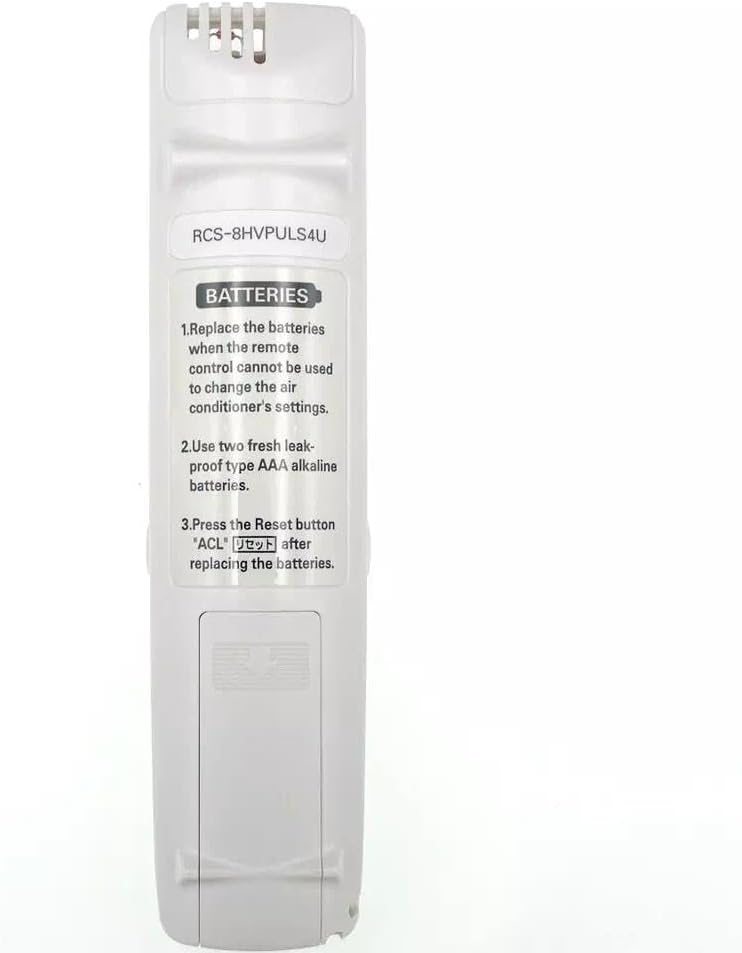
Image: Back of the remote control, illustrating the battery compartment and battery replacement instructions.
Operating Instructions
Familiarize yourself with the buttons on your remote control. The main display shows current settings such as temperature and operating mode.
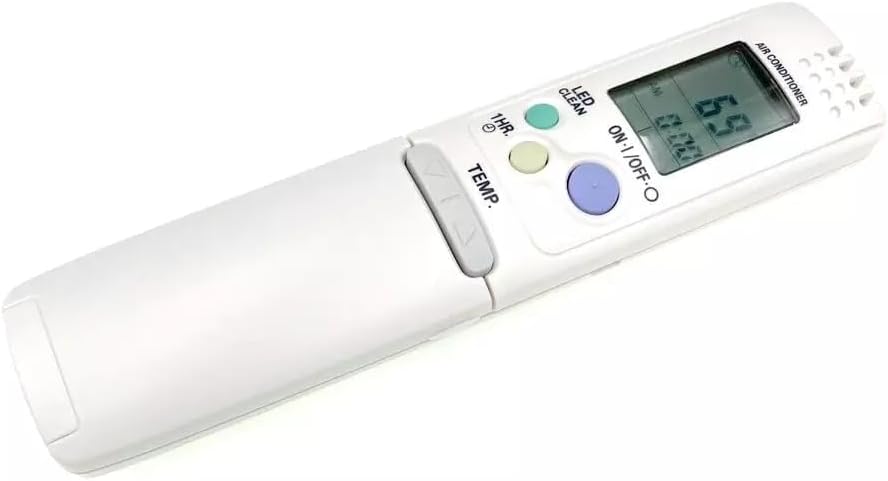
Image: Front view of the remote control, showing the display and primary control buttons.
Basic Functions
- ON-I/OFF-O Button: Press to turn the air conditioner unit on or off.
- TEMP. Buttons (Up/Down Arrows): Adjust the desired temperature setting. Press the up arrow to increase temperature, and the down arrow to decrease it.
- MODE Button: Cycle through available operating modes such as Cool, Heat, Fan, Dry, and Auto.
- FAN SPEED Button: Adjust the fan speed (e.g., Low, Medium, High, Auto).
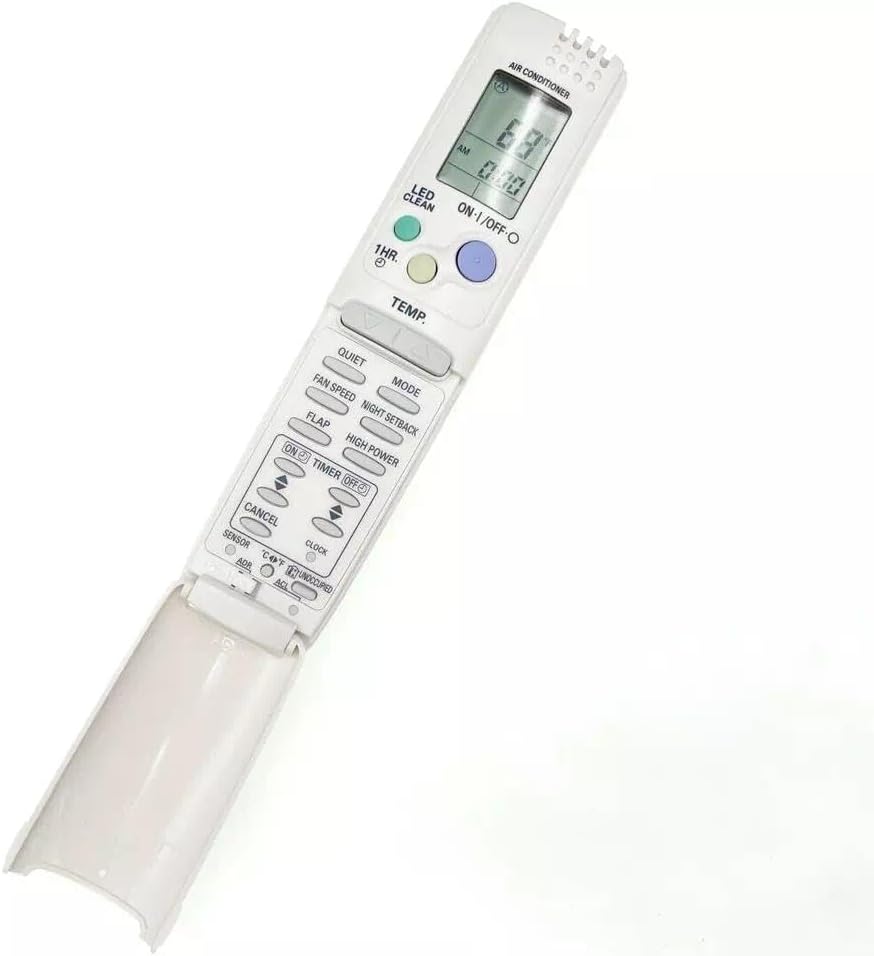
Image: Remote control with the lower flap open, revealing advanced function buttons.
Advanced Functions (Under Flap)
- QUIET Button: Activates a low-noise operation mode for quieter performance.
- NIGHT SETBACK Button: Engages a sleep mode that gradually adjusts temperature for comfortable sleep and energy saving.
- FLAP Button: Controls the louver direction or swing function of the air conditioner.
- HIGH POWER Button: Activates a powerful cooling/heating mode for rapid temperature changes.
- TIMER ON/OFF Buttons: Set a specific time for the air conditioner to turn on or off automatically. Use the up/down arrows to adjust the time.
- CANCEL Button: Cancels any active timer settings.
- CLOCK Button: Sets the current time on the remote control's display.
- LED CLEAN Button: Activates a self-cleaning function for the indoor unit's LED display or internal components (refer to your air conditioner manual for specific function).
- 1HR. Button: Likely a quick timer setting for 1 hour of operation or a specific mode.
- SENSOR Button: Activates or deactivates a sensor function, possibly related to room temperature sensing from the remote itself.
Maintenance
- Cleaning: Wipe the remote control with a soft, dry cloth. Do not use liquid cleaners or abrasive materials, as they may damage the surface or internal components.
- Battery Replacement: Replace batteries when the remote control's display becomes dim or the remote no longer responds to commands. Always use fresh, leak-proof AAA alkaline batteries. Remove batteries if the remote will not be used for an extended period to prevent leakage.
- Storage: Store the remote control in a cool, dry place away from direct sunlight and extreme temperatures.
Troubleshooting
- Remote not responding:
- Check if the batteries are correctly installed with the correct polarity.
- Replace old batteries with new ones.
- Ensure there are no obstructions between the remote control and the air conditioner unit's receiver.
- Confirm the remote is pointed directly at the air conditioner unit.
- Display is dim or blank:
- Batteries are low. Replace them.
- Air conditioner not responding to specific functions:
- Ensure the air conditioner unit supports the specific function (e.g., some older units may not have a "Quiet" mode).
- Refer to your air conditioner's own user manual for compatibility.
Specifications
- Model Number: RCS-8HVPULS4U
- Compatible SANYO Air Conditioner Models: 30KS82, 36KS82, KS3082, KS3682
- Power Source: 2 x AAA batteries (not included)
- Material: ABS Material
- Color: As Shown
- Product Dimensions: 4 x 3 x 1 inches
- Item Weight: 2.82 ounces
Warranty Information
This XINFUTE remote control comes with a one-year warranty from the date of purchase. Please retain your proof of purchase for warranty claims. The warranty covers manufacturing defects under normal use. It does not cover damage caused by misuse, accidents, unauthorized modifications, or battery leakage.
Customer Support
If you encounter any issues or have questions regarding your XINFUTE RCS-8HVPULS4U remote control, please contact customer support. All goods are inspected before shipment. If you are not satisfied with your purchase, you may contact us within 24 hours of receipt. For further assistance, please refer to the seller's contact information provided at the time of purchase.


