
1. Introduction
This manual provides detailed instructions for the safe operation, setup, and maintenance of your Authticar V003 High-Speed RC Jet Boat. Please read this manual thoroughly before using the product to ensure proper function and longevity.
2. Safety Precautions
- Always operate the RC boat in open water areas, away from people, animals, and obstacles.
- Do not operate the boat in saltwater, as this can damage internal components.
- Ensure all hatches are securely closed before placing the boat in water to prevent water ingress.
- Keep fingers and loose clothing away from the propeller when the boat is powered on.
- Do not touch the motor immediately after use, as it may be hot.
- Adult supervision is recommended for users under 16 years of age.
- Always remove the battery from the boat and turn off the remote control when not in use.
3. Package Contents
Verify that all items are present in the package:
- RC Jet Boat (V003)
- Remote Control Transmitter
- Rechargeable Battery (for boat)
- USB Charging Cable
- Hex Wrench
- Spare Propeller
- Product Manual (this document)
4. Product Overview
The Authticar V003 RC Jet Boat features a sleek design with advanced functionalities for an engaging remote-controlled boating experience.

Figure 4.1: Authticar V003 RC Jet Boat and Remote Control.
4.1 Boat Components
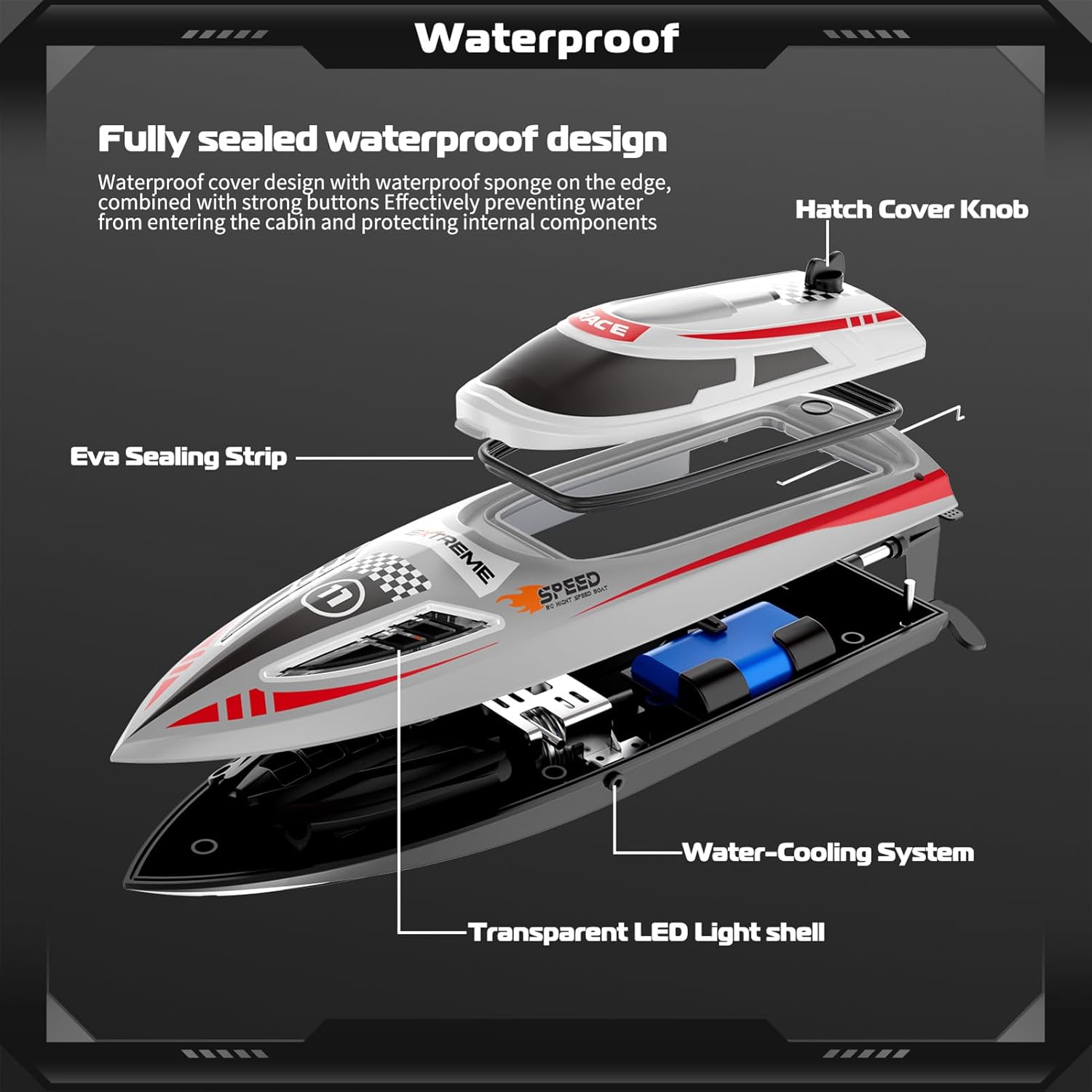
Figure 4.2: Exploded view showing the boat's internal components, including the waterproof seal, water cooling system, and battery compartment.
- Hatch Cover Knob: Secures the top cover.
- Eva Sealing Strip: Provides a waterproof seal for the internal compartment.
- Water Cooling System: Circulates water to cool the motor during operation.
- Transparent LED Light Shell: Houses the boat's LED lights.
4.2 Remote Control Transmitter

Figure 4.3: Labeled diagram of the 2.4GHz Wireless Remote Control.
- One-touch demo: Activates automatic demonstration mode.
- Speed gear: Adjusts the boat's speed (Low, Medium, High).
- Left trim: Fine-tunes left steering.
- Right trim: Fine-tunes right steering.
- On/off switch: Powers the remote control on or off.
- Cruise control: Activates fixed-speed cruising.
- Roll button: Initiates the self-righting function.
- Light button: Controls the boat's LED lights.
- Steering wheel: Controls left and right turns.
- Throttle: Controls forward and backward movement.
- Indicator light: Displays remote control status.
5. Setup
5.1 Charging the Boat Battery
- Connect the boat's rechargeable battery to the USB charging cable.
- Plug the USB charging cable into a standard USB power adapter (not included).
- The indicator light on the USB cable will show charging status (e.g., red for charging, green for fully charged).
- Charging typically takes approximately 90 minutes for a full charge, providing up to 30 minutes of playtime.
5.2 Installing Batteries
5.2.1 Boat Battery Installation
- Unscrew the hatch cover knob on the top of the boat and remove the top cover.
- Carefully connect the fully charged battery to the boat's power connector.
- Place the battery securely in the battery compartment.
- Ensure the Eva sealing strip is properly seated, then replace the top cover and tighten the hatch cover knob to ensure a waterproof seal.
Figure 5.1: Illustration of battery installation and the waterproof sealing mechanism.
5.2.2 Remote Control Battery Installation
The remote control requires 2x AA batteries (not included). Open the battery compartment on the back of the remote control, insert the batteries with correct polarity, and close the cover.
5.3 Pairing the Remote Control
The boat and remote control automatically pair when the boat is placed in water and the remote is powered on. The boat features a water-sensing function, activating only when in contact with water.
6. Operating Instructions
Before operation, ensure the boat battery is fully charged and the remote control has fresh batteries. Find a suitable body of water, free from obstacles and strong currents.
6.1 Basic Controls
- Forward/Backward: Use the throttle trigger on the remote control. Pull to move forward, push to move backward.
- Turn Left/Right: Use the steering wheel on the remote control. Turn left for left turns, right for right turns.
- Steering Trim: If the boat veers left or right when moving straight, use the Left Trim or Right Trim buttons on the remote to adjust its course.
6.2 Speed Adjustment (3-Speed)
Press the 'Speed Gear' button on the remote control to cycle through three speed modes: Low, Medium, and High. This allows for versatile control depending on your environment and skill level.
6.3 Cruise Control Mode
Activate the cruise control function by pressing the 'Cruise Control' button. The boat will maintain a fixed speed, allowing for hands-free forward movement. This is useful for stable filming or enjoying the scenery.
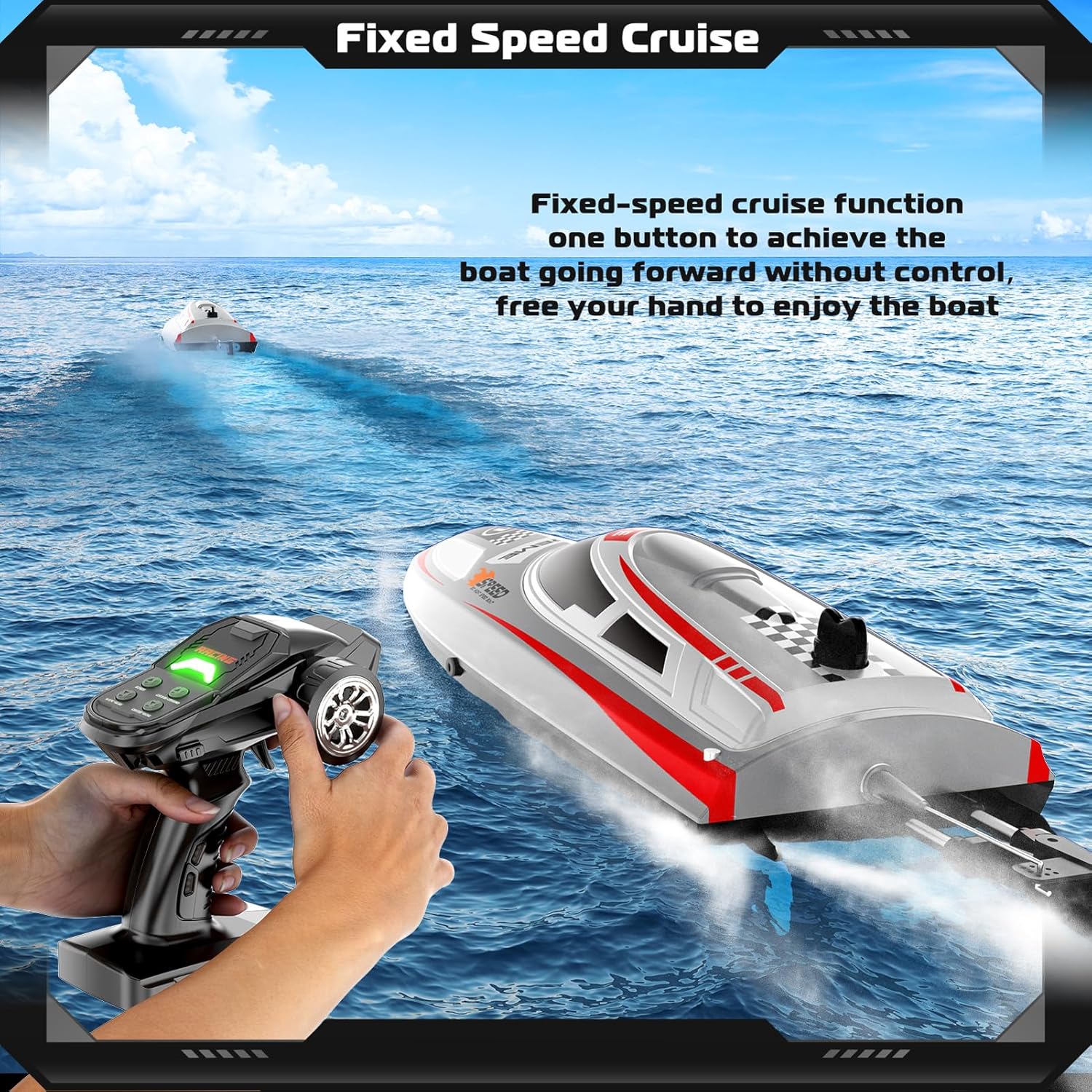
Figure 6.1: The RC boat maintaining a fixed speed using cruise control.
6.4 Self-Righting Function
If the boat capsizes, press the 'Roll Button' on the remote control. The boat is designed to automatically flip back upright, allowing you to continue operation without manual intervention.

Figure 6.2: The boat automatically righting itself after capsizing.
6.5 LED Lights
Press the 'Light Button' on the remote control to activate the boat's LED lights. These lights enhance visibility during low-light conditions and add to the visual appeal.

Figure 6.3: The RC boat with its LED lights active, suitable for night operation.
6.6 One-Key Demonstration
Press the 'One-touch demo' button to activate an automatic demonstration mode. The boat will perform a pre-programmed sequence of maneuvers, such as an '8-shaped' pattern.

Figure 6.4: The boat executing an '8-shaped' pattern in demonstration mode.
6.7 Low Voltage Alarm
When the boat's battery is low, the remote control will emit an audible alarm to notify you. This feature helps prevent unexpected power loss and allows you to return the boat to shore safely.
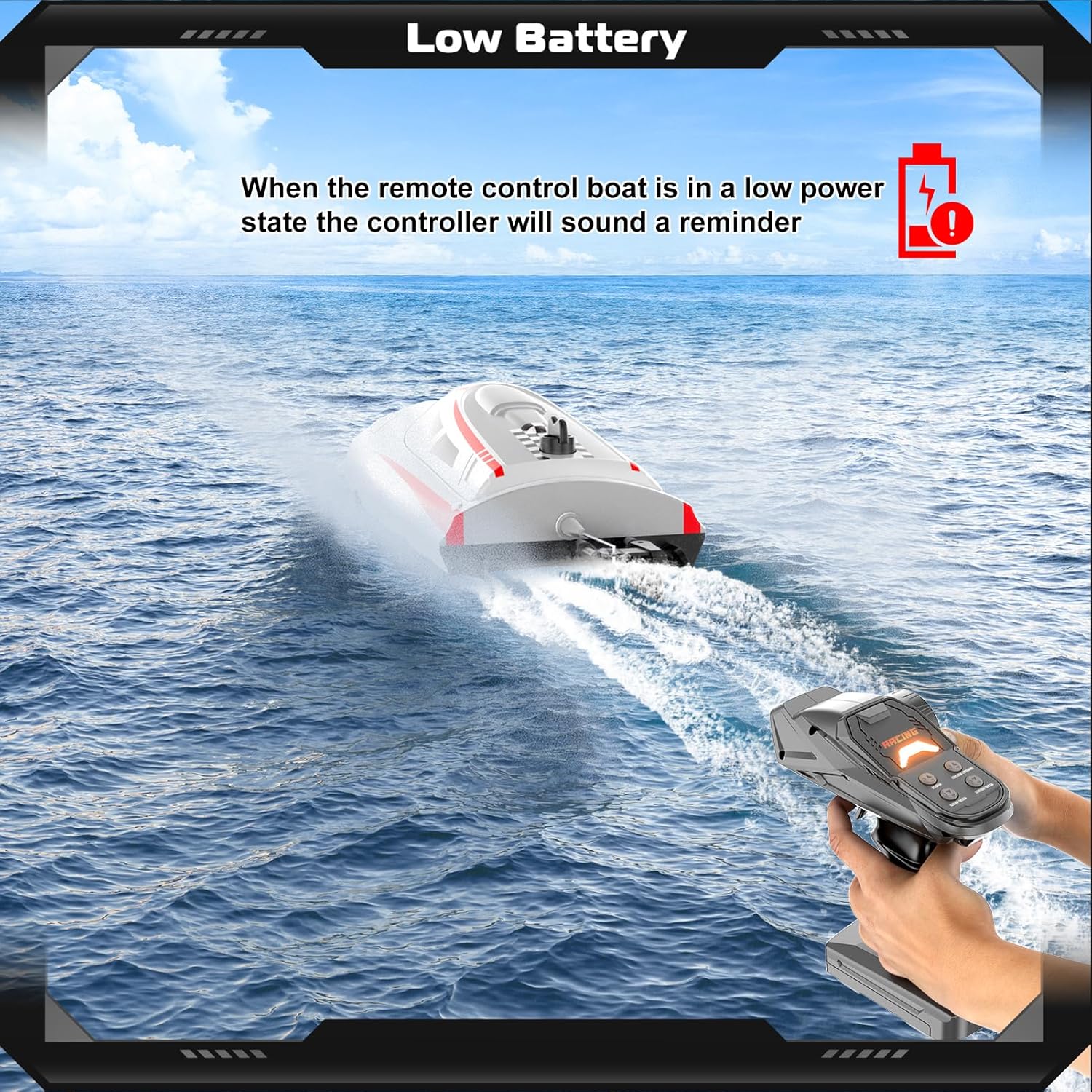
Figure 6.5: The remote control displaying a low battery alert.
6.8 Over-Distance Alarm
The remote control will alert you if the boat exceeds the operational range (approximately 150 meters). This helps prevent loss of control and ensures the boat remains within a manageable distance.
6.9 Water Cooling System
The boat is equipped with a water circulation cooling system that draws water in to cool the motor during operation. This helps maintain optimal motor temperature and extends the lifespan of the motor.

Figure 6.6: Illustration of the water cooling system in action.
6.10 Official Product Video
Video 6.1: Official demonstration video of the Authticar RC Jet Boat, showcasing various features and operation.
7. Maintenance
7.1 Cleaning
- After each use, especially in freshwater, wipe down the boat with a soft, dry cloth.
- Remove any debris (weeds, leaves) from the propeller and rudder area.
- Ensure the water cooling intake and outlet are clear of obstructions.
- Do not use harsh chemicals or solvents for cleaning.
7.2 Storage
- Store the boat and remote control in a cool, dry place, away from direct sunlight and extreme temperatures.
- Always remove batteries from both the boat and the remote control before long-term storage.
- Store the boat battery partially charged (around 50%) if not used for an extended period to prolong its lifespan.
7.3 Battery Care
- Do not overcharge or over-discharge the battery.
- If the battery swells or shows signs of damage, discontinue use immediately and dispose of it properly.
- Use only the provided charging cable or a compatible charger.
8. Troubleshooting
| Problem | Possible Cause | Solution |
|---|---|---|
| Boat does not respond to remote. | Low battery in boat or remote; Not paired; Boat not in water. | Charge boat battery, replace remote batteries. Ensure boat is in water for activation. Re-pair if necessary. |
| Boat runs slowly or stops. | Low boat battery; Propeller obstructed. | Recharge boat battery. Check and clear any debris from the propeller. |
| Boat veers off course. | Steering trim needs adjustment; Damaged rudder/propeller. | Use the steering trim buttons on the remote. Inspect rudder and propeller for damage. |
| Water inside the boat. | Hatch not sealed properly; Damage to hull. | Ensure the hatch cover knob is tightened and the Eva sealing strip is correctly seated. Inspect hull for cracks. |
| Remote control alarm sounds. | Low boat battery; Boat out of range. | Return boat to shore and recharge. Bring boat closer to the remote control. |
9. Specifications
| Feature | Detail |
|---|---|
| Model Number | V003 |
| Brand | Authticar |
| Maximum Speed | 30 KM/H (18.6 MPH) |
| Control Frequency | 2.4 GHz |
| Control Distance | Up to 150 meters |
| Boat Battery | 1200mAh LiPo (7.4V) |
| Playtime | Up to 30 minutes |
| Charging Time | Approx. 90 minutes |
| Motor Type | 370 Brushed Motor |
| Material | ABS |
| Features | Water Cooling System, Self-Righting, 3-Speed Adjustment, Cruise Control, LED Lights, Low Voltage Alarm, Over-Distance Alarm, Water Sensing |
| Item Weight | 990.83 Grams |
10. Warranty and Support
For warranty information or technical support, please refer to the contact details provided on the product packaging or visit the official Authticar website. Keep your purchase receipt as proof of purchase for any warranty claims.