
1. Introduction
The YEREADW USBA 0-12A USB A Power Meter is a versatile multimeter tester designed to accurately measure various electrical parameters of electronic devices during charging. Equipped with a 16-bit ADC chip and a 1.60-inch IPS color display, it provides clear and precise readings of voltage, current, capacity, energy, time, maximum voltage, maximum current, maximum power, current direction, and CPU temperature. Its plug-and-play design ensures ease of use without the need for driver or software installation. The device features a durable CNC metal frame for enhanced longevity and a compact, portable form factor.
2. Product Features
- High-Precision Measurement: Features a 16-bit ADC chip for accurate measurement of voltage, current, capacity, energy, time, maximum voltage, maximum current, maximum power, current direction, and CPU temperature.
- Curve Display Function: New curve display function provides intuitive visualization of voltage and current changes over time.
- Easy Operation: Plug-and-play functionality requires no driver or software installation.
- Vivid Color Display: Utilizes a 1.60-inch IPS color display for clear and readable interface text.
- Fast Charging Protocol Support: Compatible with various fast charging protocols including QC2.0/3.0, FCP, SCP, AFC, PE, DASH, VOOC, and SuperVOOC. Supports a maximum current of 12A (continuous operation at 12A is not recommended).
- Wide Compatibility: Works with a broad range of USB-A devices such as tablets, chargers, power banks, and cables, helping to assess device health and fast charging capabilities.
- Durable Construction: Built with a CNC metal frame for enhanced drop resistance and durability.
- Compact and Portable: Designed for easy carrying and storage.
3. Setup
The YEREADW USBA 0-12A Power Meter is designed for simple setup and immediate use.
- Connect to Power Source: Insert the USB-A male connector of the power meter into a USB-A port of a charger, power bank, or computer.
- Connect Device: Plug your electronic device's charging cable into the USB-A female port of the power meter.
- Begin Monitoring: The display will automatically light up and begin showing real-time voltage, current, and other charging data. No additional software or drivers are required.
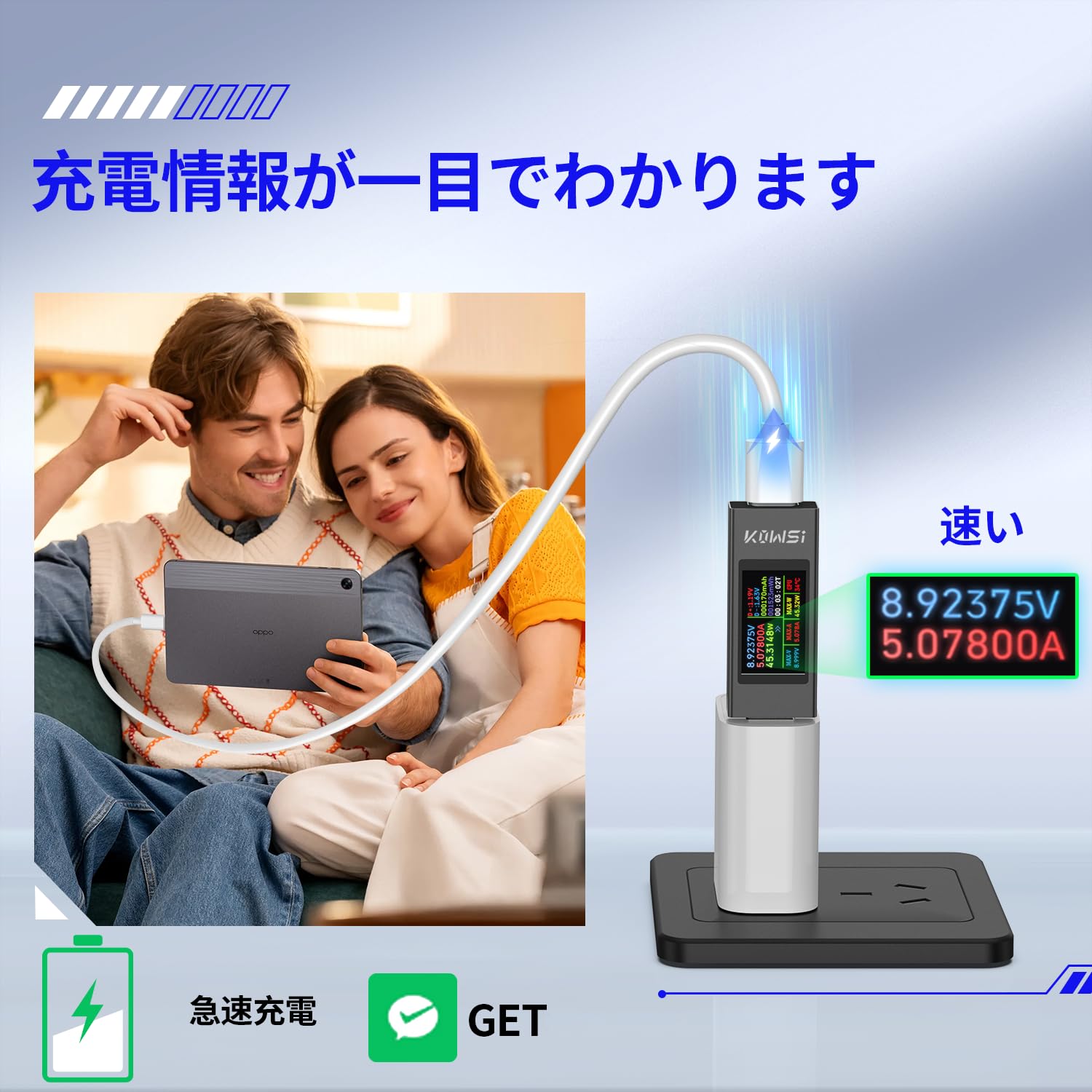
Image: The power meter connected to a charger and a smartphone, showing real-time charging data.
4. Operating Instructions
The power meter features a single button for navigating through display modes and managing data.

Image: The 1.60-inch IPS color display showing detailed charging information and a curve graph.
4.1 Main Interface Operation
- Single Click: Press the button briefly to switch between different display pages. This allows you to view various parameters such as voltage, current, power, capacity, energy, time, and the curve display.
- Double Click: Double-click the button to change the display direction (e.g., rotate the screen 180 degrees).
- Long Press (3 seconds): Press and hold the button for approximately 3 seconds to clear the accumulated memory data (timing and capacity). This is useful for starting new measurement cycles.

Image: Button operation guide for the main interface.
4.2 Fast Charging Protocol Detection
The power meter automatically identifies various fast charging protocols. When a fast charging protocol is detected, the display will indicate the active protocol (e.g., QC2.0, FCP). This feature helps verify if your charger and device are utilizing fast charging capabilities.

Image: The power meter supports various fast charging protocols.
5. Maintenance
- Cleaning: Use a soft, dry cloth to clean the device. Avoid using abrasive cleaners or solvents.
- Storage: Store the power meter in a cool, dry place away from direct sunlight and extreme temperatures.
- Handling: While the device features a durable metal frame, avoid dropping it or subjecting it to strong impacts to prevent damage to internal components or the display.
- Moisture: Keep the device away from water and high humidity.
6. Troubleshooting
- Display Not Lighting Up: Ensure the power meter is correctly connected to a functioning USB power source and that a device is connected to its output. Check if the power source or cable is faulty.
- Inaccurate Readings: Verify that all connections are secure. Test with different cables and devices to rule out external factors. Ensure the device is within its specified operating voltage and current ranges.
- Fast Charging Not Detected: Confirm that both your charger and device support a fast charging protocol. Some cables may not support fast charging, try a different cable.
- Button Unresponsive: Ensure the button is not stuck. If the device is unresponsive, disconnect it from power for a few seconds and reconnect.
7. Specifications

Image: Key specifications displayed on the power meter screen.
| Parameter | Value |
|---|---|
| Brand | YEREADW |
| Model Number | USBA |
| Color | Gray |
| Minimum Operating Voltage | 4 Volts |
| Maximum Operating Voltage | 30 Volts |
| Maximum Current | 12 Amperes |
| Maximum Power | 360 Watts |
| Voltage Resolution | 0.002V |
| Current Resolution | 0.002A |
| Static Capacity Range | 0-999999mWh |
| Load Resistance Range | 1-9999.9Ω |
| Temperature Range | 0-80°C |
| Time Measurement Range | 0-99 hours |
| Test Direction | Bidirectional |
| Supported Protocols | FCP/SCP, DCP/AFC, APPLE/QC (QC2.0/3.0, PE, DASH, VOOC, SuperVOOC) |
| Display Type | 1.60-inch IPS Color Display |
| Standard Compliance | IEC 1010 |
| Included Items | Tester body, Instruction Manual |
| Country of Origin | China |
8. Warranty and Support
The YEREADW USBA 0-12A USB A Power Meter comes with a 1-year warranty from the date of purchase. This warranty covers manufacturing defects and malfunctions under normal use. For technical support, warranty claims, or any inquiries regarding the product, please contact YEREADW customer service through the retailer where the product was purchased.