
FIREBAT MN56
FIREBAT MN56 Mini PC Gaming Computer User Manual
Model: MN56
1. Introduction
Thank you for choosing the FIREBAT MN56 Mini PC Gaming Computer. This compact yet powerful desktop is designed for a wide range of applications, including gaming, business, education, and multimedia. Equipped with an AMD Ryzen 8745HS processor and Radeon 780M graphics, it delivers high performance in a small form factor. This manual provides essential information for setting up, operating, maintaining, and troubleshooting your new Mini PC.
2. Package Contents
Please verify that all items are present in the package:
- 1 x FIREBAT MN56 AMD Ryzen 8745HS Mini PC
- 1 x Vertical Bracket
- 1 x US Power Supply (19V/6.32A 120W DC Adapter)
- 1 x HDMI Cable
- 1 x User Manual (this document)
3. Setup Guide
3.1 Connecting Peripherals
Before powering on your Mini PC, connect all necessary peripherals such as a monitor, keyboard, and mouse.
- Monitor Connection: Use the provided HDMI cable or a DisplayPort (DP) cable to connect your monitor to the corresponding port on the Mini PC. The device supports 4K@120Hz and 8K@60Hz resolutions.
- Keyboard and Mouse: Connect your USB keyboard and mouse to the available USB 2.0 or USB 3.2 Type-A ports. Wireless peripherals can be connected via Bluetooth 5.2 or their respective USB dongles.
- Network Connection: For wired internet access, connect an Ethernet cable to one of the two 2.5Gbps RJ45 ports. For wireless connectivity, the Mini PC supports WiFi 6.
- Audio Devices: Connect headphones or speakers to the 3.5mm audio jack.

Figure 3.1: Overview of the Mini PC's interfaces, including USB-C 4.0, USB 3.2, USB 2.0, DP 1.4, HDMI 2.1, 2.5Gbps LAN, and 3.5mm audio jack.
3.2 Powering On
Connect the US Power Supply to the DC-in port on the Mini PC, then plug the adapter into a power outlet. Press the power button located on the front of the device to turn it on. The RGB lighting will illuminate upon startup.
3.3 Initial Operating System Setup
The Mini PC comes with a default operating system pre-installed. Upon the first boot, you may be guided through an initial setup process, which typically includes language selection, network configuration, and user account creation. Follow the on-screen instructions to complete the setup.
4. Operating Your Mini PC
4.1 General Operation
The FIREBAT MN56 Mini PC is designed for ultra-fast startup, typically booting in less than 14 seconds. Its powerful AMD Ryzen 8745HS processor and Radeon 780M graphics ensure smooth operation for demanding tasks, including gaming, video editing, and multitasking.

Figure 4.1: The Mini PC offers rapid boot times and smooth performance for various applications.
4.2 RGB Lighting Control
The Mini PC features RGB gradient breathing light to enhance its aesthetic. You can cycle through three modes: full-color flashing, monochrome on, or off. Refer to the RGB control button on the front panel to adjust the lighting to your preference.
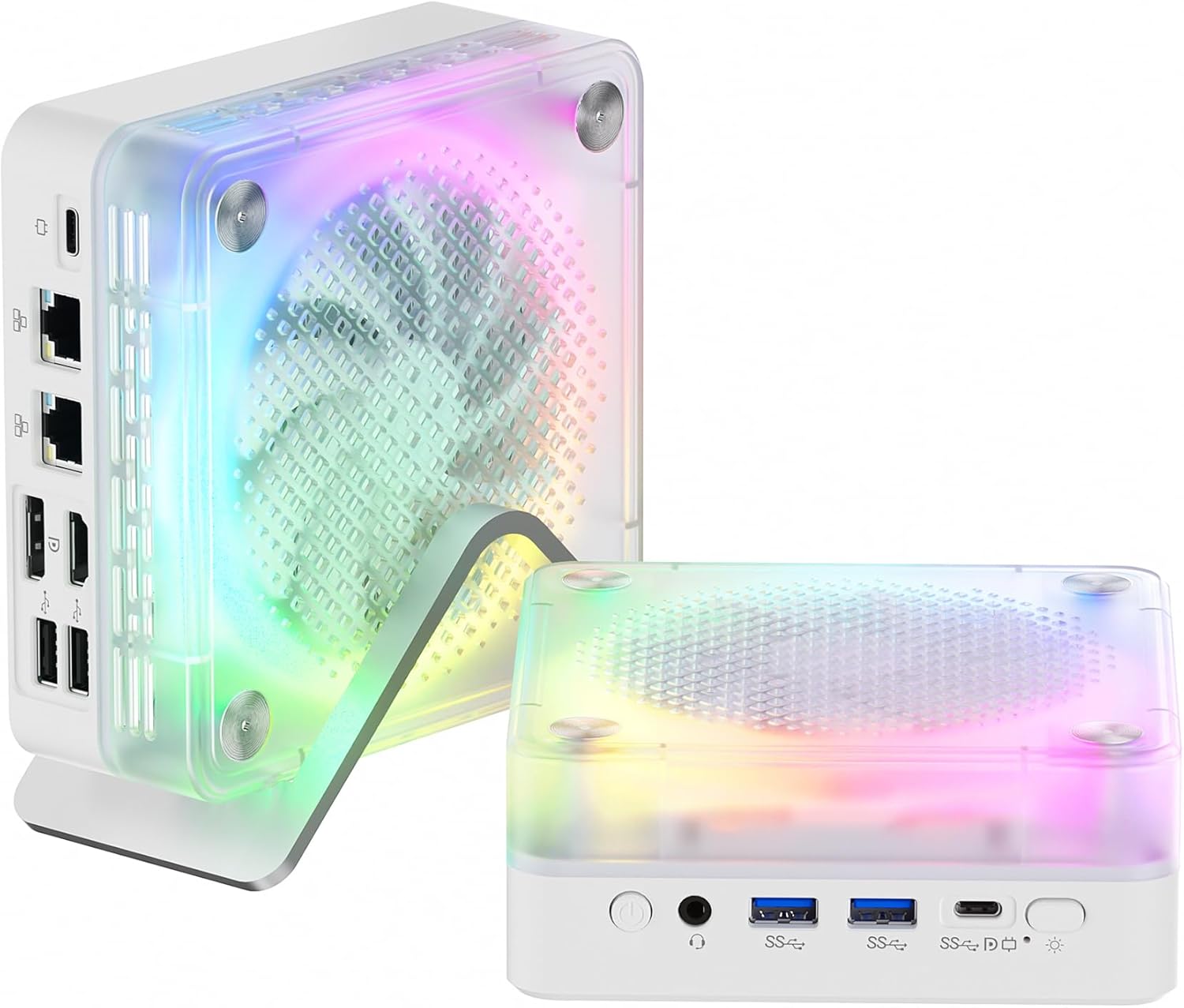
Figure 4.2: The Mini PC features customizable RGB lighting for personalized aesthetics.
5. Maintenance and Upgrades
5.1 Heat Dissipation
The FIREBAT MN56 is equipped with an efficient heat dissipation system, including a system fan for whole machine cooling and a dedicated CPU fan, along with high-efficiency thermal grease. This design ensures the PC remains cool even under high load, preventing performance throttling.

Figure 5.1: The dual-fan cooling system ensures optimal thermal performance.
To maintain optimal cooling, ensure the ventilation openings are not obstructed. Regularly clean dust from the exterior of the device using a soft, dry cloth. Avoid placing the Mini PC in enclosed spaces without adequate airflow.
5.2 RAM and SSD Upgrades
The Mini PC comes with 32GB DDR5 5600MHz RAM (2x16GB) and a 1TB PCIe 4.0 M.2 2280 SSD. The memory can be expanded up to 96GB (2x48GB), offering significant upgrade potential for demanding applications. The M.2 SSD slot also allows for storage expansion or replacement.
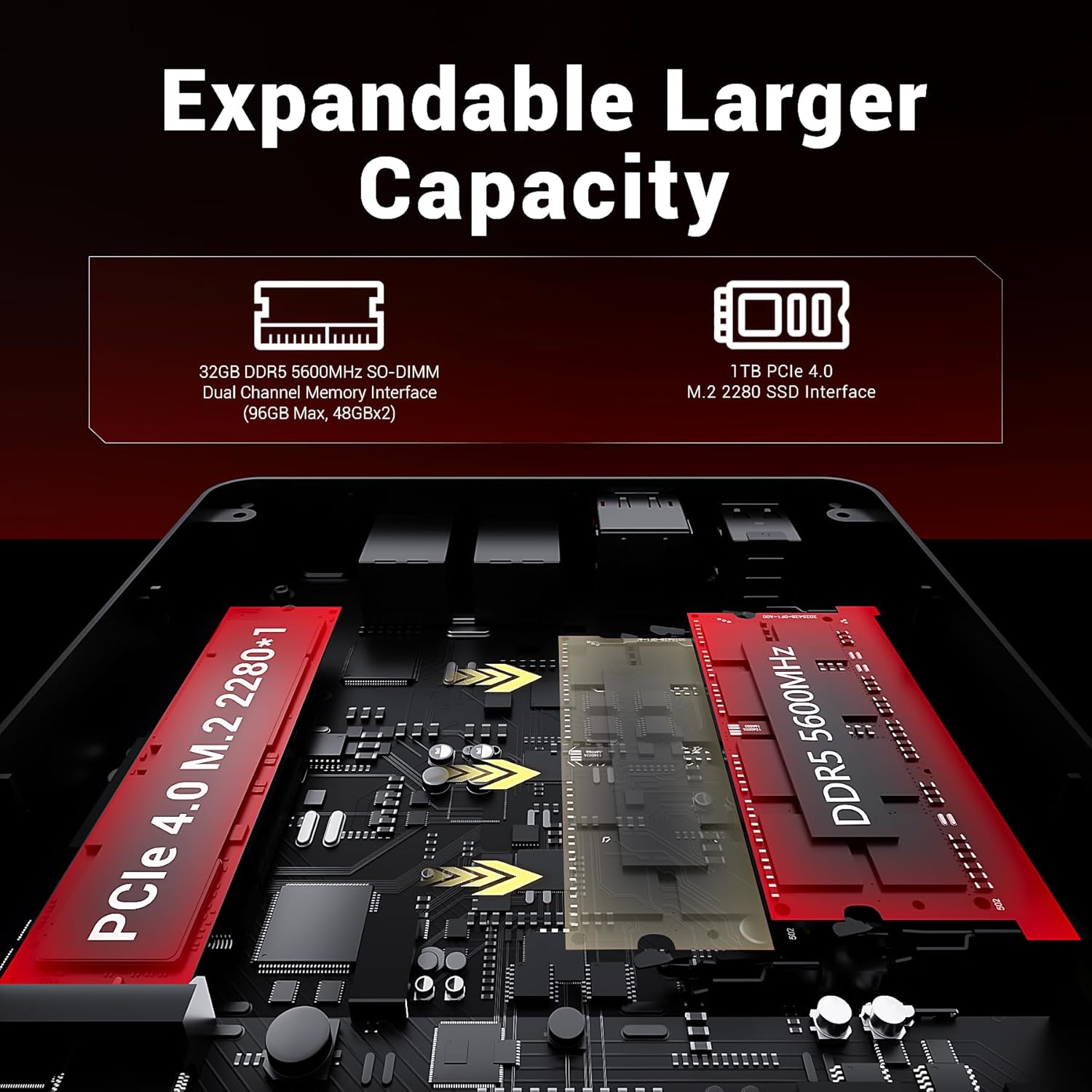
Figure 5.2: Internal layout showing expandable RAM and SSD slots.
For detailed instructions on upgrading components, please refer to the official FIREBAT support website or consult a qualified technician to avoid voiding any warranty.
6. Troubleshooting
This section addresses common issues you might encounter with your Mini PC. If the problem persists, please contact customer support.
| Problem | Possible Cause | Solution |
|---|---|---|
| No power/PC does not turn on | Power adapter not connected properly; Power outlet issue; Faulty power button. | Ensure power adapter is securely connected to both the PC and the wall outlet. Test the outlet with another device. Try a different power adapter if available. |
| No display on monitor | Monitor not connected; Incorrect input source on monitor; Faulty cable. | Check HDMI/DP cable connection. Ensure monitor is set to the correct input source (HDMI/DP). Try a different cable or monitor. |
| Slow performance | Too many applications running; Overheating; Insufficient RAM/SSD space. | Close unnecessary applications. Ensure proper ventilation and clean dust. Consider upgrading RAM or SSD if frequently encountering issues. |
| No internet connection | Ethernet cable disconnected; Wi-Fi disabled; Router issue. | Check Ethernet cable. Ensure Wi-Fi is enabled and connected to the correct network. Restart your router/modem. |
7. Specifications
Detailed technical specifications for the FIREBAT MN56 Mini PC:
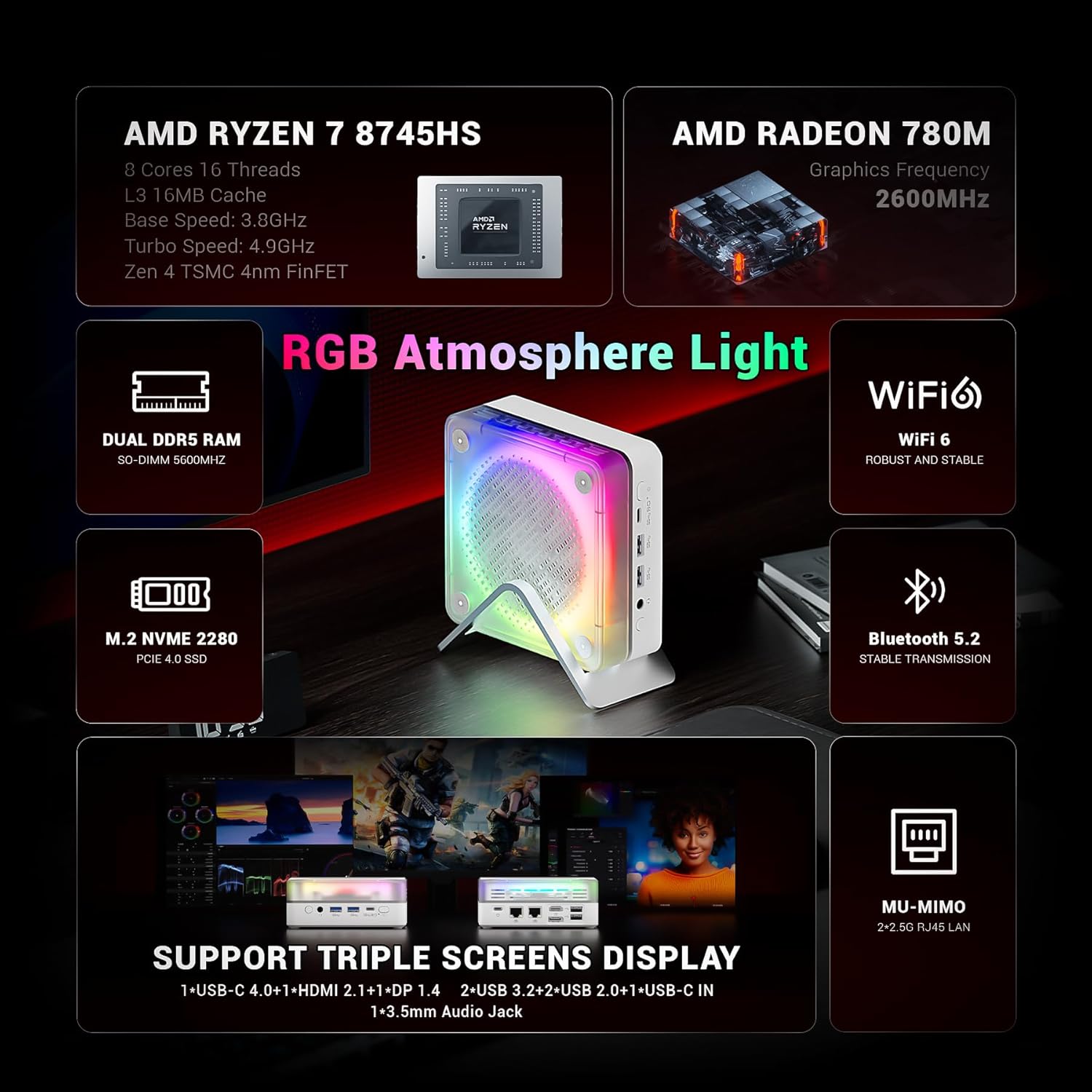
Figure 7.1: Key features and specifications at a glance.
| Component | Specification |
|---|---|
| Processor | AMD Ryzen 7 8745HS (8 Cores/16 Threads, Zen 4 Architecture, 3.8-4.9GHz, 16MB L3 Cache) |
| Graphics | AMD Radeon 780M (Integrated) |
| RAM | 32GB DDR5 5600MHz (2x16GB SO-DIMM, expandable up to 96GB) |
| Storage | 1TB PCIe 4.0 M.2 2280 SSD |
| Operating System | Default (Windows 11 compatible) |
| Wireless Connectivity | WiFi 6, Bluetooth 5.2 |
| Ports (Front) | 1x 3.5mm Audio Jack (HP&MIC), 2x USB 3.2 Type-A, 1x USB-C 4.0 (PD/DP/DATA, Up to 40Gbps), 1x RGB Control Button |
| Ports (Rear) | 2x USB 2.0 Type-A, 1x DP 1.4, 1x HDMI 2.1, 2x 2.5Gbps RJ45 Ethernet, 1x USB-C IN (Power) |
| Video Output | Supports 4K@120Hz, 8K@60Hz (via DP 1.4 and HDMI 2.1) |
| Dimensions (LxWxH) | 5 x 5 x 2 inches (approx. 13 x 13 x 5.4 cm) |
| Weight | 1.2 pounds (approx. 0.53 kg) |
| Power Adapter | 19V/6.32A 120W DC |

Figure 7.2: AMD Ryzen 7 8745HS Processor Details.
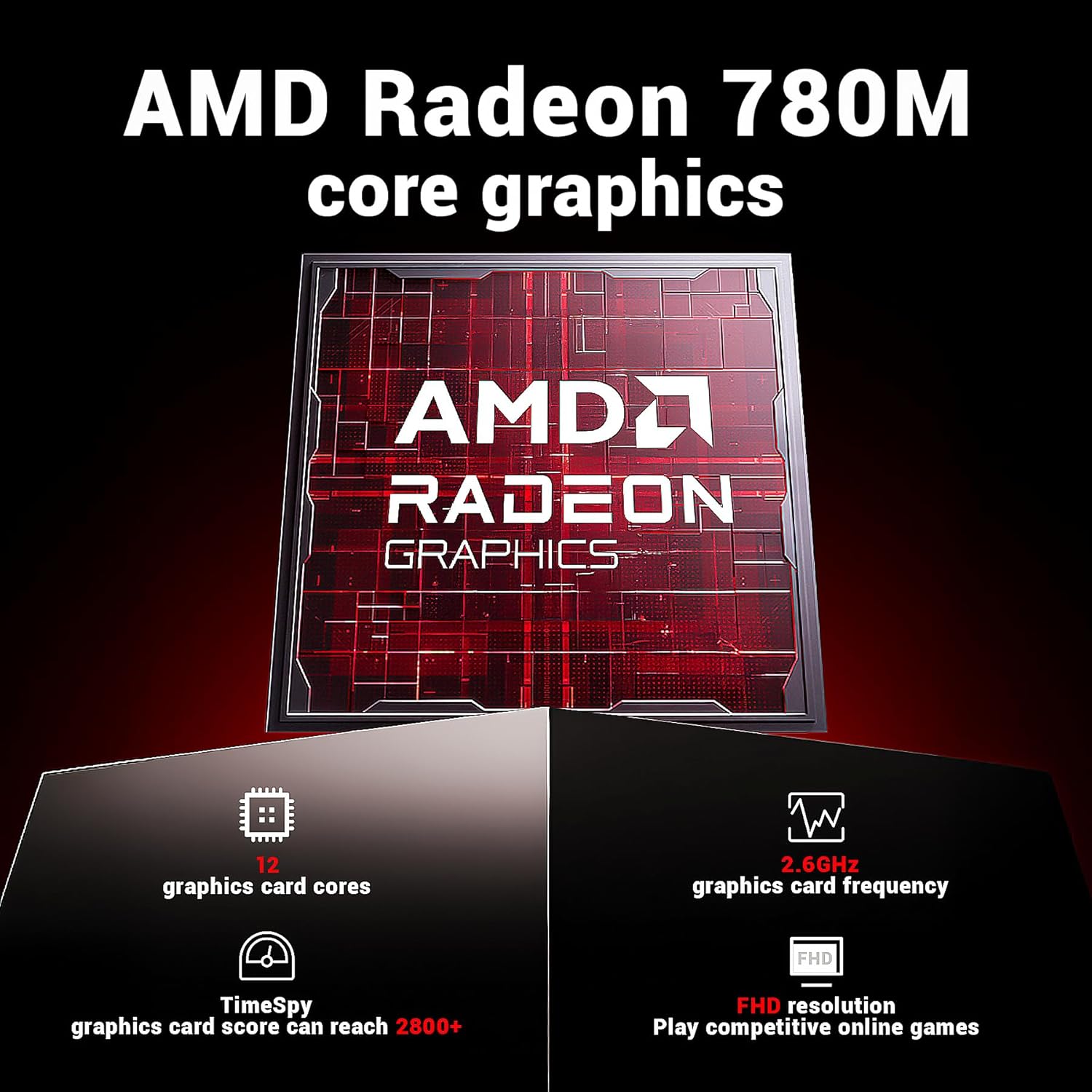
Figure 7.3: AMD Radeon 780M Graphics Details.
8. Warranty and Support
FIREBAT is committed to providing high-quality products and customer satisfaction. For any technical assistance, warranty inquiries, or support needs, please contact us through the following channels:
- Email Support: support@firebatpc.com
- Official Website: www.firebatpc.com
Please have your product model (MN56) and purchase details ready when contacting support to ensure faster service.
Related documentsMN56


Ask a question about this manual
Ask about setup, troubleshooting, compatibility, parts, safety, or missing instructions. Manuals+ will review the question and use this page’s manual context to help answer it.