
Introduction
This manual provides essential information for the safe and efficient use of your Meiqils 2Pack 6 Blades Socket Fan Light. Please read these instructions carefully before installation and operation. Keep this manual for future reference.
Safety Information
- Always turn off the power at the circuit breaker before installing, cleaning, or performing maintenance on the fan light.
- Ensure the light socket is compatible with E26/E27 threaded bases and can support the weight of the fan light.
- Do not insert fingers or any objects into the fan blades while the unit is operating.
- This product is designed for indoor use only.
- Keep the remote control away from water and extreme temperatures.
What's Included
The package contains the following items:
- 2 x Socket Fan Light Units (with 6 blades each)
- 2 x Remote Controls
- 2 x Extenders
Setup and Installation
Follow these steps to install your Meiqils Socket Fan Light:
- Prepare for Installation: Turn off the power to the light fixture at the circuit breaker before beginning.
- Insert Fan Blades: Carefully insert each fan blade into the designated slots on the fan body. Ensure the blade is inserted deeply until it clicks into place. Verify that all 6 blades are securely installed.

Image: Close-up diagram demonstrating how to correctly insert the fan blades into the main body until they click into place.
Video: This video demonstrates the correct method for installing the 6 blades onto the socket fan light unit.
Video: This detailed video guide shows how to install the Meiqils 6-blade socket ceiling fan light, including blade attachment and screwing into the light socket.
- Screw into Socket: Screw the fan light unit into a standard E26/E27 light socket. Ensure it is tightened securely. If needed, use the provided extender for proper clearance.
- Restore Power: Once installed, turn the power back on at the circuit breaker.

Image: Step-by-step visual guide for easy installation: closing the circuit switch, inserting fan blades, screwing the unit into an E26/E27 socket, and turning on the circuit switch.

Image: Diagram showing the steps for easy installation of the socket fan light, including inserting blades and screwing into an E26/E27 socket.

Image: The socket fan light with its E26/E27 base, highlighting features such as ultra-quiet operation, 3000 lumen brightness, dimmable light, energy saving, 4 speeds, and 6 blades.
Operating Instructions
Your Meiqils Socket Fan Light is controlled by the included remote. The fan and light functions can be operated independently or simultaneously.
Remote Control Functions

Image: Detailed image of the remote control, highlighting buttons for light on/off, brightness adjustment, color temperature adjustment, fan on/off, and wind speed selection.
- Power On/Off: Press the power button to turn the unit on or off.
- Light On/Off: Press the light bulb icon button to toggle the light on or off.
- Brightness Adjustment: Use the '+' and '-' buttons to increase or decrease the light brightness (10%-100%).
- Color Temperature Adjustment: Use the 'SEG' button to cycle through 3 color temperatures: 3000K (Warm Light), 4500K (Natural Light), and 6500K (Cool Light).
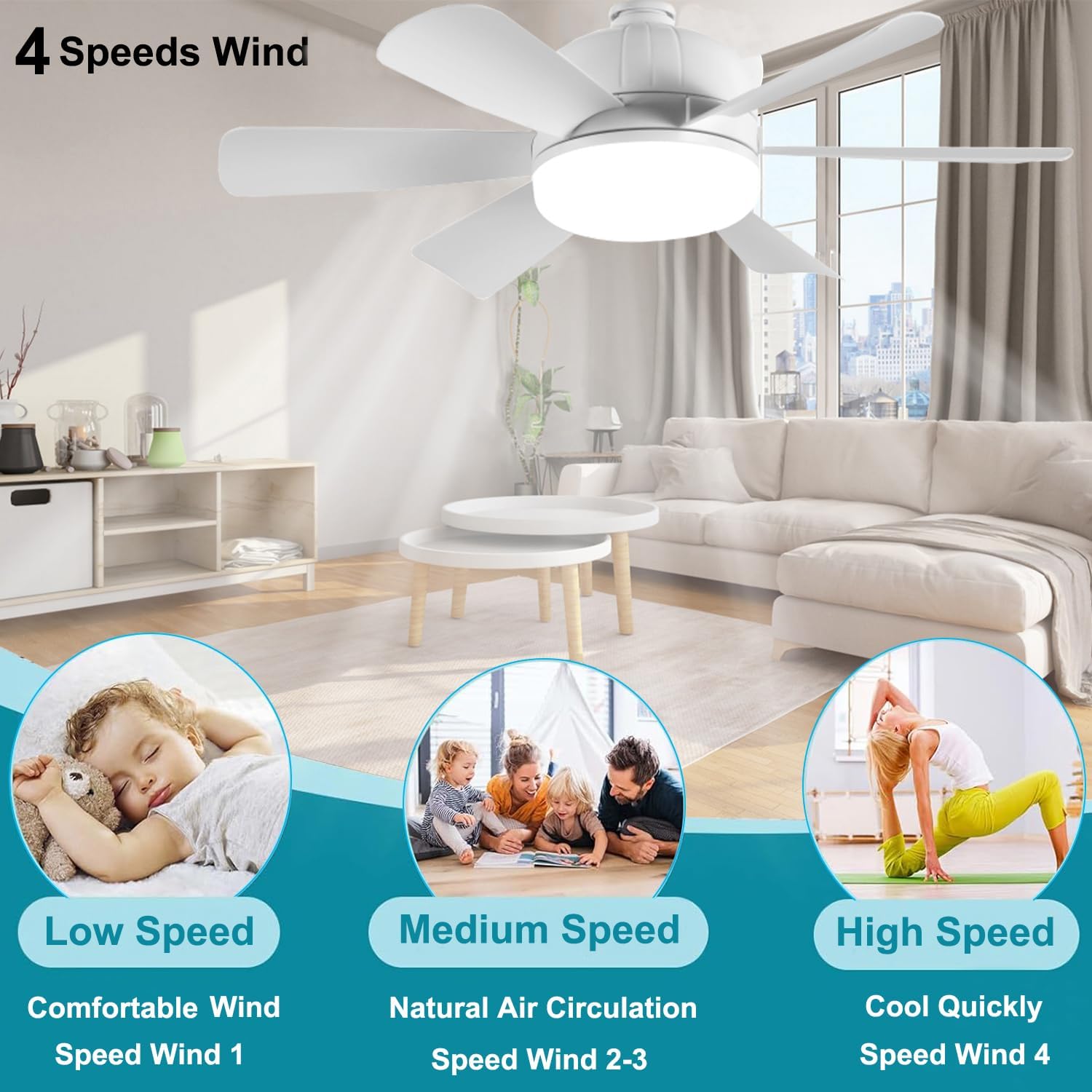
Image: This image illustrates the adjustable color temperature settings (3000K, 4500K, 6500K) and brightness levels (10%-100%) of the LED light.
Video: This video showcases the dimmable light features and overall functionality of the 2-pack screw-in ceiling fan light.
- Fan Speed Control: Use buttons '1', '2', '3', '4' to select desired fan speed. There are 4 adjustable speeds.
- Fan Off: Press the 'FAN OFF' button to turn off the fan.
- All Off: Press the 'ALL OFF' button to turn off both the light and the fan.

Image: Visual representation of the four fan speed settings (Low, Medium, High) and their corresponding wind effects.
Video: This demonstration video highlights the 4-speed wind settings of the 6-blade screw-in socket ceiling fan light.
Memory Function
The fan light features a memory function that retains the last used light brightness and color temperature settings when turned off and on again.
Independent Control
The fan and light can be controlled independently. You can have the fan running without the light, the light on without the fan, or both operating simultaneously.
Video: This overview video of the socket fan light demonstrates its features, including lights and remote control.
Maintenance
- Cleaning: Ensure the power is off before cleaning. Use a soft, dry cloth to wipe the fan light. Do not use abrasive cleaners or solvents.
- Blade Inspection: Periodically check that the fan blades are securely attached.
Troubleshooting
| Problem | Possible Cause | Solution |
|---|---|---|
| Fan or Light does not turn on. | No power to the socket, loose connection, remote battery depleted. | Check circuit breaker. Ensure the fan light is screwed in tightly. Replace remote control batteries. |
| Fan is not working, but light is on. | Fan function is off, or an internal component issue. | Ensure the fan is turned on using the remote control. If the issue persists, contact customer support. |
| Fan wobbles or makes excessive noise. | Blades not installed correctly, loose unit in socket. | Ensure all blades are securely clicked into place. Tighten the fan light unit in the socket. |
| Remote control interference with other devices. | Frequency overlap with nearby electronics. | This is a known characteristic of some remote controls. Try to minimize use near sensitive devices or adjust their placement. |
Product Specifications
- Brand: Meiqils
- Model Name: Light Socket Ceiling Fan
- Model Number: Socket Fan Light with 6 Blades
- Electric Fan Design: Ceiling Fan
- Color: White
- Power Source: AC
- Product Dimensions: 11.4"D x 5.9"W x 6.3"H
- Mounting Type: Ceiling Mount (Screw-in E26/E27)
- Special Features: Remote Controlled, Memory Function, Energy Efficient, Adjustable Color Temperature (3000K-6500K), Dimmable, 4 Fan Speeds
- Controller Type: Remote Control
- Number of Speeds: 4
- Wattage: 30 watts
- Voltage: 110 Volts
- Indoor Outdoor Usage: Indoor
- Light Type: Dimmable LED Light 3000K-6500K
- Material: Acrylonitrile Butadiene Styrene
- Certifications: CE, FCC, RoHS
Warranty Information
The Meiqils 2Pack 6 Blades Socket Fan Light comes with a 1-year warranty from the date of purchase. This warranty covers manufacturing defects under normal use. Please retain your proof of purchase for warranty claims. For any issues, refer to the customer support section.
Customer Support
If you encounter any problems or have questions regarding your Meiqils Socket Fan Light, please contact our customer support team. We aim to respond within 24 hours.
- Email: [Insert Customer Support Email Here]
- Phone: [Insert Customer Support Phone Number Here]
- Website: Meiqils Official Store on Amazon