Introduction
This manual provides detailed instructions for the operation, maintenance, and troubleshooting of your SOBAST AI Wireless Headset, Model S-G2pro. Please read this manual thoroughly before using the device to ensure proper function and longevity.
The SOBAST AI Wireless Headset is designed to offer a comprehensive audio and communication experience, integrating real-time translation, high-resolution sound, and AI assistant capabilities. Its open-ear design provides comfort for extended wear, making it suitable for various activities including business, travel, learning, and gaming.
Package Contents
- SOBAST AI Wireless Headset (S-G2pro)
- Wireless Charging Case
- User Manual (this document)
- Charging Cable (not explicitly mentioned but implied for charging case)
Ensure all components are present and in good condition upon unboxing.
Product Overview
The SOBAST S-G2pro features an innovative design that combines audio functionality with smart features, all within a comfortable, open-ear form factor. Key components include:
- Lenses: Provide vision protection with advanced polarized and anti-blue light technology.
- Temples (Arms): House the electronic components, speakers, and magnetic charging ports.
- Control Area: Touch-sensitive area for managing functions.
- Microphone: For voice input and communication.

Figure 1: Front view of the SOBAST AI Wireless Headset, showing the clear lenses and white temples.
Setup
1. Charging the Device
Before first use, fully charge your SOBAST AI Wireless Headset. The device features dual magnetic temple charging for convenience.
- Connect the charging cable to the wireless charging case.
- Place the headset into the charging case, ensuring the magnetic contacts on the temples align with the charging pins.
- The charging indicator light will illuminate. A full charge takes approximately 1.5 hours.
- Once fully charged, the headset provides up to 9 hours of battery life.

Figure 2: The headset being charged via its magnetic charging temples.
2. Initial Pairing (Bluetooth)
The headset uses Bluetooth 5.0 for wireless connectivity.
- Ensure the headset is charged.
- Open the lens legs of the headset. This action automatically powers on the device and puts it into pairing mode.
- On your smartphone or other Bluetooth-enabled device, navigate to the Bluetooth settings.
- Search for available devices and select "SOBAST S-G2pro" from the list.
- Once connected, a voice prompt will confirm successful pairing.
For subsequent uses, simply opening the lens legs will automatically connect the headset to the last paired device, provided Bluetooth is enabled on that device.

Figure 3: The headset automatically connecting to a smartphone upon opening the lens legs.
Operating Instructions
Basic Controls (Touch Control)
The SOBAST S-G2pro features intuitive touch controls located on the temples.
| Action | Function |
|---|---|
| Single Tap (Left/Right Temple) | Play/Pause Music, Answer/End Call |
| Double Tap (Left Temple) | Previous Track |
| Double Tap (Right Temple) | Next Track |
| Long Press (Left/Right Temple) | Activate AI Assistant / Voice Assistant |
| Open Lens Legs | Power On / Automatic Reconnection |
| Fold Lens Legs | Power Off |
Real-time Translation
The headset integrates a powerful translation system supporting over 110 languages. This feature requires connection to a compatible application on your smartphone.
- On-site Recording: Record conversations in real-time with transcription and speaker distinction. Transcription accuracy up to 98%.
- Simultaneous Interpretation: Translate spoken language into your set language quickly and accurately.
- Face-to-Face Translation: Facilitates two-way communication by translating both parties' languages.
Refer to the companion app's instructions for detailed setup and usage of translation features.
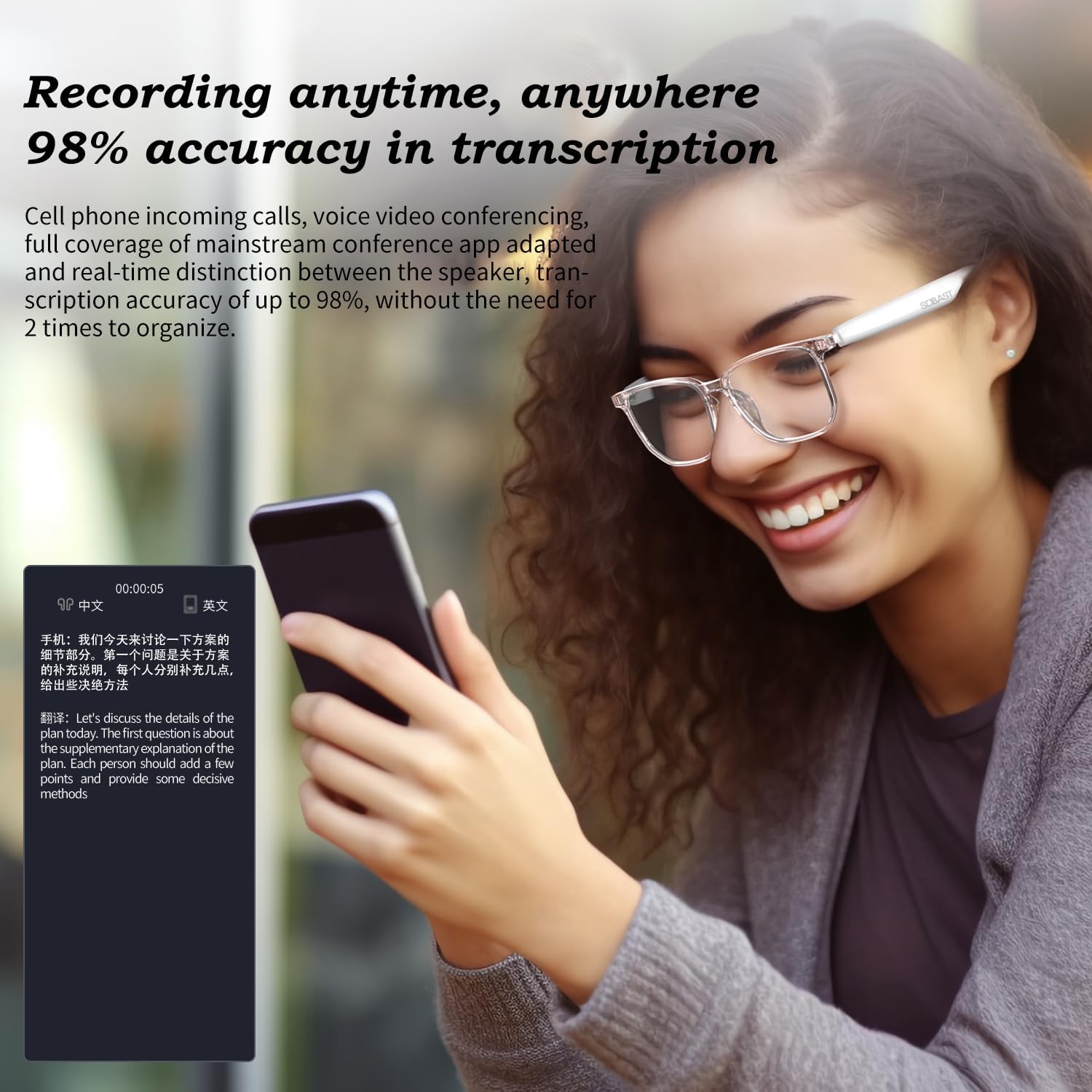
Figure 4: Demonstrating the real-time recording and transcription feature of the headset.
Audio Playback
The headset provides high-resolution sound quality with an open-ear design, reducing ear burden while offering an immersive audio experience.
- Ensure the headset is paired with your audio source.
- Control playback (play, pause, skip tracks) using the touch controls as described above.

Figure 5: A user experiencing immersive stereo sound from the open-ear headset.
AI Assistant & Smart Photography
Access your AI assistant by long-pressing the temple. This allows for voice commands, answering questions, and solving problems. The headset also integrates smart photography capabilities, allowing you to capture moments.
Specific commands and functions for the AI assistant and smart photography will depend on the connected smartphone's operating system and compatible applications.

Figure 6: A user engaging in a silent communication with the AI assistant via the headset.
Maintenance
Cleaning
- Wipe the lenses and temples with a soft, clean, lint-free cloth.
- For stubborn smudges, use a lens cleaning solution specifically designed for eyewear.
- Do not use abrasive cleaners, alcohol, or solvents, as these can damage the coatings and materials.
Storage
- When not in use, store the headset in its wireless charging case to protect it from dust and scratches.
- Store in a cool, dry place away from direct sunlight and extreme temperatures.
Battery Care
- Avoid fully discharging the battery frequently.
- If storing for an extended period, charge the battery to approximately 50% before storage.
- Recharge the battery every few months if not in regular use to prevent deep discharge.
Troubleshooting
| Problem | Possible Cause | Solution |
|---|---|---|
| Headset does not power on. | Low battery; Lens legs not fully opened. | Charge the headset; Ensure lens legs are fully extended. |
| Cannot pair with device. | Headset not in pairing mode; Bluetooth off on device; Device too far. | Ensure headset is powered on and in pairing mode (open legs); Enable Bluetooth on your device; Move device closer to headset (within 10 meters). |
| No sound or low volume. | Volume too low on headset or device; Not properly connected. | Adjust volume on both headset and connected device; Re-pair the headset. |
| Translation not working. | App not running; Internet connection issues; Incorrect language settings. | Ensure the companion app is open and configured correctly; Check internet connection; Verify language settings in the app. |
| Intermittent connection/lag. | Interference; Device too far; Outdated firmware. | Move away from sources of interference; Keep device closer; Check for firmware updates via the companion app. |
Specifications
| Feature | Detail |
|---|---|
| Model Name | SOBAST S-G2pro |
| Connectivity Technology | Wireless (Bluetooth 5.0, Wi-Fi for translation features) |
| Battery Life | Up to 9 Hours |
| Charging Time | Approx. 1.5 Hours |
| Charging Method | Dual Magnetic Temple Charging |
| Noise Control | Hybrid Noise Cancellation |
| Frequency Response | 20 Hz - 20,000 Hz |
| Water Resistance Level | Waterproof |
| Control Type | Touch Control |
| Dimensions | 5.58 x 2.35 x 1.97 inches |
| Item Weight | 4.8 ounces |
| Material | Plastic |
| Included Components | Wireless Charging Case |

Figure 7: Illustration of the upgraded wireless 5.4 chip, indicating enhanced transmission speed and distance.
Safety Information
- Do not expose the device to extreme temperatures or humidity.
- Avoid dropping or subjecting the device to strong impacts.
- Do not attempt to disassemble or repair the device yourself. Refer to qualified service personnel.
- Keep out of reach of children.
- Dispose of the device and its components responsibly according to local regulations.
Warranty and Support
For warranty information and technical support, please refer to the official SOBAST website or contact their customer service directly. Details are typically provided on the product packaging or a separate warranty card.
Manufacturer: SOBAST S-G2pro
Date First Available: January 15, 2025
For further assistance, please visit the product page on Amazon or contact SOBAST customer support.


