
Nulaxy NX09
Nulaxy Bluetooth FM Transmitter User Manual
Model: NX09
Product Overview
The Nulaxy Bluetooth FM Transmitter NX09 is a versatile car adapter designed to enhance your in-car audio experience. It allows you to stream music wirelessly from your Bluetooth-enabled devices, make hands-free calls, and charge your mobile devices quickly. This device integrates seamlessly into your vehicle's cigarette lighter socket, providing multiple functionalities through your car's FM radio system.

Image: The Nulaxy Bluetooth FM Transmitter NX09, showing its compact design and LED display.
Key Features
- Smart QC3.0 Charging: Equipped with a QC3.0 port for up to 4X faster charging, capable of charging compatible devices to 80% in approximately 35 minutes. Supports simultaneous charging of two devices.
- Bluetooth V5.0 Connectivity: Ensures faster connection and stable data transmission for crystal clear music streaming and calls, thanks to advanced cancellation technology that reduces external noise.
- Hands-free Calls: Supports voice assistant for guidance and hands-free communication. Nulaxy noise-cancellation technology provides clear sound for calls.
- 7-Color LED Backlight: Features customizable LED backlighting (Red, Green, Blue, Yellowish Green, Purple, Cyan, Silver White) to create a personalized car environment.
- Multiple Music Import Modes: Enjoy music via Bluetooth, USB Flash Drive (up to 32GB), or MicroSD Card (up to 32GB). Supports WMA, MP3, WAV, APE, FLAC audio formats.
- Wide Compatibility: Compatible with 12V-24V cars and trucks, and various Bluetooth devices including iPhones, iPods, HTC, Galaxy, tablets, and Android Smartphones.
- Real-time Car Voltage Monitor: Displays the car battery voltage, helping you monitor the health of your vehicle's electrical system.

Image: The Nulaxy FM Transmitter charging a smartphone via its QC3.0 port, highlighting fast charging capability.
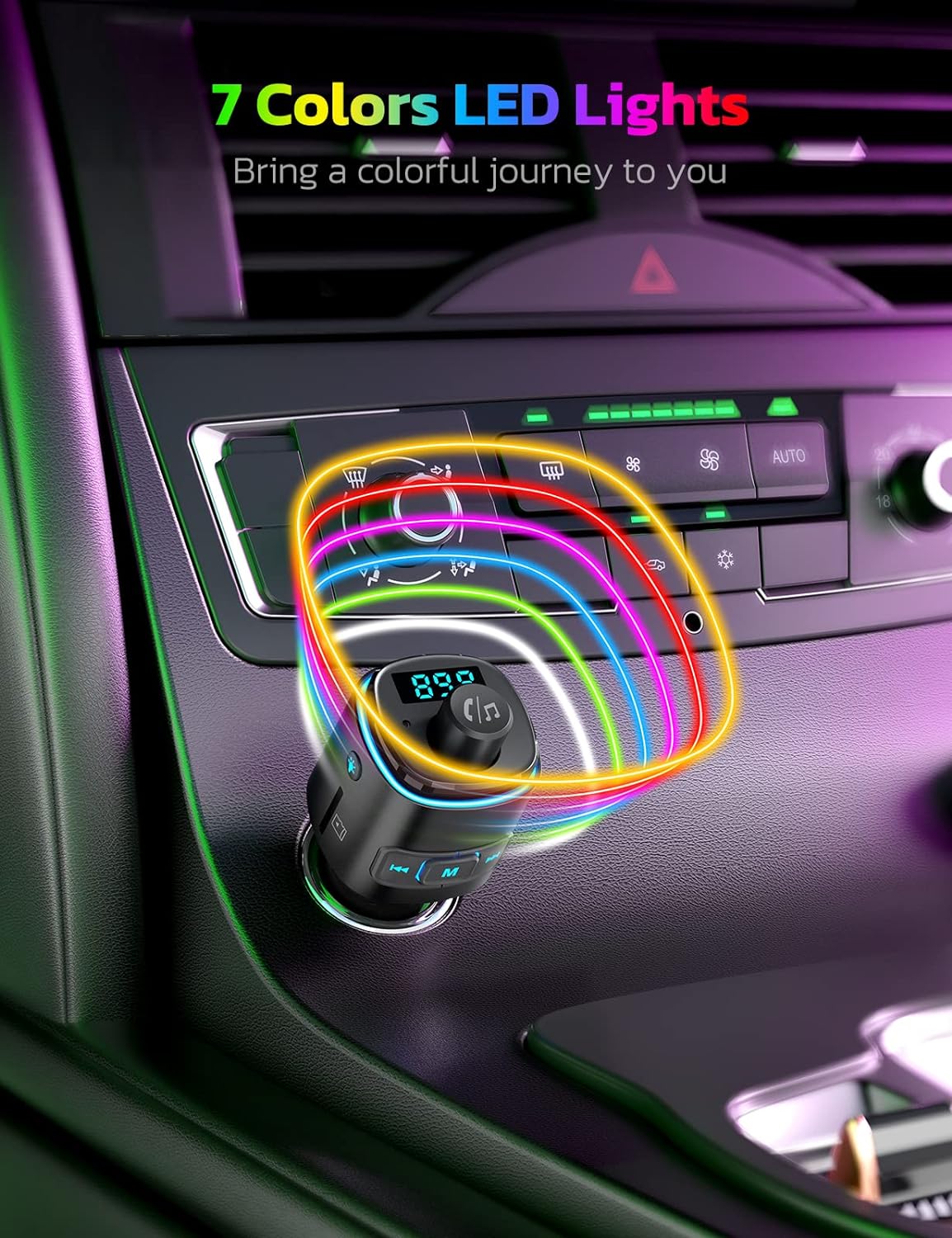
Image: The Nulaxy FM Transmitter illuminated with its 7-color LED backlight, demonstrating the ambient lighting feature.
Package Contents
Upon opening the package, you should find the following items:
- 1 x Nulaxy Bluetooth FM Transmitter NX09 Unit
- 1 x User Manual (this document)

Image: The Nulaxy NX09 product packaging, showing the box and the device inside.
Setup Guide
- Insert the Transmitter: Plug the Nulaxy NX09 into your vehicle's 12V/24V cigarette lighter socket. The device will power on automatically and display the current car battery voltage for a few seconds before showing the FM frequency.
- Find an Empty FM Frequency: Tune your car's FM radio to an empty frequency, one that has no static or interference. This will be the frequency you use to connect your device. Frequencies between 88.1 MHz and 107.9 MHz are available.
- Set Transmitter Frequency:
- Press the 'M' button on the transmitter to enter FM tuning mode. The frequency display will flash.
- Rotate the multi-function knob (usually the large central knob) clockwise to increase the frequency or counter-clockwise to decrease it, matching it to the empty frequency you found on your car radio.
- Press the 'M' button again or wait a few seconds for the frequency to set.
- Pair with Bluetooth:
- On your smartphone or Bluetooth-enabled device, enable Bluetooth.
- Search for available devices and select "NX09" from the list.
- Once paired, the device will confirm the connection, and you can now stream audio through your car's speakers.

Image: The Nulaxy FM Transmitter displaying an FM frequency, indicating it's ready for tuning.
Operating Instructions
Music Playback
- Bluetooth Streaming: After successful Bluetooth pairing, open your music app on your device and start playing. Audio will be transmitted to your car's speakers via the set FM frequency.
- USB Flash Drive Playback: Insert a USB flash drive (up to 32GB, formatted FAT32) containing WMA, MP3, WAV, APE, or FLAC audio files into the USB port labeled with a music icon. The device will automatically detect and play music from the drive.
- MicroSD Card Playback: Insert a MicroSD card (up to 32GB, formatted FAT32) with supported audio files into the MicroSD card slot. The device will automatically switch to MicroSD card mode and begin playback.
- Controls:
- Play/Pause: Press the multi-function knob.
- Next Track: Press the "Next" button (usually a right arrow or skip icon).
- Previous Track: Press the "Previous" button (usually a left arrow or skip icon).
- Volume Adjustment: Rotate the multi-function knob clockwise to increase volume, counter-clockwise to decrease. Adjust your car's radio volume as well for optimal sound.

Image: The Nulaxy FM Transmitter highlighting its USB flash drive and MicroSD card slots for various music input modes.
Hands-free Calling
- Answer Call: Press the multi-function knob once when an incoming call rings.
- End Call: Press the multi-function knob once during a call to hang up.
- Reject Call: Press and hold the multi-function knob for 2 seconds when an incoming call rings.
- Redial Last Number: Double-press the multi-function knob.
- Activate Voice Assistant: Press and hold the multi-function knob for 2 seconds when not on a call to activate your phone's voice assistant (e.g., Siri, Google Assistant).

Image: The Nulaxy FM Transmitter connected to a smartphone displaying navigation, illustrating its support for voice navigation.
Charging Devices
- The NX09 features a QC3.0 USB port for fast charging compatible devices and an additional USB port for standard charging. Simply connect your device's charging cable to the appropriate port.
LED Backlight Control
- Press the light bulb icon button on the side of the transmitter to cycle through the 7 available LED backlight colors (Red, Green, Blue, Yellowish Green, Purple, Cyan, Silver White) or to turn the lights off.
Maintenance
To ensure the longevity and optimal performance of your Nulaxy Bluetooth FM Transmitter NX09, follow these maintenance guidelines:
- Cleaning: Use a soft, dry cloth to wipe the exterior of the device. Do not use liquid cleaners, aerosols, or solvents, as they may damage the device.
- Storage: When not in use for extended periods, store the device in a cool, dry place away from direct sunlight and extreme temperatures.
- Handling: Avoid dropping the device or subjecting it to strong impacts, which can damage internal components.
Troubleshooting
If you encounter issues with your Nulaxy Bluetooth FM Transmitter NX09, please refer to the following common problems and their solutions:
| Problem | Possible Cause / Solution |
|---|---|
| Static or Hissing Noise |
|
| Cannot Pair via Bluetooth |
|
| No Audio Output |
|
| Charging Not Working |
|
Specifications
| Feature | Detail |
|---|---|
| Model Number | NX09 |
| Connectivity Technology | Bluetooth V5.0 |
| Power Source | 12V-24V Car Cigarette Lighter Socket |
| Charging Ports | QC3.0 USB, Standard USB |
| Music Formats Supported | WMA, MP3, WAV, APE, FLAC |
| USB Flash Drive / MicroSD Card Capacity | Up to 32GB |
| Item Weight | 2.39 ounces (approx. 67.7 grams) |
| Package Dimensions | 4.41 x 1.97 x 1.73 inches |
| Color | Glossy Black |

Image: The underside of the Nulaxy NX09, showing model number, input voltage, and certification marks.
Warranty and Support
Nulaxy products are designed for reliability and performance. For any questions, technical support, or warranty inquiries, please contact Nulaxy customer service.
- Email Support: support@nulaxy.com
- Online Support: Visit the official Nulaxy website for FAQs, troubleshooting guides, and live chat options.
Please retain your proof of purchase for warranty claims.
Related documentsNX09

Ask a question about this manual
Ask about setup, troubleshooting, compatibility, parts, safety, or missing instructions. Manuals+ will review the question and use this page’s manual context to help answer it.