Introduction
The ATOTOZONE CB6 CarPlay AI Box and Android AI Box is designed to enhance your in-car entertainment and connectivity experience. It converts your vehicle's wired CarPlay or Android Auto system into a wireless one, and integrates a full Android 13 operating system directly onto your car's display. This manual provides detailed instructions for setup, operation, and maintenance of your CB6 device.
What's in the Box
- CB6 Body
- USB C-to-C Cable
- USB A-to-C Cable
- Y-shaped Cable

Image: The CB6 device, USB-C to USB-C cable, USB-A to USB-C cable, and a Y-shaped USB-A cable.
Setup Instructions
- Connect the CB6 to your vehicle's USB port: Use the provided USB A-to-C Cable or USB C-to-C Cable to connect the CB6 device to your car's USB port. For certain car models (e.g., Nissan 2016-2020, Isuzu, Camry, 2023 Toyota Crown, 2023 Lexus NX, Volkswagen Desay SV), a Y-shaped cable may be required to ensure stable power supply.

Image: Step-by-step connection guide for the CB6 device using USB-A to C, USB-C to C, and Y-shaped cables.
- Insert Micro SIM Card (Optional): If you plan to use 4G LTE connectivity, carefully insert a Micro SIM card into the designated slot on the CB6 device. Ensure it is inserted in the correct direction to avoid damage.

Image: Proper insertion of a Micro SIM card into the CB6 device for 4G LTE functionality.
- Launch Wireless CarPlay or Android Auto: Once connected, the CB6 device will boot up. Follow the on-screen prompts to connect your smartphone via Bluetooth for wireless CarPlay or Android Auto.
Operating Instructions
Wireless CarPlay & Android Auto
The CB6 converts your car's wired CarPlay or Android Auto into a wireless connection. Simply connect your phone via Bluetooth to the CB6 device, and the wireless projection will begin. If your stereo supports both wired CarPlay and wired Android Auto, you may need to press and hold the 'Reset' button on the CB6 to switch between modes.
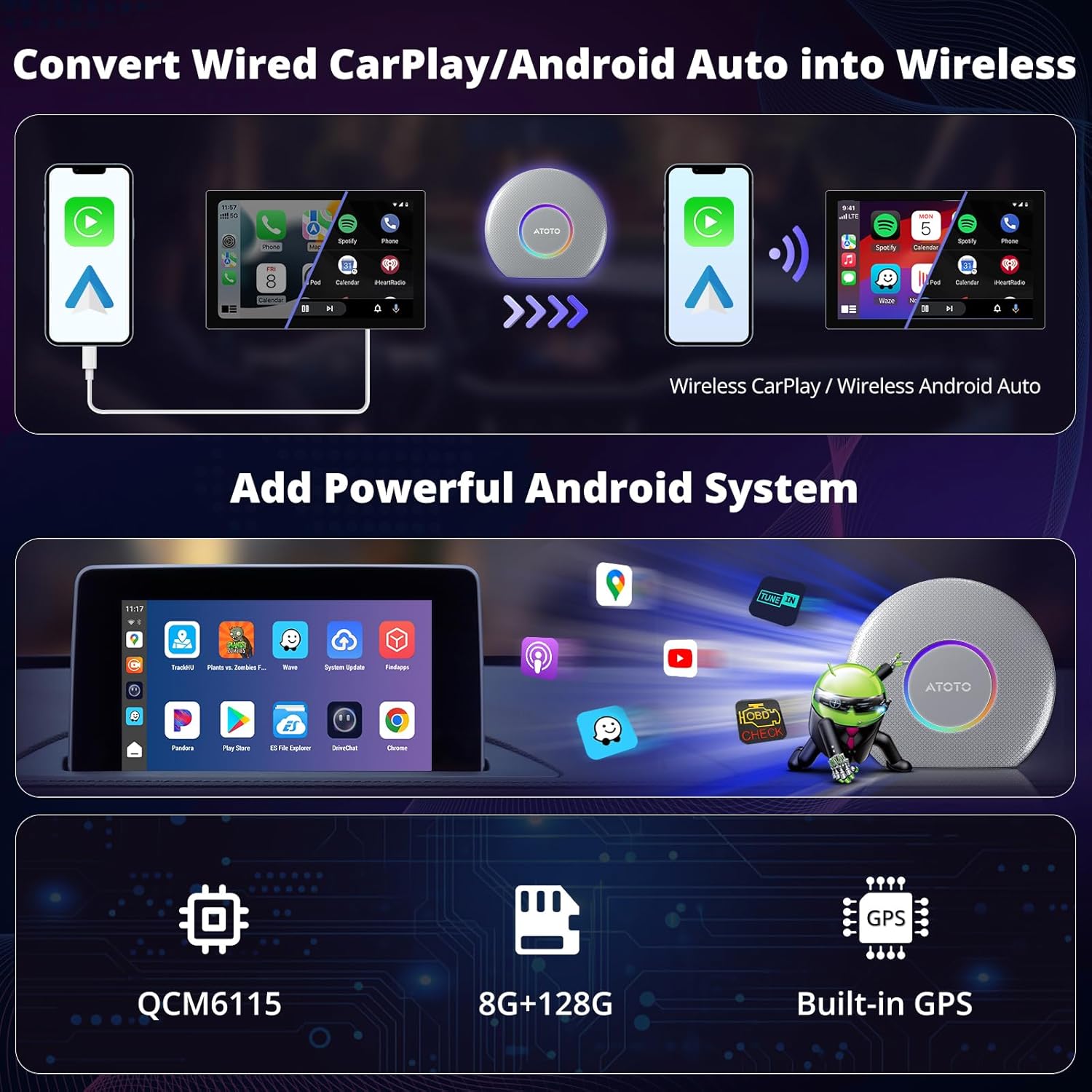
Image: Visual representation of wired to wireless conversion for CarPlay and Android Auto with the CB6.
Enhanced Android System
The CB6 integrates an external Android 13 OS onto your car stereo. This system supports internet access via Wi-Fi, Bluetooth tethering, and a built-in 4G LTE module (requires an IoT SIM). With 8GB RAM and 128GB ROM, it provides ample performance and storage for applications.

Image: The Android system interface displayed on a car's head unit, highlighting app access and system specifications.
Internet Connectivity
The CB6 offers multiple ways to connect to the internet:
- 4G LTE: Insert a Micro SIM card for direct internet access.
- Bluetooth Tethering: Share your phone's internet connection via Bluetooth.
- Wi-Fi: Connect to available 2.4GHz or 5.0GHz Wi-Fi networks.
Note: When using wireless CarPlay or wireless Android Auto, Wi-Fi is not supported for internet access. Please use the built-in 4G LTE or Bluetooth tethering for internet connectivity during these modes.
Image: Overview of internet connection methods: 4G LTE, Bluetooth Tethering, and Wi-Fi.
Dual Bluetooth Functionality
The CB6 features two Bluetooth modules:
- Bluetooth 1: Primarily for phone connection, enabling calls and audio streaming.
- Bluetooth 2: Used for internet access (tethering) and connecting to external devices like OBD diagnostic tools or ambient light systems.

Image: Explanation of Bluetooth 1 for phone and Bluetooth 2 for internet/device connections.
App Access and Split Screen
Access a wide range of applications from Google Play Store or the pre-installed FindApps store. The system supports split-screen functionality, allowing you to use two applications simultaneously, such as navigation and media playback.

Image: Car display demonstrating various apps and the split-screen feature.
DriveChat AI Assistant
The CB6 includes DriveChat, a ChatGPT-powered voice assistant. This feature allows for interactive conversations and can assist with various tasks through voice commands.

Image: DriveChat AI assistant interface with example interactions.
TrackHU GPS Tracker
Utilize the built-in TrackHU GPS tracker for geofencing, real-time tracking, instant alerts, and route playback without needing an external GPS device.

Image: TrackHU GPS tracking application interface.
Personalize LED Light Colors
The CB6 device features customizable LED light colors. You can select between Daytime mode, Night mode, or Auto mode to match your preference or vehicle's interior lighting.

Image: CB6 device with its customizable LED light ring.
OTA Updates
The CB6 supports Over-The-Air (OTA) updates to ensure your device remains up-to-date with the latest features and system improvements. Regularly check for updates through the system settings or the FindApps application.

Image: System Update screen for OTA updates.
Official Product Video: CB6 Car Video Box Wireless CarPlay/Android Auto Adapter
Video: An overview of the CB6 Car Video Box, demonstrating its features and functionality within a car's infotainment system. This video highlights the wireless CarPlay/Android Auto conversion, app access, and user interface.
Compatibility
The CB6 is compatible with approximately 98% of car models that feature factory-installed or aftermarket wired CarPlay or wired Android Auto. It supports iPhones with iOS 9.0+ and Android phones with Android 10.0+ (including Galaxy S8/S8+/Note 8 with Android 9.0+).
Not Compatible With:
- BMW models
- Most Subaru models
- Car stereos that only support wireless CarPlay or only wireless Android Auto (the CB6 requires an existing wired connection to convert).
For specific compatibility questions, please refer to the product details or contact product care support.

Image: Detailed compatibility information for the CB6 device.
Specifications
| Product Dimensions | 0.35 x 3.25 x 3.67 inches |
| Item Weight | 7 ounces |
| Item Model Number | CB6 |
| Operating System | Android 13 |
| RAM + ROM | 8GB RAM + 128GB ROM |
| Connectivity | Wireless CarPlay, Wireless Android Auto, 4G LTE, Dual Bluetooth, Wi-Fi (2.4 & 5.0 GHz) |
| Connector Type | Micro USB |
| Color | Silver |
Troubleshooting
If you encounter issues with your CB6 device, consider the following:
- No Connection: Ensure the CB6 is securely plugged into a functional USB port in your vehicle. Verify your phone's Bluetooth is on and paired correctly.
- No Internet: Check if your Micro SIM card is correctly inserted and activated, or if your phone's Bluetooth tethering/Wi-Fi hotspot is active. Remember that Wi-Fi is not supported for internet during wireless CarPlay/Android Auto use.
- Slow Performance: Ensure the device has sufficient power, especially if using a Y-cable for power boost. Check for available OTA updates that might improve performance.
- App Issues: Ensure apps are updated to their latest versions. Some apps may have specific compatibility requirements or regional restrictions.
Maintenance
To ensure the longevity and optimal performance of your ATOTOZONE CB6 device:
- Keep the device clean and free from dust and debris. Use a soft, dry cloth for cleaning.
- Avoid exposing the device to extreme temperatures or direct sunlight for prolonged periods.
- Ensure proper ventilation around the device when in use.
- Regularly check for and install system updates (OTA updates) to benefit from performance improvements and new features.
Warranty and Support
The ATOTOZONE CB6 comes with a 12-month warranty, with an additional 6 months, totaling 18 months of product care. This warranty covers manufacturing defects and ensures reliable operation.
For online self-service support or any issues you encounter, our product care experts are available to assist you within 24 hours. Please refer to the online resources or contact support via your order center or the provided contact information.

Image: Warranty and customer support information.


