
Introduction
This manual provides essential instructions for the safe and efficient use of your KU XIU S2 Solid-State Magnetic Portable Charger. Please read this manual thoroughly before operating the device and retain it for future reference.
Package Contents:
- 1x KU XIU S2 5000mAh Solid-State Power Bank
- 1x Charging Cable (USB-C to USB-C)
- 1x User Manual
Product Overview
The KU XIU S2 is a compact and powerful magnetic portable charger featuring advanced solid-state battery technology. It offers both Qi2-certified 15W wireless charging and 20W PD wired charging via its USB-C port. Designed for safety and portability, it is an ideal companion for charging compatible devices on the go.

Figure 1: Rear view of the KU XIU S2 Portable Charger, displaying product specifications and LED indicators.

Figure 2: The KU XIU S2 charger demonstrating its compact dimensions and ergonomic design when held.
Setup
Initial Charging of the Power Bank:
- Connect the provided USB-C charging cable to the USB-C port on the KU XIU S2 power bank.
- Connect the other end of the USB-C cable to a compatible USB-C power adapter (20W or higher recommended, not included).
- The LED indicators on the power bank will illuminate to show the charging status. All four LEDs will be solid when fully charged.
- A full charge typically takes less than 1.5 hours with a 20W+ adapter.

Figure 3: Close-up view of the KU XIU S2's USB-C port and LED battery indicators.
Operating Instructions
Wireless Magnetic Charging (Qi2):
- Ensure your device (e.g., iPhone 12-16 series, AirPods 3/2/Pro 2/Pro with wireless charging case) is compatible with Qi2 or MagSafe wireless charging.
- Align the KU XIU S2 power bank with the back of your compatible device. The strong N52 magnets will automatically snap into place, ensuring proper alignment for efficient charging.
- Charging will begin automatically. The LED indicators on the power bank will show its remaining charge.
- For optimal wireless charging performance and to minimize heat, use a naked iPhone or an official MagSafe-compatible case.

Figure 4: Guidance on using magnetic phone cases for optimal wireless charging.

Figure 5: Compatibility chart for the KU XIU S2 charger with various Apple devices.
Wired Charging (USB-C PD):
- Connect one end of a USB-C cable to the USB-C port on the KU XIU S2 power bank.
- Connect the other end of the USB-C cable to your device's charging port.
- The power bank will automatically detect and begin charging your device at up to 20W Power Delivery (PD).

Figure 6: The KU XIU S2 charger providing wired charging to an iPhone via USB-C.
Maintenance
- Keep the power bank dry and away from moisture.
- Avoid extreme temperatures. Do not expose to direct sunlight for prolonged periods or store in very cold environments.
- Clean the device with a soft, dry cloth. Do not use harsh chemicals or abrasive materials.
- Store the power bank with approximately 50% charge if not used for extended periods to preserve battery health.
Troubleshooting
- Device not charging wirelessly:
- Ensure your device is Qi2 or MagSafe compatible.
- Check for proper alignment between the power bank and your device. The magnets should snap firmly.
- Remove any non-magnetic or excessively thick phone cases.
- Verify the power bank has sufficient charge.
- Device not charging via USB-C:
- Ensure the USB-C cable is securely connected to both the power bank and your device.
- Try a different USB-C cable to rule out cable issues.
- Verify the power bank has sufficient charge.
- Power bank not charging:
- Ensure the charging cable is securely connected to the power bank and the power adapter.
- Use a compatible USB-C power adapter (20W or higher recommended).
- Try a different power outlet or USB-C power adapter.
- Overheating during charging:
- Some heat generation is normal during wireless charging.
- Ensure the device is not covered or in an enclosed space.
- Remove any non-MagSafe cases that might impede heat dissipation.
Specifications
| Model Number | S2 |
| Battery Type | Solid-State Battery |
| Capacity | 5000mAh |
| Wireless Output | 15W (Qi2 Certified) |
| Wired Output (USB-C) | 20W Power Delivery (PD) |
| Input (USB-C) | 20W Power Delivery (PD) |
| Dimensions | 4.07 x 2.64 x 0.32 inches |
| Weight | 5.04 ounces |
| Certifications | Qi2, UL 2056, Air Travel Safe |
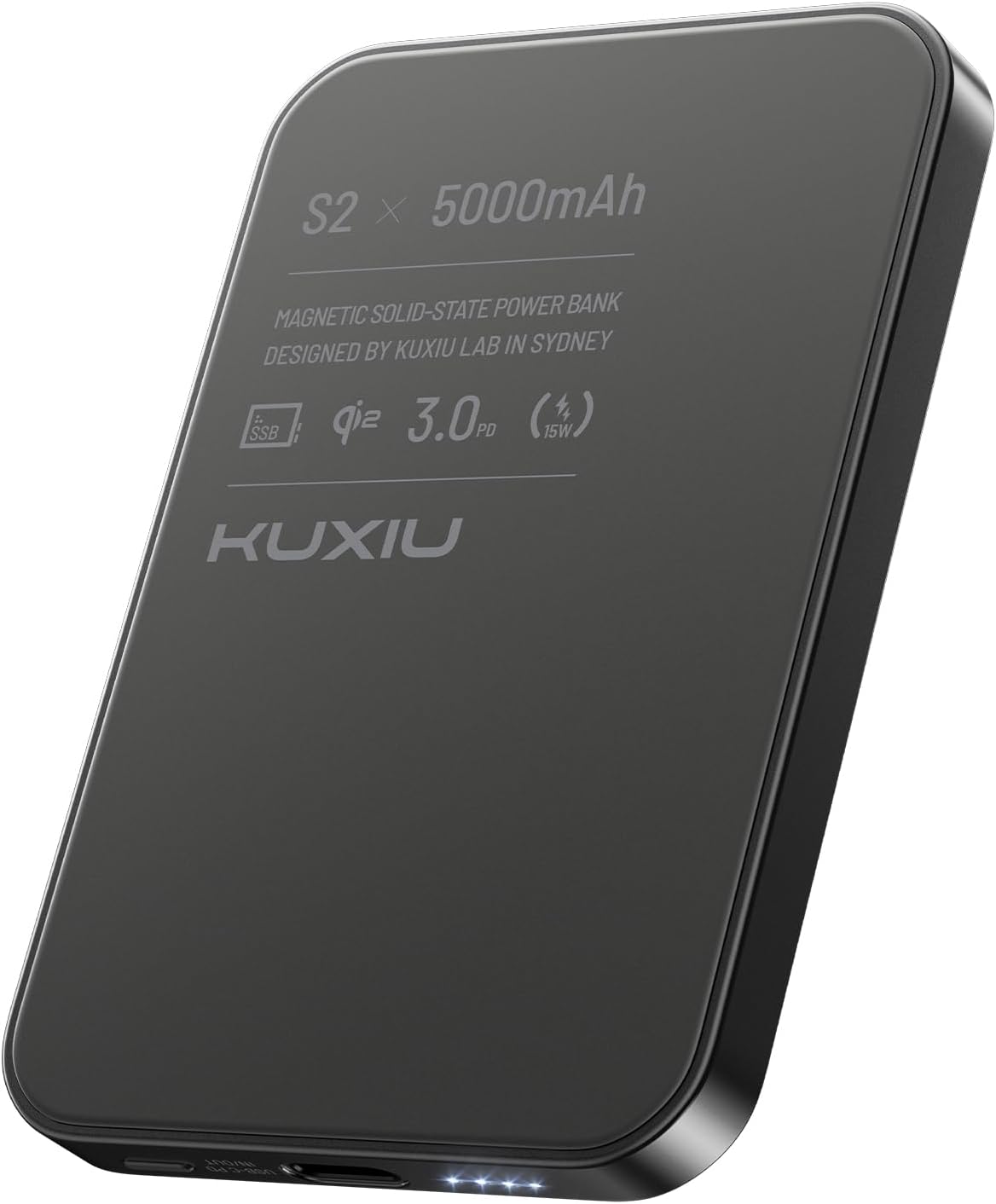
Figure 7: Official Qi Certificate for the KU XIU S2, confirming Qi2 compliance. More details can be found at Wireless Power Consortium.
Safety Information
The KU XIU S2 features advanced solid-state battery technology designed for enhanced safety. However, please observe the following general safety guidelines:
- Do not disassemble, modify, or repair the device.
- Avoid dropping, puncturing, or subjecting the device to strong impacts.
- Keep out of reach of children.
- Dispose of the product according to local regulations for electronic waste.
- This device is certified safe for air travel, complying with TSA carry-on baggage battery rules.

Figure 8: The KU XIU S2 is designed to be safe for air travel, adhering to relevant regulations.
Warranty and Support
Your KU XIU S2 Solid-State Magnetic Portable Charger comes with 12 months of professional support from the date of purchase. If you encounter any issues or have questions regarding your product, please contact KU XIU customer service.
For support, please refer to the contact information provided on the product packaging or the official KU XIU website.

