
1. Introduction
This manual provides detailed instructions for the safe and effective use of your MAST TATTOO Racer Pro Cordless Tattoo Pen Machine. Please read this manual thoroughly before operating the device to ensure proper function and longevity.
2. Safety Information
For external use only.
Always ensure the device is clean and sterilized before each use. Do not operate the machine if it appears damaged. Keep out of reach of children. Consult a professional for proper tattooing techniques and hygiene practices.
3. Package Contents
Verify that all items are present in your kit:
- MAST TATTOO Racer Pro Cordless Tattoo Pen Machine
- 2 x 1520mAh Rechargeable Batteries
- Fast Charger Dock
- 20 x Cartridge Needles (various configurations)
- Black Tattoo Ink
- Ink Caps
- Gloves
- Black Mesh Tape
- Practice Skin
- Transfer Paper
- USB Charging Cable

4. Key Features
- Upgraded Power & Precision: Equipped with an Mcore-Pro motor, delivering 40% more torque for consistent needle penetration. Features a 4.2mm stroke for versatile linework and shading.
- Display & Control: High-resolution 0.85-inch (213 PPI) screen tracks frequency (Hz) and voltage (DCV) modes. Maintains power even at low-frequency settings for consistent needle drive force.
- Professional Performance: Compact and balanced design (115mm tall, 33mm grip, 170g) for comfort, steadiness, and control, minimizing vibration.
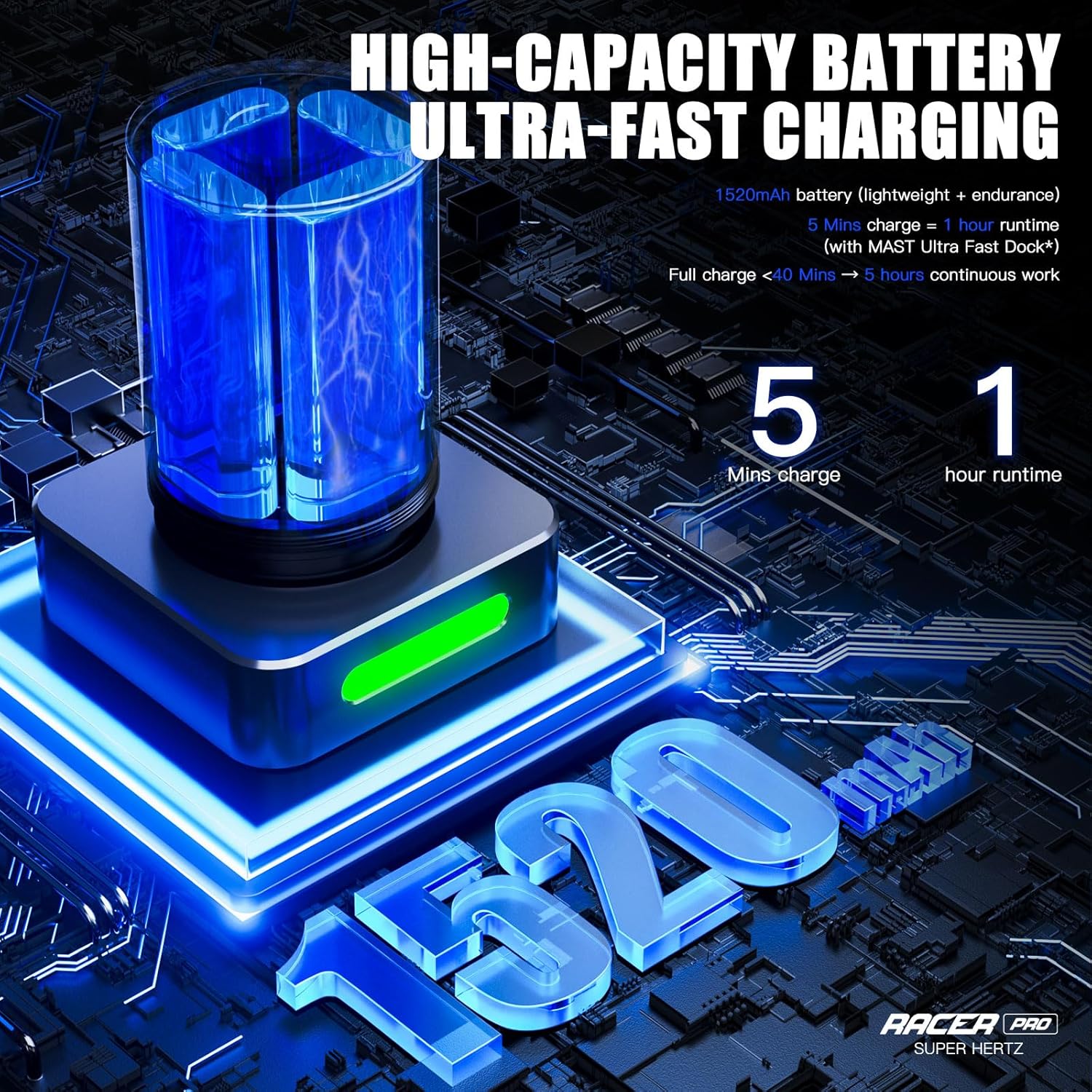
- Rapid Charging Technology: 1520mAh battery fully charges in approximately 40 minutes. A 5-minute charge provides 1 hour of runtime, ensuring uninterrupted workflow.
- Universal Compatibility: Designed to be compatible with all standard cartridge needles, offering flexibility for various tattooing styles.


5. Setup
- Charge the Battery: Before first use, fully charge the battery using the provided fast charger dock. Refer to the 'Charging' section for details.
- Attach Battery: Screw the charged battery pack onto the main body of the tattoo pen machine until secure.
- Insert Cartridge Needle: Gently push a compatible cartridge needle into the machine's front opening until it clicks into place. Ensure it is seated firmly.
- Adjust Needle Depth: Rotate the grip of the machine to adjust the needle depth to your desired setting.
6. Operating Instructions
- Power On/Off: Press and hold the power button (usually located on the battery pack) for a few seconds to turn the machine on or off. The display will illuminate.
- Display Overview: The 0.85-inch HD screen shows real-time data including current operating mode (HZ or DCV), frequency/voltage, battery status, and a timer.
- Select Operating Mode: The machine supports both HZ (Frequency) mode and DCV (Voltage) mode. Use the designated buttons (refer to the display image) to switch between modes.
- Adjust Settings:
- HZ Mode: In HZ mode, use the '+' and '-' buttons to adjust the frequency (3-140Hz). This mode maintains constant force and syncs needle motion to hand speed, with 3-stage force adjustment (Soft, Medium, Hard) for different styles. DOTS mode activates below 15Hz.
- DCV Mode: In DCV mode, use the '+' and '-' buttons to adjust the voltage. This is a classic voltage control mode, preserving full MCORE Pro performance.
- Begin Operation: Once settings are configured, press the power button briefly to start or pause the machine.


7. Charging
The Mast Racer Pro is equipped with a 1520mAh battery and rapid charging technology.
- Connect the fast charger dock to a suitable power source using the provided USB cable.
- Place the battery into the charging dock. The indicator light on the dock will show charging status.
- A full charge takes approximately 40 minutes, providing up to 5 hours of continuous operation.
- For quick sessions, a 5-minute charge can provide approximately 1 hour of runtime.
8. Maintenance
- Cleaning: After each use, disconnect the battery and remove the needle cartridge. Wipe down the machine body with a clean, damp cloth and a suitable disinfectant. Do not immerse the machine in liquid.
- Sterilization: Ensure all components that come into contact with skin or ink are properly sterilized according to professional hygiene standards.
- Storage: Store the machine and accessories in a clean, dry place away from direct sunlight and extreme temperatures.
- Battery Care: Do not overcharge or completely drain the batteries. Store batteries in a cool, dry place when not in use.
9. Troubleshooting
- Machine Not Turning On: Ensure the battery is fully charged and properly attached. If the issue persists, try using the second battery.
- Inconsistent Power/Performance: Check battery level. Low battery can affect performance. Ensure the needle cartridge is correctly inserted.
- Display Not Working: Ensure the machine is powered on. If the display remains blank, contact customer support.
- Battery Drains Quickly: While the Racer Pro features rapid charging, battery life can vary based on usage intensity and age. Ensure you are using the provided fast charger.
10. Specifications
| Feature | Specification |
|---|---|
| Model | Racer Pro |
| Motor | Mcore-Pro |
| Stroke Length | 4.2mm |
| Battery Capacity | 1520mAh |
| Charging Time | Approx. 40 minutes (full charge) |
| Runtime | Up to 5 hours (full charge); 1 hour (5-min charge) |
| Display | 0.85" HD Screen (213 PPI) |
| Operating Modes | HZ Mode (3-140Hz), DCV Mode |
| Dimensions | 115mm (height), 33mm (grip diameter) |
| Weight | 170g |
| Manufacturer | MAST TATTOO |
| Water Resistance Level | Not Water Resistant |
11. Warranty and Support
For warranty information and customer support, please refer to the documentation included with your purchase or visit the official MAST TATTOO website. Keep your proof of purchase for any warranty claims.
