
1. Introduction
The AirheadStorm FS899C is a versatile digital multimeter designed for accurate electrical measurements. This device can measure AC/DC current and voltage, capacitance, continuity, resistance, frequency, non-contact voltage (NCV), and ambient temperature. Featuring a large backlit display and a rechargeable battery, it is suitable for both home and industrial electrical tasks.
This manual provides essential information for the safe and effective use of your FS899C Digital Multimeter. Please read it thoroughly before operation and retain it for future reference.
2. Package Contents
Verify that all items listed below are present and in good condition upon opening the package:
- 1 x AirheadStorm FS899C Digital Multimeter
- 2 x Test Leads (Red and Black)
- 1 x USB-C Charging Cable
- 1 x Instruction Manual (This document)
- 1 x Packaging Box

Figure 2.1: Contents of the FS899C package, including the multimeter, test leads, and charging cable.
3. Safety Information
Always adhere to basic safety precautions when using electrical testing equipment to reduce the risk of fire, electric shock, or personal injury. Improper use can result in electric shock or damage to the meter.
- Inspect the Meter: Before each use, check the meter and test leads for any damage. Do not use the meter if it appears damaged or if the insulation on the test leads is compromised.
- Voltage Limits: Do not apply more than the rated voltage, as marked on the meter, between the terminals or between any terminal and earth ground.
- Proper Terminal Use: Ensure the test leads are connected to the correct input terminals for the measurement function selected.
- Avoid Live Circuits: Do not measure current on a circuit with voltage exceeding the meter's specified limits.
- Working Environment: Use the meter in a dry environment. Avoid using it in wet or damp conditions.
- Personal Protective Equipment: Always wear appropriate personal protective equipment, such as safety glasses, when working with electrical circuits.
- Impact Protection: The meter features an impact-resistant plastic housing designed to protect against damage from drops. However, avoid unnecessary drops and handle the device with care.
- Servicing: Refer all servicing to qualified service personnel. Do not attempt to repair the meter yourself.
4. Product Features
The AirheadStorm FS899C Digital Multimeter offers a range of features for efficient and accurate electrical testing:
- Versatile Measurement Capabilities: Accurately measures AC/DC current and voltage, capacitance, continuity, resistance, frequency, non-contact voltage (NCV), and ambient temperature.
- Rechargeable Battery: Equipped with a USB-C rechargeable battery, providing up to 8 hours of operation after approximately 2 hours of charging.
- Large Backlit Display: Features a 4.8-inch display with backlight for clear visibility in various lighting conditions.
- Integrated Torch: A practical torch function assists in illuminating dark work areas.
- Data Hold Function: Allows users to freeze the current reading on the display for convenient recording.
- Durable Construction: Impact-resistant plastic housing provides protection against accidental drops.
- High Accuracy with True RMS: Offers precise measurements with a count capacity of up to 6000.
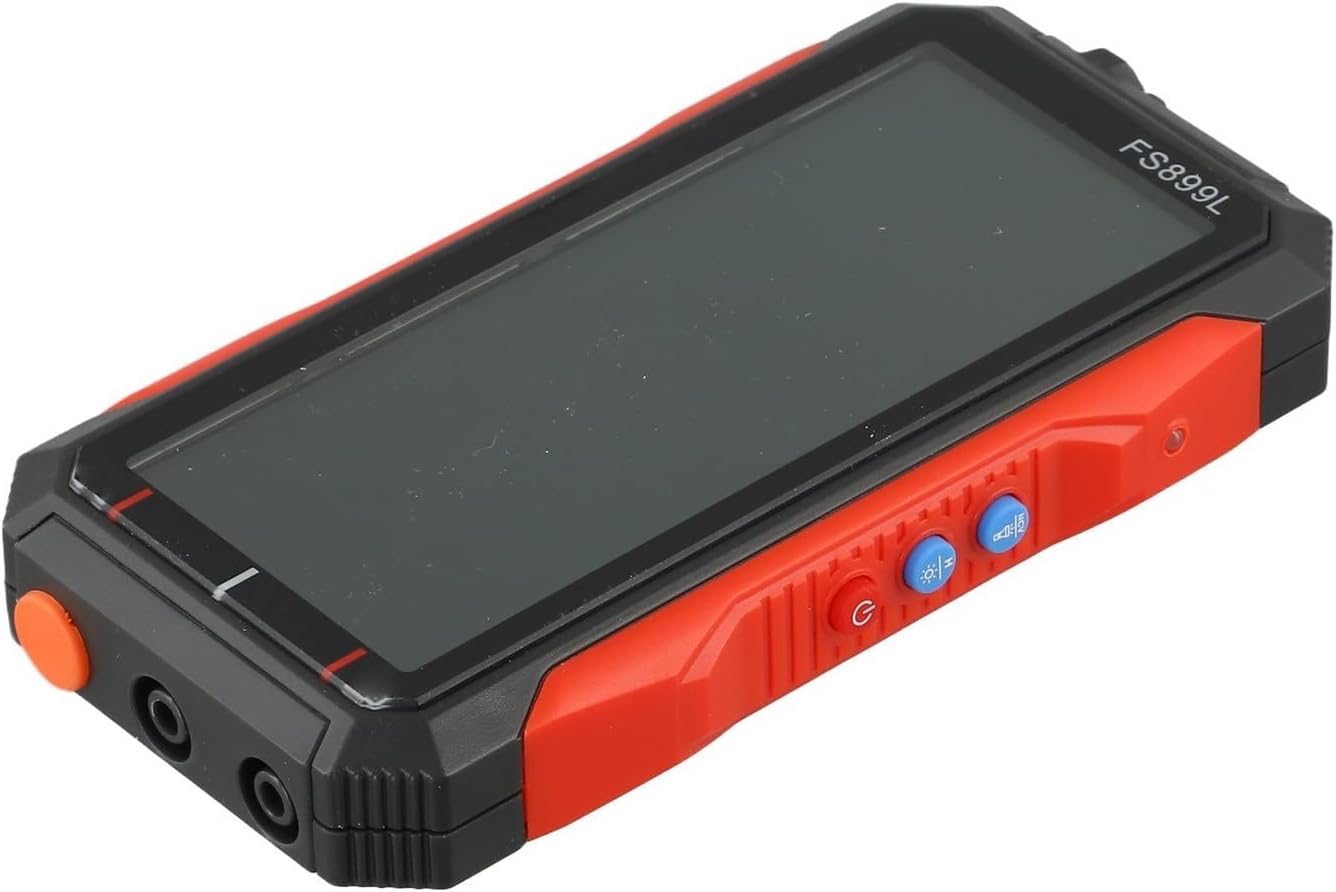
Figure 4.1: Side view of the FS899C multimeter, highlighting its robust casing and control interface.
5. Setup
5.1 Charging the Multimeter
- Locate the USB-C charging port on the side of the multimeter.
- Connect the provided USB-C charging cable to the multimeter and to a standard USB power adapter (not included).
- The charging indicator on the display will show the charging status. A full charge typically takes approximately 2 hours and provides up to 8 hours of operation.
5.2 Connecting Test Leads
Always ensure the multimeter is powered off before connecting or disconnecting test leads.
- Insert the red test lead into the VΩmA input jack for voltage, resistance, capacitance, frequency, and low current measurements.
- Insert the black test lead into the COM (common) input jack.
- For high current measurements (up to 10A), insert the red test lead into the 10A input jack.
6. Operating Instructions
6.1 Power On/Off
Press and hold the Power button to turn the multimeter on or off.
6.2 Function Selection
The FS899C typically features an auto-ranging function, simplifying operation. For specific modes, use the function buttons on the device.

Figure 6.1: The FS899C display showing active measurements for voltage, resistance, and temperature, along with mode indicators.
6.3 Common Measurements
- Voltage Measurement (AC/DC):
- Connect the red lead to VΩmA and the black lead to COM.
- Select the appropriate AC or DC voltage mode.
- Connect the test probes in parallel to the circuit or component under test.
- Current Measurement (AC/DC):
- WARNING: Ensure the circuit is de-energized before connecting the meter in series.
- For low current, connect the red lead to VΩmA; for high current (up to 10A), connect the red lead to 10A. Connect the black lead to COM.
- Select the appropriate AC or DC current mode.
- Connect the test probes in series with the circuit.
- Resistance Measurement:
- Connect the red lead to VΩmA and the black lead to COM.
- Select the resistance mode (Ω).
- Ensure the circuit or component is de-energized before measuring resistance. Connect the probes across the component.
- Continuity Test:
- Connect the red lead to VΩmA and the black lead to COM.
- Select the continuity mode (often indicated by a speaker icon).
- Touch the probes to the ends of the circuit or component. A beep indicates continuity.
- Capacitance Measurement:
- Connect the red lead to VΩmA and the black lead to COM.
- Select the capacitance mode (F).
- Ensure the capacitor is fully discharged before testing. Connect the probes across the capacitor terminals.
- Frequency Measurement:
- Connect the red lead to VΩmA and the black lead to COM.
- Select the frequency mode (Hz).
- Connect the probes to the signal source.
- Non-Contact Voltage (NCV) Detection:
- Select the NCV mode.
- Hold the top of the multimeter near a live conductor. The meter will indicate the presence of AC voltage through an audible alarm and/or visual indicator.
6.4 Data Hold Function
Press the HOLD button to freeze the current reading on the display. Press it again to release the hold function and resume live readings.
7. Maintenance
7.1 Cleaning
Wipe the meter's casing with a damp cloth and a mild detergent. Do not use abrasives or solvents. Ensure the meter is completely dry before use.
7.2 Battery Care
The FS899C uses a rechargeable battery. To prolong battery life:
- Charge the battery fully before first use.
- Avoid completely discharging the battery frequently.
- If storing the meter for an extended period, charge it periodically (e.g., every 3-6 months) to maintain battery health.
7.3 Test Lead Inspection
Regularly inspect the test leads for any cuts, cracks, or damage to the insulation. Replace damaged leads immediately to prevent electric shock hazards.
8. Troubleshooting
| Problem | Possible Cause | Solution |
|---|---|---|
| Meter does not power on. | Low or discharged battery. | Charge the multimeter using the provided USB-C cable. |
| Incorrect or unstable readings. | Incorrect function selected; poor test lead connection; external interference. | Verify the correct measurement function. Ensure test leads are securely connected. Move away from strong electromagnetic fields. |
| "OL" or "OVERLOAD" displayed. | Measurement exceeds the meter's range. | Select a higher range if available, or ensure the measured value is within the meter's specifications. |
| No continuity beep. | Open circuit; continuity mode not selected. | Check the circuit for breaks. Ensure the meter is in continuity mode. |
9. Specifications
| Parameter | Value |
|---|---|
| Model | FS899C |
| Display | 4.8-inch, Backlit |
| Count Capacity | Up to 6000 counts |
| DC Voltage Range | 60mV to 600V (Accuracy: ±(1.2%+5d)) |
| AC Voltage Range | 60mV to 600V (Accuracy: ±(1.5%+8d)) |
| DC Current Range | 300mA to 10A (Accuracy: ±(2.2%+8d)) |
| AC Current Range | 300mA to 10A (Accuracy: ±(2.5%+8d)) |
| Resistance Range | 600Ω to 60MΩ (Accuracy: ±(1.5%+10d)) |
| Capacitance Range | 10nF to 60mF (Accuracy: ±(10%+88d)) |
| Frequency Range | (Specific range not provided, but implied by feature) |
| Battery | Rechargeable (USB-C) |
| Operating Time | Up to 8 hours (after 2 hours charge) |
| Product Dimensions | 6.3 x 4.72 x 1.38 inches |
| Item Weight | 9.4 ounces (267 Grams) |
| Manufacturer | AirheadStorm |
10. Warranty and Support
For warranty information, technical support, or service inquiries regarding your AirheadStorm FS899C Digital Multimeter, please contact the retailer or manufacturer directly. Retain your proof of purchase for warranty claims.