
EZON T048
EZON T048 Digital Kids Watch Instruction Manual
Model: T048
1. Introduction
Welcome to the EZON T048 Digital Kids Watch. This watch is designed to be a fun and functional companion for teens, girls, and boys, featuring a virtual pet cat, step counter, stopwatch, pedometer, timer, and alarm. It operates independently without the need for apps or smartphone connections, offering a straightforward and engaging experience. This manual provides detailed instructions to help you get the most out of your new watch.

Image: The EZON T048 Digital Kids Watch in white, displaying the time and a virtual pet cat.
2. Key Features
The EZON T048 watch is equipped with several features to support an active lifestyle and daily routines:
- Virtual Pet Cat: A digital pet that encourages activity by reacting to your steps.
- Pedometer (Step Counter): Tracks daily steps without requiring a smartphone or app.
- Stopwatch: High-precision timing accurate to 1/100th of a second, with lap time functionality.
- Interval Timer: Customizable timer for structured workouts, including warm-up, run, rest, and cool-down cycles with up to 99 repeats.
- Alarm: Set a daily alarm for reminders.
- Hourly Chime: An optional chime to mark each hour.
- EL Backlight: Illuminates the display for easy readability in low-light conditions.
- Time & Date Display: Shows current time (12/24-hour format), date, and day of the week.
- Waterproof: Designed to be water-resistant up to 50 meters, suitable for swimming and everyday use.
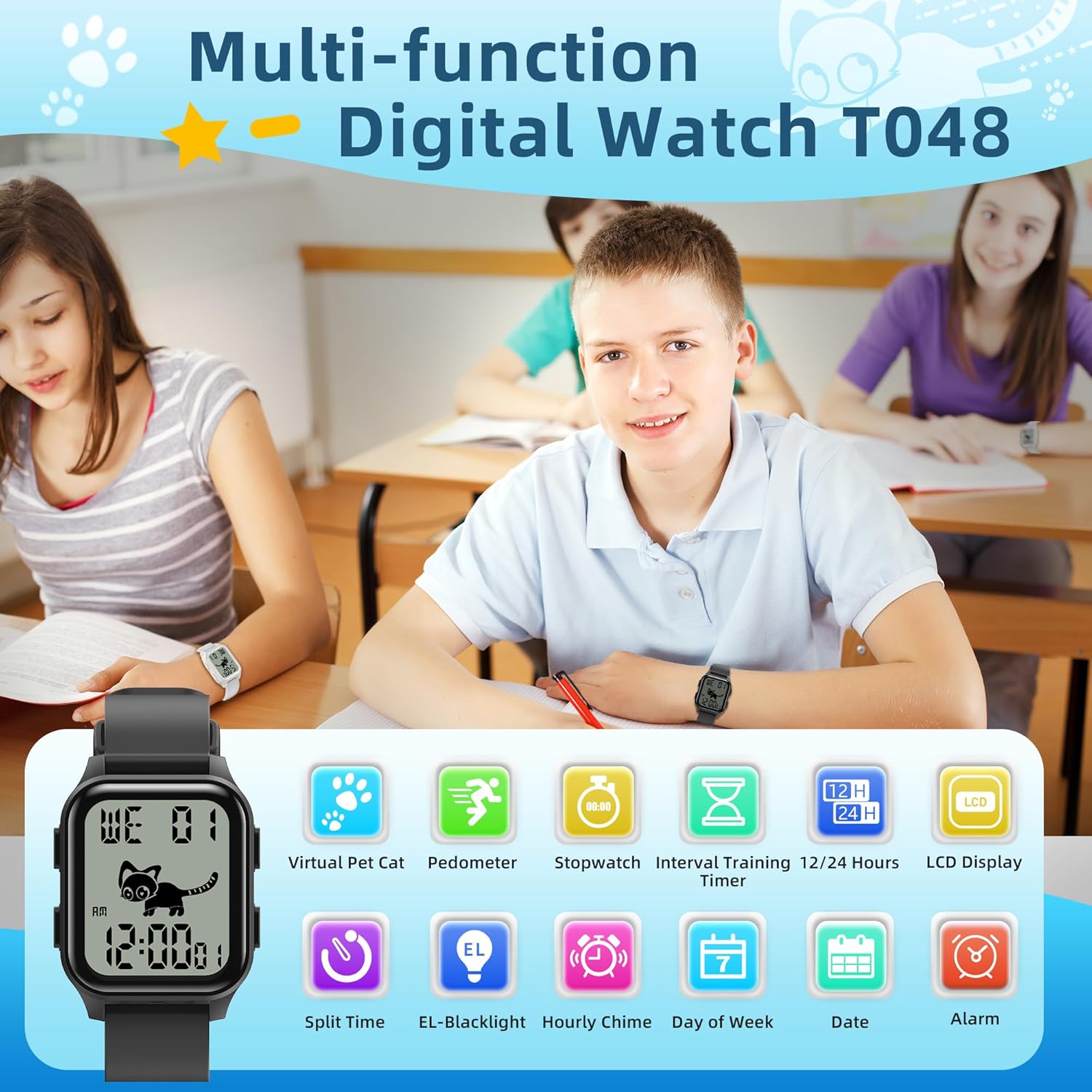
Image: A visual representation of the watch's multi-functions, including virtual pet, pedometer, stopwatch, interval timer, 12/24 hours, LCD display, split time, EL-backlight, hourly chime, day of week, date, and alarm.
3. Initial Setup
3.1 Setting Time and Date
- In Time Mode, press and hold the MODE button until the seconds begin to flash.
- Press the RESET button to cycle through the settings: Seconds → Hour → Minute → Year → Month → Day.
- Use the START button to adjust the flashing value.
- Press MODE again to confirm and exit setting mode.
3.2 Setting Alarm
- From Time Mode, press MODE once to enter Alarm Mode.
- Press and hold RESET until the alarm hour flashes.
- Use START to adjust the hour.
- Press RESET to move to minutes, then use START to adjust.
- Press MODE to confirm and exit.
- To turn the alarm ON/OFF, press START in Alarm Mode. An alarm icon will appear when active.
3.3 Setting Step Goal
The step goal can be set between 1,000 and 99,000 steps in increments of 1,000.
- In Pedometer Mode, press and hold MODE until the step goal flashes.
- Use START to adjust the step goal.
- Press MODE to confirm and exit.

Image: A visual guide demonstrating how to set the step goal on the watch, showing the virtual cat and fish snack reward.
4. Operating the Watch
4.1 Navigating Modes
Press the MODE button repeatedly to cycle through the different functions:
- Time Mode
- Alarm Mode
- Stopwatch Mode
- Interval Timer Mode
- Pedometer Mode
4.2 Using the Pedometer and Virtual Pet
The watch automatically tracks your steps. The virtual pet cat on the display will animate as you move, providing a fun visual incentive. When you reach your daily step goal, the watch will beep and display a fish snack for your virtual pet.
4.3 Operating the Stopwatch
- Enter Stopwatch Mode by pressing MODE.
- Press START to begin timing.
- Press START again to pause.
- Press RESET to reset the stopwatch to zero.
- To record lap times, press RESET while the stopwatch is running. The lap time will display briefly before returning to the running total.
4.4 Using the Interval Timer
The interval timer allows you to program custom workout sequences.
- Enter Interval Timer Mode by pressing MODE.
- Press and hold RESET to enter setting mode.
- Use RESET to cycle through Warm-up, Run, Rest, Cool-down times, and the number of Repeats (up to 99).
- Use START to adjust the values for each segment.
- Press MODE to confirm settings and exit.
- Press START to begin the interval timer. You can pause and resume the timer within a phase without losing progress.
4.5 Activating EL Backlight
Press the LIGHT button (usually top-left) to illuminate the display for a few seconds.
Video: An official EZON video demonstrating the features and daily use of the T048 Digital Kids Watch, including the virtual pet and various functions.
5. Care and Maintenance
5.1 Cleaning
Wipe the watch regularly with a soft, damp cloth. Avoid using harsh chemicals or abrasive materials that could damage the watch face or strap.
5.2 Battery Life and Replacement
The EZON T048 watch uses a CR2025 nonstandard battery and is designed for ultra-long standby, offering up to 365 days of usage with the display always on, or up to 3 years if the display is turned off (by holding all four buttons). When the display becomes dim or functions are erratic, it may be time to replace the battery. Battery replacement should ideally be performed by a qualified technician to ensure water resistance is maintained.
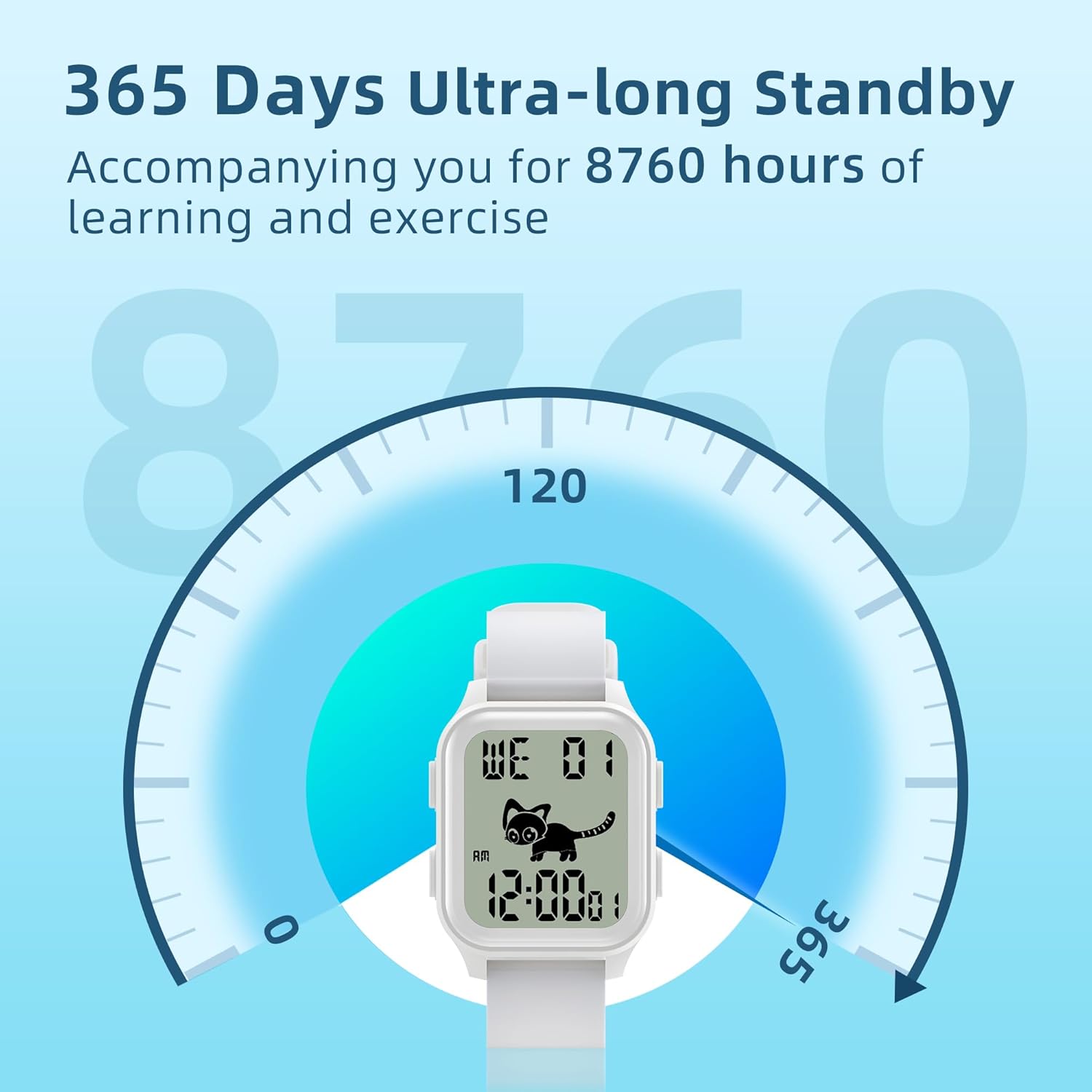
Image: A graphic illustrating the 365-day ultra-long standby battery life of the EZON T048 watch.
5.3 Water Resistance
The watch is water-resistant up to 50 meters (5ATM). This means it is suitable for showering, swimming in shallow water, and everyday splashes. It is not recommended for diving or high-pressure water activities. Do not operate buttons underwater.
6. Troubleshooting
| Problem | Possible Cause | Solution |
|---|---|---|
| Watch display is blank or dim. | Low battery. | Replace the CR2025 battery. |
| Time is incorrect. | Time not set correctly or reset. | Refer to Section 3.1 to reset the time and date. |
| Pedometer not counting steps accurately. | Watch not worn securely or unusual arm movements. | Ensure the watch is worn snugly on the wrist. Consistent arm motion is required for accurate counting. |
| Alarm not sounding. | Alarm is turned off or volume is too low. | Refer to Section 3.2 to ensure the alarm is activated. The alarm volume is fixed. |
7. Specifications
- Model Number: T048
- Dimensions: 4.37 x 3.03 x 2.17 inches (Package)
- Weight: 2.12 ounces
- Battery: 1 x CR2025 Nonstandard Battery (included)
- Water Resistance: 50 meters (5ATM)
- Display: Digital LCD with EL Backlight
- Strap Material: Silicone (adjustable, quick release)

Image: A graphic highlighting the comfortable and lightweight design of the EZON T048 watch, showing its 27g weight and 11.3mm thickness.
8. Warranty and Support
EZON is committed to providing quality products and customer satisfaction.
- 30-Day Return Policy: If you are not satisfied with your purchase, you may return it within 30 days.
- 1-Year Free Replacement: The watch is covered by a 1-year free replacement policy for manufacturing defects.
- Lifetime Support: EZON offers lifetime support for its products.
- 24-Hour Response: Expect a response to your inquiries within 24 hours.
For any questions, concerns, or support needs, please contact EZON customer support through the retailer's platform or the official EZON website.
Ask a question about this manual
Ask about setup, troubleshooting, compatibility, parts, safety, or missing instructions. Manuals+ will review the question and use this page’s manual context to help answer it.