
1. Product Overview
The Baseus 10000mAh Wireless Magnetic Power Bank is designed to provide convenient and efficient charging for your compatible devices. Featuring strong N52 magnets, it offers secure MagSafe attachment for effortless wireless charging. It also supports high-speed wired charging via its USB-C port, making it a versatile power solution for various scenarios.

Figure 1: Front view of the Baseus MagSafe Portable Charger.
2. What's in the Box
- Baseus 10000mAh Wireless Magnetic Power Bank
- USB-C Charging Cable
- User Manual
3. Setup
3.1 Initial Charging of the Power Bank
Before first use, fully charge the power bank. Connect the provided USB-C cable to the power bank's USB-C port and the other end to a compatible USB power adapter (not included). The LED indicators on the power bank will illuminate to show the charging progress. All four LEDs will be solid when fully charged.
3.2 Attaching to Your Device (MagSafe)
For wireless charging, align the power bank with the back of your MagSafe-compatible iPhone (iPhone 12 series and newer). The strong N52 magnets will automatically snap the power bank into place, initiating wireless charging without needing to press a power button.

Figure 2: The power bank's compact size compared to a smartphone.
4. Operating Instructions
4.1 Wireless Charging
Once securely attached via MagSafe, the power bank will automatically begin providing 7.5W fast wireless charging to your iPhone. Ensure no foreign objects are between the power bank and your phone for optimal charging efficiency.

Figure 3: Wireless charging in progress.
4.2 Wired Charging (USB-C)
For wired charging, connect your device to the power bank's USB-C port using a compatible cable. The power bank supports up to 22.5W PD fast charging for rapid power delivery. This port can also be used for pass-through charging, allowing you to charge your phone and the power bank simultaneously.
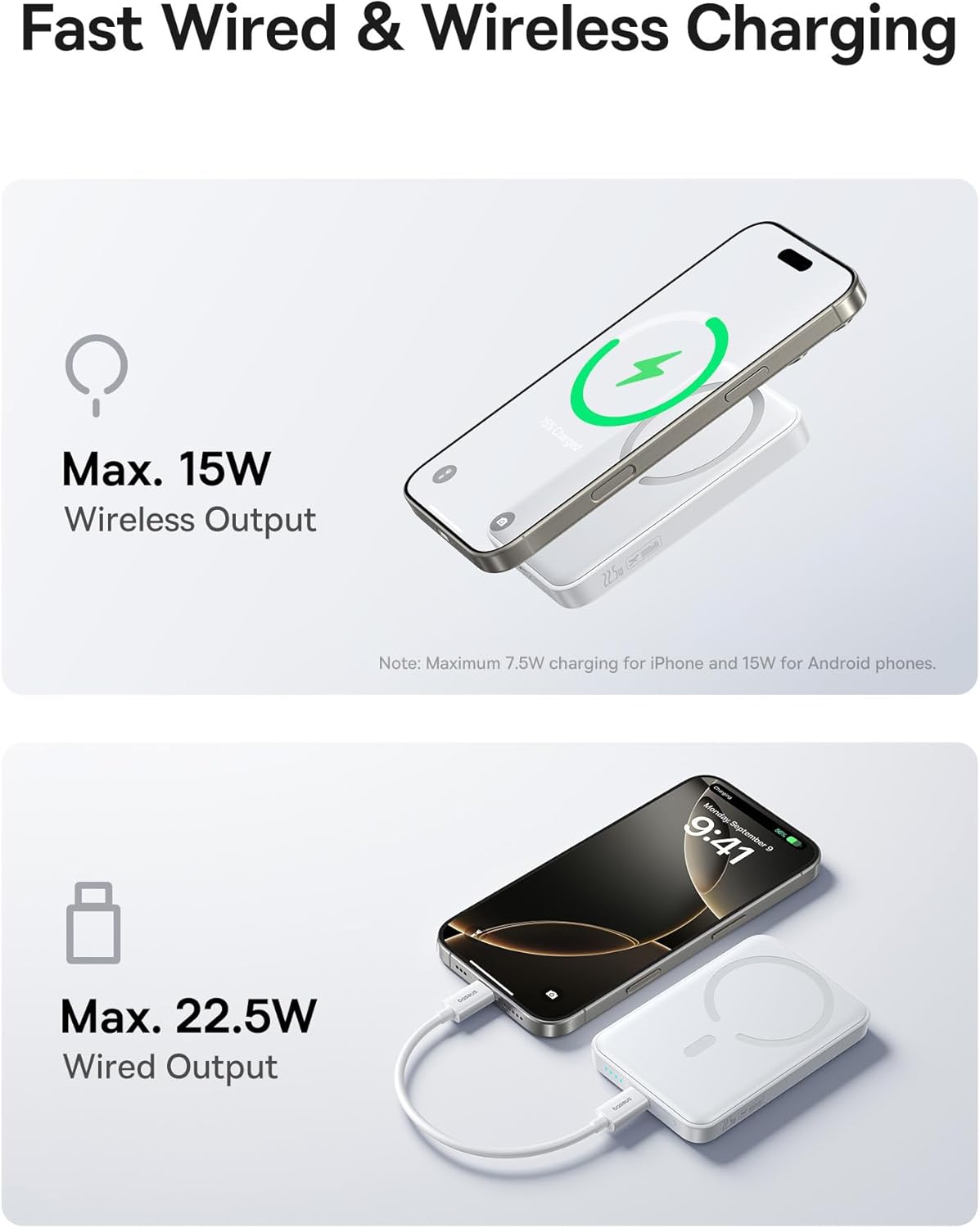
Figure 4: Wired charging setup.
4.3 Checking Battery Level
The LED indicators on the side of the power bank show the remaining battery level. Each illuminated LED represents approximately 25% of the battery capacity.
- 4 LEDs: 75-100%
- 3 LEDs: 50-75%
- 2 LEDs: 25-50%
- 1 LED: 0-25%
5. Maintenance
5.1 Cleaning
Wipe the power bank with a soft, dry cloth. Avoid using harsh chemicals or abrasive materials that could damage the surface.
5.2 Storage
Store the power bank in a cool, dry place away from direct sunlight and extreme temperatures. For long-term storage, it is recommended to charge the power bank to about 50% every three months to maintain battery health.
5.3 Battery Care
The power bank features AI Temperature Control and Conductive Graphene for excellent heat dissipation, helping to keep the battery healthy during charging and discharge cycles. Avoid fully discharging the battery frequently to prolong its lifespan.

Figure 5: Internal heat dissipation mechanisms.
6. Troubleshooting
| Issue | Possible Cause | Solution |
|---|---|---|
| Device not charging wirelessly | Misalignment, non-MagSafe case, foreign objects. | Ensure proper alignment. Remove any foreign objects. Use a MagSafe-compatible case or no case. |
| Device not charging via USB-C | Cable issue, power bank low on battery, device issue. | Try a different USB-C cable. Recharge the power bank. Test with another device. |
| Power bank not charging | Faulty adapter/cable, power outlet issue. | Use a different power adapter and cable. Try a different power outlet. |
| Weak magnetic attachment | Non-MagSafe case, thick case. | Use a MagSafe-compatible case or no case. Ensure the case is not too thick. |
7. Technical Specifications
| Feature | Specification |
|---|---|
| Model Number | PPFM11-1022 |
| Battery Capacity | 10000 mAh |
| Wireless Output | Max. 15W (7.5W for iPhone) |
| Wired Output (USB-C) | Max. 22.5W PD |
| Product Dimensions | 12 x 10 x 0.7 inches |
| Item Weight | 10.8 ounces |
| Special Features | Wireless Charging, Ultra Slim, Fast Charging, Pocket Size, Pass-through Charging, N52 Rubidium Magnets, AI Temperature Control, Conductive Graphene |
8. Warranty and Support
Baseus products are manufactured to the highest quality standards. This product is covered by a standard manufacturer's warranty against defects in materials and workmanship. Please refer to the warranty card included in the packaging for specific terms and conditions.
For technical support, troubleshooting, or warranty claims, please contact Baseus customer service through their official website or the retailer from whom you purchased the product.


