
1. Introduction and Overview
The SIXWIN 9-inch Portable Car Stereo is designed to enhance your driving experience with advanced connectivity and entertainment features. This device offers wireless CarPlay and Android Auto, enabling seamless integration with your smartphone for voice control, GPS navigation, media playback, and communication. Its 9-inch HD touchscreen provides a clear and intuitive interface.
Key features include:
- Wireless CarPlay and Android Auto: Connect your smartphone via Bluetooth for hands-free calls, navigation, music, and app access.
- Voice Control: Utilize voice commands for safer operation while driving.
- 9-inch HD Touchscreen: A high-definition display for clear visuals and easy interaction.
- Mirror Link Functionality: Screen mirroring for iOS (Airplay) and Android (via 'Android Cast' app).
- Multiple Audio Output Options: Supports FM Transmitter, AUX input, TF Card, and USB playback.
- Dual-Channel Dashcam: Simultaneous high-definition front recording with loop recording (rear camera optional).
- Wide Vehicle Compatibility: Operates with 7-32V vehicles, including cars, trucks, RVs, vans, and pickups.
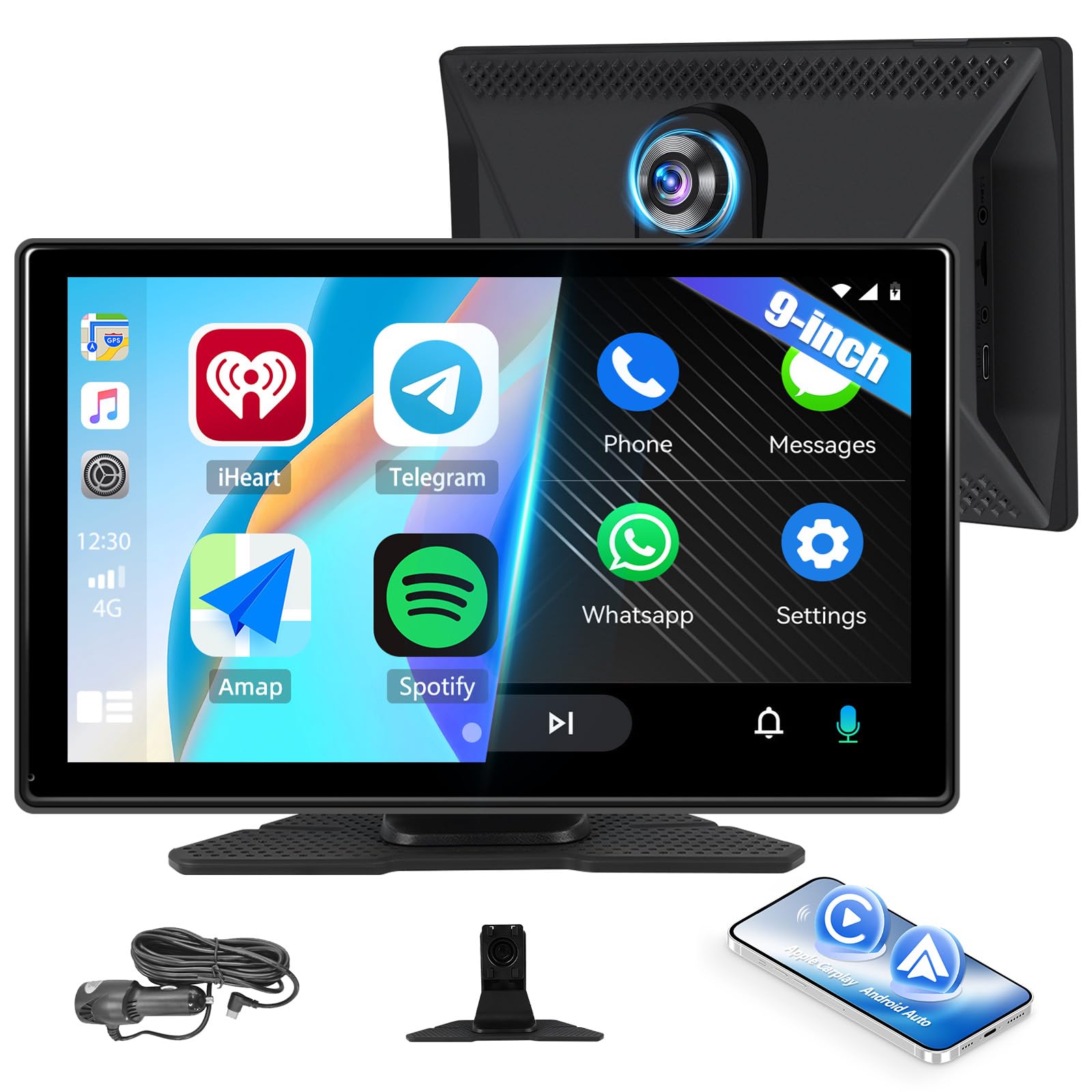
Image: The main unit of the SIXWIN 9-inch Portable Car Stereo, showcasing its sleek design and large display.
2. Setup and Installation
The SIXWIN Portable Car Stereo is designed for straightforward, plug-and-play installation. No complex wiring is required for basic operation.
2.1 Package Contents
Before installation, ensure all components are present:
- 1 x 9-inch Smart Screen Player
- 1 x Universal Support Base
- 1 x Car Charger Power Cable (Cigarette Lighter Plug)
- 1 x AUX Cable
- 1 x User Manual
- Stickers (attached to the bottom of the machine)

Image: Illustration of the product dimensions (223mm/8.78inch width, 135mm/5.31inch height, 40mm/1.57inch depth) and included accessories: power cord, monitor base, AUX cable, user manual, and stickers.
2.2 Basic Installation Steps
- Mount the Device: Attach the universal support base to a clean, flat surface on your dashboard. Secure the 9-inch smart screen player onto the base.
- Connect Power: Plug the car charger power cable into your vehicle's 12V cigarette lighter socket.
- Optional AUX Connection: If you wish to output audio through your car's existing stereo system, connect the provided AUX cable from the portable stereo to your car's AUX input.

Image: Visual guide demonstrating the simple installation process of plugging the device into the car's cigarette lighter socket and mounting it on the dashboard.

Image: An interior view of a car dashboard with the SIXWIN Portable Car Stereo mounted, showing its integration into the vehicle's setup.
3. Operating Instructions
3.1 Wireless CarPlay and Android Auto
Connect your smartphone wirelessly to access CarPlay (for iOS) or Android Auto (for Android) features directly on the 9-inch screen.
- Ensure Bluetooth is enabled on both your smartphone and the SIXWIN device.
- On the SIXWIN device, navigate to the CarPlay or Android Auto icon and select it.
- Follow the on-screen prompts to pair your smartphone via Bluetooth.
- Once connected, you can use voice commands for navigation, making calls, sending messages, and playing music.
- For Android Auto, Google Assistant is supported for enhanced voice control.

Image: Displays the user interfaces for Wireless Apple CarPlay, Android Auto, and Mirror Link, showing various app icons and navigation screens.

Image: The car stereo screen showing the integrated interfaces for Wireless CarPlay and Android Auto, with navigation and media playback options.
3.2 Screen Mirroring (Airplay for iOS, Mirror Link for Android)
The device supports screen mirroring to display your smartphone's content on the larger screen.
- For iOS (Airplay): Open Wi-Fi on your iPhone and connect to the device's Wi-Fi network (password: 12345678). Pull down your phone's control center, find the screen casting button, and select the device.
- For Android (Mirror Link): Download the 'Android Cast' application on your Android phone. Follow the app's instructions to establish a mirror link connection with the SIXWIN device.

Image: Step-by-step visual guide for activating Airplay and Miracast functions, showing phone screens and the car stereo display.
3.3 Audio Playback Options
The SIXWIN device offers versatile audio output methods:
- Bluetooth to Car Audio: When connected via CarPlay or Android Auto, audio streams wirelessly to your car's original Bluetooth system.
- FM Transmitter: Tune the SIXWIN device to an unused FM frequency, then tune your car's original radio to the same frequency to play audio through your car speakers.
- AUX Input: Connect the provided 3.5mm AUX cable from the SIXWIN device to your car's AUX input for direct audio transmission.
- Built-in Speaker: The device has a built-in mono speaker for direct audio output.
- TF Card/USB Playback: Insert a TF card or USB drive into the designated slots to play stored audio and video files.
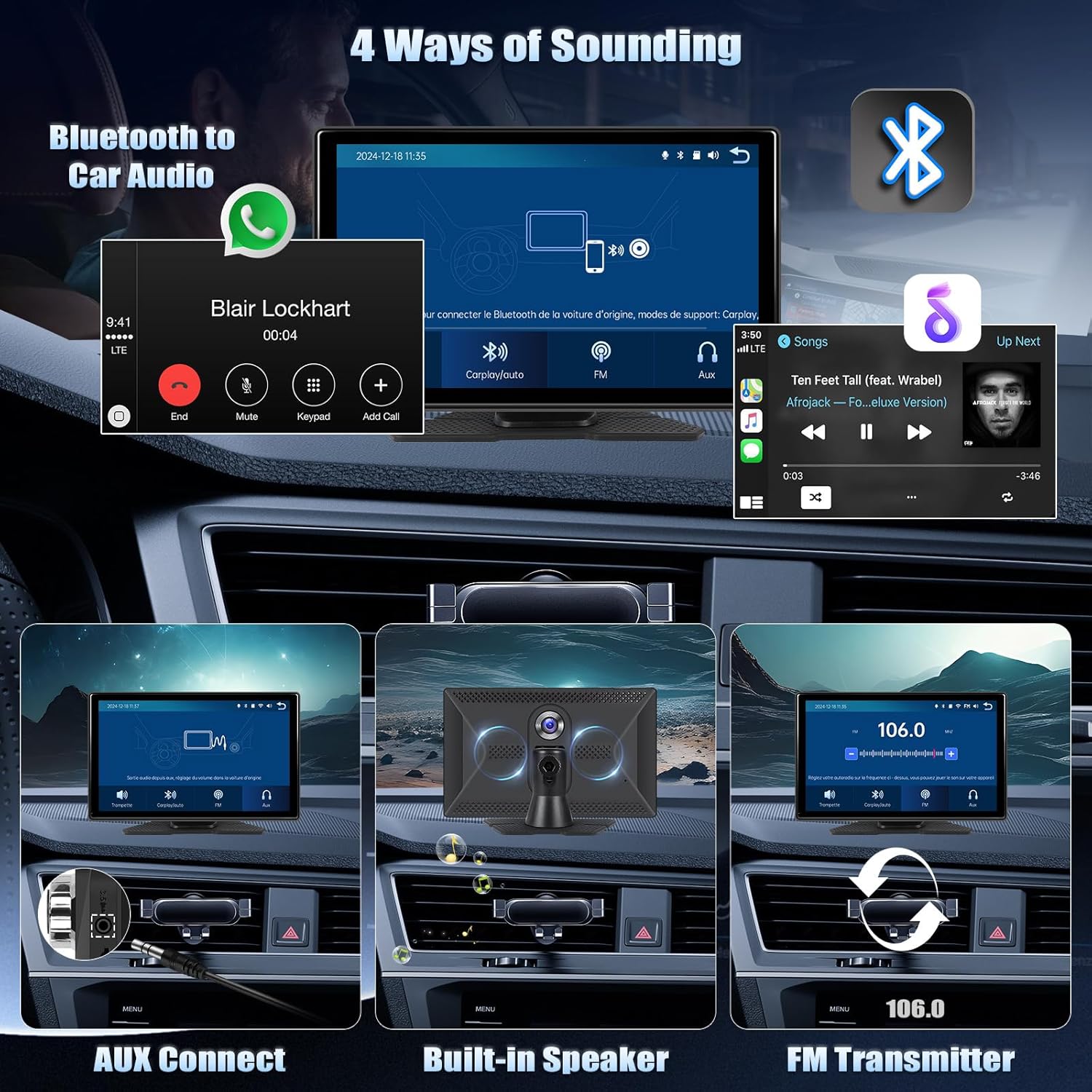
Image: Illustrates the four audio output methods: Bluetooth to car audio, AUX connect, built-in speaker, and FM transmitter, with corresponding visual cues.

Image: Detailed view of the audio output options, including AUX cable connection and the built-in mono speaker.
3.4 Dashcam Functionality
The device includes a dual-channel dashcam for recording driving footage.
- Front Camera: Records in 2K high definition, offering a wide viewing angle and night vision capabilities.
- Loop Recording: Automatically overwrites older recordings to ensure continuous protection without manual deletion.
- Rear Camera (Optional): Supports an optional rear camera for simultaneous recording and reversing assistance with guidelines.

Image: Highlights the 2K front camera features (2K resolution, viewing angle, night vision) and shows examples of front+rear camera split screen, 2K front camera view, and reversing lines with an optional rear camera.

Image: Displays various camera views from the front and rear, demonstrating the recording capabilities of the dashcam.
4. Maintenance
Proper maintenance ensures the longevity and optimal performance of your SIXWIN Portable Car Stereo.
- Screen Cleaning: Use a soft, lint-free cloth to gently wipe the touchscreen. Avoid using harsh chemicals, abrasive cleaners, or solvents, as these can damage the screen.
- Connection Check: Periodically inspect all cables and connections (power, AUX, USB, TF card slot) to ensure they are secure and free from dust or debris. Loose connections can lead to intermittent functionality.
- Environmental Care: Avoid exposing the device to extreme temperatures (very hot or very cold) or direct sunlight for prolonged periods, which can affect internal components and screen clarity.
- Storage: If storing the device for an extended period, disconnect it from power and store it in a cool, dry place.
- Firmware Updates: Check the official SIXWIN website periodically for any available firmware updates. Updates can improve performance, add new features, or fix bugs. Follow the provided instructions carefully when performing updates.
5. Troubleshooting
If you encounter issues with your SIXWIN Portable Car Stereo, refer to the following troubleshooting tips:
- Device Does Not Power On:
- Ensure the car charger is securely plugged into the vehicle's cigarette lighter socket.
- Verify that the vehicle's cigarette lighter socket is functional (test with another device if possible).
- Check the power cable for any visible damage.
- Device Turns Off/Restarts Unexpectedly:
- This could indicate an unstable power connection. Ensure the power cable is firmly seated.
- If the issue persists, it might be a power supply problem or an internal fault. Contact customer support.
- CarPlay/Android Auto Fails to Connect:
- Confirm Bluetooth is enabled on both your smartphone and the SIXWIN device.
- Ensure your phone is paired correctly with the device. Try unpairing and re-pairing.
- Restart both your smartphone and the SIXWIN device.
- Check for any software updates for your phone's operating system or the SIXWIN device.
- Screen Mirroring Not Working:
- For iOS (Airplay): Verify that your iPhone is connected to the SIXWIN device's Wi-Fi network and that Airplay is selected from your phone's control center.
- For Android (Mirror Link): Ensure the 'Android Cast' app is installed and running on your Android phone, and follow its connection instructions.
- No Audio Output or Poor Sound Quality:
- If using FM Transmitter: Ensure the SIXWIN device and your car radio are tuned to the exact same unused FM frequency.
- If using AUX: Check that the AUX cable is securely connected at both ends and that your car stereo's input is set to AUX.
- Adjust the volume levels on both the SIXWIN device and your car stereo.
- If using Bluetooth, ensure your phone's volume is up and the device is properly connected.
- Touchscreen Unresponsive:
- Restart the device.
- Ensure the screen is clean and free from moisture or debris.
- If the issue persists, contact customer support.
6. Specifications
| Feature | Description |
|---|---|
| Brand | SIXWIN |
| Model Name | A3431A3 |
| Screen Size | 9 Inches |
| Special Features | Android Auto, Built-in Bluetooth, CarPlay, Touchscreen |
| Connectivity Technology | Bluetooth |
| Map Type | Roads (GPS supported) |
| Audio Output Mode | Stereo, Surround |
| Mounting Type | Handheld |
| Compatible Vehicle Types | Car, Truck, RV, Van, Pickup (7-32V) |
| Touch Screen Type | Capacitive |
| User Interface Interaction | Touchscreen |
| Control Method | Touch |
| Batteries Included | No |
| Country of Origin | China |

Image: Close-up of the 9-inch HD screen, highlighting the TF card slot and the device's support for loop recording.

Image: Demonstrates the wide compatibility of the SIXWIN Portable Car Stereo with various vehicle types, including cars, pickups, SUVs, RVs, buses, trucks, and touring cars, supporting 7-32V power input.
7. Warranty and Support
SIXWIN is committed to providing quality products and customer satisfaction.
- Product Warranty: This product comes with a 2-year warranty from the date of purchase.
- Return Policy: A 30-day return policy is offered for your convenience.
- Customer Support: For any questions, technical assistance, or to request a digital copy of the user manual, please contact our customer service team. We offer 24-hour service.
Contact Email: SIXWINVIP@126.com

Image: A customer support representative wearing a headset, symbolizing available assistance and support for the product.