
1. Introduction
This manual provides detailed instructions for the safe and effective use of your XIAOMI Hair Clipper 2. Please read this manual thoroughly before first use and retain it for future reference. The XIAOMI Hair Clipper 2 is designed for precise hair cutting and trimming, featuring a durable titanium alloy blade and IPX7 waterproofing for easy cleaning.

Image 1.1: The XIAOMI Hair Clipper 2, a wireless electric hair cutting trimmer.
Key Features:
- Double-coated high-hardness blade for durability and precision.
- 19 length settings for versatile styling.
- Smart anti-clogging system for consistent performance.
- IPX7 fully washable design for easy cleaning.
- Cordless or plugged-in operation for convenience.
- 3-hour battery life.
2. Safety Information
To reduce the risk of electric shock, injury, or fire, always observe the following safety precautions:
- Read all instructions before using this appliance.
- Keep the appliance dry. Avoid prolonged exposure to water.
- Dry thoroughly after each use to prevent water damage to internal components.
- Do not use the appliance if it has been damaged in any way.
- Keep out of reach of children.
- Only use the charging cable provided with the device.
- Unplug the appliance before cleaning or maintenance.
3. Product Components
The XIAOMI Hair Clipper 2 package includes the following items:

Image 3.1: The hair clipper shown with its included accessories.
- XIAOMI Hair Clipper 2 unit
- Thinning comb
- Adjustable comb (2-28mm)
- Haircloth
- Sponge
- Comb
- Oil bottle
- Cleaning brush
- Data cable (USB-C)
4. Setup
4.1 Initial Charging
Before first use, fully charge the hair clipper. Connect the provided USB-C data cable to the charging port on the clipper and to a suitable USB power adapter (not included). The digital display will show the battery percentage. A full charge takes approximately 3 hours.

Image 4.1: The hair clipper connected to a USB-C power source for charging.
4.2 Attaching Combs
To attach an adjustable comb, align the comb with the clipper head and slide it on until it clicks into place. Ensure it is securely fastened before use. To remove, gently push the comb away from the clipper head.
5. Operating Instructions
5.1 Powering On/Off
Press and hold the power button located on the front of the clipper to turn the device on or off. The digital display will illuminate when the clipper is on.
5.2 Adjusting Length Settings
The XIAOMI Hair Clipper 2 offers 19 length settings. The blade head itself provides 5 precise trimming lengths (0.5-1.7mm fine adjustment). For longer lengths, attach the adjustable combs:
- Fine Adjustment: 0.5-1.7mm for bald styles or very short cuts.
- Adjustable Comb (2-14mm): For buzz cuts and medium lengths.
- Adjustable Comb (16-28mm): For longer hairstyles.
Rotate the dial on the clipper body to select the desired length setting. Each adjustment is typically in 2mm increments.

Image 5.1: Examples of different hair lengths achievable with the clipper and its combs.
5.3 Speed Modes
The clipper features two speed modes to accommodate different hair types:
- Gentle Mode (Low-Speed): Recommended for fine or delicate hair.
- Powerful Mode (High-Speed): Recommended for coarse or thick hair.
Press the speed mode button (often indicated by a gear or fan icon) to switch between modes.
6. Maintenance
6.1 Cleaning
The XIAOMI Hair Clipper 2 is IPX7 waterproof, allowing for full body washing. After each use:
- Turn off the clipper and remove any attached combs.
- Rinse the blade head and the entire body directly under running water.
- Use the provided cleaning brush to remove any trapped hairs from the blades.
- Shake off excess water and dry the clipper thoroughly with a soft cloth.
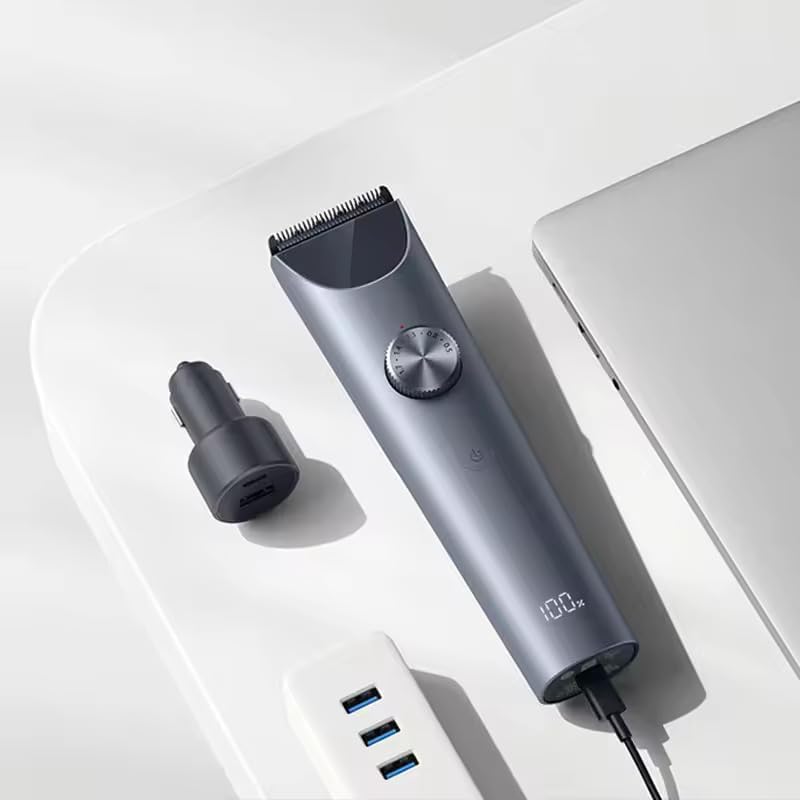
Image 6.1: The hair clipper being cleaned under running water, demonstrating its IPX7 waterproof capability.
6.2 Blade Care
The clipper features double-coated high-hardness blades (powder metallurgy fixed blade and ceramic adjustable blade) for long-lasting sharpness. To maintain optimal performance:
- After cleaning and drying, apply a small drop of the included lubricating oil to the blades.
- Turn on the clipper for a few seconds to distribute the oil evenly.
- Regular oiling helps reduce friction, maintain cutting efficiency, and prolong blade life.
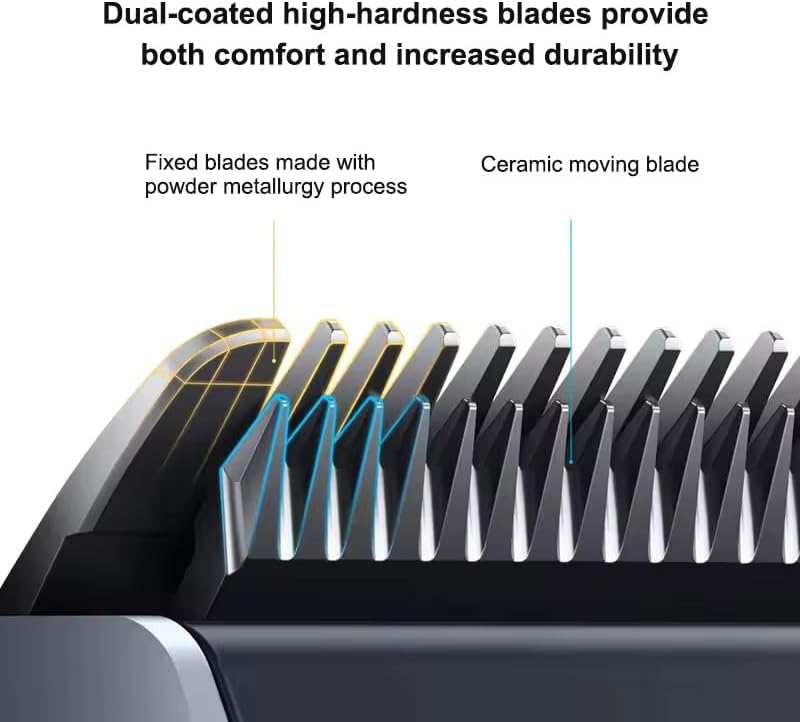
Image 6.2: Detailed view of the double-coated high-hardness blades, showing the fixed and ceramic moving blades.
7. Troubleshooting
If you encounter issues with your XIAOMI Hair Clipper 2, refer to the following common problems and solutions:
- Clipper not turning on: Ensure the battery is charged. Connect the clipper to the charger and try again.
- Poor cutting performance or hair pulling:
- Clean the blades thoroughly to remove any trapped hair.
- Apply lubricating oil to the blades.
- Ensure the selected length setting is appropriate for the hair type and density.
- The smart anti-clogging system automatically adjusts voltage to prevent jamming, but performance may vary with very low battery or extremely dense hair. Ensure sufficient charge.
- Clipper stops during use: The battery may be low. Recharge the clipper.
If the problem persists, contact customer support.
8. Specifications
| Feature | Specification |
|---|---|
| Product Dimensions | 7.68 x 2.24 x 7.8 inches |
| Item Model Number | MJGHHC2LF |
| Batteries | 1 Lithium Polymer battery required |
| Item Weight | 266 Grams (9.38 ounces) |
| Brand | XIAOMI |
| Power Source | Corded Electric or Battery Powered |
| Waterproof Rating | IPX7 (fully washable) |
| Battery Life | Approximately 3 hours |
| Blade Material | Titanium Alloy (Double-Coated) |
9. Warranty and Support
For warranty information, please refer to the warranty card included with your product packaging or visit the official XIAOMI website. Keep your purchase receipt as proof of purchase for any warranty claims.
For technical support or service inquiries, please contact XIAOMI customer service through their official channels. The manufacturer is Xiaomi.
You can visit the official XIAOMI Store for more information: XIAOMI Store on Amazon


