
Raddy PT-5
Raddy PT-5 Solar Pool Thermometer
User Manual
Introduction
Thank you for choosing the Raddy PT-5 Solar Pool Thermometer. This device is designed to provide accurate and easy-to-read temperature measurements for various water environments, including swimming pools, hot tubs, ponds, aquariums, and ice baths. Featuring dual power options (solar and USB-C charging) and a durable waterproof design, the PT-5 ensures reliable performance and convenience.

Image: The Raddy PT-5 Solar Pool Thermometer, a floating device designed for water temperature measurement.
Product Features
- IPX8 Waterproof: Designed with dual sealing rings for superior water resistance, ensuring durability in aquatic environments.
- Digital Display: Provides clear and easy-to-read temperature measurements.
- Dual Charging Methods: Equipped with a solar panel for continuous charging in sunlight and a USB-C port for convenient charging on cloudy days or indoors.
- 1200mAh Rechargeable Battery: Built-in lithium battery for extended operation and low maintenance.
- High Accuracy Sensor: Delivers precise temperature readings, accurate to ±1°C (2°F).
- °C/°F Switch: Easily switch between Celsius and Fahrenheit temperature units.
- Wide Temperature Range: Capable of measuring temperatures from -50°C to 70°C (-58°F to 158°F).

Image: The Raddy PT-5 is IPX8 waterproof, featuring dual sealing rings for enhanced protection against water ingress.
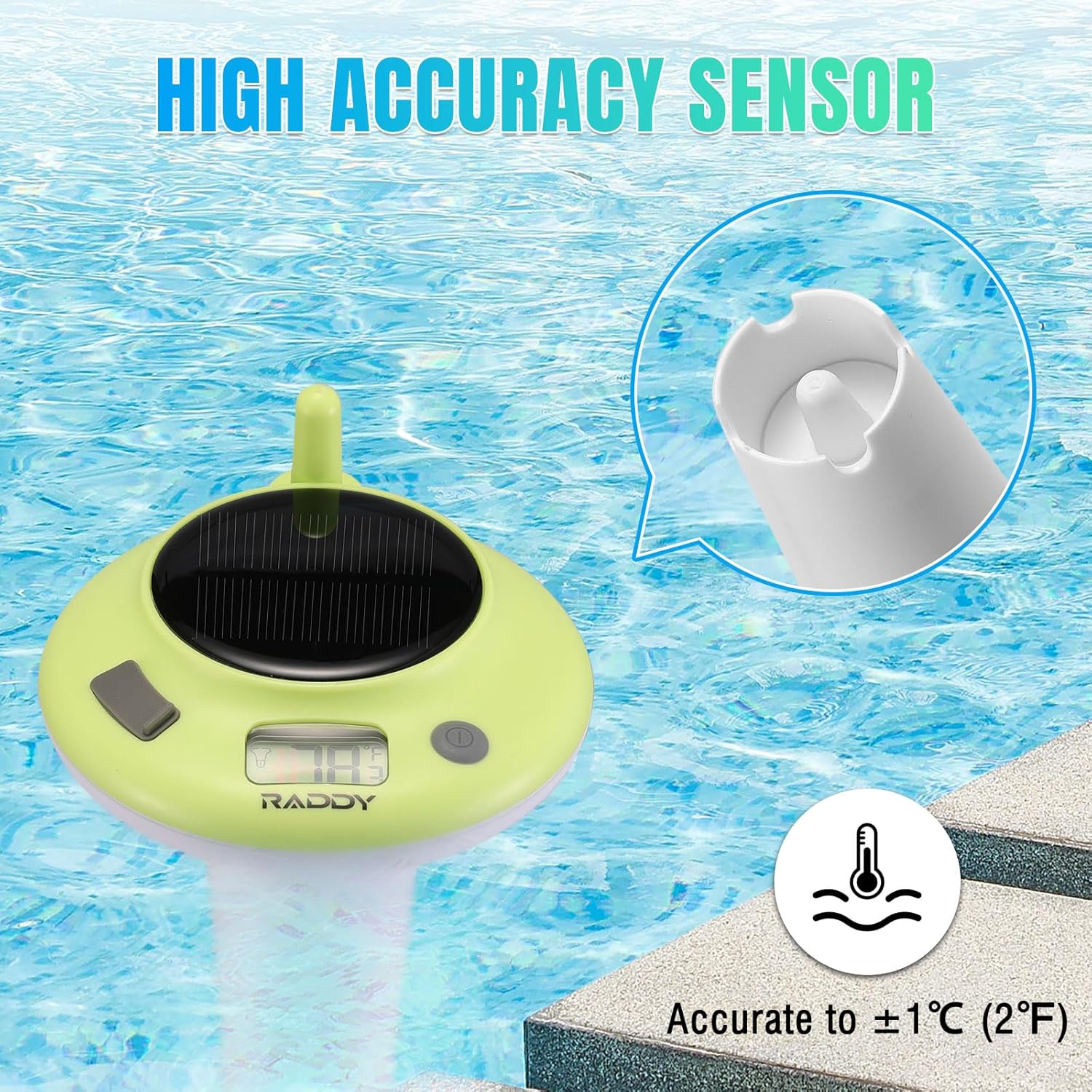
Image: Close-up view of the high accuracy sensor, ensuring precise temperature readings.

Image: Illustration of the dual charging methods: solar panel charging and USB-C charging.

Image: Visual representation of the internal 1200mAh rechargeable battery, providing long-lasting power.

Image: The Raddy PT-5 is capable of measuring a wide range of temperatures, suitable for various climates.
Setup
- Initial Charge: Before first use, it is recommended to fully charge the thermometer using the provided USB-C cable. Connect the cable to the USB-C charging port located under the protective cap. The charging indicator will show status.
- Solar Charging: Once charged, the built-in solar panel will continuously charge the device when exposed to sunlight, minimizing the need for manual charging.
- Power On/Off: Press and hold the power button (usually marked with a circle and line) for a few seconds to turn the device on or off.
- Select Temperature Unit: Briefly press the °C/°F switch button to toggle between Celsius and Fahrenheit display modes.
- Placement: Gently place the Raddy PT-5 into the water. Ensure it floats freely and the solar panel is exposed to sunlight for optimal performance.

Image: Diagram illustrating the main components of the Raddy PT-5, including the solar panel, USB-C charging port, temperature display, and power/unit switch, along with its dimensions.
Operating Instructions
The Raddy PT-5 is designed for simple, continuous operation. Once powered on and placed in water, it will automatically detect and display the water temperature on its digital screen.
- Reading Temperature: The current water temperature will be clearly displayed on the digital screen. The large display ensures readability from a distance.
- Automatic Operation: The thermometer is designed to float and continuously monitor water temperature. No further interaction is required unless you wish to change the temperature unit or turn it off.

Image: The Raddy PT-5 thermometer shown in various applications, including a swimming pool, hot spring, bathtub, and aquarium, demonstrating its versatility.
Maintenance
- Cleaning: Periodically clean the thermometer's surface, especially the solar panel and the temperature sensor area, with a soft, damp cloth. Avoid abrasive cleaners or solvents.
- Battery Care: Ensure the solar panel is regularly exposed to sunlight to maintain battery charge. If stored for extended periods, fully charge the device via USB-C before storage and recharge every few months to preserve battery life.
- Storage: When not in use for prolonged periods, store the thermometer in a cool, dry place away from direct sunlight and extreme temperatures. Ensure the USB-C port protective cap is securely closed.
Troubleshooting
| Problem | Possible Cause | Solution |
|---|---|---|
| Display is blank or not turning on. | Low battery; device is off. | Charge the device via USB-C or place it in direct sunlight. Press and hold the power button to turn it on. |
| Inaccurate temperature reading. | Sensor dirty; device not fully submerged; extreme water flow. | Clean the sensor area. Ensure the device is floating freely and the sensor is fully immersed. Allow time for temperature stabilization. |
| Device is not floating correctly. | Damage to the floating mechanism. | Inspect the device for any physical damage. Ensure no foreign objects are attached. |
| Water inside the device. | Protective cap not sealed; physical damage. | Immediately remove from water. Ensure the USB-C protective cap is securely closed. If damage is visible, contact customer support. |
Specifications
| Feature | Detail |
|---|---|
| Model Name | PT-5 |
| Power Source | Battery Powered (Solar & USB-C) |
| Battery Type | 1200mAh Rechargeable Lithium Battery |
| Display Type | Digital |
| Waterproof Rating | IPX8 |
| Temperature Range | -50°C to 70°C (-58°F to 158°F) |
| Accuracy | ±1°C (2°F) |
| Dimensions | 17.8 cm (7.0 inches) height, 10.0 cm (3.9 inches) diameter (approx.) |
| Material | Plastic |
| Included Components | Instruction Manual, USB-C Cable |
Warranty and Support
Raddy products are manufactured with high-quality standards. For specific warranty details, please refer to the warranty card included with your product or visit the official Raddy website.
For technical support, troubleshooting assistance, or any inquiries regarding your Raddy PT-5 thermometer, please contact our customer support team:
- Email: support@iraddy.com
- Website: www.iraddy.com
- Raddy Store on Amazon: Visit the Raddy Store
Related documentsPT-5


Ask a question about this manual
Ask about setup, troubleshooting, compatibility, parts, safety, or missing instructions. Manuals+ will review the question and use this page’s manual context to help answer it.