
Introduction
Thank you for choosing the Retevis RT86 Long Range High Power Two-Way Radios. This manual provides essential information for the safe and efficient operation of your device. Please read this manual thoroughly before use to ensure proper setup, operation, and maintenance. The RT86 is designed for robust performance in demanding environments, offering superior penetration and clear communication over long distances.
Package Contents
Verify that all items listed below are present in your package. If any items are missing or damaged, please contact your retailer.
- RT86 Long Range Walkie Talkie Unit
- 2600mAh Li-ion Battery
- USB Charger and Adapter
- Back Clip
- Acoustic Tube Headset
- Foldable Tactical Antenna (73.5cm/28.9 inches)
- English User Manual (this document)
Product Features
- High Power and Penetration: Designed to effectively penetrate multi-layer floors, metal structures, and other obstacles, ensuring reliable communication indoors and outdoors.
- Shatterproof Active View Display: Features a durable display with hidden LED lighting, offering enhanced resilience compared to standard LCD screens and improved power efficiency.
- Enhanced Signal Strength: Equipped with a high-gain 5dBi antenna (73.5cm/28.9 inches) for wider signal coverage and extended communication range.
- Foldable Tactical Antenna: The antenna's foldable design allows for easy storage and transport without risk of damage.
- Long Battery Life: Powered by a 2600mAh Li-ion battery, providing approximately 16 hours of use time and 130 hours of standby time.
- Pre-set Channels with CTCSS/DCS: Channels are pre-configured with CTCSS/DCS to minimize interference and unwanted transmissions.

Image: Retevis RT86 walkie talkies demonstrating long-range communication in a city setting.
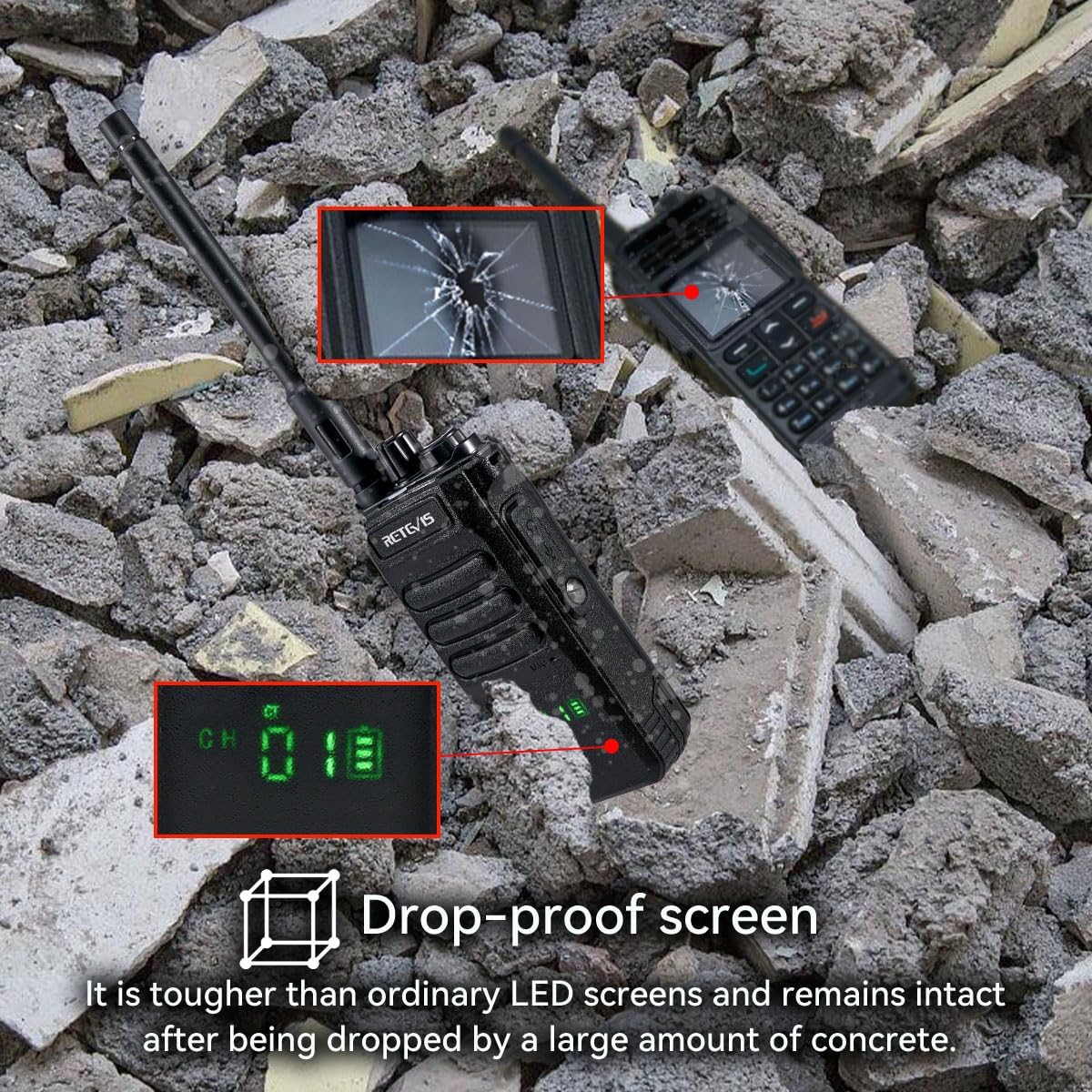
Image: Comparison showing the RT86's drop-proof screen resilience against impact.
Setup
1. Battery Installation
- Align the battery pack with the grooves on the back of the radio.
- Slide the battery pack upwards until it clicks into place.
- To remove, press the battery release latch (if present) and slide the battery downwards.
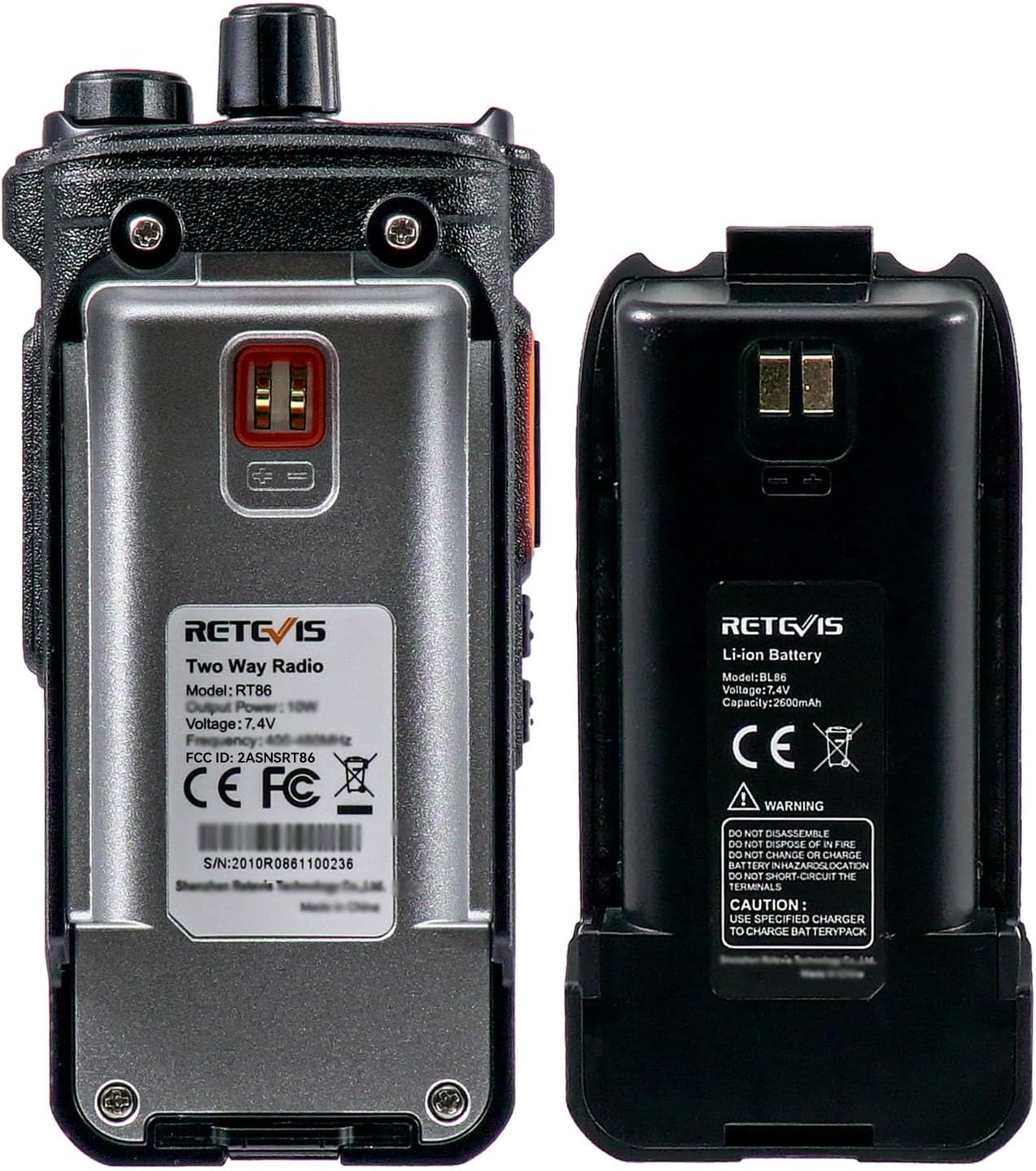
Image: Rear view of the RT86 radio and its battery, illustrating how they connect.
2. Antenna Attachment
- Locate the antenna connector on the top of the radio.
- Screw the foldable tactical antenna clockwise onto the connector until it is finger-tight. Do not overtighten.
- Ensure the antenna is securely attached for optimal performance.
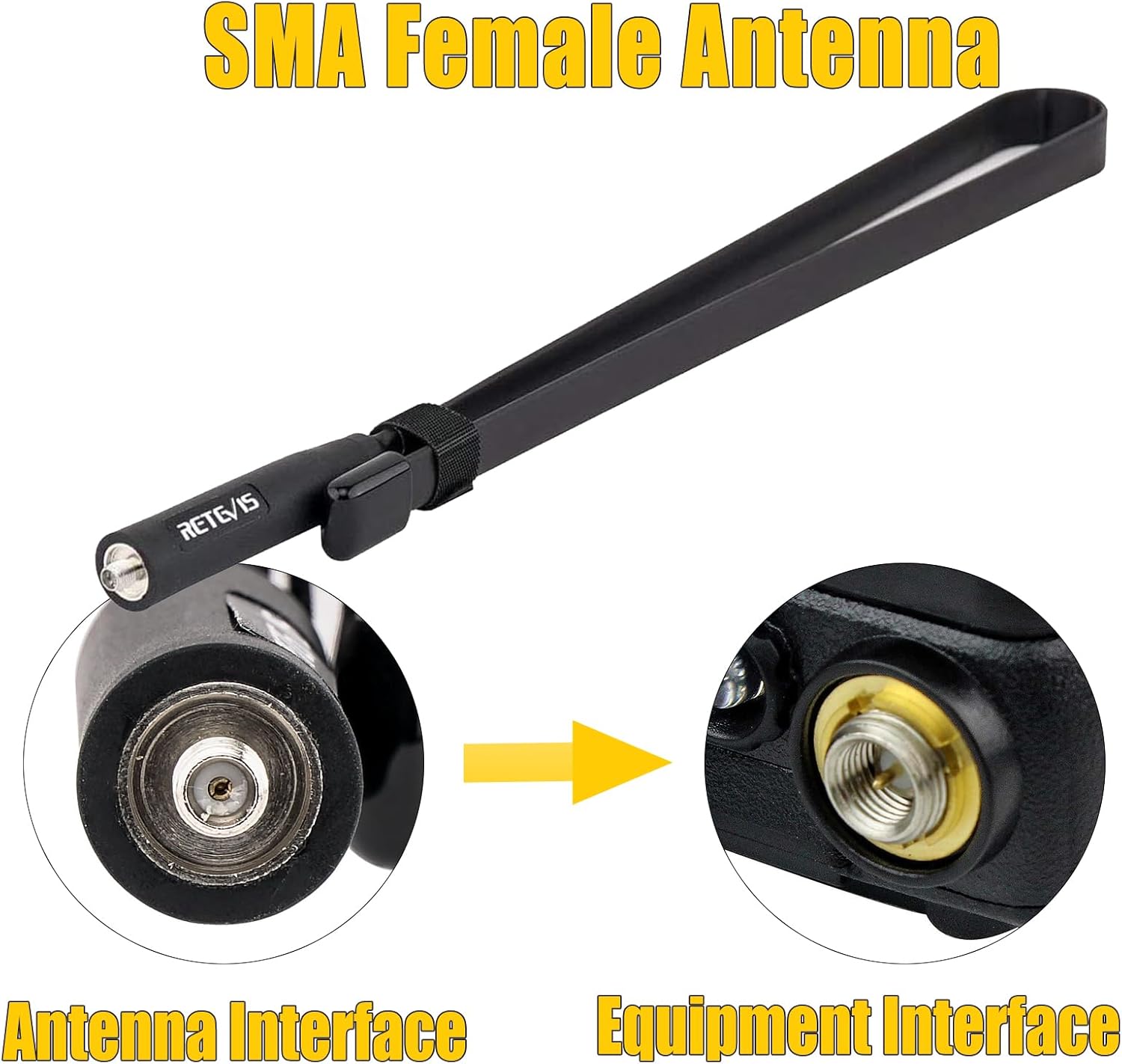
Image: Illustration of how to connect the SMA female antenna to the radio.

Image: The foldable tactical antenna, demonstrating its flexibility and extended length.
3. Charging the Battery
- Insert the battery pack into the charging cradle.
- Connect the USB charger and adapter to the charging cradle and a power source.
- The charging indicator light will illuminate (typically red) during charging and change color (typically green) when fully charged.
- A full charge takes approximately 4-5 hours.

Image: The RT86 radio being charged, with battery life indicators.
Operating Instructions
1. Power On/Off and Volume Control
- To power on the radio, rotate the Power/Volume Knob clockwise until you hear a click.
- Continue rotating the knob clockwise to increase the volume, and counter-clockwise to decrease it.
- To power off, rotate the knob counter-clockwise until you hear a click.
2. Channel Selection
- Rotate the Channel Selector Knob (usually located next to the antenna) to choose your desired channel.
- The selected channel number will be displayed on the radio's screen.
- Note: The RT86 radios are pre-set with CTCSS/DCS codes. To communicate with other brands of radios, specific firmware adjustments may be required. Contact Retevis support for assistance.
3. Transmitting and Receiving
- To transmit, press and hold the Push-to-Talk (PTT) Button (located on the side of the radio). Speak clearly into the microphone.
- Release the PTT button to stop transmitting and return to receive mode.
- When receiving a signal, the radio's speaker will output the audio.
4. Using the Acoustic Tube Headset
- Plug the headset connector into the audio jack on the side of the radio.
- Ensure the connection is secure.
- The headset allows for private listening and hands-free communication. The PTT button on the headset can be used for transmitting.

Image: Close-up of the RT86 radio highlighting its controls and ports.
Maintenance
- Cleaning: Use a soft, damp cloth to clean the radio's exterior. Do not use harsh chemicals or abrasive cleaners.
- Battery Care:
- Avoid fully discharging the battery frequently.
- Store the battery in a cool, dry place when not in use for extended periods.
- Only use the provided charger and adapter.
- Antenna: Ensure the antenna is always securely attached during operation. Avoid bending or stressing the antenna unnecessarily.
- Storage: Store the radio in a dry, dust-free environment away from extreme temperatures.
Troubleshooting
| Problem | Possible Cause | Solution |
|---|---|---|
| Radio does not power on. | Battery is not installed correctly or is discharged. | Ensure battery is securely installed. Charge the battery fully. |
| Cannot transmit or receive. | Incorrect channel selected, low battery, or antenna not connected. | Verify channel selection. Charge battery. Ensure antenna is securely attached. |
| Poor audio quality or short range. | Antenna loose or damaged, environmental interference, or low battery. | Check antenna connection. Move to an open area. Charge battery. |
| Cannot communicate with other brand radios. | CTCSS/DCS codes may not match. | Contact Retevis support for firmware adjustments if necessary. |
Specifications
| Feature | Detail |
|---|---|
| Model | RT86 |
| Battery Type | Li-ion |
| Battery Capacity | 2600mAh |
| Rated Voltage | 7.4V |
| Use Time | Approx. 16 hours |
| Standby Time | Approx. 130 hours |
| Antenna Gain | 5dBi |
| Antenna Length | 73.5cm / 28.9 inches (Foldable Tactical Antenna) |
| FCC ID | 2ASNS RT86 |
| Date First Available | March 8, 2025 |

Image: Product label on the back of the RT86 radio with technical specifications.
Warranty and Support
Retevis products are designed for reliability and performance. For warranty information, please refer to the warranty card included with your purchase or visit the official Retevis website. For technical support, troubleshooting assistance, or inquiries regarding firmware updates for compatibility with other radio brands, please contact Retevis customer service via Amazon mail or through the contact information provided on the official Retevis website.
Official Retevis Website: www.retevis.com


