
Tek Styz OTG USB-C 3.0 Adapter
Tek Styz OTG USB-C 3.0 Adapter Instruction Manual
Model: OTG USB-C 3.0 Adapter
1. Introduction
The Tek Styz OTG USB-C 3.0 Adapter is designed to expand the connectivity of your USB-C enabled devices, such as smartphones, tablets, and laptops. This adapter allows you to connect various USB peripherals, including keyboards, mice, flash drives, game controllers, and more, directly to your device. It features a plug-and-play design for immediate use and supports high-speed data transfer.
2. Product Overview

Image: Two Tek Styz OTG USB-C 3.0 Adapters. Each adapter features a USB-C male connector on one end and a USB 3.0 female port on the other, connected by a short cable.
The Tek Styz OTG USB-C 3.0 Adapter provides a simple and effective way to connect standard USB-A devices to your USB-C port. Its compact and durable design ensures reliable performance for various applications.
3. Setup & Connection
Setting up your Tek Styz OTG USB-C 3.0 Adapter is straightforward due to its plug-and-play functionality.
- Identify Ports: Locate the USB-C port on your device (e.g., smartphone, tablet, laptop).
- Connect Adapter: Insert the USB-C male connector of the OTG adapter into your device's USB-C port. The reversible design allows for easy connection in any orientation.
- Connect Peripheral: Plug your desired USB-A peripheral (e.g., flash drive, keyboard, mouse) into the USB 3.0 female port of the OTG adapter.
- Ready to Use: Your device should automatically recognize the connected peripheral, making it ready for immediate use.

Image: The Tek Styz OTG USB-C 3.0 Adapter connected to a laptop, demonstrating its reversible USB-C connector. The image highlights that only Type-C is compatible, while Lightning and Micro USB are not.
4. Operating Instructions
The OTG adapter enables various functions depending on the connected peripheral:
4.1. Connecting Peripherals
Connect standard USB devices to your USB-C host device:
- Keyboards & Mice: Use a full-sized keyboard and mouse for improved productivity on your tablet or smartphone.
- Flash Drives & External Hard Drives: Access files, photos, and videos directly from external storage devices.
- Game Controllers: Enhance your gaming experience by connecting compatible game controllers.
- USB Hubs: Expand your connectivity further by connecting a USB hub to the adapter, allowing multiple USB devices to be used simultaneously.

Image: A smartphone connected to a keyboard via the Tek Styz OTG USB-C 3.0 Adapter, demonstrating the ability to connect wireless devices and storage. Another image shows a smartphone connected to a USB-C adapter.
4.2. High-Speed Data Transfer
The adapter supports USB 3.0 (USB 3.2 Gen 1) SuperSpeed data transfer, offering speeds up to 5Gbps. This is significantly faster than USB 2.0, allowing for quick transfer of large files, HD movies, and music.

Image: A smartphone and a laptop connected to two Tek Styz OTG USB-C 3.0 Adapters, illustrating high-speed data synchronization. The image notes that the adapters cannot be inserted side-by-side due to their design.
4.3. Multi-Device Usage
The flexible cable design allows for convenient connection of multiple adapters or peripherals, even in tight spaces, without obstructing adjacent ports.

Image: Two Tek Styz OTG USB-C 3.0 Adapters connected to a laptop, with one adapter connected to a power bank, demonstrating the flexibility of the cable for using multiple devices simultaneously.
5. Maintenance
To ensure the longevity and optimal performance of your Tek Styz OTG USB-C 3.0 Adapter, follow these simple maintenance guidelines:
- Cleaning: Use a soft, dry cloth to wipe the adapter. Avoid using liquid cleaners or abrasive materials.
- Storage: Store the adapter in a cool, dry place away from direct sunlight and extreme temperatures.
- Handling: Avoid bending the cable excessively or applying undue force when connecting or disconnecting. Always grasp the connector housing, not the cable itself.
- Protection: Keep the adapter away from dust, dirt, and moisture, which can damage the connectors.
6. Troubleshooting
If you encounter issues with your Tek Styz OTG USB-C 3.0 Adapter, try the following troubleshooting steps:
- Adapter Not Recognized:
- Ensure the adapter is fully inserted into your device's USB-C port.
- Try connecting the adapter to a different USB-C port on your device, if available.
- Restart your device and try again.
- Peripheral Not Working:
- Ensure the peripheral (e.g., flash drive, keyboard) is fully inserted into the adapter's USB 3.0 port.
- Test the peripheral directly with a computer to confirm it is functional.
- Verify that your device supports OTG (On-The-Go) functionality. Not all USB-C devices support OTG.
- Some high-power peripherals may require external power. The adapter does not provide power to your host device.
- Slow Data Transfer:
- Ensure both your device and the connected peripheral support USB 3.0 for optimal speeds. If either is USB 2.0, speeds will be limited to USB 2.0.
- Avoid transferring many small files simultaneously, as this can reduce overall transfer speed.
7. Specifications
| Feature | Detail |
|---|---|
| Product Name | OTG USB-C 3.0 Adapter |
| Brand | Tek Styz |
| Connector Type | USB-C Male to USB 3.0 Female |
| Data Transfer Speed | Up to 5Gbps (USB 3.0 / USB 3.2 Gen 1) |
| Dimensions (L x W x H) | Approximately 4 x 0.2 x 0.2 inches |
| Item Weight | 0.5 ounces |
| Color | Black |
| Compatible Devices | Android, HTC A103 Plus, IOS, Mac, Windows devices with USB-C OTG capability |
| Material | Durable ABS Plastic alloys |
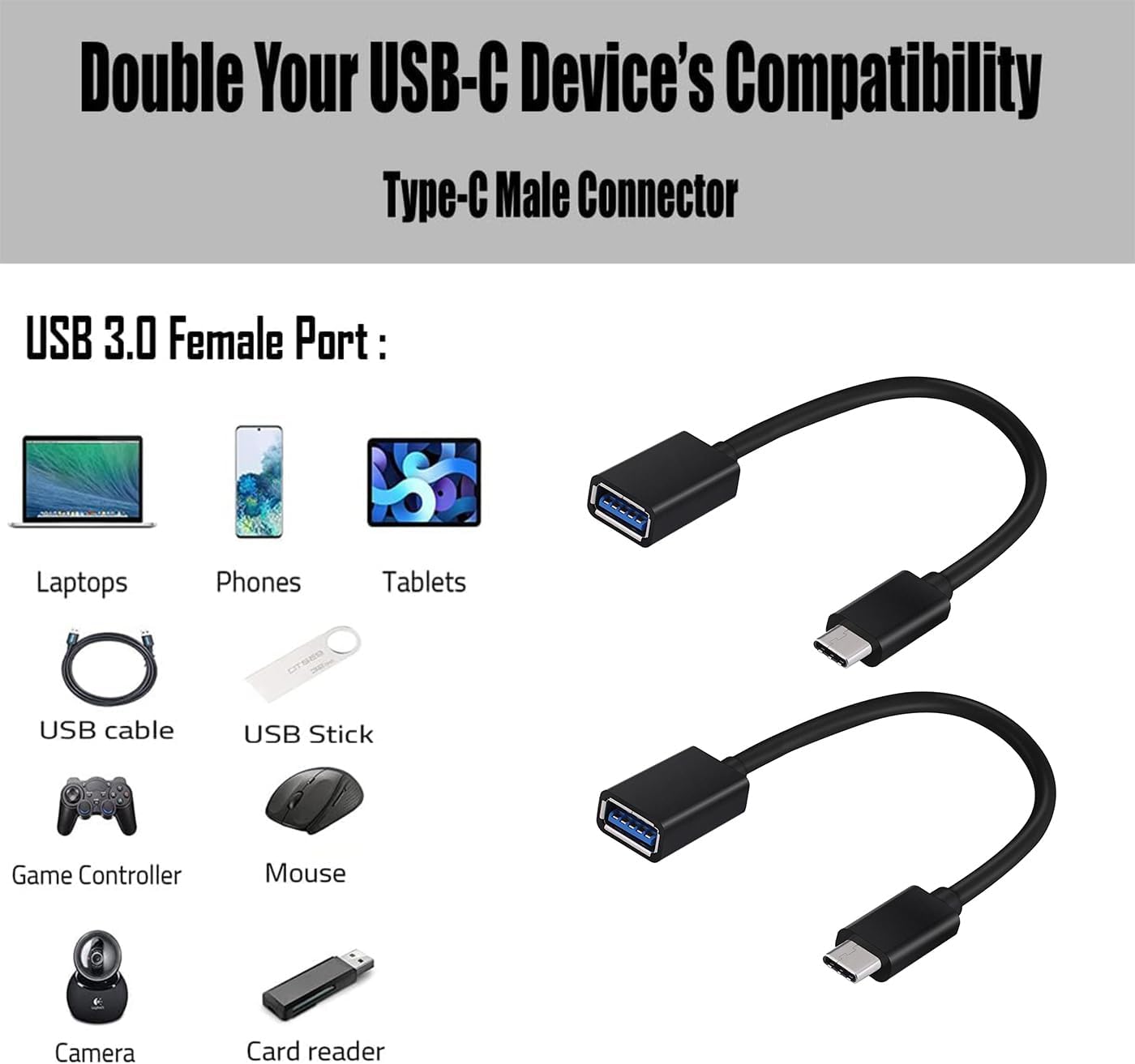
Image: Diagram showing various devices (laptops, phones, tablets) and peripherals (USB cable, USB stick, game controller, mouse, camera, card reader) compatible with the USB 3.0 female port of the Tek Styz USB-C OTG Adapter.
8. Warranty & Support
Tek Styz provides a 12-Month Warranty for the OTG USB-C 3.0 Adapter. If you have any questions or encounter issues with your product, please contact our customer service team. We are committed to resolving any concerns within 24 hours.
For support, please refer to the contact information provided with your purchase or visit the official Tek Styz website.
Ask a question about this manual
Ask about setup, troubleshooting, compatibility, parts, safety, or missing instructions. Manuals+ will review the question and use this page’s manual context to help answer it.