
GIDIGI GX-pET04BEU
GIDIGI GX-pET04BEU 4-in-1 Digital pH, EC, TDS, Temperature Meter User Manual
Model: GX-pET04BEU | Brand: GIDIGI
Introduction
This manual provides detailed instructions for the operation, calibration, and maintenance of your GIDIGI GX-pET04BEU 4-in-1 Digital pH, EC, TDS, and Temperature Meter. This versatile device is designed for accurate measurement of water quality parameters in various applications, including hydroponics, aquariums, pools, drinking water, and brewing. Please read this manual thoroughly before use to ensure proper function and longevity of the device.
Product Features
- Simultaneous Display: The meter's screen simultaneously displays pH, EC, and temperature, eliminating the need to switch modes. It also shows PPM for hydroponic solutions, aiding in nutrient management.
- Accurate Measurement with ATC: Features automatic temperature compensation (ATC) from 0 to 50 °C (32 to 122 °F) for precise readings, protecting sensitive plants and optimizing growth.
- 4-in-1 Multifunctionality: Measures pH, TDS, EC, and temperature. Wide measurement ranges include pH (0.1-14.0), EC (0-9990 μS/cm, 10.01-19.99 mS/cm), TDS (0-9990 ppm), and temperature (0.0-60.0 °C, 32.0-140.0 °F).
- High-Sensitivity Probe: Equipped with a high-sensitivity probe offering 0.1 resolution for pH. The sponge cap helps keep the electrode moist, extending its lifespan.
- User-Friendly Design: Features an easy-to-read green backlit display for quick readings in low-light conditions. Automatic shut-off after five minutes of inactivity conserves battery life.
Package Contents
The package typically includes:
- GIDIGI GX-pET04BEU 4-in-1 Digital Meter
- pH Calibration Solutions (pH 4.00, pH 7.00, pH 10.01)
- EC Calibration Solution (1413 μS/cm)
- User Manual
- Storage Pouch (may vary by package)

Image: GIDIGI 4-in-1 Digital Meter shown with included pH 4.00, pH 7.00, and pH 10.01 calibration solutions.
Specifications
| Model Number | GX-pET04BEU |
| pH Range | 0.1 - 14.0 pH |
| EC Range | 0 - 9990 μS/cm, 10.01 - 19.99 mS/cm |
| TDS Range | 0 - 9990 ppm |
| Temperature Range | 0.0 - 60.0 °C (32.0 - 140.0 °F) |
| Automatic Temperature Compensation (ATC) | 0 - 50 °C (32 - 122 °F) |
| Automatic Shut-off | After 5 minutes of inactivity |
| Display | Green Backlit LCD |
| Package Dimensions | 25.4 x 14.6 x 5.6 cm |
| Weight | 500 g |
| Country of Origin | China |

Image: Close-up of the meter's extended temperature electrode and professional electrode stabilization chip, highlighting its precision features.
Setup and Initial Use
- Unpack the Device: Carefully remove the GIDIGI meter and all accessories from the packaging.
- Inspect the Probe: Ensure the probe is clean and free from damage. The sponge cap should be moist; if dry, add a few drops of electrode storage solution or distilled water.
- Power On: Press the power button to turn on the device.
- Initial Calibration: For accurate readings, it is crucial to calibrate the meter before first use and regularly thereafter. Refer to the "Calibration" section for detailed instructions.
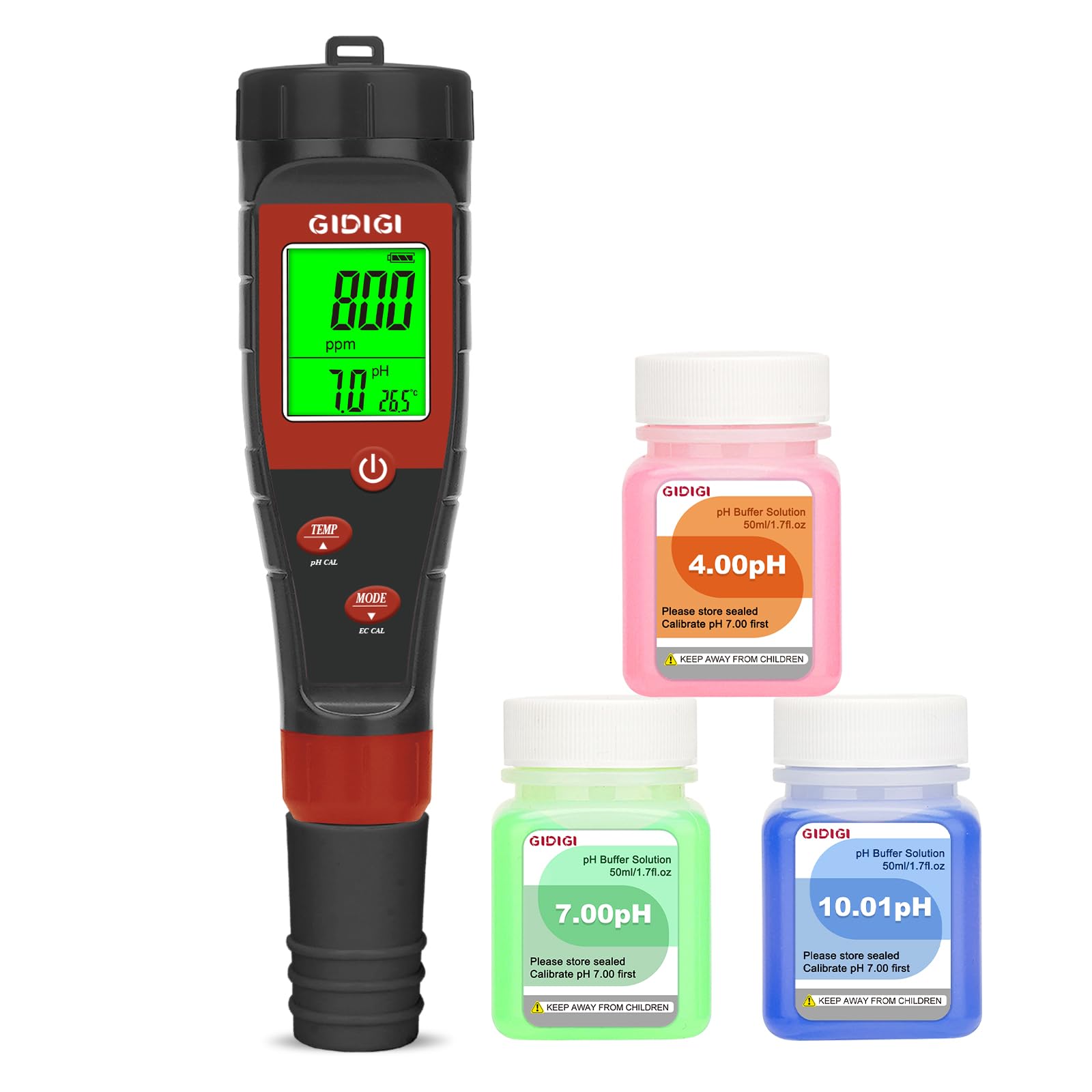
Image: A hand holding the GIDIGI 4-in-1 Digital Meter, displaying simultaneous readings for pH, PPM, and temperature on its green backlit screen.
Operating Instructions
General Measurement
- Prepare Sample: Obtain a sample of the water or solution you wish to test.
- Immerse Probe: Remove the protective cap and immerse the electrode into the sample solution, ensuring the sensor is fully submerged.
- Stabilize Reading: Gently stir the meter to remove air bubbles and wait for the reading on the display to stabilize.
- Record Measurement: Once stable, record the pH, EC, TDS, and temperature values displayed.
- Clean Probe: After each use, rinse the electrode with distilled water and replace the protective cap, ensuring the sponge remains moist.

Image: The GIDIGI 4-in-1 Digital Meter in use, demonstrating its application for testing drinking water, tap water, and garden water.
Hydroponics Use
The GIDIGI meter is ideal for monitoring hydroponic nutrient solutions. Regular checks help maintain optimal conditions for plant growth.
- Check pH and PPM of the hydroponic base water.
- Monitor the nutrient solution's pH and EC/TDS to ensure plants receive adequate nutrients.
- Measure the temperature of the hydroponic water for root health.

Image: The GIDIGI 4-in-1 Digital Meter measuring parameters in a hydroponic system, showing its application for nutrient solution and root temperature.
Pool Water Testing
Maintain healthy pool water by regularly checking pH, PPM, and temperature.
- Ideal pH: 7.2-7.8 pH
- Saltwater Pools PPM: 2000-3400 ppm
- Chlorine or Bromine Pools PPM: 1000-2000 ppm
- Recommended Temperature: 25.5-29.0 °C

Image: The GIDIGI 4-in-1 Digital Meter being used to measure pH, PPM, and temperature in a swimming pool, providing direct readings without color comparison.
Calibration
Regular calibration ensures the accuracy of your meter. It is recommended to calibrate the pH once a week for high precision (e.g., hydroponics) or once a month for general use (e.g., pools). EC calibration is generally stable from the factory but can be re-calibrated if needed.
pH Calibration (4.00, 7.00, 10.01 pH)
- Prepare Solutions: Pour small amounts of pH 4.00, pH 7.00, and pH 10.01 buffer solutions into separate clean beakers.
- Clean Probe: Rinse the electrode with distilled water and gently blot dry.
- Calibrate pH 7.00:
- Immerse the electrode into the pH 7.00 buffer solution.
- Press and hold the "CAL" button (often combined with "TEMP" or "pH CAL") for 5 seconds until "CAL" appears on the screen.
- The display will flash "7.00" three times, indicating successful calibration.
- Calibrate pH 4.00 (or 10.01):
- Rinse the electrode with distilled water.
- Immerse the electrode into the pH 4.00 buffer solution.
- Press and hold the "CAL" button for 5 seconds.
- The display will flash "4.00" three times.
- Repeat for pH 10.01 solution if needed.
- Finish: Rinse the electrode with distilled water and replace the protective cap.

Image: Step-by-step diagram illustrating the pH calibration process using buffer solutions, including instructions for 4.00, 7.00, and 10.01 pH points.
EC Calibration (1413 μS/cm)
The EC sensor is typically factory-calibrated. If recalibration is required:
- Prepare Solution: Pour a small amount of 1413 μS/cm EC calibration solution into a clean beaker.
- Clean Probe: Rinse the electrode with distilled water and gently blot dry.
- Calibrate:
- Immerse the electrode into the 1413 μS/cm solution.
- Press and hold the "EC CAL" button for 5 seconds until a value flashes on the screen.
- Use the up/down arrows (if available, or "MODE" button to cycle) to adjust the displayed value to 1413.
- The value will flash three times, indicating successful calibration.
- Finish: Rinse the electrode with distilled water and replace the protective cap.
Note: Calibration for 5000 μS/cm and 12.88 mS/cm follows similar steps.

Image: Diagram illustrating the EC calibration process, including steps for using 1413 μS/cm solution and cleaning the electrode.
Maintenance
- Electrode Cleaning: Regularly clean the EC electrode probe with a cotton swab to remove any buildup.
- Electrode Storage: Always keep the electrode moist by ensuring the sponge in the protective cap is saturated with electrode storage solution. If storage solution is unavailable, add a few drops of distilled water. Never store the electrode dry.
- Battery Replacement: If the display dims or the meter behaves erratically, replace the batteries. Refer to the device's battery compartment for type and replacement instructions.
- Probe Replacement: Compatible replacement probes are available for purchase from the GIDIGI store.
Troubleshooting
| Problem | Possible Cause | Solution |
|---|---|---|
| Inaccurate Readings | Uncalibrated meter, dirty electrode, dry electrode, expired calibration solutions. | Calibrate the meter according to instructions. Clean the electrode. Ensure the electrode is stored moist. Use fresh calibration solutions. |
| Display is dim or blank | Low battery, device off. | Replace batteries. Press the power button to turn on. |
| Readings fluctuate excessively | Air bubbles on electrode, unstable sample temperature, damaged electrode. | Gently stir the sample. Allow sample to reach a stable temperature. If problem persists, the electrode may need replacement. |
| Cannot calibrate | Incorrect calibration solution, dirty electrode, faulty electrode. | Ensure correct and fresh calibration solutions are used. Clean the electrode. If still unable to calibrate, the electrode may be faulty and require replacement. |
Warranty and Support
GIDIGI is committed to customer satisfaction. If you encounter any issues with your GX-pET04BEU meter, please contact our customer support team. We are available 24/7 and aim to respond to all inquiries within 12 hours.
For compatible accessories such as pH calibration powder, pH calibration solution, EC calibration solution, and new replacement probes, please visit the official GIDIGI store.
Contact Information: Refer to the product packaging or the official GIDIGI website for the most current support contact details.
Ask a question about this manual
Ask about setup, troubleshooting, compatibility, parts, safety, or missing instructions. Manuals+ will review the question and use this page’s manual context to help answer it.