
1MORE S20 (HQ20)
1MORE Open Ear Earbuds S20 User Manual
Model: S20 (HQ20)
Introduction
Thank you for choosing the 1MORE Open Ear Earbuds S20. These innovative clip-on earbuds are designed to provide a comfortable, secure fit with exceptional audio quality, allowing you to stay aware of your surroundings while enjoying your music or calls. Featuring Hi-Res Certified Audio, BassMore+ technology, and advanced Bluetooth 5.4 connectivity, the S20 earbuds are perfect for daily use, sports, and active lifestyles.
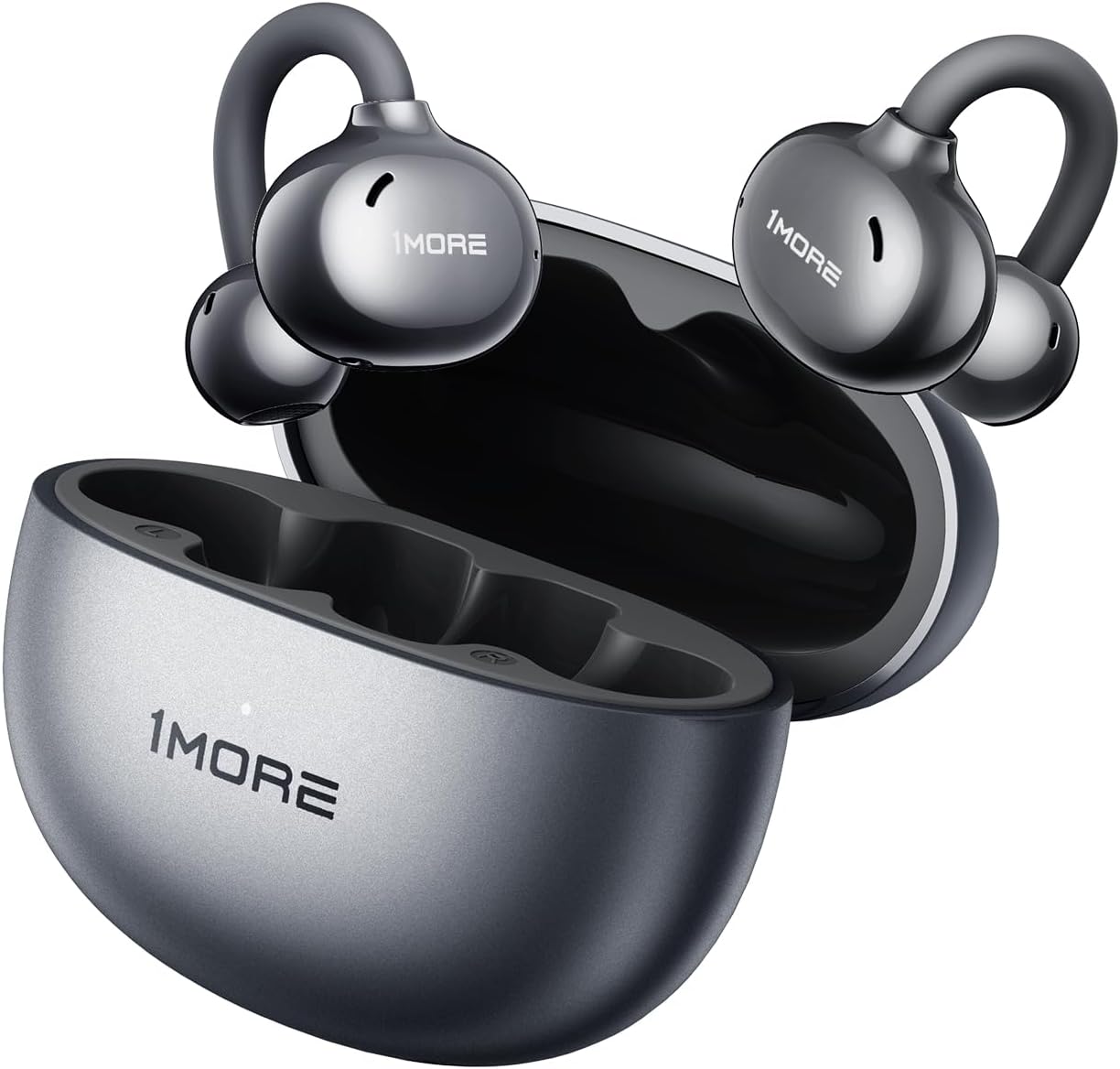
Image: The 1MORE Open Ear Earbuds S20, showcasing their sleek design and accompanying charging case.
Package Contents
Ensure all items are present in your package:
- 1MORE Open Ear Earbuds S20 (Left and Right)
- Charging Case
- USB-C Charging Cable
- User Manual (this document)

Image: Front view of the 1MORE S20 earbud product box, displaying the product image and key features.
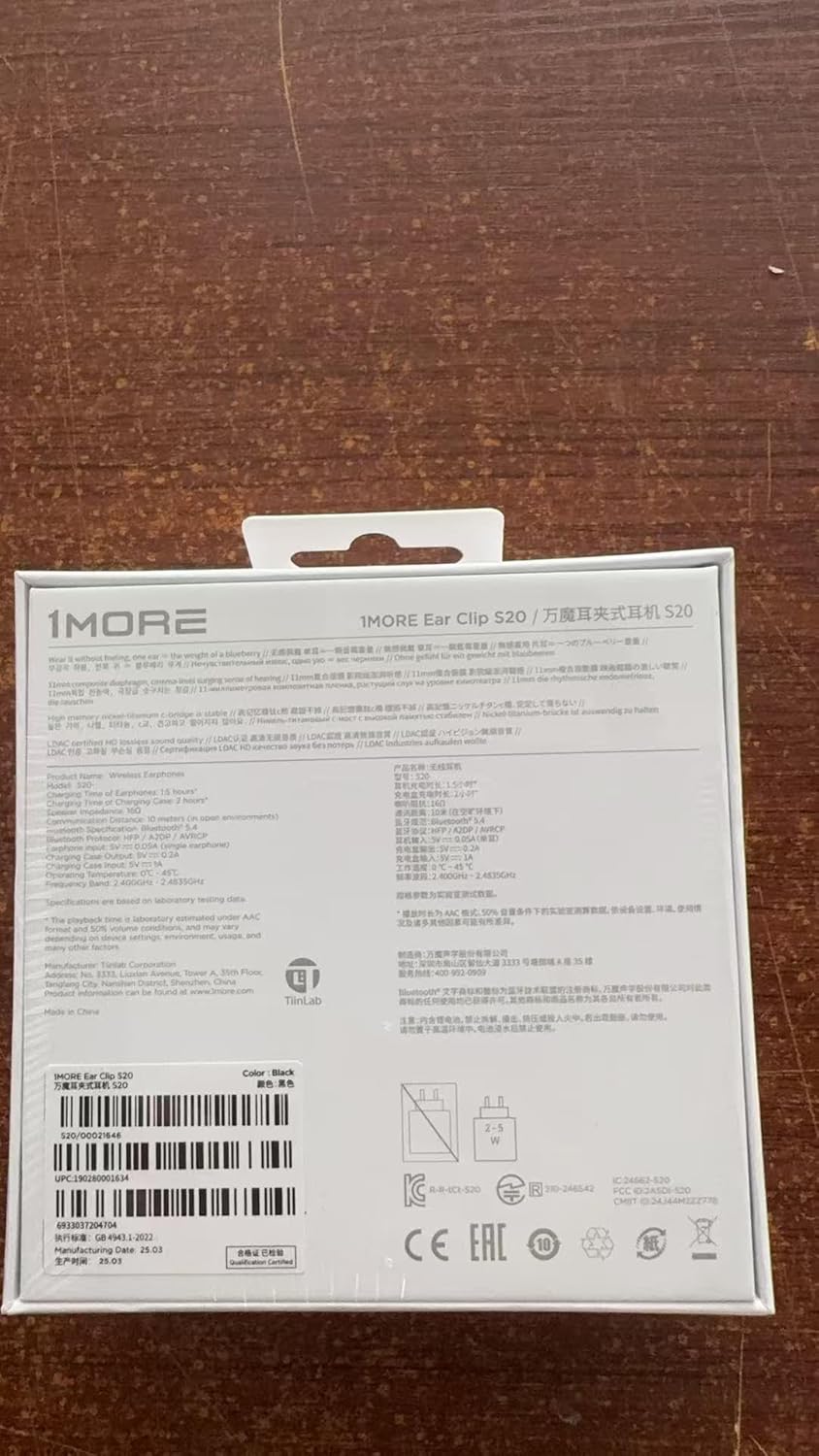
Image: Back view of the 1MORE S20 earbud product box, showing detailed specifications and regulatory information.
Setup
1. Charging the Earbuds and Case
Before first use, fully charge the earbuds and the charging case. Place the earbuds into the charging case. Connect the USB-C charging cable to the charging port on the case and the other end to a USB power source (e.g., computer, wall adapter).
- The indicator lights on the case will show charging status.
- A full charge provides up to 30 hours of total playback time with the charging case.

Image: The 1MORE S20 earbuds resting in their charging case, illustrating the ultra-long 30-hour battery life capability.
2. Pairing with Your Device
- Open the charging case. The earbuds will automatically enter pairing mode (indicator lights will flash).
- On your device (smartphone, tablet, etc.), go to Bluetooth settings.
- Select "1MORE S20" from the list of available devices.
- Once connected, you will hear a confirmation tone, and the indicator lights will turn off.
For subsequent uses, the earbuds will automatically connect to the last paired device when taken out of the case.
Operating Instructions
Wearing the Earbuds
The 1MORE S20 earbuds feature a clip-on design for a secure and comfortable fit. Gently clip the earbuds onto your ear, ensuring the speaker is positioned correctly for optimal sound delivery without entering the ear canal. The BalanceAIR+ comfort technology provides a zero-pressure fit.

Image: A woman smiling while wearing the 1MORE S20 earbuds, demonstrating the BalanceAIR+ Comfort Technology for a zero-pressure, all-day comfortable fit.
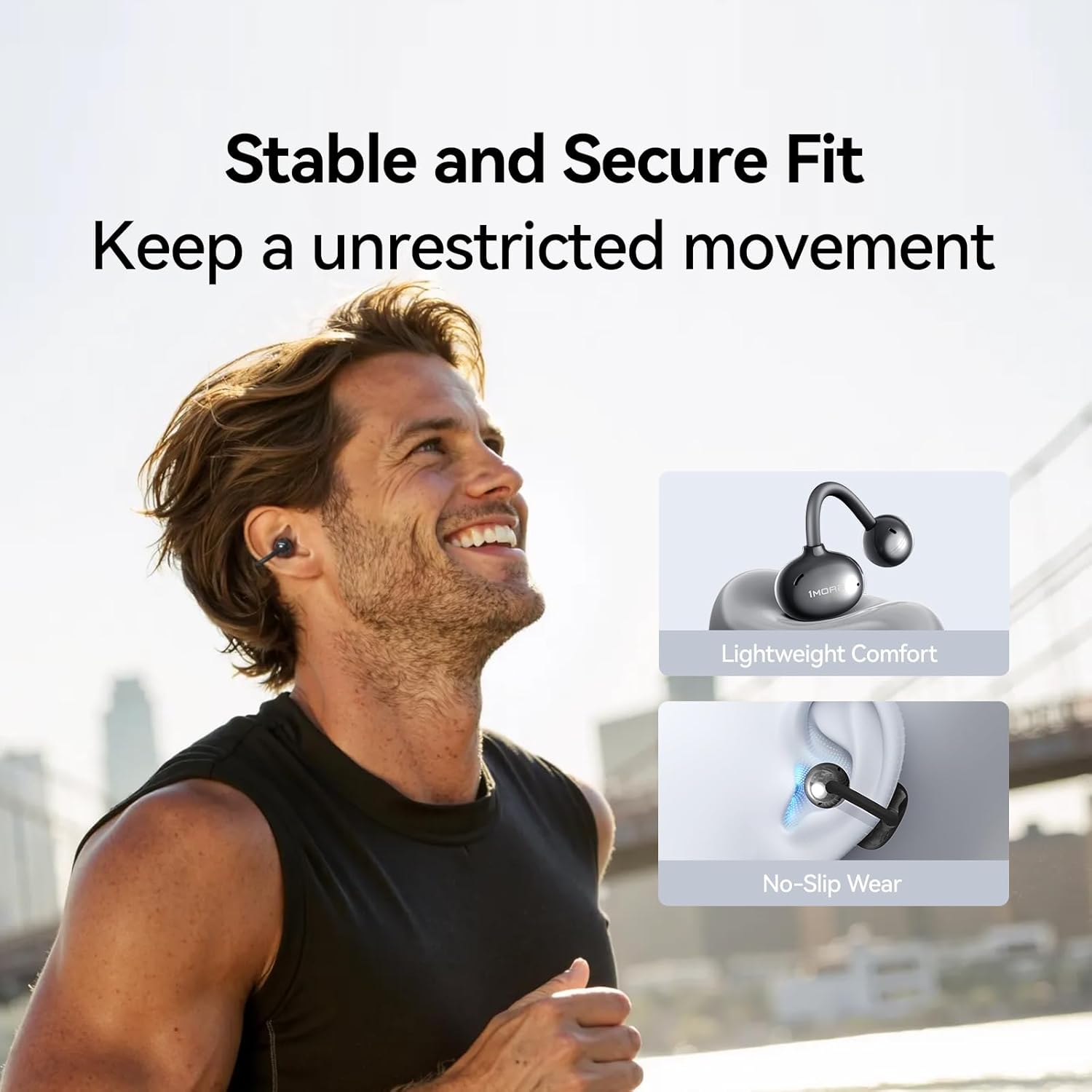
Image: A man running outdoors while wearing the 1MORE S20 earbuds, illustrating their stable and secure fit for unrestricted movement during physical activity.
Touch Controls
The S20 earbuds feature intuitive touch controls on each earbud. The specific functions can often be customized via the 1MORE MUSIC app.
| Action | Function |
|---|---|
| Double Tap (Left/Right) | Play/Pause Music, Answer/End Call |
| Triple Tap (Left/Right) | Activate Voice Assistant |
| Press and Hold (Left/Right) | Reject Call |
Note: Volume control and track skipping may require specific gestures or app customization.
Audio Features
Experience immersive audio with the S20 earbuds:
- Hi-Res Certified Audio & BassMore+ Tech: Delivers rich, detailed sound with enhanced bass.
- 360° Panoramic Sound: Provides an expansive soundstage for an immersive listening experience.
- Open Ear Design: Allows you to hear your surroundings while enjoying private audio, enhancing safety and awareness.

Image: A woman enjoying music with 1MORE S20 earbuds, illustrating the expansive surround soundstage and 360° panoramic audio.

Image: A detailed view of an earbud driver surrounded by sound waves, symbolizing the BassMore+ Enhanced Audio technology that allows users to feel the subtleties of sound.

Image: A diagram illustrating the internal components of the earbud and how ultrasonic focusing technology minimizes sound leakage by directing sound directly to the ear canals.
Call Functions
The S20 earbuds are equipped with Four-mic ENC (Environmental Noise Cancellation) and SDT sound focusing technology for crystal-clear calls, even in noisy environments. This technology also helps eliminate sound leakage, ensuring privacy.

Image: A woman sitting in a cafe, wearing 1MORE S20 earbuds, highlighting the ENC 4-Mic AI Noise Cancellation feature for clear communication.
Maintenance
To ensure the longevity and optimal performance of your 1MORE S20 earbuds, follow these maintenance guidelines:
- Cleaning: Regularly wipe the earbuds and charging case with a soft, dry, lint-free cloth. Do not use abrasive cleaners or solvents.
- Storage: When not in use, store the earbuds in their charging case to protect them and keep them charged.
- Water Resistance: The earbuds are IPX5 water resistant, meaning they can withstand sweat and light splashes. Do not submerge them in water or expose them to heavy rain. Ensure they are dry before placing them back in the charging case.
- Temperature: Avoid exposing the earbuds to extreme temperatures (hot or cold) or high humidity.
Troubleshooting
If you encounter issues with your 1MORE S20 earbuds, try the following solutions:
| Problem | Solution |
|---|---|
| Earbuds not pairing | Ensure earbuds are charged. Turn off and on Bluetooth on your device. Forget "1MORE S20" in your device's Bluetooth settings and re-pair. |
| No sound from one earbud | Place both earbuds back in the case, close the lid, wait a few seconds, then take them out again. Check device audio balance settings. |
| Low volume | Increase volume on both your device and the earbuds (if applicable via app). Ensure earbuds are worn correctly. |
| Intermittent connection | Ensure no obstacles between earbuds and device. Stay within the 10-meter Bluetooth range. Avoid strong electromagnetic interference. |
| Earbuds not charging | Check charging cable and power source. Ensure charging contacts on earbuds and case are clean and dry. |
If the issue persists, please refer to the support section for further assistance.
Specifications
| Feature | Detail |
|---|---|
| Model Name | S20 |
| Item Model Number | HQ20 |
| Connectivity Technology | Wireless (Bluetooth 5.4) |
| Bluetooth Range | 10 Meters |
| Frequency Range | 20Hz - 40,000Hz |
| Impedance | 16 Ohm |
| Noise Control | Hybrid Noise Cancellation (ENC 4-Mic AI) |
| Water Resistance | IPX5 |
| Battery Life | Up to 30 hours (with charging case) |
| Item Weight | 6 ounces |
| Included Components | Clip ear headphones |
| UPC | 190280001634 |
Warranty and Support
1MORE products come with a limited warranty. For detailed warranty information, please visit the official 1MORE website or contact their customer support.
For technical support, troubleshooting assistance, or warranty claims, please contact 1MORE Customer Service:
- Official Website: www.1more.com
- Email Support: Refer to the 1MORE website for specific contact email.
- Phone Support: Refer to the 1MORE website for specific contact phone numbers.
Please have your product model number (S20 / HQ20) and proof of purchase ready when contacting support.
Related documentsS20 (HQ20)


Ask a question about this manual
Ask about setup, troubleshooting, compatibility, parts, safety, or missing instructions. Manuals+ will review the question and use this page’s manual context to help answer it.