
Introduction
This manual provides essential instructions for the setup, operation, maintenance, and troubleshooting of your DEERC BG028 Amphibious RC Monster Truck/Boat. This vehicle is designed for versatile use on both land and water, featuring IPX7 waterproofing, 360-degree rotation capabilities, and dual control modes.
Key Features:
- Amphibious Design: Operates on land and water with IPX7 waterproofing.
- 360° Rotation: Performs stunts and spins in place.
- Dual Control Modes: Includes a 2.4GHz handheld controller and a gravity-sensing wristband.
- Dynamic LED Lights: Features 7 vibrant LED colors with flowing light effects.
- Extended Playtime: Up to 80 minutes of operation with two included rechargeable batteries.
- DIY Stunt Adventure: Integrated brick slot for customization.
Safety Information
To ensure safe operation and prevent damage, please observe the following:
- Keep the product away from fire and high-temperature areas.
- Do not operate near people, animals, or obstacles to avoid collisions.
- Ensure all battery compartments are securely closed before water use.
- Adult supervision is recommended for users under 6 years of age.
Package Contents
Verify that all items are present in the package:
- DEERC BG028 Amphibious RC Monster Truck/Boat
- Remote Control (Handheld)
- Gravity-Sensing Wristband (for gesture control)
- Rechargeable Batteries (2x for vehicle)
- USB Charging Cable
- Small Screwdriver
- User Manual (this document)

Image: The DEERC BG028 RC Truck, handheld remote, gravity-sensing wristband, two rechargeable batteries, USB charging cable, and a small screwdriver.
Setup
1. Vehicle Battery Installation
- Locate the battery compartment on the underside of the vehicle.
- Twist the knob(s) to unlock and open the battery compartment cover. No tools are required for this step.
- Connect one of the rechargeable batteries to the vehicle's power connector.
- Place the battery inside the compartment and securely close the cover, twisting the knob(s) to lock it.
2. Remote Control Battery Installation
- Use the provided small screwdriver to open the battery compartment on the back of the handheld remote control.
- Insert two AAA batteries (not included) into the compartment, observing the correct polarity (+/-).
- Replace the battery cover and secure it with the screw.
- For the gravity-sensing wristband, ensure its internal battery is charged (if applicable, typically integrated and charged via USB).
3. Charging the Vehicle Batteries
- Remove the rechargeable battery from the vehicle.
- Connect the battery's cable to the USB charging cable.
- Plug the USB charging cable into a compatible USB power source (e.g., computer, wall adapter).
- The charging indicator on the USB cable will show the charging status (e.g., red light for charging, off when fully charged).
- Charging typically takes approximately 100 minutes per battery.
4. Pairing the Remote Control
- Ensure the vehicle's battery is installed and the vehicle is powered on.
- Power on the remote control (handheld or wristband).
- The remote control and vehicle should automatically pair. If not, turn both off and on again.

Image: Illustration of the easy battery change mechanism and the design of the shock-absorbing tires.
Operating Instructions
1. Basic Controls (Handheld Remote)
- Forward/Backward: Use the left joystick or designated buttons.
- Turn Left/Right: Use the right joystick or designated buttons.
- 360° Rotation: Press the dedicated 360° spin button.
- Upright Driving: The vehicle can perform upright driving tricks and rotate while standing.
2. Gesture Sensing Control (Wristband)
- Attach the wristband to your hand.
- Move your hand to control the vehicle's direction (e.g., tilt hand forward for forward motion, tilt left/right to turn).
- Refer to the wristband's specific instructions for detailed gesture commands.

Image: The DEERC BG028 RC Truck showcasing its dynamic LED lights, which illuminate during operation.
3. Amphibious Operation
- The IPX7 waterproof design allows the vehicle to operate on water surfaces.
- It can also drive upside down underwater due to its double-sided water-driving capability.
- Ensure all battery compartments are sealed before entering water.

Image: The DEERC BG028 RC Truck demonstrating a 360-degree rotation in water and its ability to drive upright on a ramp.
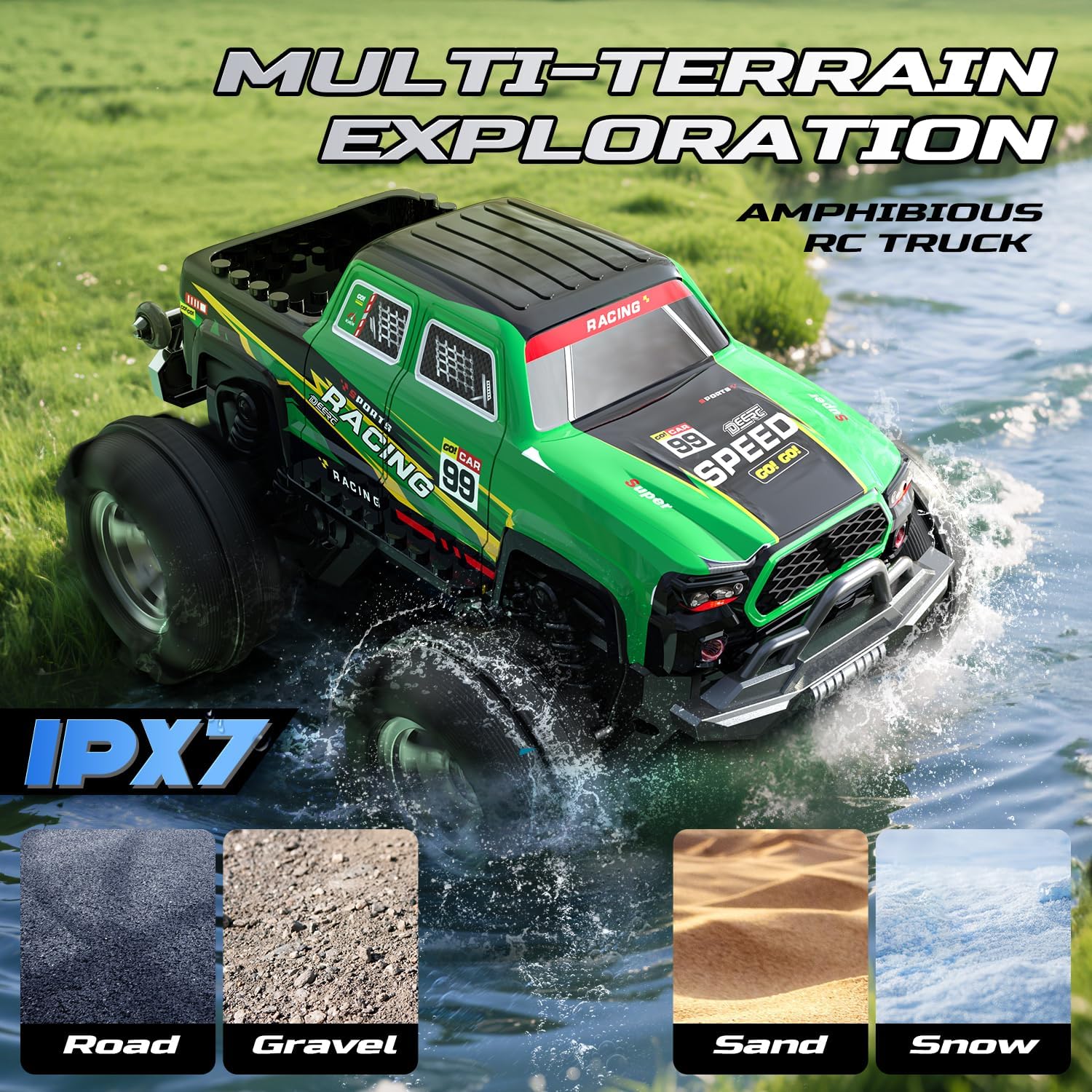
Image: The DEERC BG028 RC Truck operating on water, showcasing its double-side surfing capability.
4. Light Modes
- The vehicle features 7 vibrant LED colors that flow with the driving direction.
- Activate the 360° spin stunt in dynamic light-stream mode for a rainbow effect.
- Switch to single-color flashing mode to cycle through all 7 colors.
5. DIY Customization
- A brick slot is located on the back of the vehicle, allowing for attachment of compatible building blocks (not included) for personalized customization.

Image: A child playing with the DEERC BG028 RC Truck, which has building blocks attached to its rear slot, demonstrating the DIY customization feature.
6. Multi-Terrain Exploration
- The vehicle is designed to operate on various surfaces including road, gravel, sand, and snow, in addition to water.

Image: The DEERC BG028 RC Truck shown operating across diverse terrains such as road, gravel, sand, and snow, highlighting its multi-terrain capability.
7. Official Product Video
Video: This video demonstrates the DEERC BG028 Amphibious RC Monster Truck/Boat operating on both land and water, showcasing its stunts and durability.
Maintenance
1. After Water Use
- After each adventure involving water, remove the battery from the vehicle.
- Thoroughly dry the vehicle and its battery compartment to prevent corrosion and ensure longevity.
2. Battery Care
- Always remove batteries from the vehicle and remote control when not in use for extended periods.
- Store batteries in a cool, dry place.
- Do not overcharge or completely discharge the rechargeable batteries.
3. General Cleaning
- Wipe the vehicle with a soft, damp cloth to remove dirt and debris.
- Avoid using harsh chemicals or solvents.
Troubleshooting
If you encounter issues with your DEERC BG028, refer to the following common solutions:
- Vehicle Not Responding:
- Ensure both the vehicle and remote control are powered on.
- Check if the vehicle's battery is charged and correctly installed.
- Verify the remote control batteries are fresh and correctly installed.
- Re-pair the remote control and vehicle by turning both off and on.
- Poor Control Range:
- Ensure there are no major obstructions between the remote and the vehicle.
- Avoid areas with strong radio interference.
- Replace remote control batteries if they are low.
- Vehicle Performance Issues:
- If the vehicle is sluggish, the battery may need recharging.
- Check for debris caught in the wheels or axles.
- Water Leakage:
- Ensure the battery compartment cover is securely closed and locked before water use.
- Inspect the rubber seals for any damage or misalignment.
Specifications
| Product Dimensions | 8.27 x 6.89 x 4.9 inches |
| Item Weight | 1.32 pounds |
| Model Number | US-BG028-GN |
| Manufacturer Recommended Age | 6 years and up |
| Batteries | 2 Lithium Ion batteries (included) |
| Manufacturer | DEERC |
Warranty and Support
DEERC provides dedicated customer support. For any questions regarding usage, charging, or maintenance, please contact our support team.
- Customer Support: Available 24 hours a day, 7 days a week.
- Warranty Information: Specific warranty details are not provided in this manual. Please refer to the product packaging or contact DEERC customer support for warranty terms and conditions.