
Pinelicorn WX-12C
Pinelicorn 12L Dry Heat Sterilizer User Manual
Model: WX-12C
Introduction
This user manual provides essential information for the safe and efficient operation of your Pinelicorn WX-12C Dry Heat Sterilizer. Please read this manual thoroughly before initial use and keep it for future reference. This sterilizer is designed for high-temperature sterilization of heat-resistant tools used in hair salons, spas, and nail salons.
Safety Information
Your safety is paramount. Please adhere to the following safety guidelines:
- This appliance is for external use only.
- Read the entire manual carefully before operation.
- Do not touch the sterilizer with bare hands when it is operating or immediately after use, as surfaces will be extremely hot. Use heat-resistant gloves.
- Be aware of electrical hazards. Ensure the power cord and plug are in good condition.
- Keep the product out of reach of children.
- Ensure sufficient space around the sterilizer for ventilation. Do not place anything on top of it.
- Only sterilize high-temperature-resistant tools such as metal instruments, scissors, and glass bottles.
- DO NOT place flammable materials such as cotton, plastic, or paper inside the sterilizer.
- Ensure tools are free of water before placing them in the sterilizer.
- After sterilization, allow items to cool down inside the unit or use appropriate tools to remove them to prevent burns.
- Open the door after use to allow heat to dissipate from the interior.
Product Overview
The Pinelicorn WX-12C is a 12L dry heat sterilizer designed for effective sterilization of professional tools. It features precise temperature and timer controls for various sterilization needs.
Key Features:
- Sturdy Construction: Made of PA nylon, tempered glass, and iron with a painting process for durability.
- Efficient Sterilization: 1000W power with two infrared quartz heating tubes and a 360° closed design for thorough sanitization.
- Large Capacity: 12L (12.68qt) capacity with two removable trays to sterilize multiple tools simultaneously.
- Smart Controls: Intuitive temperature control knob (0-250℃ / 32-482℉) and time control knob (0-30 minutes).
- Stable Design: Four PA nylon anti-slip feet ensure stability and protect surfaces.
Components:
- Main Sterilizer Unit
- Two Sterilization Trays
- Power Cord (US Standard Plug)
- Instruction Manual (this document)

Figure 1: Front view of the Pinelicorn WX-12C Dry Heat Sterilizer with its door open, revealing the two removable sterilization trays inside.

Figure 2: Detailed view of the control panel featuring the temperature and timer adjustment knobs, along with an illustration of the multiple heat dissipation holes located at the rear of the unit.
Setup
- Unpacking: Carefully remove the sterilizer and all accessories from the packaging. Inspect for any damage.
- Placement: Place the sterilizer on a stable, flat, heat-resistant surface. Ensure there is adequate ventilation space (at least 10 cm or 4 inches) around all sides of the unit, especially the rear where heat dissipation holes are located. Do not place it near water sources or flammable materials.
- Power Connection: Ensure the sterilizer's power switch is in the "OFF" position. Plug the power cord into a standard 110V, 60Hz electrical outlet.
- Initial Cleaning: Before first use, wipe the interior and trays with a clean, damp cloth. Ensure all surfaces are completely dry before plugging in the unit.
Operating Instructions
- Prepare Tools: Ensure all tools to be sterilized are clean and completely dry. Remove any debris or moisture.
- Load Tools: Open the sterilizer door. Carefully place the tools onto the sterilization trays. Do not overload the trays or allow tools to touch the heating elements.
- Close Door: Securely close the sterilizer door.
- Set Temperature: Turn the TEMPERATURE knob to the desired sterilization temperature. The range is 0-250℃ (32-482℉). Refer to tool manufacturer guidelines for recommended sterilization temperatures.
- Set Timer: Turn the TIMER knob to the desired sterilization time. The range is 0-30 minutes. The unit will begin heating once the timer is set.
- Sterilization Process: The unit will heat up and maintain the set temperature for the duration of the timer. The indicator light may illuminate during operation.
- Completion: Once the set time has elapsed, the unit will automatically turn off. The indicator light will extinguish.
- Cool Down & Removal: Allow the sterilizer and tools to cool down completely before opening the door and removing the sterilized items. Use heat-resistant gloves or tongs if items are still warm.
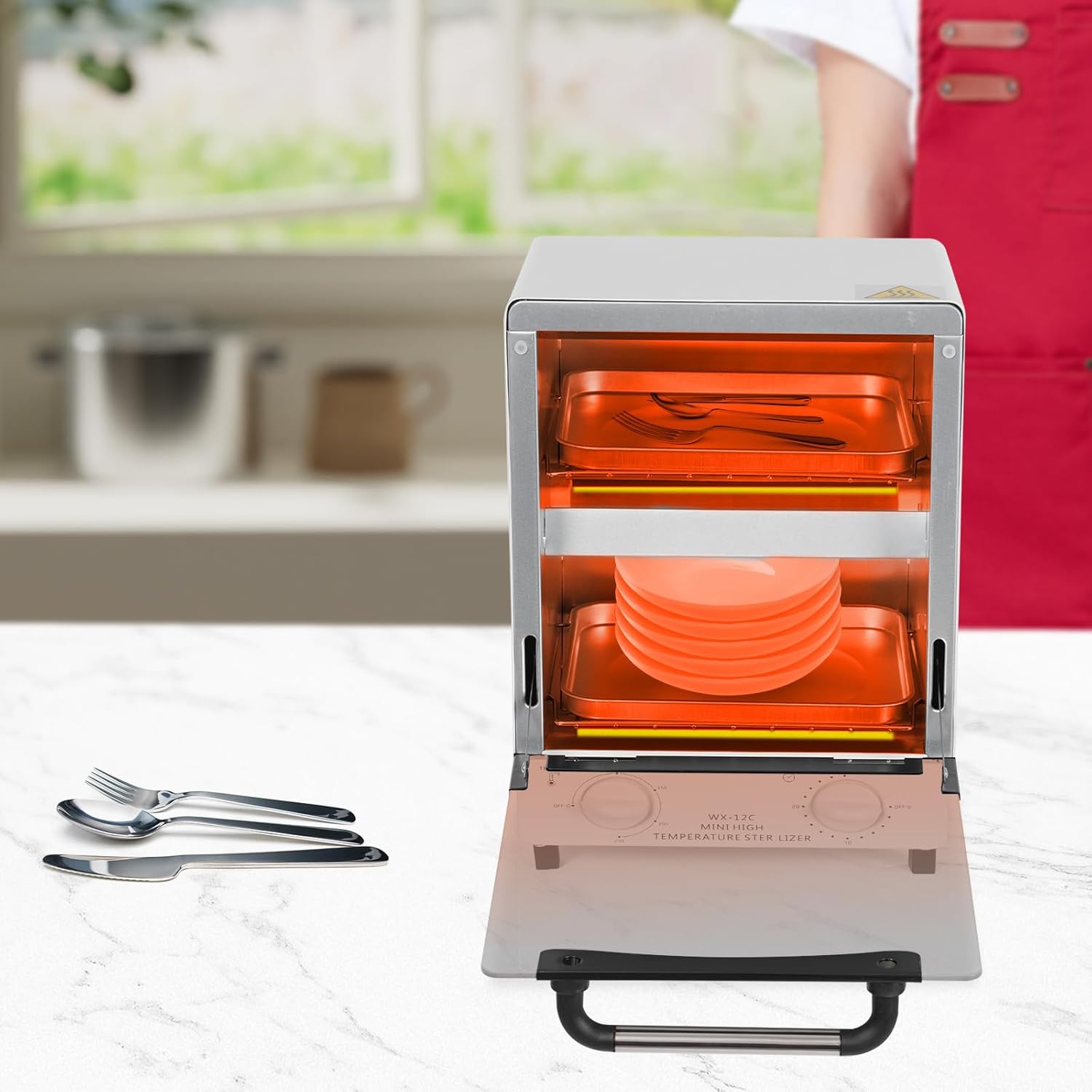
Figure 3: The sterilizer in operation, showing the internal heating elements glowing, indicating the high-temperature sterilization process. Example items like plates and cutlery are shown inside.
Maintenance
Proper maintenance ensures the longevity and effective operation of your sterilizer.
- Cleaning:
- Always unplug the unit and allow it to cool completely before cleaning.
- Wipe the exterior with a soft, damp cloth. Do not use abrasive cleaners or solvents.
- Remove the trays and clean them with mild soap and water. Rinse thoroughly and dry completely before returning them to the unit.
- Wipe the interior with a clean, damp cloth. Ensure the interior is completely dry before next use.
- Storage: Store the sterilizer in a cool, dry place when not in use.
- Inspection: Periodically inspect the power cord for any signs of damage. If damaged, do not use the unit and contact customer support.
Troubleshooting
| Problem | Possible Cause | Solution |
|---|---|---|
| Unit does not turn on. | No power supply; Power cord not properly connected; Timer not set. | Check power outlet; Ensure power cord is securely plugged in; Turn the TIMER knob to a desired time. |
| Unit not heating. | Temperature knob set to 'OFF' or too low; Heating elements malfunction. | Adjust TEMPERATURE knob to a higher setting; If problem persists, contact customer support. |
| Sterilization seems ineffective. | Incorrect temperature or time setting; Overloaded trays; Tools not clean or dry. | Verify temperature and time settings; Do not overload trays; Ensure tools are clean and dry before sterilization. |
| Unusual odors during operation. | New unit odor (normal for first few uses); Residue on tools or inside unit. | Ensure unit is well-ventilated; Clean tools and interior thoroughly. If odor persists or is strong, discontinue use and contact support. |
Specifications
| Feature | Specification |
|---|---|
| Model | WX-12C |
| Material | Iron, Tempered Glass, PA Nylon |
| Color | White |
| Plug Type | US Standard |
| Voltage | 110V, 60Hz |
| Power | 1000W |
| Capacity | 12L / 12.68qt |
| Temperature Range | 0-250℃ / 32-482℉ |
| Time Setting Range | 0-30 minutes |
| Product Size (L*W*H) | 22.5 x 25 x 32.5 cm / 8.56 x 9.84 x 12.8 inches |
| Net Weight | 3.25 kg / 7.17 lbs |

Figure 4: Diagram illustrating the external dimensions of the sterilizer, including its length (22.5cm/8.86in), width (25cm/9.84in), and height (32.5cm/12.8in).
Warranty and Support
While specific warranty details are not provided in this manual, for any product inquiries, technical support, or warranty claims, please contact the seller or manufacturer directly through the platform where the product was purchased. Please retain your proof of purchase for any support requests.
Manufacturer: jiChengFa_US
Ask a question about this manual
Ask about setup, troubleshooting, compatibility, parts, safety, or missing instructions. Manuals+ will review the question and use this page’s manual context to help answer it.