
VILTROX Vintage Z1 Camera Flash
VILTROX Retro Flash (Z1) Instruction Manual
Model: Vintage Z1 Camera Flash
Brand: VILTROX
Introduction
Thank you for choosing the VILTROX Retro Flash (Z1). This compact and powerful flash unit is designed to enhance your photography with its vintage aesthetic and modern functionality. Weighing only 116g, it's an ideal companion for on-the-go shooting, offering versatile lighting solutions for various camera systems.
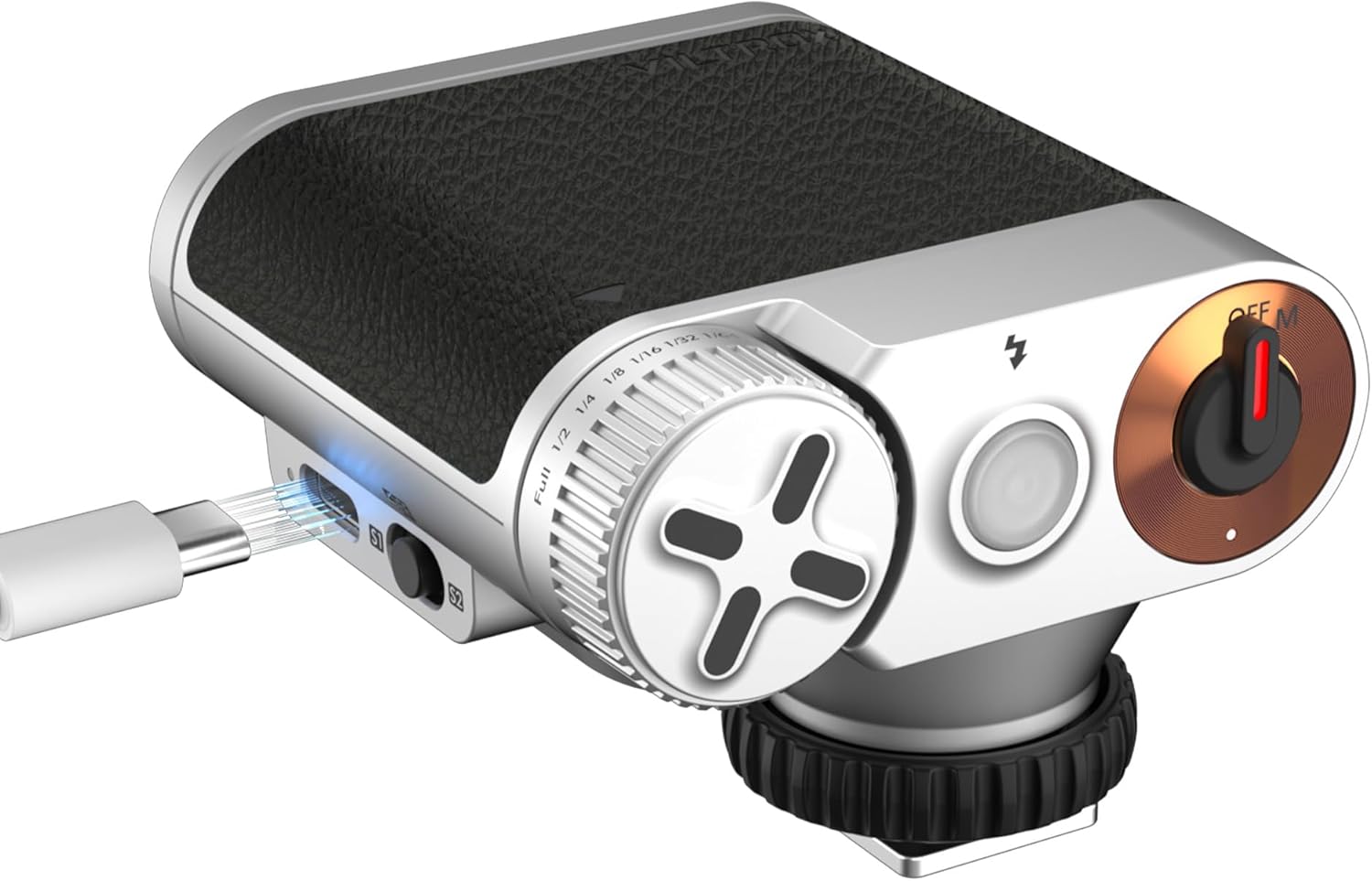
Figure 1: VILTROX Retro Flash (Z1) Overview
What's in the Box
Upon unboxing your VILTROX Retro Flash (Z1), please ensure all the following items are present:
- Flash Unit (VILTROX Retro Flash Z1)
- Soft Cover
- Instruction Manual (this document)

Figure 2: Front view of the VILTROX Retro Flash packaging.
Setup
1. Charging the Flash
The VILTROX Retro Flash features a built-in 1100mAh lithium battery. To charge the unit, connect a USB-C cable (not included) to the USB-C port on the side of the flash. A full charge takes approximately 50 minutes using a 5V/2A power source. The flash supports up to 400 full-power flashes or 10,000 micro-flashes (at 1/64 power) on a single charge.

Figure 3: Charging the VILTROX Retro Flash via USB-C port.
2. Attaching to Camera
The flash is equipped with a universal single contact hot shoe, making it compatible with most mirrorless and DSLR cameras from brands like Sony, Fujifilm, Canon, and Nikon. Simply slide the flash onto your camera's hot shoe and tighten the rubber ring until it is securely fastened.
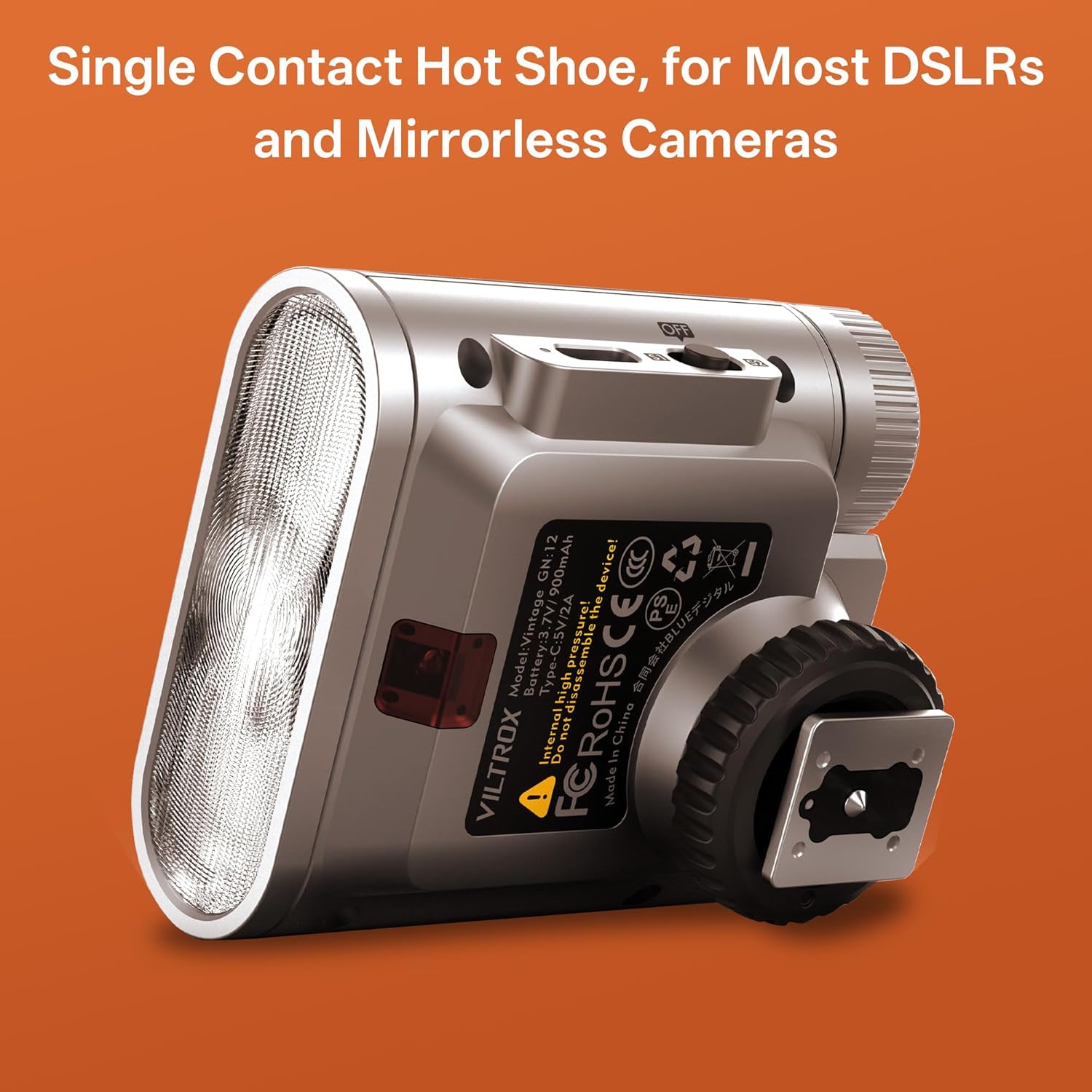
Figure 4: The single contact hot shoe for camera attachment.
3. Camera Settings for Flash Use
For optimal performance, ensure your camera is set up correctly:
- Flash Mode: Set your camera's flash mode to 'Fill Flash' or 'Manual Flash' if available. Avoid TTL (Through-The-Lens) modes as this is a manual flash unit.
- Live View (Mirrorless Cameras): For mirrorless cameras, it is recommended to turn 'Live View' off in your camera's custom settings. This prevents the camera from trying to compensate for the flash's output in real-time, which can lead to incorrect exposure readings or difficulty focusing.
- Shutter Speed: To avoid shadows or banding in your images, ensure your shutter speed is set to 1/250s or slower. This flash does not support High-Speed Sync (HSS).
Operating Instructions
1. Power On/Off
To power on the flash, rotate the red switch on the top of the unit from 'OFF' to 'M' (Manual). The green indicator light will illuminate when the flash is ready to fire. When the light is red, the flash is charging. To power off, rotate the switch back to 'OFF'. The unit also features an automatic sleep mode after 15 minutes of inactivity to conserve battery.

Figure 5: Power dial and indicator light on the flash unit.
2. Adjusting Power Levels
The VILTROX Retro Flash offers 7 levels of power adjustment, from full power (1/1) down to 1/64 power. Adjust the power by rotating the textured dial on the side of the flash. This allows for precise control over your lighting output to match various shooting conditions.

Figure 6: Adjusting the flash power using the dial.
3. Optical Slave Modes (S1/S2)
The flash includes S1 and S2 optical slave modes for off-camera triggering. These modes allow the flash to fire in sync with another flash unit.
- S1 Mode: The flash will fire when it detects a flash from the main unit. Use this mode when the main flash is set to manual output.
- S2 Mode: The flash will ignore the main flash's pre-flash (used for TTL metering) and fire on the second flash. Use this mode when the main flash is set to TTL output.
To switch between OFF, S1, and S2 modes, use the small toggle switch located next to the USB-C port.

Figure 7: S1/S2 optical slave mode switch.
4. Using the Soft Cover
A soft cover is included to diffuse the flash light, providing a softer and more even illumination. Simply slide the soft cover over the flash head when desired.
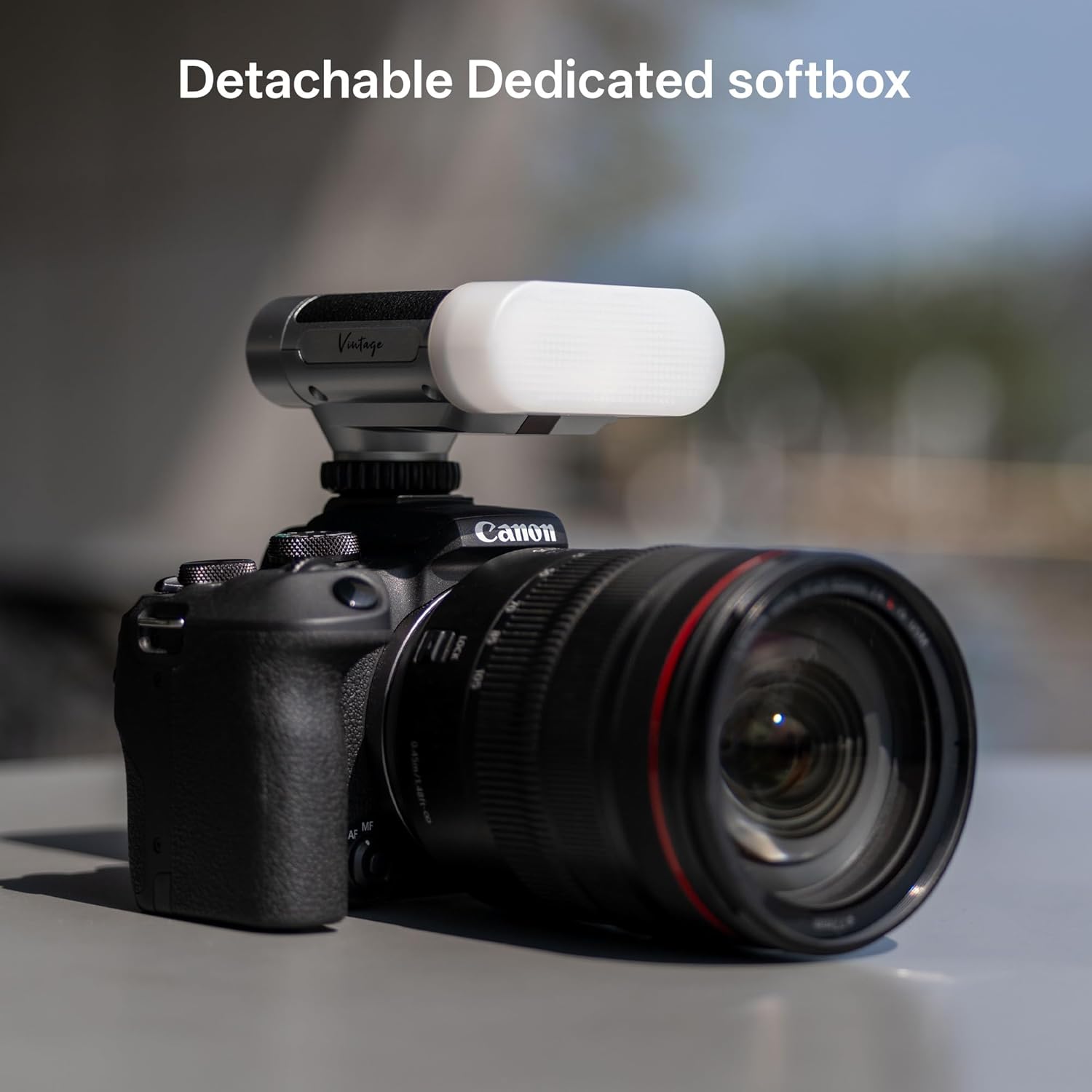
Figure 8: The detachable soft cover for diffused lighting.
5. Flash Performance and Lens Considerations
The flash offers a quick recycle time of 0.25 to 3.5 seconds. When using the flash with cameras equipped with larger lenses, especially wide-angle lenses (e.g., wider than 28mm), there is a possibility of the lens casting a shadow in the lower part of your image. To avoid this, consider using a prime lens or a lens with a shorter focal length, or adjust your shooting distance.

Figure 9: Example of flash output and recycle time.
Video 1: Official VILTROX Z1 Retro Flash demonstration, showcasing its features and use cases.
Maintenance
To ensure the longevity and optimal performance of your VILTROX Retro Flash, follow these maintenance guidelines:
- Cleaning: Use a soft, dry cloth to clean the flash unit. Do not use liquid cleaners or solvents.
- Storage: Store the flash in a cool, dry place away from direct sunlight and extreme temperatures.
- Battery Care: For prolonged storage, ensure the battery is charged to about 50%. Avoid fully discharging the battery for extended periods.
- Handling: Handle the flash with care. Avoid dropping the unit or subjecting it to strong impacts.
Troubleshooting
If you encounter any issues with your VILTROX Retro Flash, please refer to the following common problems and solutions:
| Problem | Possible Cause | Solution |
|---|---|---|
| Flash not firing | Low battery; Incorrect camera flash mode; Flash not securely mounted; Flash in OFF mode. | Charge the flash; Set camera to 'Fill Flash' or 'Manual Flash'; Re-mount and tighten flash; Switch flash to 'M', 'S1', or 'S2' mode. |
| Shadows in image (especially with wide lenses) | Lens blocking flash output. | Use a prime lens or a lens with a shorter focal length; Adjust shooting distance; Use the soft cover to diffuse light. |
| Banding or uneven exposure | Shutter speed too fast. | Ensure shutter speed is 1/250s or slower. |
| Flash not syncing in slave mode | Incorrect S1/S2 setting for main flash. | If main flash is manual, use S1. If main flash is TTL, use S2. |
Specifications
| Feature | Specification |
|---|---|
| Model | Vintage Z1 Camera Flash |
| Guide Number (GN) | GN12 (ISO 100) |
| Power Output | 7 Levels (1/1 to 1/64) |
| Recycle Time | 0.25 - 3.5 seconds |
| Battery Capacity | 1100mAh Lithium Ion (Built-in) |
| Charging Port | USB-C (5V/2A) |
| Charging Time | Approx. 50 minutes |
| Flash Count (Full Power) | Approx. 400 flashes |
| Flash Count (Micro-flash) | Up to 10,000 flashes (at 1/64 power) |
| Color Temperature | 6500K ± 200K |
| Flash Mode | Manual, S1, S2 |
| Compatible Mountings | Universal Hot Shoe |
| Item Weight | 116g (4.1 ounces) |
| Product Dimensions | 3 x 2.5 x 7 inches |
| Manufacturer | Viltrox |
| Country of Origin | China |
Warranty and Support
VILTROX products are manufactured to high-quality standards. For information regarding warranty coverage, technical support, or service, please refer to the contact information provided on the product packaging or visit the official VILTROX website. Please retain your proof of purchase for warranty claims.
Related documentsVintage Z1 Camera Flash


Ask a question about this manual
Ask about setup, troubleshooting, compatibility, parts, safety, or missing instructions. Manuals+ will review the question and use this page’s manual context to help answer it.