
LEKATO EP-01
Contents
LEKATO EP-01 Mini Guitar Amplifier User Manual
Model: EP-01
1. Introduction
The LEKATO EP-01 Mini Guitar Amplifier is a versatile digital effects processor designed for electric guitarists. It integrates a variety of amplifier models, effects, drum grooves, and Bluetooth audio streaming, making it suitable for practice, live performance, and recording. This manual provides detailed instructions for optimal use of your device.

Image 1: Front view of the LEKATO EP-01 Mini Guitar Amplifier, showing its compact design and controls.
2. Key Features
- Customizable Presets: 14 classic amplifier models, 14 effects (reverb, delay, modulation), and 5 tone levels. Up to 14 custom presets can be saved.
- 28 Drum Grooves: Covers 7 popular music styles (POP, BLUES, PUNK, ROCK, METAL, FUNK, JAZZ) with adjustable rhythm, speed, and volume.
- 3.5mm Headphone Output: For silent practice or connection to an external speaker (additional cable required).
- Bluetooth Audio Streaming: Functions as a Bluetooth receiver for playing along with music from a smartphone or other device. Note: Bluetooth headphones are not supported.
- OTG Functionality: Supports USB audio recording and playback for sharing content (requires an additional OTG cable).
- Rechargeable Battery: Built-in lithium-ion battery, rechargeable via 5V/1A USB-C cable, providing approximately 4 hours of playing time.
3. Package Contents
Please check that all items are present in the package:
- LEKATO EP-01 Mini Guitar Amplifier
- USB-C Charging Cable
- User Manual (this document)
4. Setup
4.1 Charging the Device
Before first use, fully charge the EP-01. Connect the supplied USB-C cable to the charging port on the device and the other end to a 5V/1A USB power adapter (not included). The charging indicator light will show the charging status.

Image 2: The LEKATO EP-01 connected to a USB-C cable for charging, illustrating the charging port and the 270-degree rotatable plug.
4.2 Connecting to Your Guitar
Insert the 6.35mm jack of the EP-01 directly into your electric guitar's output jack. The plug is rotatable by 270 degrees to accommodate various guitar jack positions.
4.3 Connecting Headphones or External Speaker
Connect your 3.5mm wired headphones to the headphone output jack on the EP-01 for private practice. Alternatively, connect an auxiliary cable from the 3.5mm output to an external speaker for amplified sound.

Image 3: A musician using the LEKATO EP-01 for silent practice with headphones, demonstrating its portability.
5. Operating Instructions
5.1 Power On/Off
Slide the power switch to "ON" to turn on the device. Slide to "OFF" to power down.
5.2 Adjusting Volume
Use the + and - buttons to adjust the overall output volume.
5.3 Selecting Amplifier Models and Effects
The EP-01 features 14 amplifier models and 14 effects. Use the dedicated buttons (AMP, TONE, EFX) to cycle through the available options. Each button press will change the setting, indicated by corresponding LED lights. Refer to the quick guide for specific LED color meanings for each setting.
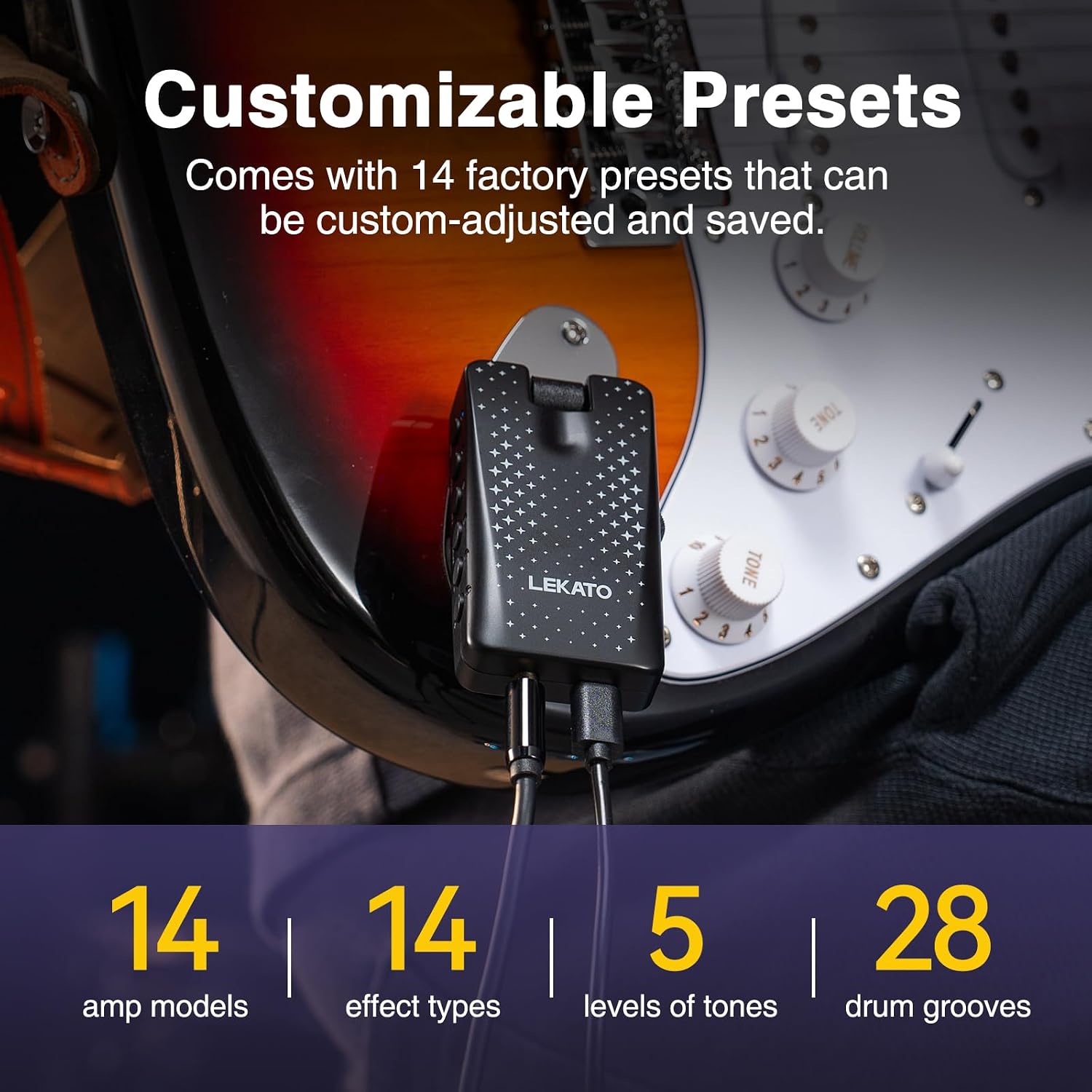
Image 4: The LEKATO EP-01 highlighting its customizable presets, including 14 amp models, 14 effect types, 5 tone levels, and 28 drum grooves.
5.4 Using Drum Grooves
Press the DRUM button to activate and cycle through the 28 built-in drum grooves. You can adjust the rhythm, speed, and volume of the drum tracks to match your playing style.

Image 5: The LEKATO EP-01 showcasing its 7 music styles and 28 drum grooves, with adjustable speed and volume.
5.5 Bluetooth Audio Playback
- Slide the switch to BT mode.
- On your smartphone or Bluetooth-enabled device, search for "EP-01" and pair.
- Once connected, you can play audio from your device through the EP-01 and play along with your guitar.
Note: The EP-01 functions as a Bluetooth receiver only. It cannot connect to Bluetooth headphones.

Image 6: The LEKATO EP-01 connected to a guitar, with a smartphone displaying music playback, illustrating its Bluetooth audio receiver function.
5.6 OTG (USB Audio) Recording/Playback
The EP-01 supports USB audio recording and playback via its OTG function. Connect the device to your mobile phone or computer using a USB-C cable and an additional OTG adapter (not included). This allows for direct recording of your guitar playing for sharing or further processing.

Image 7: A guitar connected to the LEKATO EP-01, which is then connected to a mobile device via an OTG cable for recording.
6. Maintenance
- Cleaning: Use a soft, dry cloth to clean the device. Do not use liquid cleaners or abrasive materials.
- Storage: Store the EP-01 in a cool, dry place away from direct sunlight and extreme temperatures.
- Battery Care: To prolong battery life, avoid fully discharging the battery frequently. Charge the device regularly, even if not in use for extended periods.
- Avoid Moisture: Keep the device away from water and high humidity to prevent damage.
7. Troubleshooting
| Problem | Possible Cause | Solution |
|---|---|---|
| No sound output. | Device is off; Volume is too low; Headphones/speaker not connected properly; Guitar not connected properly. | Ensure device is on; Increase volume; Check all cable connections; Ensure guitar is plugged in securely. |
| Bluetooth pairing fails. | Device not in BT mode; "EP-01" not selected on source device; Interference. | Slide switch to BT mode; Select "EP-01" from your device's Bluetooth list; Move closer to the source device; Restart both devices. |
| Short battery life. | Battery not fully charged; Old battery. | Ensure full charge before use; If battery life significantly degrades, contact support. |
| Distorted sound. | Volume too high; Incorrect effect/amp setting. | Reduce volume; Adjust amp model or effect settings. |
8. Specifications
| Feature | Detail |
|---|---|
| Brand | LEKATO |
| Model Number | EP-01 |
| Color | Black |
| Compatible Devices | Electric Guitar |
| Connectivity | 3.5mm Jack, USB, Bluetooth |
| Battery Type | Lithium-ion (Rechargeable) |
| Playing Time | Approx. 4 hours (on full charge) |
| Material | Plastic |
| Item Weight | 110 Grams |
| Dimensions (L x W x H) | 8 x 11 x 4.5 cm |
| Amplifier Models | 14 |
| Effects | 14 (Reverb, Delay, Modulation, etc.) |
| Drum Grooves | 28 (7 styles) |
9. Warranty and Support
LEKATO products are designed for reliability and performance. For warranty information or technical support, please refer to the official LEKATO website or contact your retailer. Keep your purchase receipt as proof of purchase.
For further assistance, please visit: www.lekato.com (Example link, actual link may vary)
Documents and downloads
Ask a question about this manual
Ask about setup, troubleshooting, compatibility, parts, safety, or missing instructions. Manuals+ will review the question and use this page’s manual context to help answer it.