
JBL JBLLIVE675NCBLKAM
JBL Live 675NC Wireless True Adaptive Noise-Cancelling On-Ear Headphones User Manual
Model: JBLLIVE675NCBLKAM
1. Introduction
The JBL Live 675NC headphones deliver powerful JBL Signature Sound in a comfortable on-ear design. Featuring True Adaptive Noise Cancelling with Smart Ambient technology, these headphones allow you to control your listening environment. Enjoy seamless connectivity with Bluetooth 5.3 and extended battery life for your audio experience.

Image 1.1: Angled view of the JBL Live 675NC headphones in black.
2. What's in the Box
Verify that all components are present in the packaging:
- JBL Live 675NC On-Ear Headphones
- Charging Cable
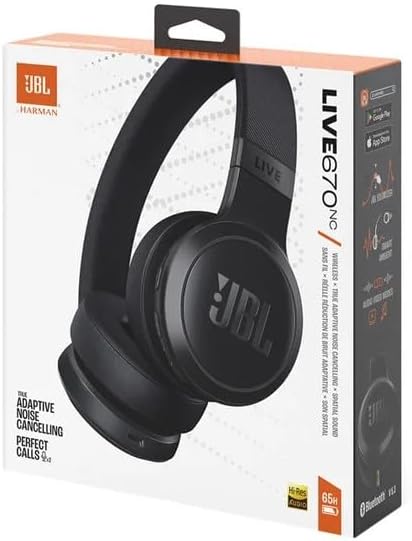
Image 2.1: Retail packaging for the JBL Live 675NC headphones.
3. Setup
3.1 Charging the Headphones
Before initial use, fully charge the headphones. Connect the provided charging cable to the charging port on the headphones and to a USB power source. The LED indicator will show charging status. A 5-minute speed charge provides approximately four hours of playback.
3.2 Powering On/Off
- To power on: Press and hold the power button until the LED indicator illuminates.
- To power off: Press and hold the power button until the LED indicator turns off.
3.3 Bluetooth Pairing
To connect your JBL Live 675NC headphones to a device:
- Ensure the headphones are powered on.
- Activate Bluetooth pairing mode on the headphones (refer to the specific button combination in your quick start guide, typically holding the power button longer or a dedicated Bluetooth button). The LED will flash to indicate pairing mode.
- On your device (smartphone, tablet, computer), go to Bluetooth settings and select "JBL Live 675NC" from the list of available devices.
- Once connected, the LED indicator will show a solid light.
The headphones support Bluetooth 5.3 for stable and efficient wireless connectivity.
4. Operating the Headphones
4.1 Controls Overview
The headphones feature intuitive controls located on the earcups for managing audio playback, calls, and features.

Image 4.1: Side view illustrating the control buttons on the earcup.
- Power Button: Power on/off, Bluetooth pairing.
- Volume Buttons: Adjust audio volume.
- Multi-function Button: Play/pause music, answer/end calls, skip tracks.
- ANC/Ambient Aware Button: Toggle between noise-cancelling and ambient sound modes.
4.2 True Adaptive Noise Cancelling with Smart Ambient
The JBL Live 675NC headphones feature True Adaptive Noise Cancelling (ANC) to block out distractions and Smart Ambient technology to allow you to hear your surroundings when needed. Use the dedicated button on the earcup to cycle through these modes:
- Noise Cancelling: Reduces external noise for immersive listening.
- Smart Ambient: Allows you to hear ambient sounds while still enjoying your audio.
- Off: Disables both ANC and Smart Ambient.
4.3 Voice Assistant
Access your preferred voice assistant (e.g., Google Assistant, Amazon Alexa) by either using a hot-word command or by tapping the designated area on the earcup. Refer to the quick start guide for specific activation methods.
4.4 Auto Play and Pause
The headphones are equipped with a sensor that automatically pauses audio playback when you remove them and resumes playback when you put them back on.
4.5 Seamless Connectivity
The JBL Live 675NC headphones are designed for seamless connectivity, allowing easy switching between multiple paired devices.
5. Maintenance
5.1 Cleaning
To maintain the condition of your headphones:
- Wipe the earcups and headband with a soft, dry, lint-free cloth.
- Do not use harsh chemicals, cleaning solvents, or strong detergents.
- Avoid getting moisture into any openings.
5.2 Storage
When not in use, store the headphones in a cool, dry place, away from extreme temperatures and direct sunlight. If provided, use the carrying case to protect them from dust and scratches.
6. Troubleshooting
If you encounter issues with your JBL Live 675NC headphones, refer to the following common solutions:
| Problem | Possible Solution |
|---|---|
| Headphones do not power on | Ensure the headphones are fully charged. |
| Cannot pair via Bluetooth | Ensure headphones are in pairing mode. Turn off and on Bluetooth on your device. Forget the device in your Bluetooth settings and try pairing again. |
| No sound | Check volume levels on both headphones and connected device. Ensure headphones are properly paired. |
| Noise Cancelling not effective | Ensure ANC mode is activated. Adjust headphone fit for a proper seal around your ears. |
7. Specifications
Key technical specifications for the JBL Live 675NC headphones:
- Model Name: JBL Live 675NC
- Model Number: JBLLIVE675NCBLKAM
- Connectivity Technology: Wireless (Bluetooth 5.3 with LE audio supported)
- Earpiece Shape: On Ear
- Color: Black
- Item Weight: 0.42 Kilograms (14.9 ounces)
- Battery Life: Up to 65 hours (50 hours with Bluetooth + True Adaptive Noise Cancelling on)
- Included Components: Charging Cable
- UPC: 050036406062

Image 7.1: Front view of the JBL Live 675NC headphones.
8. Warranty and Support
For warranty information and customer support, please refer to the documentation included with your product or visit the official JBL website. You can also find additional support resources and frequently asked questions there.
Related documentsJBLLIVE675NCBLKAM


Ask a question about this manual
Ask about setup, troubleshooting, compatibility, parts, safety, or missing instructions. Manuals+ will review the question and use this page’s manual context to help answer it.