
1. Introduction
Thank you for purchasing the Daewoo DTF-22AR 36-inch Tower Fan. This manual provides important information regarding the safe operation, installation, maintenance, and troubleshooting of your new fan. Please read this manual thoroughly before use and retain it for future reference.
The Daewoo DTF-22AR tower fan is designed to provide efficient and quiet cooling for your home or office. It features three adjustable speeds, three distinct breeze modes (Normal, Natural, and Sleep), an oscillation function for wide air distribution, and a convenient 7-hour timer.
2. Important Safety Instructions
WARNING: To reduce the risk of fire, electric shock, or injury, observe the following:
- Read all instructions before using this fan.
- This fan is for household use only. Do not use outdoors.
- Always unplug the fan before cleaning, servicing, or moving it.
- Do not operate any fan with a damaged cord or plug. Discard fan or return to an authorized service facility for examination and/or repair.
- Do not run cord under carpeting. Do not cover cord with throw rugs, runners, or similar coverings. Arrange cord away from traffic area and where it will not be tripped over.
- Do not insert or allow fingers or foreign objects to enter any ventilation or exhaust opening as this may cause an electric shock or fire, or damage the fan.
- Do not block air openings or tamper with the fan in any way while it is in operation.
- Always place the fan on a stable, flat surface to prevent it from tipping over.
- Do not use the fan in wet or damp locations such as bathrooms or laundry areas.
- Keep the fan away from heat sources, open flames, and flammable materials.
- Supervise children when the fan is in use.
3. Product Diagram
Familiarize yourself with the components of your Daewoo DTF-22AR Tower Fan.
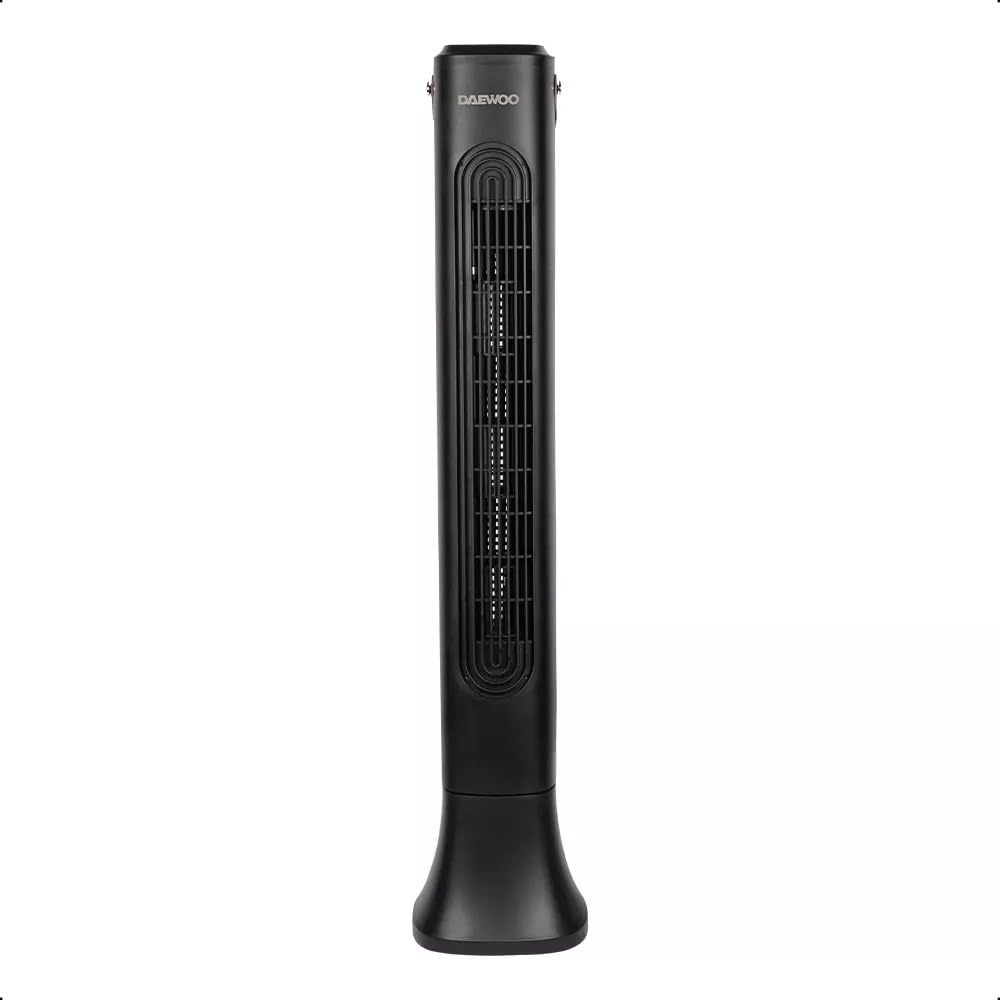
Image: Daewoo DTF-22AR 36-inch Tower Fan, showing its sleek black tower design. This image illustrates the overall appearance of the fan, including its base and control panel area.
Package Contents:
- Tower Fan Unit
- Base Assembly (may require minor assembly)
- User Manual
4. Setup Instructions
Follow these steps to set up your tower fan:
- Unpack: Carefully remove the fan unit and all components from the packaging. Retain packaging for future storage or transport.
- Assemble Base (if required):
- If the base is separate, align the two halves of the base and snap them together.
- Place the fan unit onto the assembled base, ensuring it is securely seated.
- Secure the base to the fan unit using the provided screws (if applicable) from the underside.
- Placement: Place the fan on a firm, level surface where it cannot be easily knocked over. Ensure there is adequate space around the fan for proper airflow.
- Power Connection: Plug the power cord into a standard electrical outlet. Ensure the voltage matches the fan's requirements (refer to specifications).
5. Operating Instructions
Your Daewoo DTF-22AR Tower Fan can be operated using the control panel on the top of the unit.
Control Panel Functions:
- Power Button (⏻): Press to turn the fan ON or OFF.
- Speed Button (↻): Press repeatedly to cycle through the 3 fan speeds: Low, Medium, High.
- Mode Button (M): Press to select one of the 3 breeze modes:
- Normal: Provides a constant, steady airflow.
- Natural: Simulates a natural outdoor breeze by varying fan speed.
- Sleep: Operates at a lower, quieter speed for a relaxing environment, ideal for nighttime use.
- Oscillation Button (⇆): Press to activate or deactivate the oscillation function, which rotates the fan from side to side to distribute air over a wider area.
- Timer Button (T): Press repeatedly to set the auto-off timer. Each press increases the timer setting by 1 hour, up to a maximum of 7 hours. The fan will automatically turn off after the set time.
6. Maintenance and Cleaning
Regular cleaning will help maintain your fan's performance and extend its lifespan.
- Always unplug the fan from the power outlet before cleaning.
- Exterior Cleaning: Use a soft, damp cloth to wipe the exterior surfaces of the fan. Do not use abrasive cleaners or solvents, as these may damage the finish.
- Dust Removal: Use a vacuum cleaner with a brush attachment or a soft, dry cloth to remove dust from the air intake and exhaust grilles. Do not attempt to open the fan housing to clean internal components.
- Storage: If storing the fan for an extended period, clean it thoroughly, then place it back in its original packaging or cover it to protect it from dust. Store in a cool, dry place.
7. Troubleshooting
If you encounter issues with your fan, refer to the following common problems and solutions:
| Problem | Possible Cause | Solution |
|---|---|---|
| Fan does not turn on. | Not plugged in; Power outlet not working; Fan damaged. | Ensure the power cord is securely plugged into a working outlet. Test the outlet with another device. If damaged, contact customer support. |
| Weak or no airflow. | Air intake/exhaust blocked; Fan speed set too low. | Check for obstructions around the fan grilles. Increase the fan speed setting. |
| Fan makes unusual noise. | Loose parts; Fan not on a level surface; Foreign object inside. | Ensure the fan is on a stable, level surface. Unplug and check for any visible foreign objects. Do not attempt to disassemble. |
| Oscillation not working. | Oscillation function not activated. | Press the oscillation button to activate the function. |
If the problem persists after trying these solutions, please contact Daewoo customer support.
8. Product Specifications
| Model Number | DTF-22AR |
| Brand | Daewoo |
| Color | Black |
| Material | Plastic |
| Product Dimensions (D x W x H) | 20 x 20 x 85 cm (approximately 7.9 x 7.9 x 33.5 inches) |
| Product Weight | 3.22 kg (approximately 7.1 lbs) |
| Number of Speeds | 3 |
| Special Features | Timer, Adjustable Speeds, Breeze Modes (Normal, Natural, Sleep), Oscillating |
| Power Source | Electric Cord |
| Fan Design | Floor Fan (Tower) |
9. Warranty and Customer Support
Warranty information for the Daewoo DTF-22AR Tower Fan is not specified in the provided product details. For warranty claims, technical support, or service inquiries, please contact Daewoo customer service directly through their official website or the retailer where the product was purchased.
Please have your model number (DTF-22AR) and purchase date available when contacting support.

