
1. Introduction
This manual provides detailed instructions for the proper use and maintenance of your Tek Styz TS-1937 Portable Bluetooth Speaker. Please read this manual thoroughly before operating the device to ensure optimal performance and longevity.
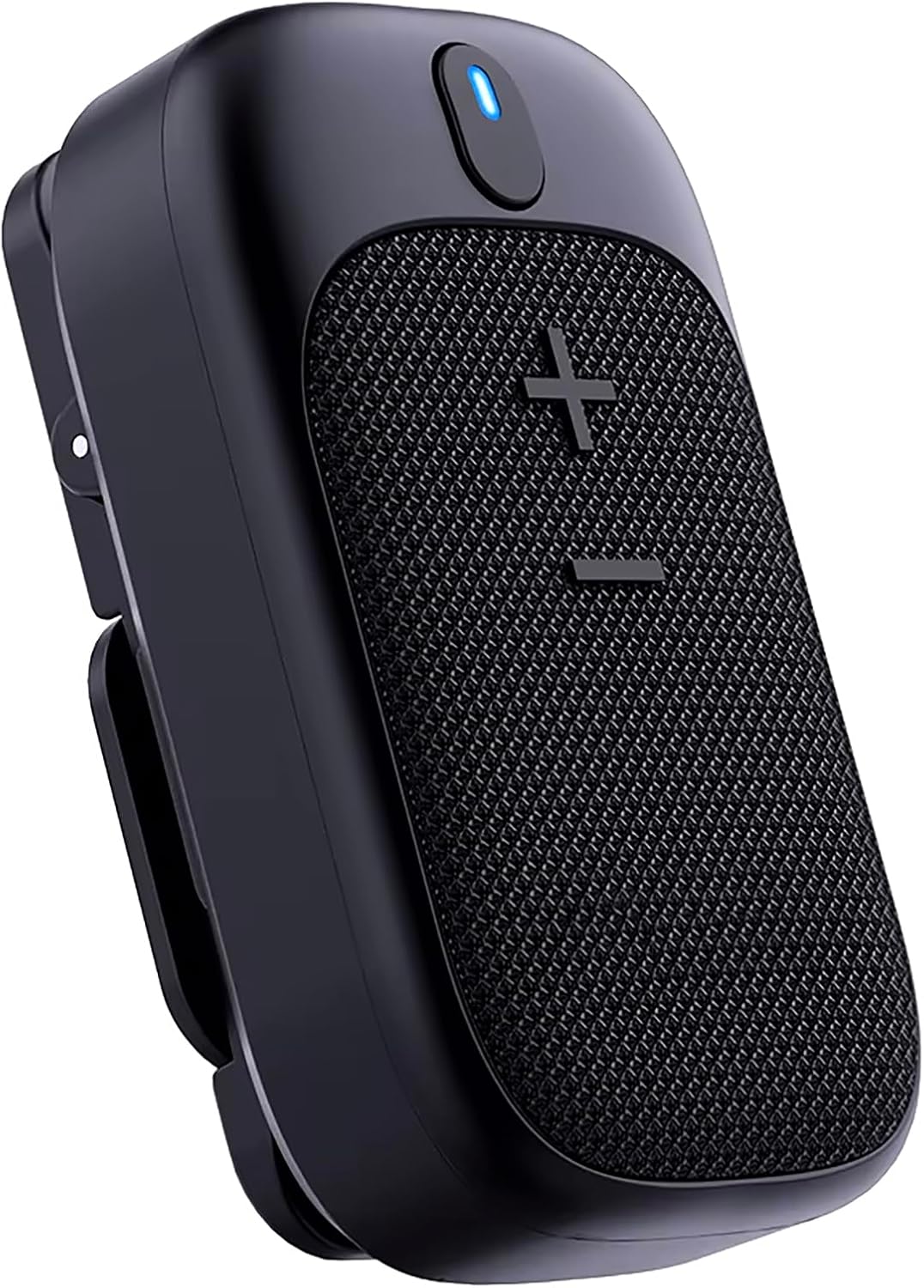
Image 1.1: Front view of the Tek Styz TS-1937 Portable Bluetooth Speaker, showcasing its compact design and speaker grille.
2. Safety Information
- Do not expose the speaker to extreme temperatures or direct sunlight for extended periods.
- Avoid dropping or subjecting the speaker to strong impacts.
- Do not disassemble, repair, or modify the device yourself. Contact authorized service personnel for any repairs.
- Keep the speaker away from water and liquids, despite its IPX5 water-resistant rating. Do not submerge it.
- Use only the provided USB Type-C charging cable. Do not use damaged cables or chargers.
- Dispose of the speaker and its battery responsibly according to local regulations.
3. Package Contents
Verify that all items are present in the package:
- Tek Styz TS-1937 Portable Bluetooth Speaker
- USB Type-C Charging Cable
- User Manual (this document)
Note: A charger block/adapter is not included. Please use your existing cell phone charger or a compatible USB power adapter.
4. Product Overview
4.1. Components and Controls

Image 4.1: Overview of the speaker's control buttons and their functions.
- Power Button (Top):
- Long press for 3 seconds: Power On/Off
- Short press: Talk/Hang up during a call
- Volume Up / Previous Song Button (+):
- Short press: Volume Up
- Long press: Previous Song
- Volume Down / Next Song Button (-):
- Short press: Volume Down
- Long press: Next Song
- LED Indicator: Displays power and Bluetooth status.
- Microphone: For hands-free calling.
- USB Type-C Port: For charging.
- Clip-On Mechanism: For attaching to clothing or bags.
- Magnetic Base: For secure magnetic attachment.
5. Setup
5.1. Charging the Speaker
- Connect the provided USB Type-C charging cable to the speaker's charging port.
- Connect the other end of the cable to a USB power source (e.g., a computer USB port, a USB wall adapter, or a power bank).
- The LED indicator will illuminate during charging. It typically takes about 1 hour for a full charge.
- Once fully charged, the LED indicator will change color or turn off (refer to specific LED behavior in the specifications).
A full charge provides up to 18 hours of playtime at medium volume.
5.2. Bluetooth Pairing
- Ensure the speaker is charged and powered off.
- Long press the Power button for 3 seconds to turn on the speaker. The LED indicator will flash, indicating it is in pairing mode.
- On your device (smartphone, tablet, computer), enable Bluetooth and search for available devices.
- Select "TS-1937" or a similar name from the list of found devices.
- Once paired, the LED indicator will stop flashing and remain solid, indicating a successful connection.
- The speaker will automatically reconnect to the last paired device when powered on, if the device's Bluetooth is active and within range.

Image 5.1: The speaker utilizes Bluetooth 5.4 technology for stable and efficient wireless connection.
5.3. Dual Stereo Pairing (TWS Function)
To achieve a true wireless stereo experience, you can pair two TS-1937 speakers together.
- Ensure both TS-1937 speakers are powered off and not connected to any Bluetooth device.
- Power on both speakers simultaneously. They will enter pairing mode.
- Wait a few seconds for the two speakers to automatically connect to each other. You will hear an audible confirmation tone.
- Once the speakers are paired with each other, one speaker will act as the master and its LED will flash, indicating it's ready to pair with your device. The other speaker's LED will be solid.
- On your device, search for Bluetooth devices and select the master speaker's name (e.g., "TS-1937").
- Both speakers will now play audio in stereo.
6. Operation
6.1. Power On/Off
- Power On: Long press the Power button for 3 seconds.
- Power Off: Long press the Power button for 3 seconds.
6.2. Music Playback
- Play/Pause: Use the controls on your connected device.
- Volume Up: Short press the '+' button.
- Volume Down: Short press the '-' button.
- Previous Song: Long press the '+' button.
- Next Song: Long press the '-' button.

Image 6.1: The speaker provides high volume and clear audio for an immersive listening experience.
6.3. Call Functions
The built-in microphone allows for hands-free calling when connected to your smartphone.
- Answer Call: Short press the Power button.
- End Call: Short press the Power button.
- Reject Call: Long press the Power button.

Image 6.2: The speaker supports full-duplex communication for clear hands-free calls.
6.4. Wearing and Mounting Options
The TS-1937 speaker offers versatile mounting options for various activities.
- Clip-On: Use the integrated spring clip to attach the speaker to clothing, backpack straps, or other suitable surfaces.
- Magnetic Mount: The speaker features a magnetic base. It can be attached to magnetic surfaces or used with the double-sided magnet for secure placement on clothing without a clip.

Image 6.3: The double-sided magnet allows for secure attachment to clothing, maintaining awareness.

Image 6.4: The built-in magnet provides secure placement, such as on a metal pole during outdoor activities.

Image 6.5: The spring clip allows for free movement without the speaker bouncing.
7. Maintenance
- Cleaning: Wipe the speaker with a soft, dry cloth. Do not use abrasive cleaners or solvents.
- Storage: Store the speaker in a cool, dry place away from direct sunlight and extreme temperatures when not in use for extended periods.
- Battery Care: To prolong battery life, avoid fully discharging the speaker frequently. Charge it regularly, even if not in use.
8. Troubleshooting
| Problem | Possible Cause | Solution |
|---|---|---|
| Speaker does not power on. | Low battery. | Charge the speaker for at least 1 hour. |
| Cannot pair with Bluetooth device. | Bluetooth is off on your device; speaker is not in pairing mode; too far from device. | Ensure Bluetooth is enabled on your device. Long press power button to enter pairing mode. Move speaker closer to device (within 33 feet). |
| No sound or low volume. | Volume too low on speaker or device; speaker not connected. | Increase volume on both speaker and connected device. Re-pair the speaker if disconnected. |
| Sound distortion. | Volume too high; weak Bluetooth signal. | Reduce volume. Move speaker closer to the connected device. |
| Cannot connect two speakers for TWS. | Speakers already paired to a device; not in TWS pairing mode. | Ensure both speakers are powered off and not connected to any device before attempting TWS pairing. Follow TWS pairing steps carefully. |
9. Specifications

Image 9.1: Technical specifications and physical dimensions of the TS-1937 speaker.
| Feature | Detail |
|---|---|
| Model Name | TS-1937 |
| Bluetooth Version | 5.4 |
| Wireless Communication Technology | Bluetooth |
| Speaker Type | Portable, Travel, Clip-On, Waterproof (IPX5) |
| Audio Output Mode | Stereo (2.0 channel) |
| Speaker Maximum Output Power | 3 Watts |
| Audio Driver Size | 72 Millimeters |
| Audio Latency | 6 Milliseconds |
| Frequency Response | 17 KHz |
| Impedance | 25.94 Ohm |
| Battery Capacity | 600 Milliamp Hours |
| Playtime | Up to 18 Hours (Medium Volume) |
| Charging Time | Approximately 1 Hour |
| Power Source | Battery Powered |
| Water Resistance Level | IPX5 (Water Resistant) |
| Mounting Type | Clip-On, Magnetic to Clothing, Bag, TableTop |
| Material | Aluminum, High Strength Plastic |
| Product Dimensions (L x W x H) | 2.87"D x 1.11"W x 1.68"H (approx. 73mm x 28mm x 42mm) |
| Item Weight | 4 Ounces |
| Control Method | Touch (Buttons) |
| Compatible Devices | Android, Apple iPhone (16, 15, 14, Pro, Max, Plus Models), iOS, Mac, Windows |
| Included Components | Speaker, USB Type-C Charging Cable, User Manual |
10. Warranty and Support
For warranty information and customer support, please refer to the official Tek Styz website or contact your retailer.
You can visit the Tek Styz Store on Amazon for more product information and support resources.