
1. Safety Information
WARNING: Read the ENTIRE instruction manual to become familiar with the features of the product before operating. Failure to operate the product correctly can result in damage to the product, personal property, and cause serious injury.
This is a sophisticated hobby product. It must be operated with caution and common sense and requires some basic mechanical ability. Failure to operate this Product in a safe and responsible manner could result in injury or damage to the product or other property. This product is not intended for use by children without direct adult supervision. Do not use with incompatible components or alter this product in any way outside of the instructions provided by Horizon Hobby, LLC. The product manual contains instructions for safety, operation, and maintenance. It is essential to read and follow all the instructions and warnings in the manual, prior to assembly, setup or use, in order to operate correctly and avoid damage or serious injury.
2. Product Overview
The Blade Revolution 235 CP RTF Basic is an updated and upgraded version of the proven Blade 230 S, designed to be easier to fly, more durable, and more capable for both first-time and experienced helicopter pilots. It is the perfect model to learn to fly Collective Pitch (CP) helicopters before advancing into scale, sport, and/or 3D flying.
Key Features:
- Equipped with improved SAFE technology that helps prevent crashes and makes it easy to learn how to fly.
- Spektrum DXS controller/transmitter with industry-leading DSMX 2.4GHz technology for reliable control without interference.
- Fully factory-assembled, flight-tested, and ready to fly right out of the box—no assembly or setup required.
- Durable construction for enhanced longevity.
3. What's in the Box
Your Blade Revolution 235 CP RTF Basic package includes the following components:
- (1) Blade Revolution 235 CP Helicopter
- (1) Brushless Outrunner Main Motor (installed)
- (1) Brushless Outrunner Tail Motor (installed)
- (3) Spektrum Digital, Metal-Geared Servos (installed)
- (1) Spektrum AR6250MHXD Flybarless Flight Controller and (1) Receiver with AS3X and SAFE
- (1) Spektrum Dual 15A Main and 8A Tail Brushless Smart Lite ESC (installed)
- (1) Main Blade Holder
- (1) Spektrum DXS 2.4GHz DSMX Controller/Transmitter
- (4) AA Alkaline Batteries (for the transmitter)
- Product Manual
Note: Battery and charger for the helicopter are NOT included and must be purchased separately.

Image: Illustration showing a battery and charger, indicating they are needed to complete the setup.
4. Setup
4.1 Initial Inspection
Upon unboxing, carefully inspect all components for any signs of damage. Ensure all pre-installed parts are secure.
4.2 Transmitter Setup
- Install the four (4) AA Alkaline batteries into the Spektrum DXS 2.4GHz DSMX Controller/Transmitter.
- Familiarize yourself with the controls and switches on the transmitter.
4.3 Helicopter Battery Installation (Battery Not Included)
- Ensure your Lithium-Ion Polymer flight battery (not included) is fully charged using a compatible charger (not included).
- Carefully connect the charged flight battery to the helicopter's ESC. Refer to the helicopter's manual for exact battery placement and connection.
4.4 Binding the Transmitter and Receiver
Follow the detailed instructions in the included Product Manual to bind your Spektrum DXS transmitter to the Spektrum AR6250MHXD Flybarless Flight Controller/Receiver. This process establishes communication between your controller and the helicopter.
5. Operating Instructions
5.1 Pre-Flight Checks
- Ensure the flight battery is fully charged and securely installed.
- Verify the transmitter batteries are sufficient.
- Check that all control surfaces (main blades, tail rotor, servos) move freely and correctly in response to transmitter inputs.
- Perform a range check as per the transmitter manual to ensure reliable signal.
5.2 Taking Off
Place the helicopter on a flat, level surface in an open area, clear of obstacles and people. Slowly increase the throttle. The SAFE technology will assist in maintaining stability during takeoff. For beginners, practice gentle, controlled ascents to a stable hover.
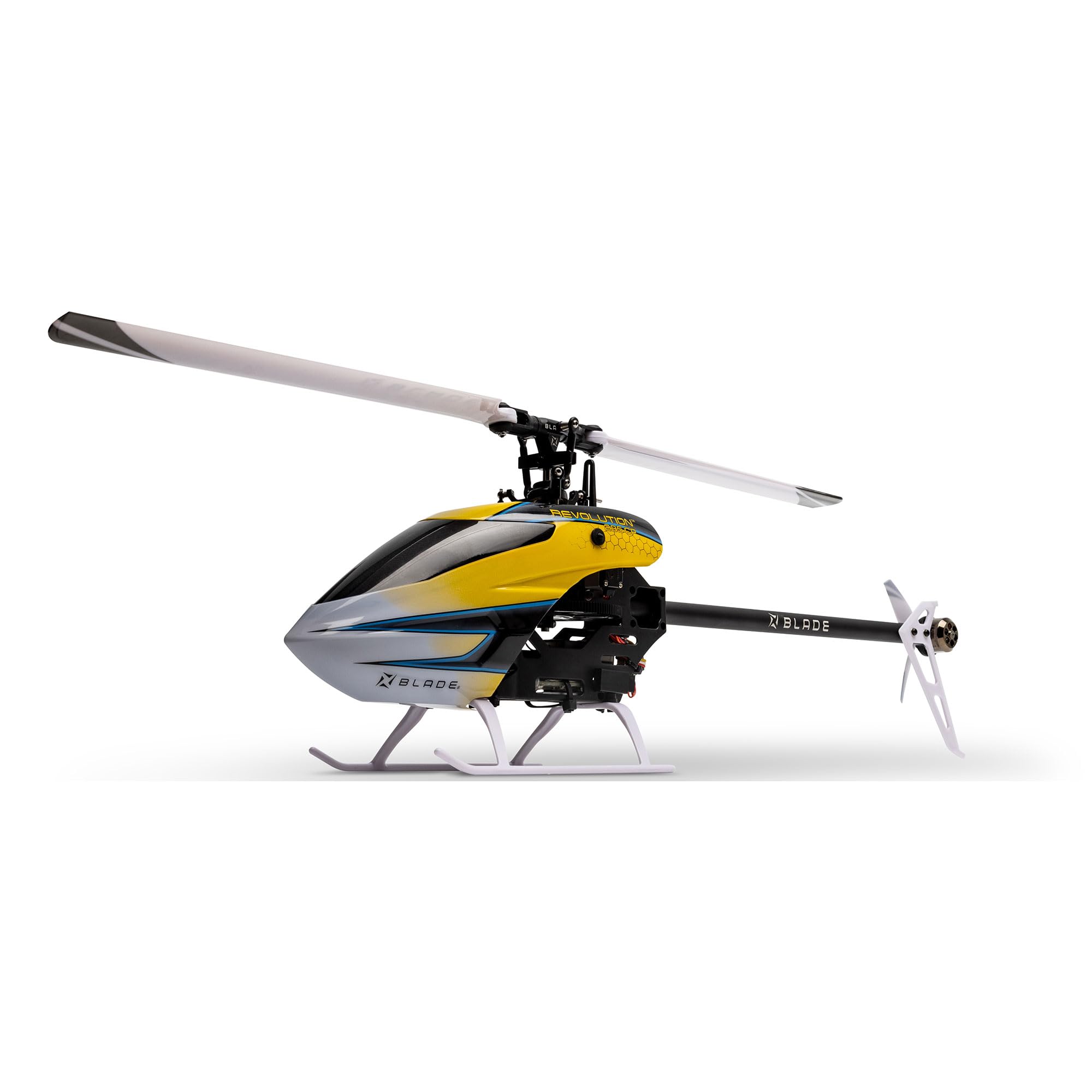
Image: The Blade Revolution 235 CP RC Helicopter hovering stably above a grassy field.
5.3 Flight Modes and SAFE Technology
The Blade Revolution 235 CP features advanced SAFE technology, which provides multiple flight modes to assist pilots of varying skill levels:
- Stability Mode: Ideal for beginners, offering self-leveling and limited pitch/roll angles to prevent over-control.
- Agility Mode: Provides more freedom in pitch and roll for intermediate pilots, without self-leveling.
- Panic Recovery: A crucial safety feature that, when activated, instantly returns the helicopter to a level attitude, helping to prevent crashes during disorientation.


Image: Left: SAFE Technology logo. Right: Illustration demonstrating the Panic Recovery feature, showing the helicopter returning to a level attitude.
5.4 Landing
To land, slowly reduce the throttle while maintaining a stable hover. Gently guide the helicopter down to the ground. Once on the ground, fully reduce the throttle to stop the main and tail rotors.
6. Maintenance
Regular maintenance ensures the longevity and optimal performance of your Blade Revolution 235 CP helicopter.
- Post-Flight Inspection: After each flight, check for any loose screws, damaged blades, or signs of wear on the frame and components.
- Cleaning: Keep the helicopter clean from dirt, dust, and debris. Use a soft, dry cloth. Avoid using solvents or harsh chemicals.
- Blade Inspection: Regularly inspect main and tail rotor blades for cracks, chips, or deformation. Replace damaged blades immediately.
- Motor and Gear Check: Ensure motors spin freely and quietly. Check gears for wear or stripped teeth.
- Storage: Store the helicopter in a cool, dry place away from direct sunlight and extreme temperatures. Disconnect the flight battery when not in use.
7. Troubleshooting
Here are some common issues and their potential solutions:
| Problem | Possible Cause | Solution |
|---|---|---|
| Helicopter does not power on | Disconnected or uncharged battery; loose wiring | Ensure battery is connected and charged; check all wiring connections. |
| Loss of control or erratic flight | Interference; uncalibrated controls; damaged components | Ensure clear line of sight; re-bind transmitter/receiver; inspect blades/servos for damage. |
| Helicopter drifts during hover | Trim settings incorrect; uneven takeoff surface | Adjust trim on transmitter; ensure takeoff from a level surface. |
| Reduced flight time | Aging battery; over-discharge | Replace battery if old; avoid over-discharging the battery. |
If you encounter issues not listed here, please consult the full Product Manual or contact Blade customer support.
8. Specifications
| Feature | Detail |
|---|---|
| Brand Name | Blade |
| Model Name | Blade Revolution 235 CP RTF Basic with Safe BLH01400 |
| Model Number | BLH01400 |
| Item Type Name | RC Helicopter |
| Age Range Description | Ages 14+ |
| Batteries are Included | No (for helicopter flight battery) |
| Are Batteries Required | Yes (1 Nonstandard Battery for flight, 4 AA for transmitter) |
| Battery Description | Lithium-Ion Polymer (for flight) |
| Power Source | Battery Powered |
| Operation Mode | Remote Control |
| Is Assembly Required | No |
| Material Type | Plastic |
| Color | Yellow |
| Item Dimensions (LxWxH) | 23.2 x 10.3 x 8.7 inches |
| UPC | 660132889166 |
9. Warranty and Support
For detailed warranty information, please refer to the official Product Manual included in your package. For technical support, spare parts, or service inquiries, please contact Blade customer service directly. Contact information can typically be found in the Product Manual or on the official Blade website.
10. Product Videos
No relevant official seller videos for the Blade Revolution 235 CP RTF Basic RC Helicopter (BLH01400) were found in the provided data.


